
 Naveenkumar Sanjeevirayan
TL;DR: The Syncfusion Toolkit for .NET MAUI continues to grow with its fifth open-source release, introducing the Grid Splitter and the Interactive Viewer to build resizable layouts and rich content-viewing experiences. The release also includes performance improvements, stability enhancements, and bug fixes to help developers create more responsive and maintainable cross-platform applications.
Since launching the Syncfusion® Toolkit for .NET MAUI, we’ve continued expanding the collection with new controls driven by common developer needs. Today, we’re excited to introduce the fifth set of open-source controls for .NET MAUI, adding Grid Splitter and Interactive Viewer to the Toolkit.
This release also includes quality improvements, performance enhancements, and bug fixes across existing controls.
Grid Splitter
Many desktop-style applications need resizable layouts that let users adjust the space allocated to different content areas. Whether you’re building a file explorer, dashboard, editor, or management application, users often expect to resize panels based on their workflow.
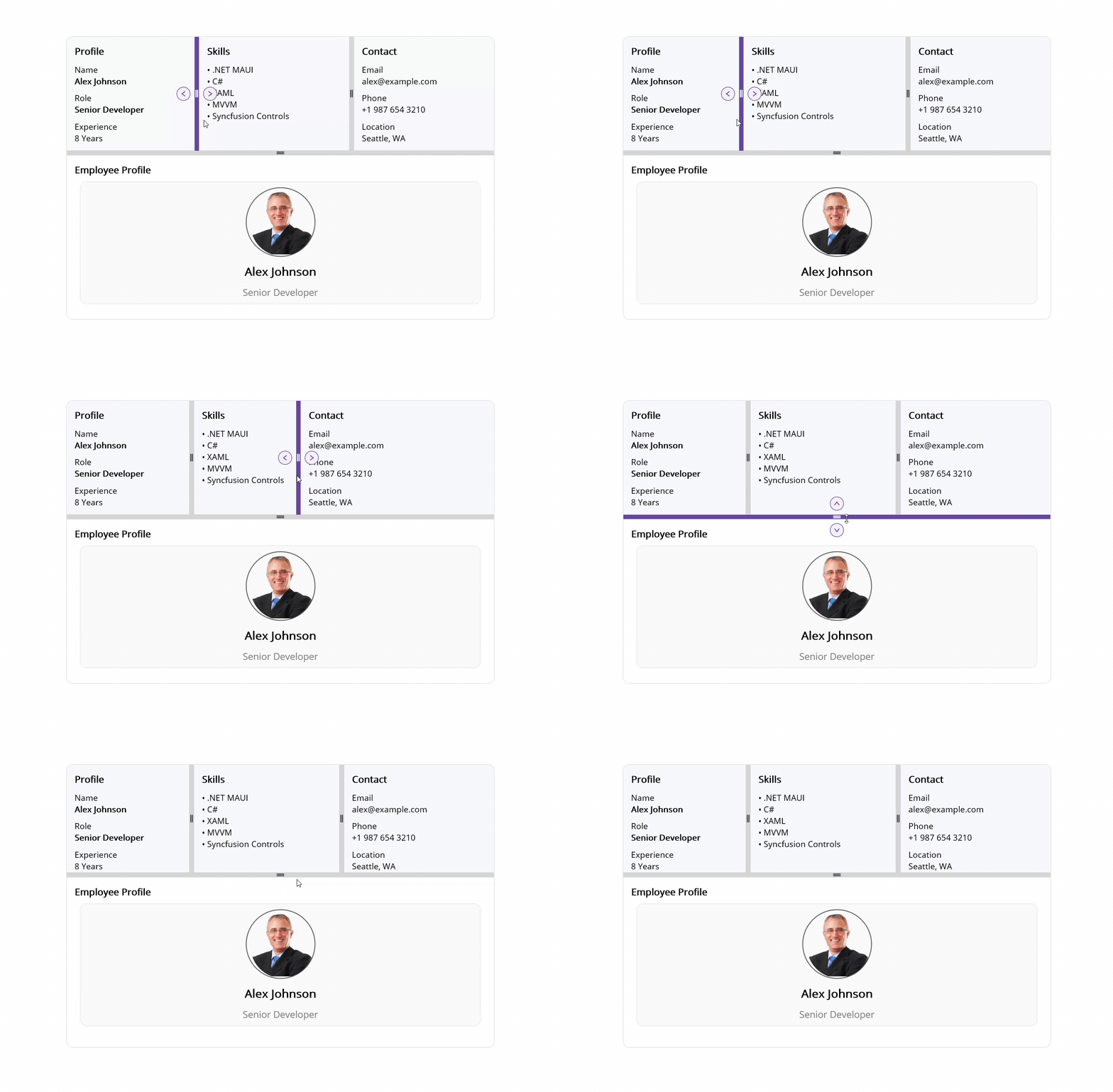
The new .NET MAUI Grid Splitter makes this easy by allowing users to resize, expand, and collapse adjacent layout regions using touch, mouse, or pointer interactions.
Key features
- Resize neighboring panes with simple drag interactions.
- Expand or collapse panels using built-in controls.
- Support both horizontal and vertical layouts.
- Set minimum and maximum pane sizes to maintain consistent layouts.
- Add, remove, collapse, or expand panes programmatically at runtime.
- Customize separator size, color, icons, and templates to match your application’s design.
The following image shows the Grid Splitter in action.
Interactive Viewer
Displaying large images, diagrams, maps, or technical drawings often requires more than a standard image control can provide. Users need a smooth way to zoom in, move around, and inspect details without sacrificing usability.
The new .NET MAUI Interactive Viewer provides built-in zooming, panning, and rotation capabilities, making it easier to create rich viewing experiences across both desktop and mobile platforms.
Key features
- Smooth zooming and panning for exploring visual content.
- Rotate content to view it from different angles.
- Quickly return to the original view with a reset option.
- Control the viewing experience with configurable minimum and maximum zoom levels.
The following image demonstrates the Interactive Viewer.

Performance and quality updates
Alongside these new controls, we’ve continued improving the overall Toolkit experience with performance optimizations, stability enhancements, and bug fixes across existing controls.
These updates help ensure a more reliable and consistent experience when building .NET MAUI applications with the Syncfusion Toolkit.

Conclusion
With the addition of Grid Splitter and Interactive Viewer, the Syncfusion Toolkit for .NET MAUI continues to expand its collection of open-source controls for modern application development.
Whether you’re creating resizable workspaces, dashboard-style layouts, image inspection tools, map-based applications, or technical viewers, these controls can help you deliver richer user experiences while reducing the amount of custom code you need to maintain.
Both controls are available through the Syncfusion .NET MAUI Toolkit on NuGet and GitHub, along with documentation and sample projects to help you get started quickly.
If you’re looking for a broader set of enterprise-grade UI components, be sure to explore Essential Studio for .NET MAUI, which includes advanced controls such as DataGrid, ListView, Scheduler, Charts, and more.
We’d love to hear your feedback as we continue to enhance the Toolkit and expand its open-source offerings. If you have any questions, feedback, or need assistance, reach out through our support portal, support forum, or feedback portal where our team will be happy to help.
Happy coding!







 No spam, just valuable updates.