Try Our Live Demo
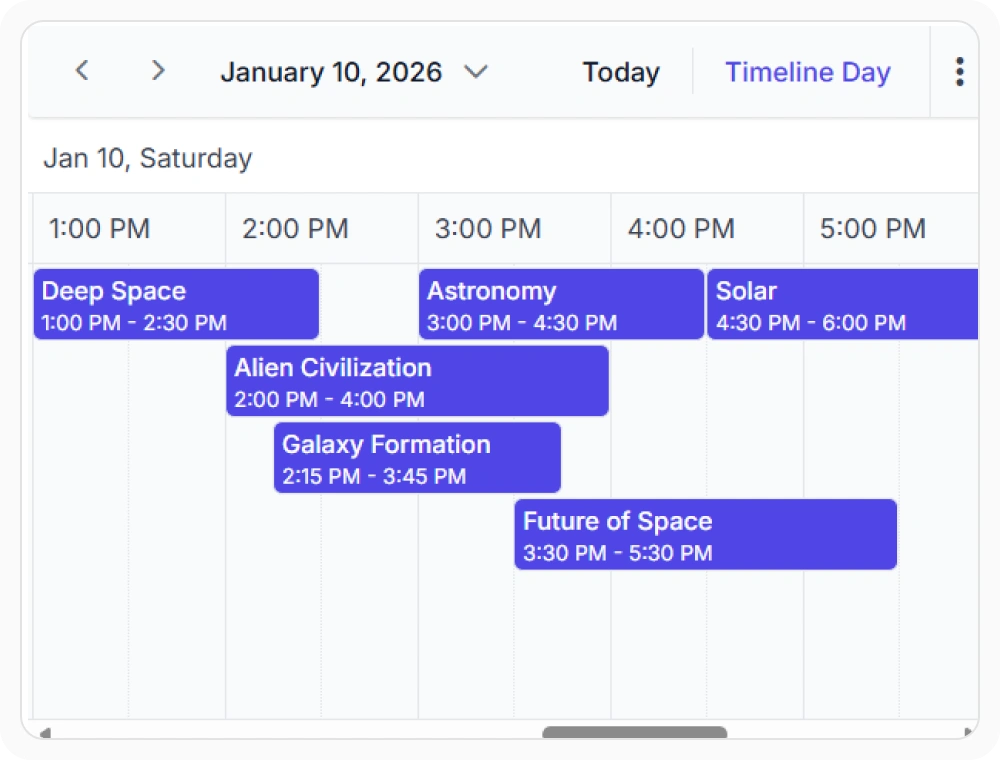
Flexible timeline scheduling
The timeline view displays appointments across hourly time slots on a continuous horizontal timeline. Plan and monitor activities at hourly intervals throughout the day using the hourly layout.
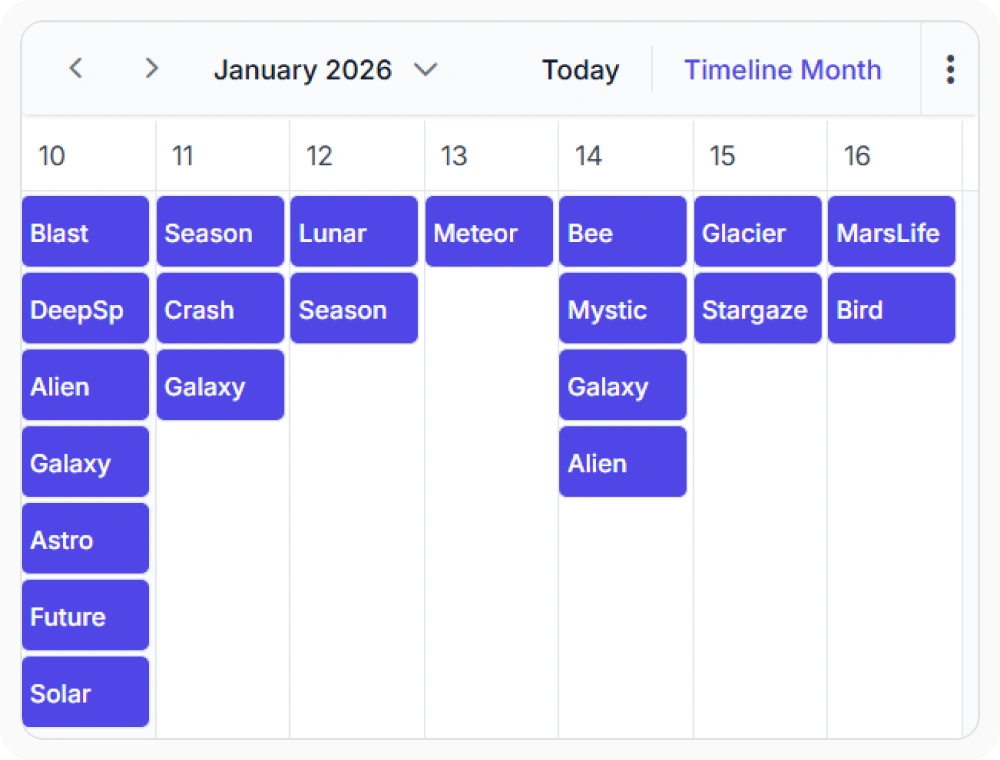
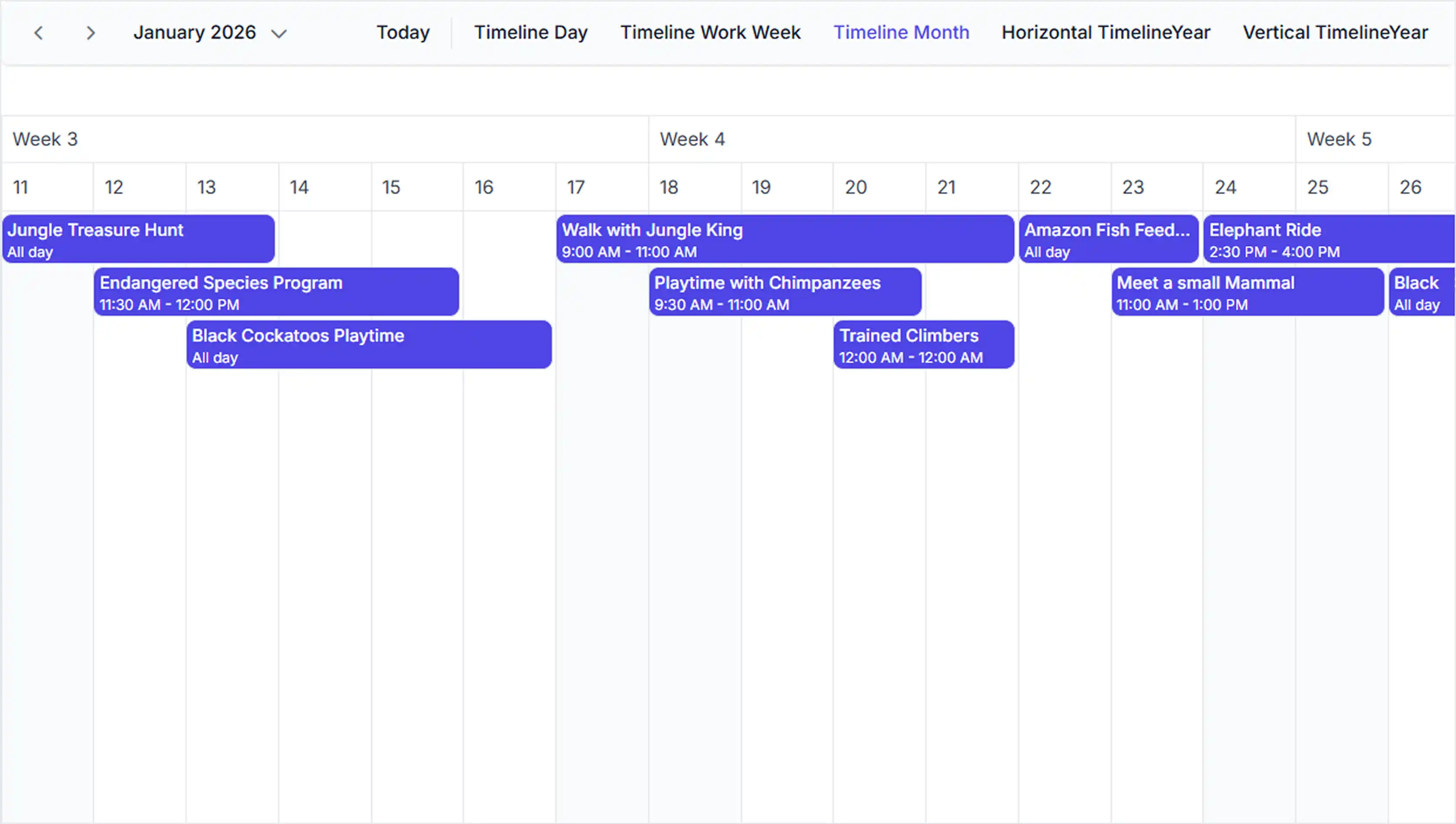
Month-based schedule visualization
Timeline Month view displays appointments across an entire month along a horizontal time axis. Scheduled activities and milestones remain visible within the same monthly range. Month-level planning is suitable when work needs to be reviewed across the full month.
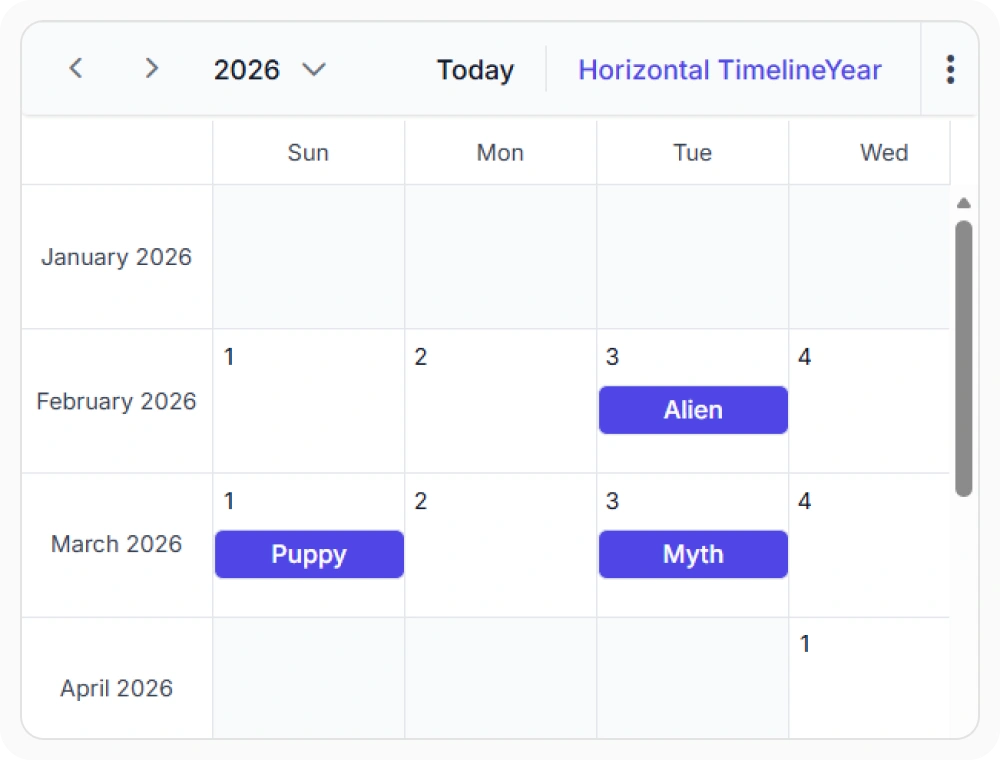
Manage annual planning timelines
Display appointments across a full year in the timeline year view. The consolidated annual layout supports long-term planning for projects, resource capacity, and strategic initiatives.
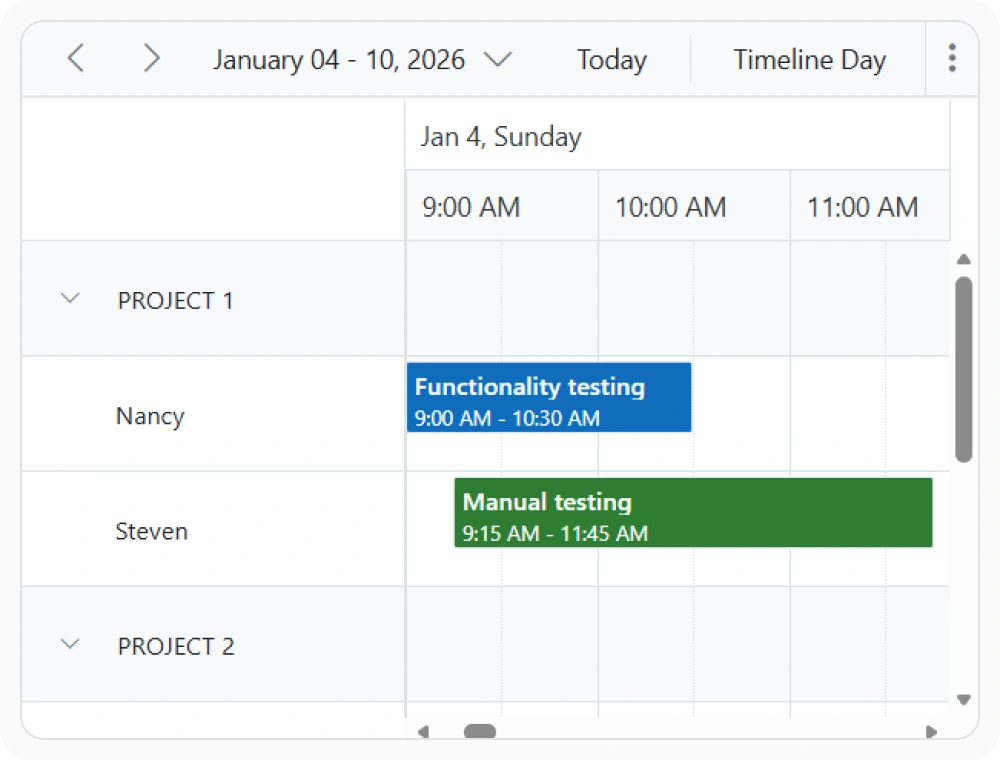
Coordinate schedules across resources
Resource-based scheduling displays multiple resources and their schedules in a unified view. Availability and assignments can be reviewed across resources from the same schedule. Multi-resource planning is suitable when managing teams, rooms, equipment, or other shared resources.
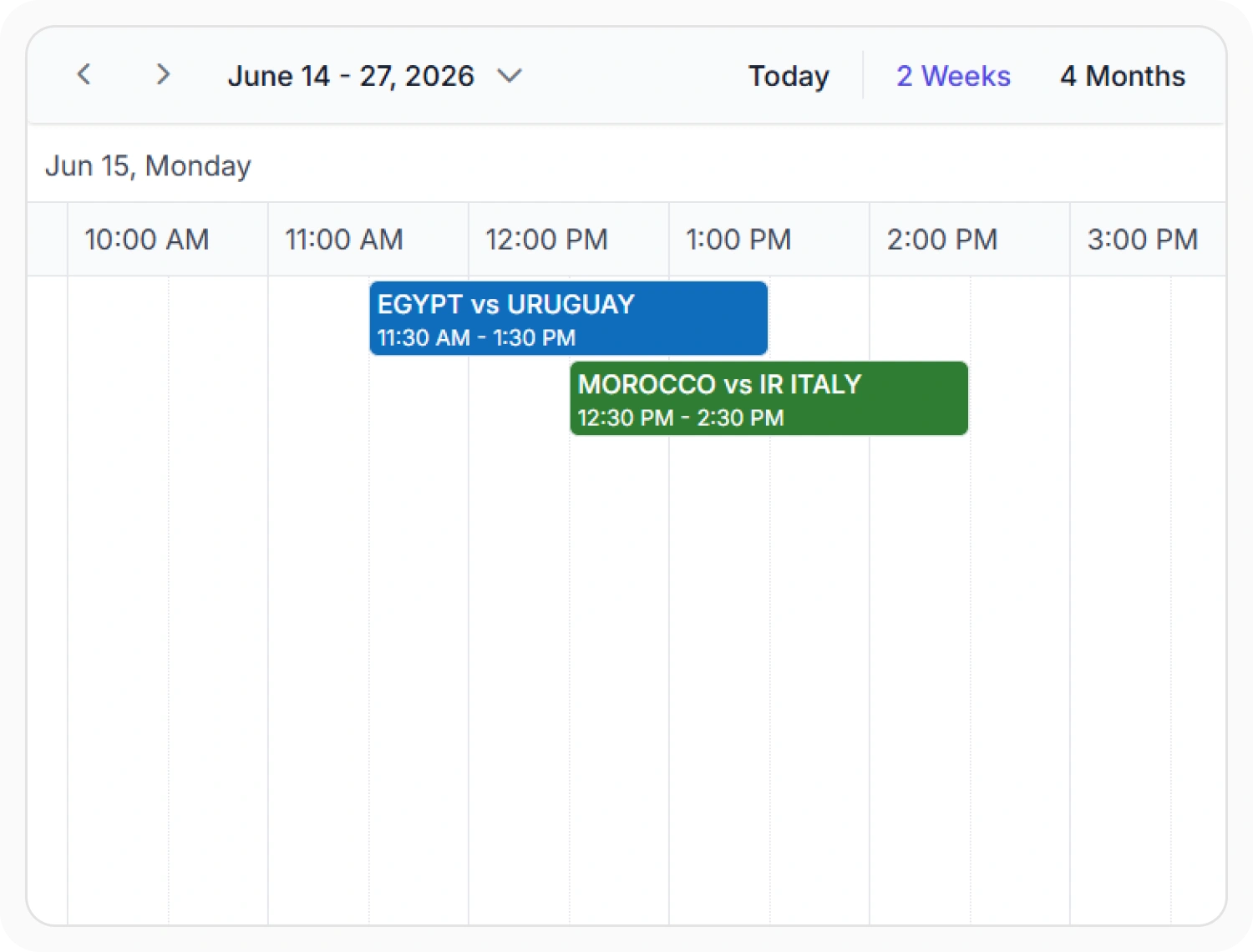
Extensible custom views
Display extended date ranges in timeline views by increasing the interval count. Extensible custom views provide a broader view of schedules and resource plans for monitoring projects or resource utilization over longer periods.
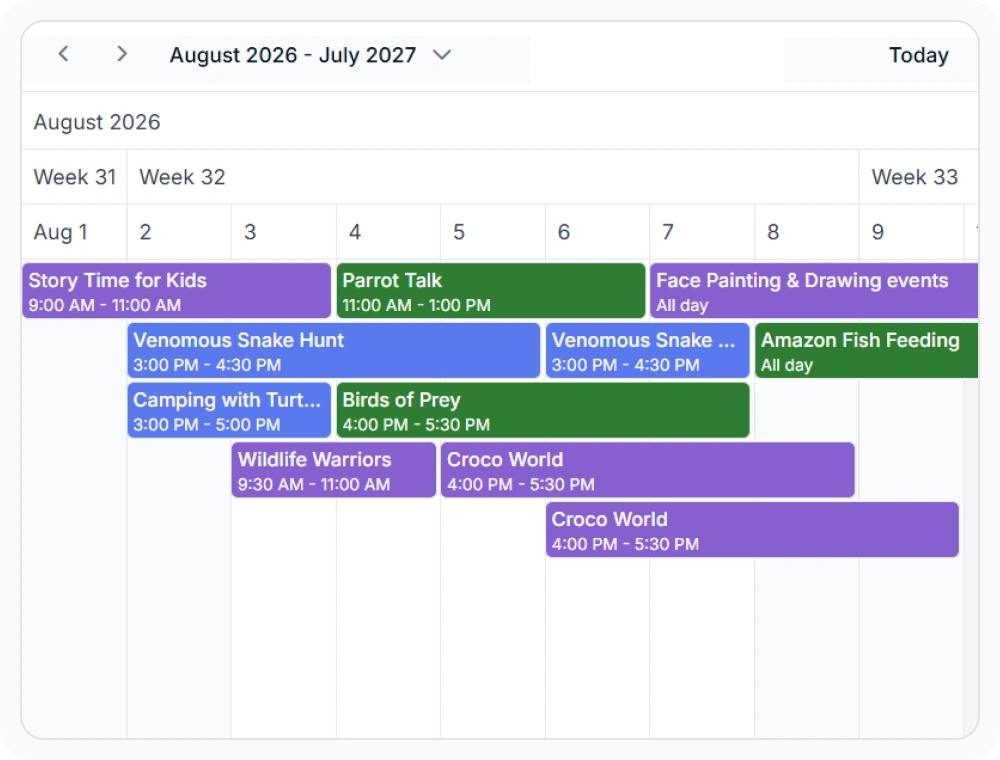
Hierarchical timeline header rows
Display additional date rows, such as years, months, and weeks, in the timeline header. Hierarchical header rows provide date context when planning and navigating schedules across longer time periods.
Frequently Asked Questions
What are the different timeline views available in Syncfusion React Scheduler?
React Scheduler provides timeline day, week, workweek, month, and year views for planning schedules across different time ranges.
What are shared events in Syncfusion React Scheduler timeline views?
Shared events, also called multiple resource assignment, are appointments assigned to multiple resources simultaneously. Edits automatically sync across all participant records, appearing in each resource's row. Multiple resource assignment eliminate duplicate management and keep collaborative scheduling synchronized.
When should I use each timeline view type in Syncfusion React Scheduler?
Use day view for hourly precision, week view for team capacity planning, workweek view for workforce management, and resource grouping for comprehensive multi-resource scheduling across all granularities.
How does resource grouping work in Syncfusion React Scheduler timeline views?
Resources display as rows in timeline layouts. Timeline resource grouping supports flat or hierarchical tree structures with expand/collapse controls. Hierarchical resources show child appointments alongside parent records, enabling flexible organizational representation.
Can Syncfusion React Scheduler customize timeline view headers?
Yes. Header rows can display additional date information such as years, months, weeks, and custom labels to provide more scheduling context.
Can Syncfusion React Scheduler display long-term schedules in timeline views?
Yes. React Scheduler provides timeline month and timeline year views for planning and tracking schedules over extended periods. The timeline month and year views help visualize milestones, projects, and resource allocation in a single timeline.
Resources
Learn more about React Scheduler
Explore demos, KB articles, and documentation to get the most out of our React Scheduler.
Explore guides, APIs, and quick-start tips
See live use cases in action
Ask, share, and connect with peers
Find solutions and best practices fast
Get expert help when you need it
Feature requests and bug reports
Track issues and suggest improvements
Awards
Greatness—it’s one thing to say you have it, but it means more when others recognize it. Syncfusion® is proud to hold the following industry awards.