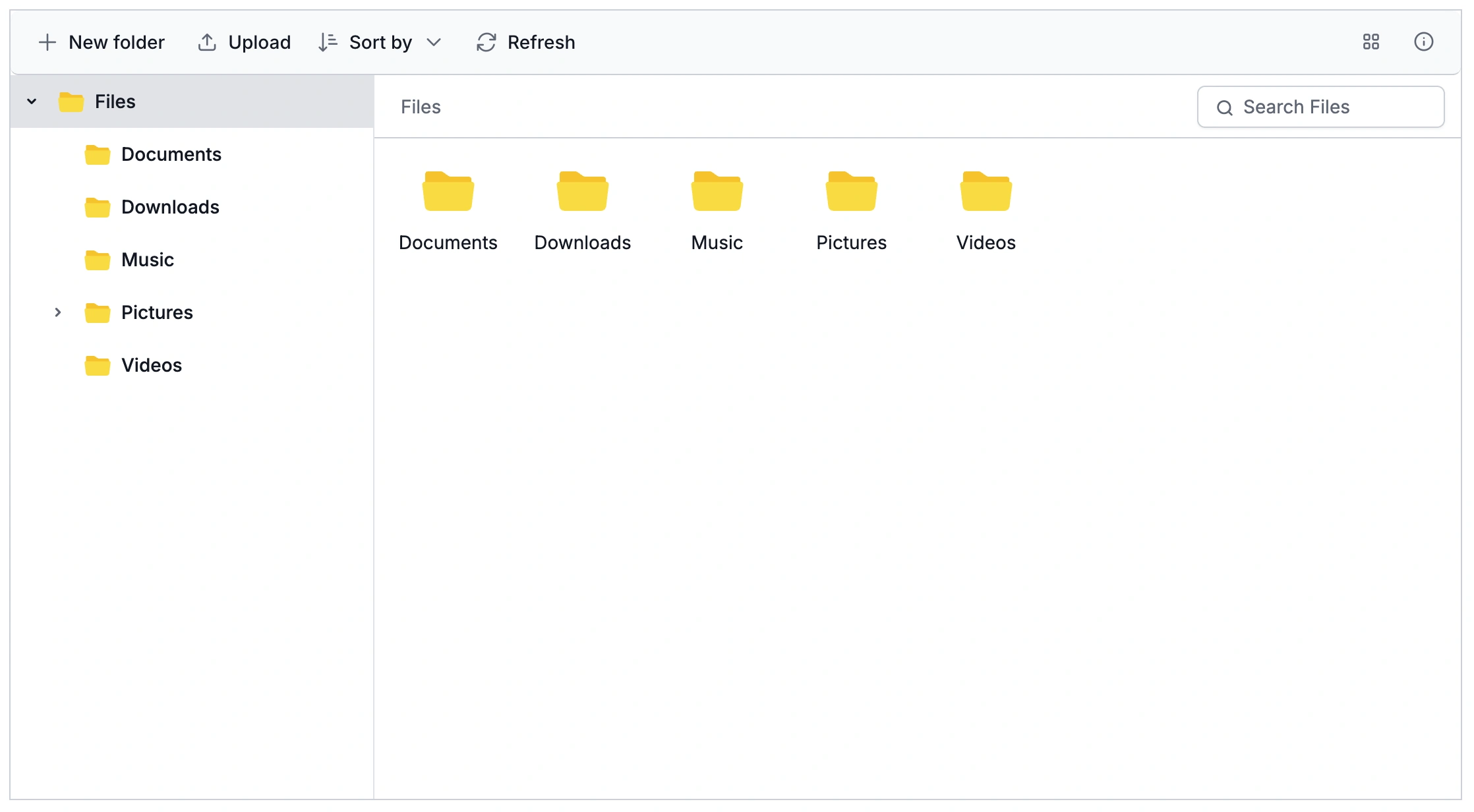



Flexible Ways to Move Files and Folders
React File Manager drag and drop handles single files, complete folder hierarchies, and multi-item selections in one action, keeping folder relationships intact across every move.
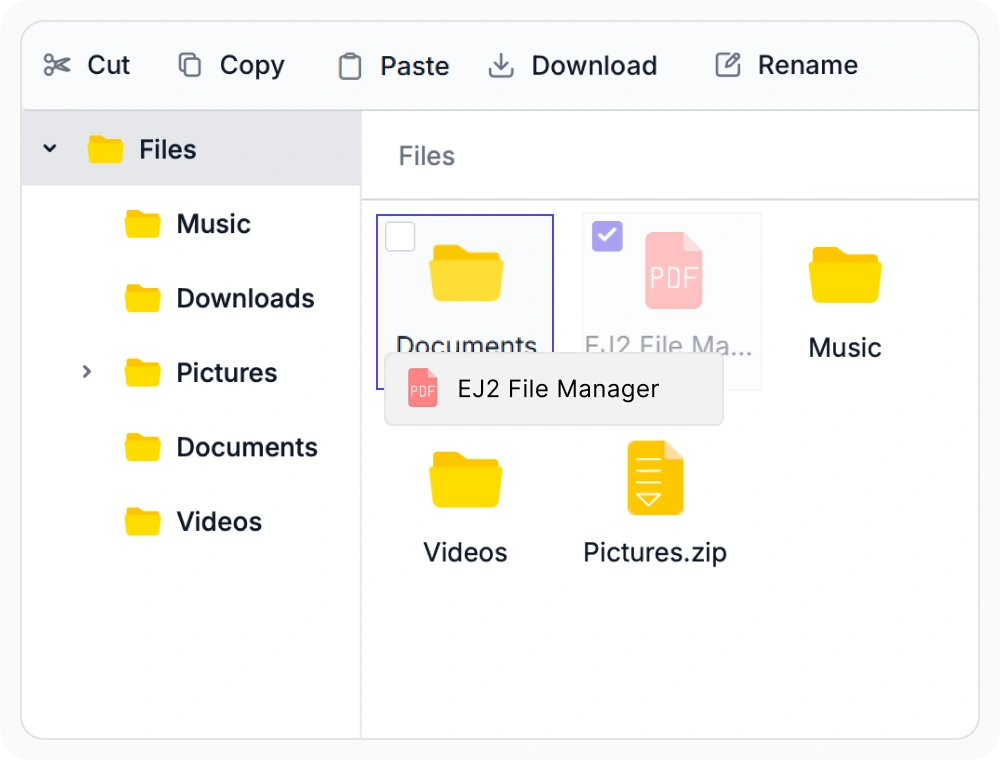
Drag and drop individual files
Drag and drop moves an individual file from its current folder to a different one. The destination folder highlights while the file is being dragged over it. Use this feature to quickly reorganize files as projects, departments, or business requirements change.
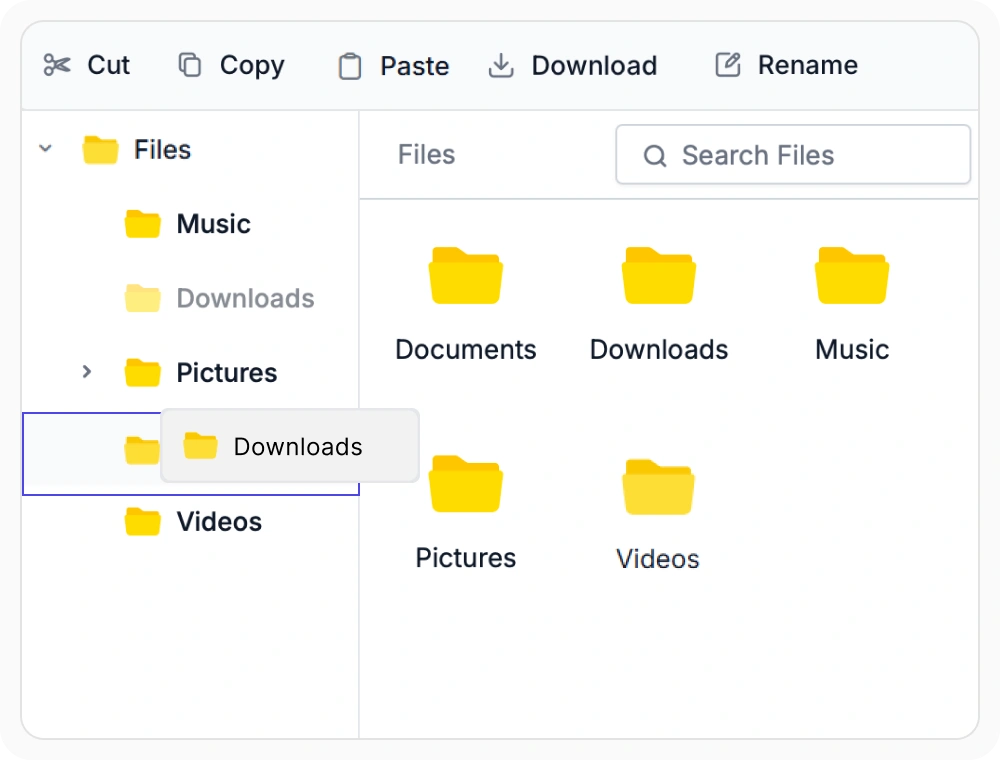
Move entire folder structures
Drag and drop moves a complete folder with its contents while preserving the original hierarchy. Nested subfolders and files keep their relative structure. Use this feature to reorganize project structures or department folders without changing the underlying folder organization.
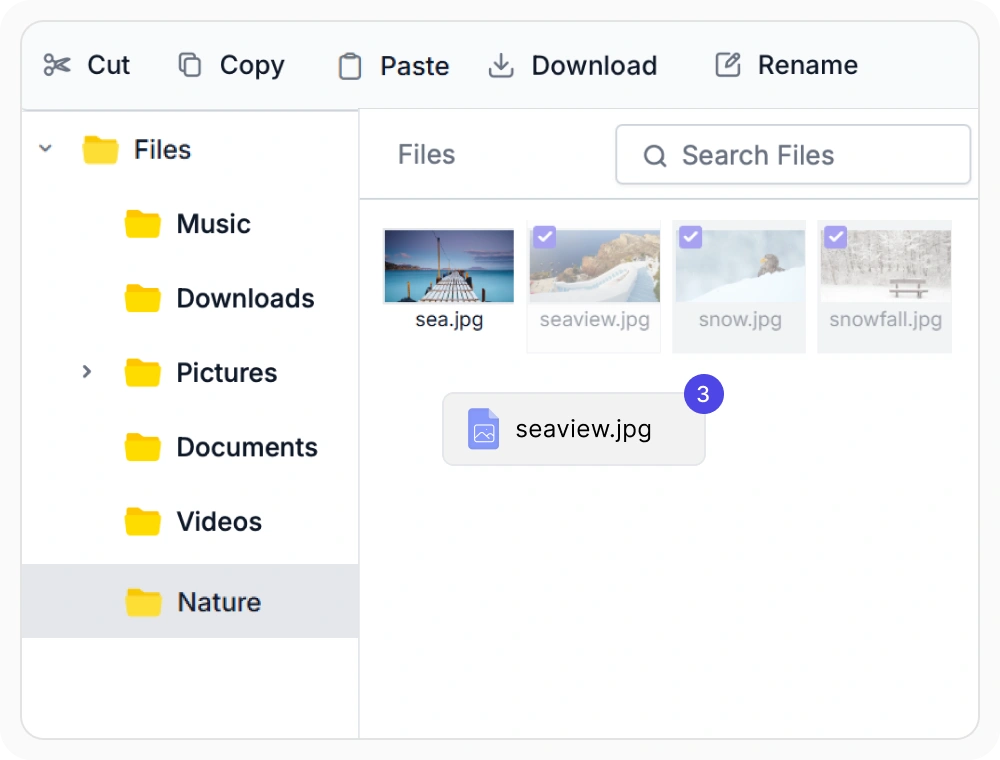
Move multiple files or folders at once
Drag and drop moves multiple selected files and folders to a different location in a single operation. Selected items travel together so the destination stays organized in one step. Use this feature for bulk file transfers across projects, departments, or shared workspaces.
Frequently Asked Questions
What happens if a user drops a file into a folder they cannot access in the React File Manager?
The move is blocked if the destination folder is restricted by access permissions in React File Manager. You can also use drag-and-drop events to apply validation before the operation completes.
Does React File Manager drag and drop work with cloud storage?
Yes. React File Manager drag and drop works with supported storage providers, including physical storage, Azure Blob Storage, Amazon S3, FTP, SharePoint, and database storage. Moves are sent through the configured provider so files stay wherever they are stored.
Can users drag multiple files or folders at once in the React File Manager?
Yes. React File Manager lets you select multiple files or folders and drag them together. All selected items move to the new location in a single operation.
Can I customize drag-and-drop behavior in the React File Manager?
Yes. React File Manager exposes drag-and-drop events that let you restrict specific file movements or run custom logic before and after an item is moved. This makes it possible to enforce business rules that go beyond basic access permissions.
Resources
Learn more about our React File Manager
Explore demos, KB articles, and documentation to get the most out of the File Manager.
Explore guides, APIs, and quick-start tips
See live use cases in action
Ask, share, and connect with peers
Find solutions and best practices fast
Get expert help when needed
Feature requests and bug reports
Track issues and suggest improvements
See Real Success Stories
Developers around the world trust Syncfusion’s Essential Studio to simplify complex projects and speed up delivery. With a vast library of UI controls, powerful SDKs, and reliable support, Essential Studio helps teams build enterprise-ready applications with confidence.
Read Our Customer StoriesIndustry
Software development
75% Cost reduction
50% Faster development

Industry
Utilities (oil and gas)

450+ hours saved
Streamlined processes and hours of development effort saved.

Advanced, flexible features
Empowered users through robust and versatile functionality.
Industry
Software and technology
1000+ of hours saved
Accelerated development with enterprise-ready UI components.

Efficient file management
Streamlined workflows with document libraries without building them from scratch.
Industry
Software and technology

2 Years of delay avoided
Two years of delays prevented with proactive planning.

On-time delivery
Projects delivered on schedule using trusted controls.
Industry
IT services and IT consulting

Improved performance
Large datasets handled with easy customization and quick debugging.

Highly customizable
Plug-and-play controls with quick template integration.
Industry
Professional services
Instant access
Quick availability of features and resources.
Reduced dependencies
Fewer dependencies for faster development.
Awards
Greatness—it’s one thing to say you have it, but it means more when others recognize it. Syncfusion® is proud to hold the following industry awards.









