

Data source integration
Connect the Data Grid to local and remote data sources, including JSON, REST APIs, OData services, GraphQL endpoints, and external providers. Support consistent data access and integration across modern applications and services.

Local data binding
Bind the React Data Grid directly to JSON arrays and in-memory datasets for displaying and managing records without server communication. Local data binding is suitable when data is stored locally and client-side data operations are required.

Remote data binding
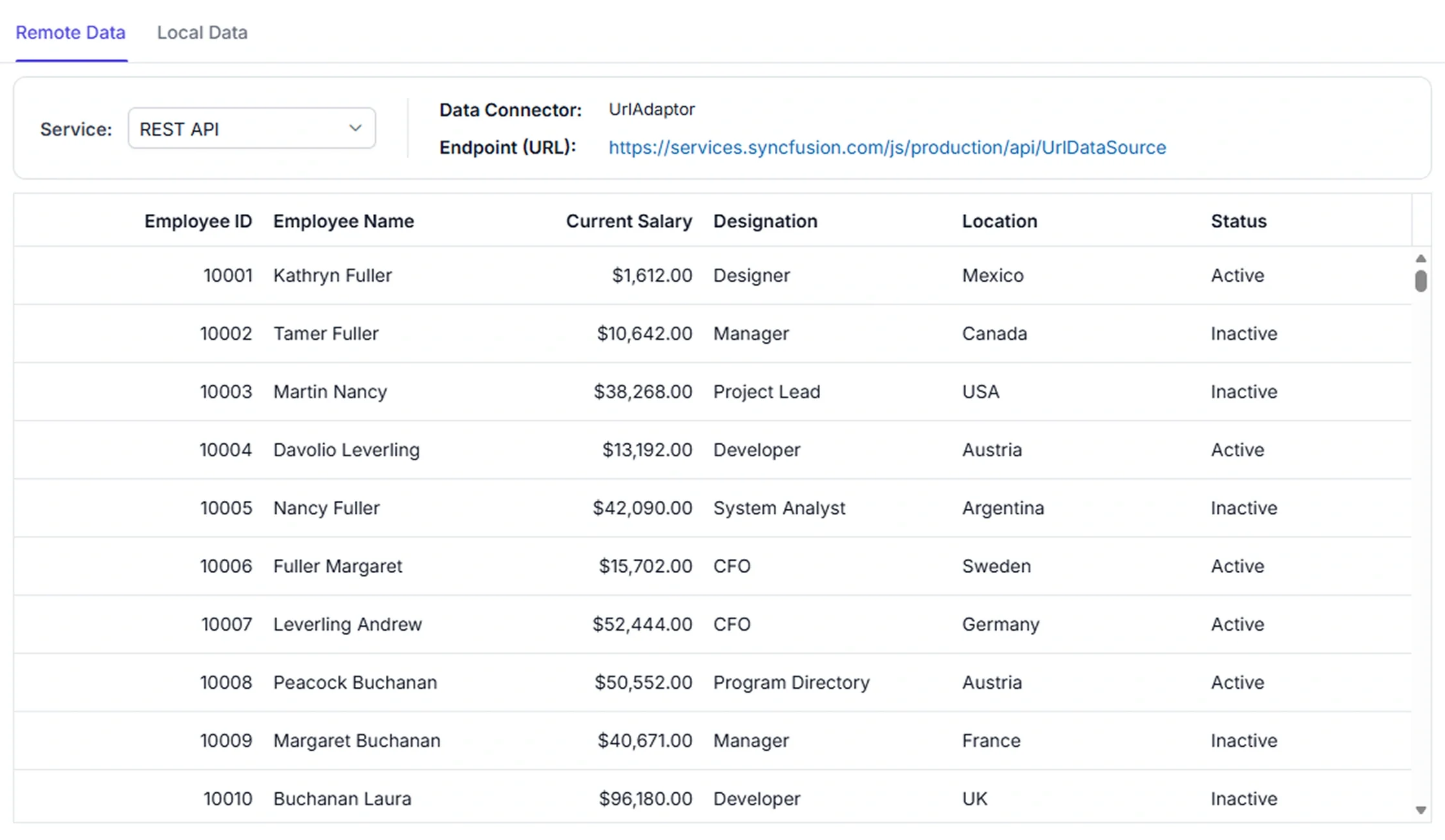
Connect the Data Grid to REST APIs, OData services, back-end services, and, through your application's API, databases such as SQL Server, MySQL, PostgreSQL, and others. Remote data binding is suitable when paging, sorting, filtering, grouping, or CRUD processing is handled by the server.

Data integration
Syncfusion DataManager adaptors enable the Data Grid to connect to REST APIs, OData services, GraphQL endpoints, and database-backed applications through server-side APIs. Custom data binding supports integration with applications and frameworks such as Redux, Django, Express.js, Next.js, and other application frameworks. External data processing is suitable when filtering, sorting, paging, and CRUD operations are handled by services, databases, APIs, or custom back-end applications.
See Why Developers Love Syncfusion
Our Customers Love Us
Having an excellent set of tools and a great support team, Syncfusion reduces customers’ development time. Here are some of their experiences.




Frequently Asked Questions
How to bind Redux data to React Data Grid?
Redux data can be bound by linking the grid’s data source to the store state and updating through actions. The Data Grid also supports custom binding, enabling external services or state to feed data directly for flexible integration.
Does React Data Grid support server-side data operations?
Yes. The Data Grid supports server-side filtering, sorting, paging, grouping, and CRUD actions when these operations are handled by backend logic.
Can hierarchical or master-detail data be displayed in React Data Grid?
Yes. The React Data Grid supports hierarchical and master-detail data views using child grids. Related records and nested data can be displayed within expandable rows while maintaining the relationship with the parent record.
How to bind backend data (Django, Flask, FastAPI, Express.js, Next.js) to React Data Grid?
Data Grid custom binding feature allows connecting APIs from frameworks like Django, Flask, FastAPI, Express.js, or Next.js directly to the grid’s data source. This enables server‑side operations such as filtering, sorting, paging, grouping, and CRUD actions.
How to bind other databases to React Data Grid?
React Data Grid can connect to databases such as MySQL, PostgreSQL, and others through APIs. Data returned by the API is assigned to the grid’s data source, allowing records to be displayed and managed within the grid.
Can React Data Grid send additional parameters to the server during remote data operations?
Yes. The React Data Grid allows custom parameters to be included with remote data requests, enabling server-side processing based on application-specific requirements.
How to bind data from backend services in React Data Grid?
Custom data binding allows the React Data Grid to connect to external services or application state. The binding process supports retrieving data from APIs and performing server-side filtering, sorting, paging, grouping, and CRUD operations.
Is it possible to send HTTP custom headers while fetching data in React Data Grid?
Yes. Syncfusion React DataManager supports sending custom HTTP headers while fetching data. Headers can be configured in the DataManager’s headers property to enable secure communication with backend services requiring authentication or metadata.
Resources
Learn more about React Data Grid data binding
Explore demos, KB articles, and documentation to get the most out of React Data Grid data binding features.
Explore guides, setup details, and quick-start tips.
See live use cases in action.
Ask, share, and connect with peers.
Find solutions and best practices fast.
Get expert help when needed.
Feature requests and bug reports
Track issues and suggest improvements.
See Real Success Stories
Developers around the world trust Syncfusion’s Essential Studio to simplify complex projects and speed up delivery. With a vast library of UI controls, powerful SDKs, and reliable support, Essential Studio helps teams build enterprise-ready applications with confidence.
Read Our Customer StoriesIndustry
Software development
75% Cost reduction
50% Faster development

Industry
Utilities (oil and gas)

450+ hours saved
Streamlined processes and hours of development effort saved.

Advanced, flexible features
Empowered users through robust and versatile functionality.
Industry
Software and technology
1000+ of hours saved
Accelerated development with enterprise-ready UI components.

Efficient file management
Streamlined workflows with document libraries without building them from scratch.
Industry
Software and technology

2 Years of delay avoided
Two years of delays prevented with proactive planning.

On-time delivery
Projects delivered on schedule using trusted controls.
Industry
IT services and IT consulting

Improved performance
Large datasets handled with easy customization and quick debugging.

Highly customizable
Plug-and-play controls with quick template integration.
Industry
Professional services
Instant access
Quick availability of features and resources.
Reduced dependencies
Fewer dependencies for faster development.
Awards
Greatness—it’s one thing to say you have it, but it means more when others recognize it. Syncfusion® is proud to hold the following industry awards.