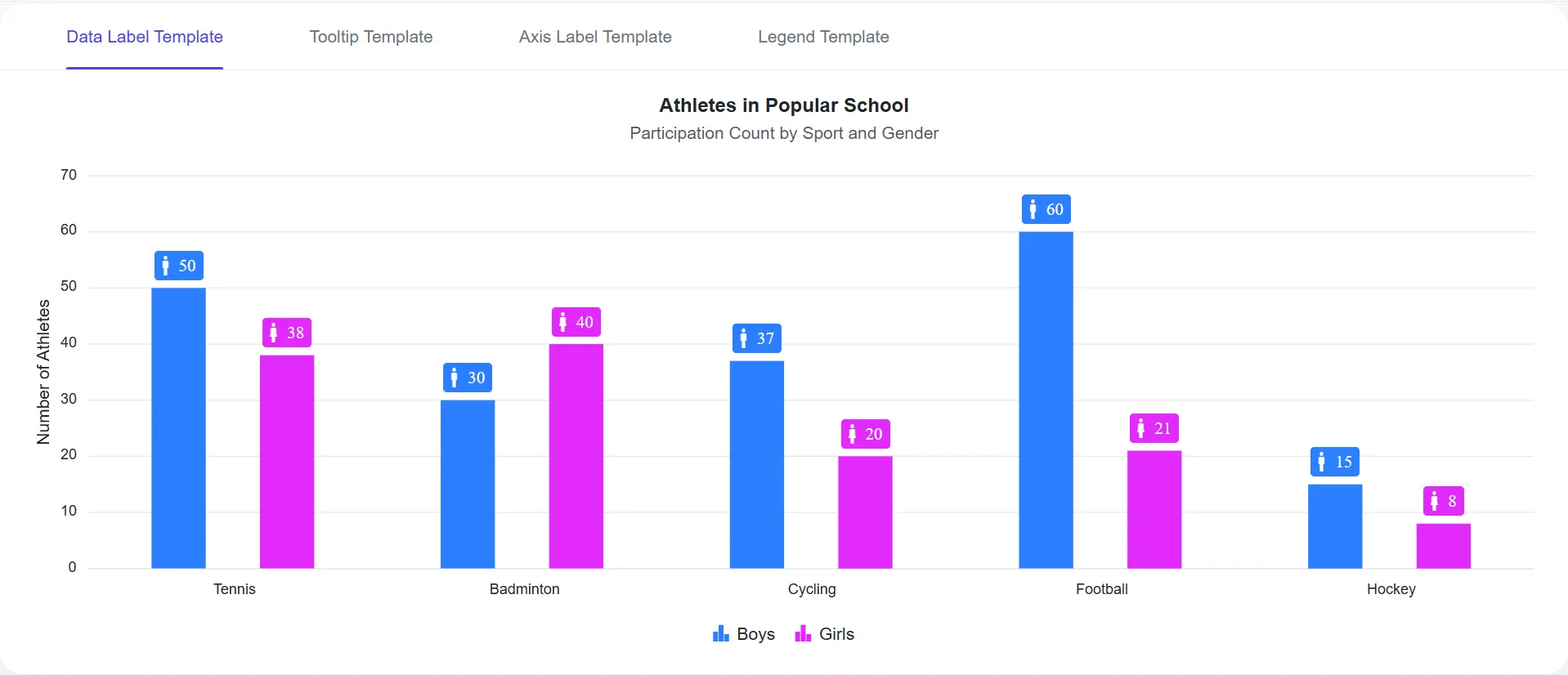



Explore React Charts Templates
Customize how chart information is displayed using templates for data labels, axis labels, tooltips, and legends. Templates enable rich formatting, custom icons, metadata, and business-specific content to create more engaging and informative chart experiences. Use them when you need to present application data in context-rich visualizations across dashboards and reporting tools.
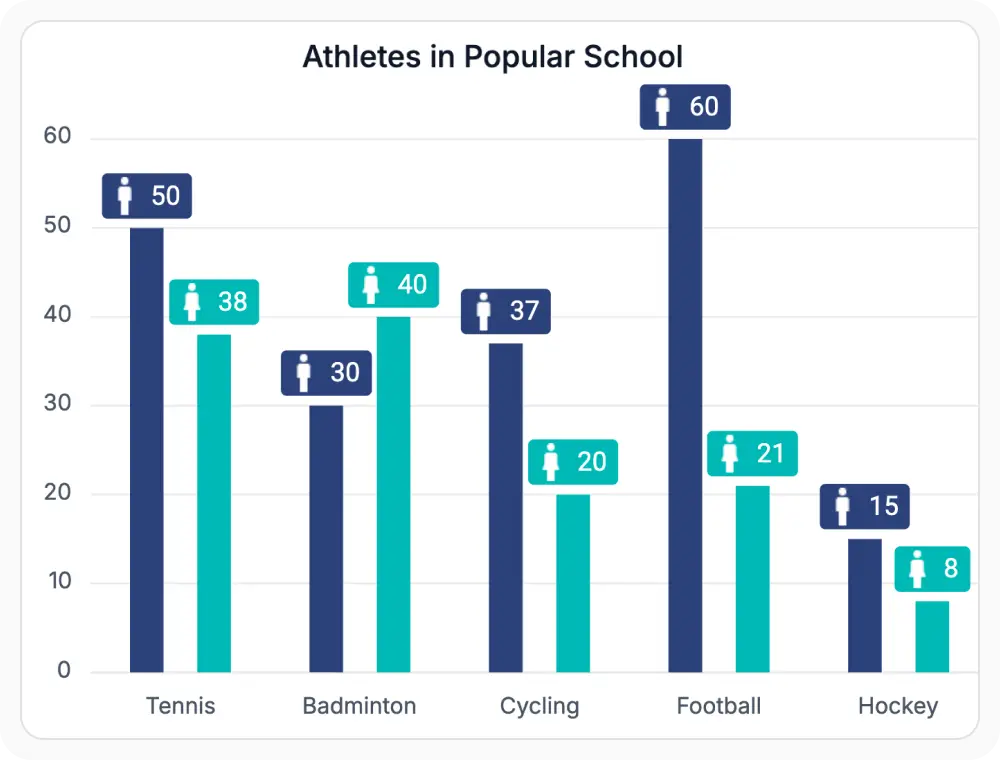
Display formatted values with data label templates
Data label templates customize the information displayed directly on chart data points. They support formatted values, currency symbols, percentages, icons, and other contextual content, helping users understand key information at a glance. Use them when important values or indicators should remain visible without requiring user interaction.
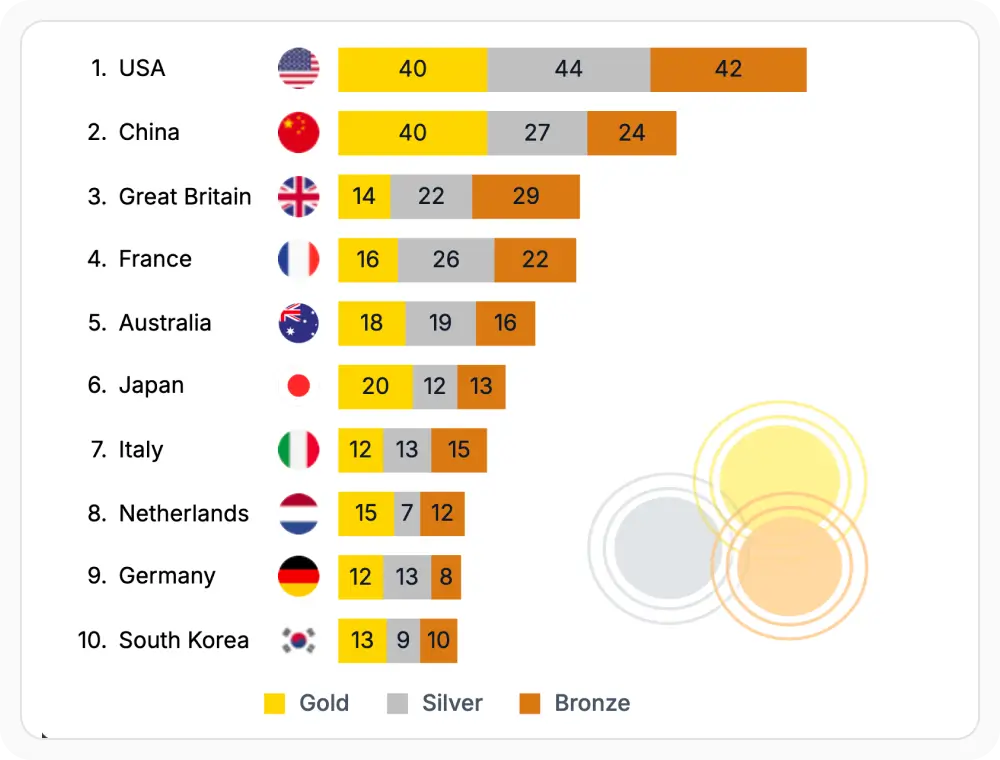
Improve readability using axis label templates
Axis label templates customize category, numeric, and date-time labels with custom formatting, abbreviations, units, and localized values. They improve readability and make chart axes easier to interpret without cluttering the visualization. Use it when axis labels require meaningful formatting to improve data comprehension.
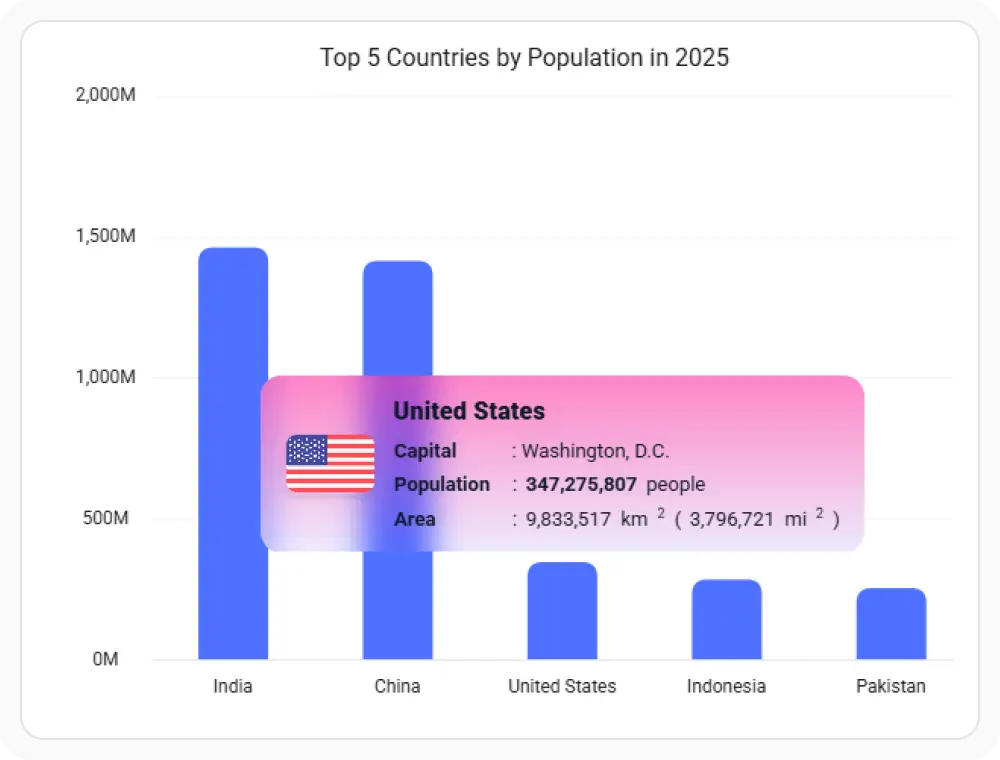
Provide detailed information with tooltip templates
Tooltip templates allow you to customize the content displayed when users hover over or interact with chart elements. They help present additional details, formatted data, and contextual information without cluttering the chart. Use it when detailed information should be available on demand while keeping visualizations clean and readable.
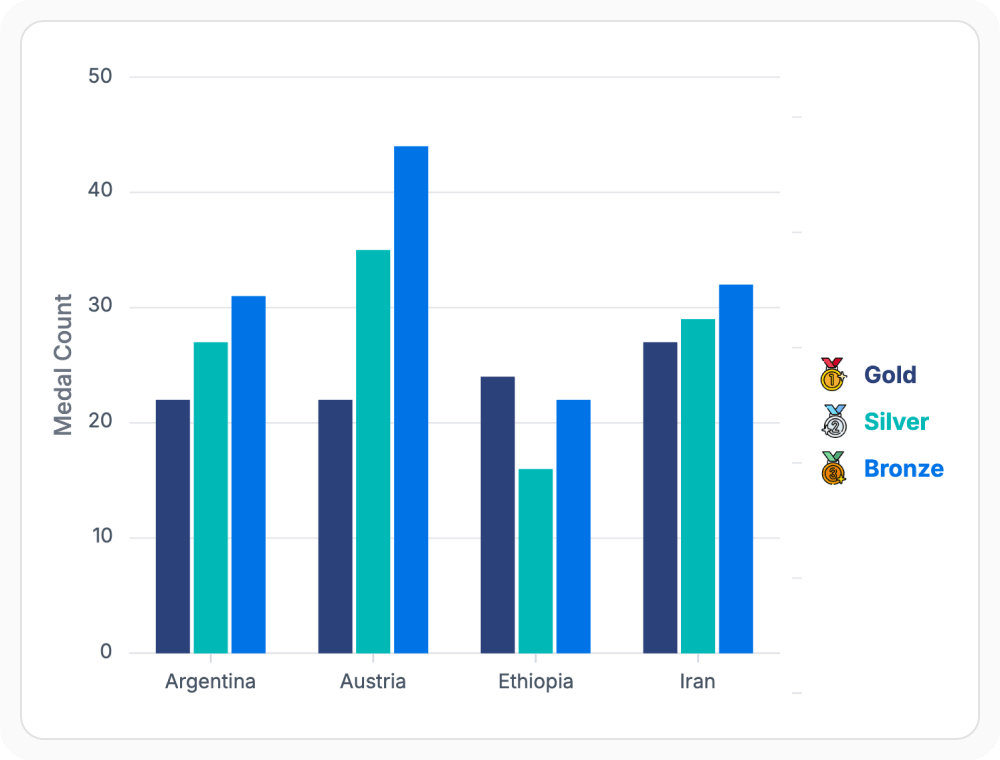
Enhance series identification with legend templates
Legend templates customize how series information is displayed within chart legends. They support custom text, icons, metadata, and visual indicators, making it easier to distinguish and understand multiple data series. Use them when charts require richer series identification beyond standard legend labels.
See Why Developers Love Syncfusion
Our Customers Love Us
Having an excellent set of tools and a great support team, Syncfusion reduces customers’ development time. Here are some of their experiences.




Frequently Asked Questions
What are React Charts templates?
React Charts templates customize how labels, tooltips, legends, and other chart elements display information. They support custom layouts, formatting, icons, metadata, and React components for greater control over chart presentation.
When should React Charts axis label templates be used?
Axis label templates improve overall readability when tick values need special formatting, unit abbreviations, or when long category labels need better alignment and spacing.
When should React Charts legend templates be used?
Legend templates help complex multi-series charts by adding customized series names, dynamic status indicators, and extra metadata for quick and clear identification at a glance.
Can React Charts templates display custom content?
Yes. Templates fully support custom text, icons, formatted numbers, conditional styling rules, and reusable React components to display business-specific data in the format required by your application.
When should React Charts tooltip templates be used?
Tooltip templates are best when detailed information, formatted metrics, or extra contextual descriptions should only display dynamically when users hover over specific chart items.
When should React Charts data label templates be used?
Data label templates work best when specific values, formatted currency, percentages, or custom visual indicators must stay continuously visible directly on your data points.
Resources
Learn more about our React Charts
Explore demos, KB articles, and documentation to get the most out of our React Charts.
Explore guides, APIs, and quick-start tips
Find solutions and best practices fast
See live use cases in action
Get expert help when you need it
Ask, share, and connect with peers
Feature requests and bug reports
Track issues and suggest improvements
See Real Success Stories
Developers around the world trust Syncfusion’s Essential Studio to simplify complex projects and speed up delivery. With a vast library of UI controls, powerful SDKs, and reliable support, Essential Studio helps teams build enterprise-ready applications with confidence.
Read Our Customer StoriesIndustry
Software development
75% Cost reduction
50% Faster development

Industry
Utilities (oil and gas)

450+ hours saved
Streamlined processes and hours of development effort saved.

Advanced, flexible features
Empowered users through robust and versatile functionality.
Industry
Software and technology
1000+ of hours saved
Accelerated development with enterprise-ready UI components.

Efficient file management
Streamlined workflows with document libraries without building them from scratch.
Industry
Software and technology

2 Years of delay avoided
Two years of delays prevented with proactive planning.

On-time delivery
Projects delivered on schedule using trusted controls.
Industry
IT services and IT consulting

Improved performance
Large datasets handled with easy customization and quick debugging.

Highly customizable
Plug-and-play controls with quick template integration.
Industry
Professional services
Instant access
Quick availability of features and resources.
Reduced dependencies
Fewer dependencies for faster development.
Awards
Greatness—it’s one thing to say you have it, but it means more when others recognize it. Syncfusion® is proud to hold the following industry awards.









