See the React PPTX Editor in action
Stop sending users off to download decks or open a desktop tool.
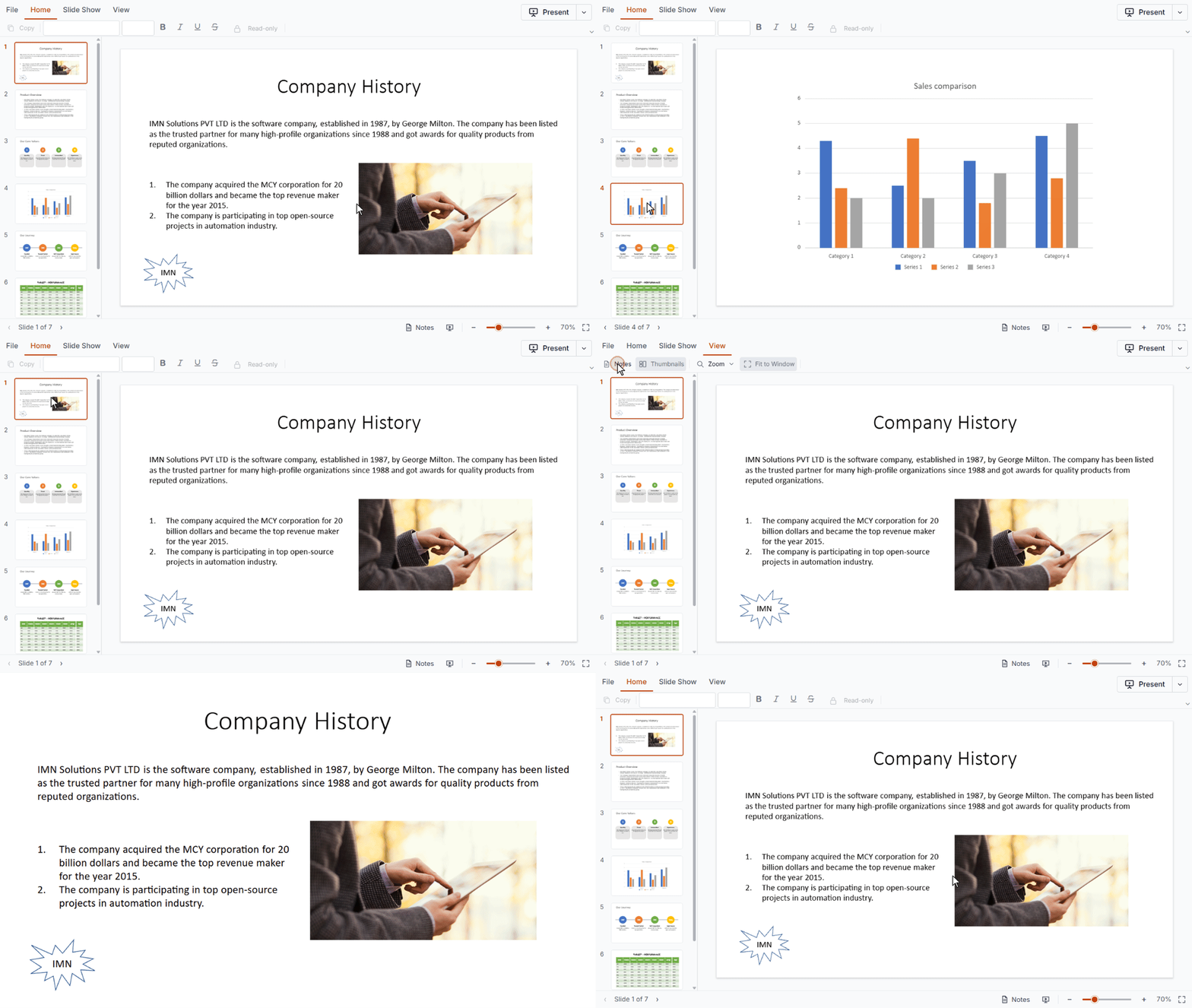
In this live demo, navigate slides with thumbnails, zoom in and out, start a full-screen slideshow, read speaker notes, and print or export the file as PPTX.
Get started with the React PPTX Editor in minutes
Follow these three steps to integrate the PPTX Editor into your React application.
1
Install the React PPTX Editor and theme npm packages
Install the Syncfusion React PPTX Editor and Tailwind3 theme packages using npm.
npm install @syncfusion/ej2-react-pptxeditor --save
npm install @syncfusion/ej2-tailwind3-theme --save
2
Import the required CSS styles
Import the required Syncfusion CSS file to ensure proper layout and theme styling.
@import "../node_modules/@syncfusion/ej2-tailwind3-theme/styles/pptxeditor/index.css";3
Initialize the PPTX Editor
Import and render the PPTX Editor in src/App.tsx to start building.
import {
  PptxEditorComponent,
  Toolbar,
  ThumbnailView,
  Magnification,
  Navigation,
  Print,
  SlideShow,
  Inject
} from '@syncfusion/ej2-react-pptxeditor';

function App() {
  return (
    <PptxEditorComponent id='pptxeditor' documentPath='https://document.syncfusion.com/content/pptxeditor-resources/Sample.pptx'>
      <Inject services={[Toolbar, ThumbnailView, Magnification, Navigation, Print, SlideShow]} />
    </PptxEditorComponent>
  );
}

export default App;Enterprise-ready PPTX Editor for React
Accurate PowerPoint rendering in React
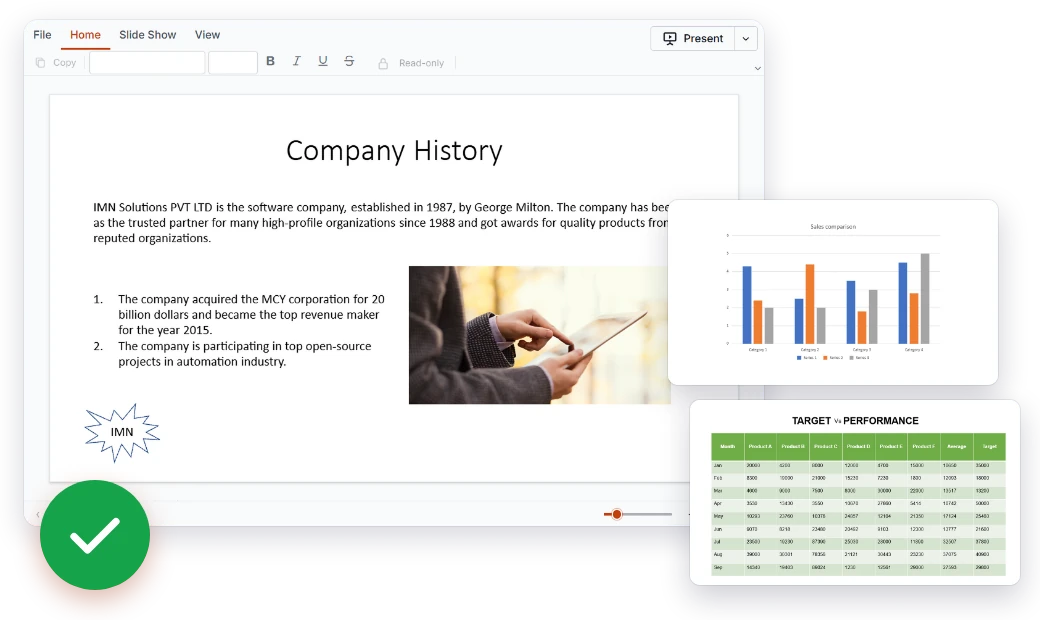
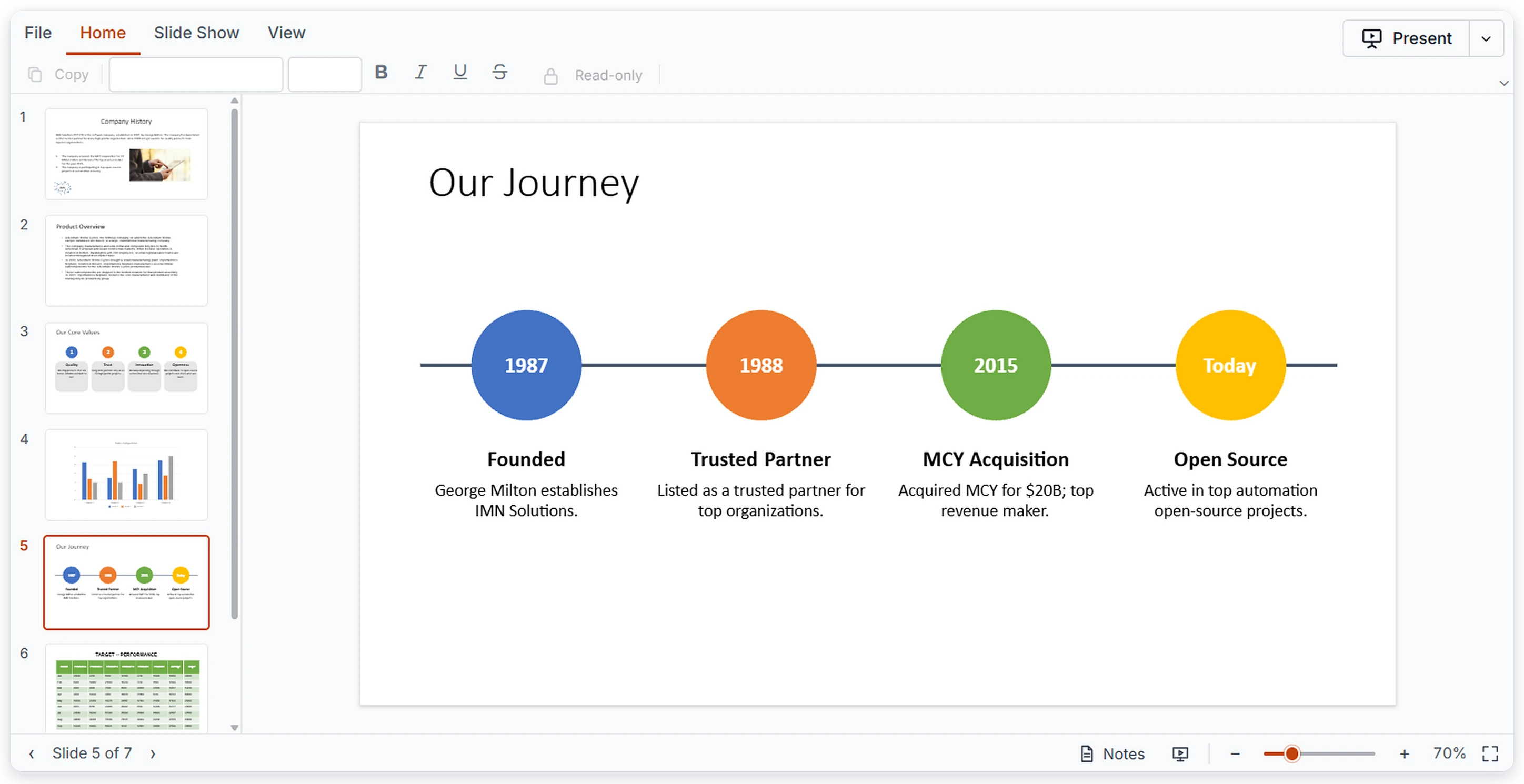
What users see in your React app matches what the author built in PowerPoint. Text, shapes, images, and data visuals stay where they belong, so nobody has to download the deck just to check it.
- Text boxes, placeholders, and all auto shapes
- Images, tables, and charts shown in place
- Paragraph and text formatting kept intact
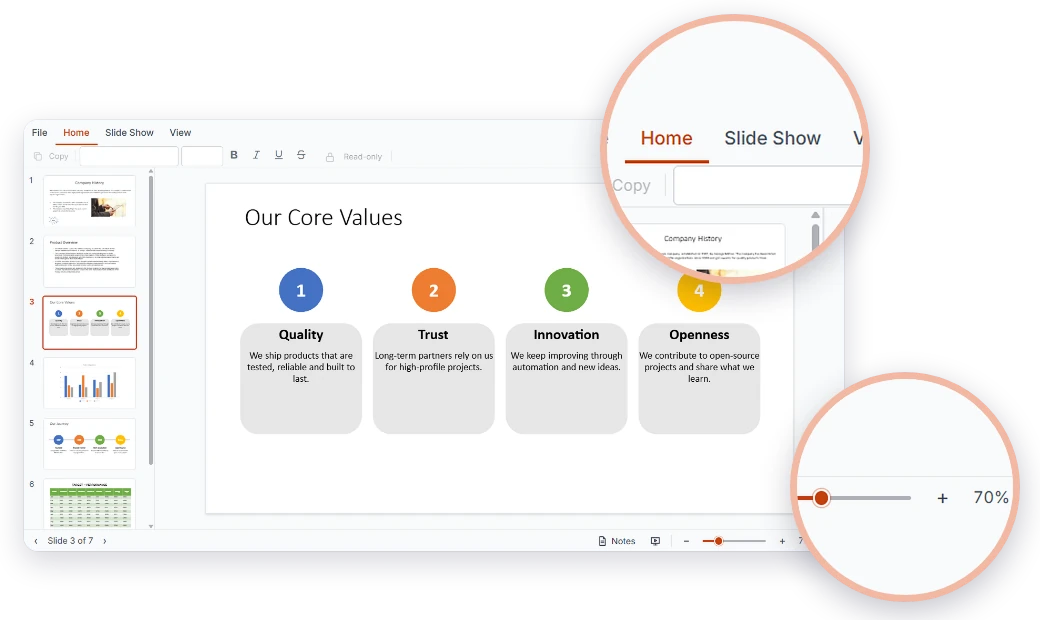
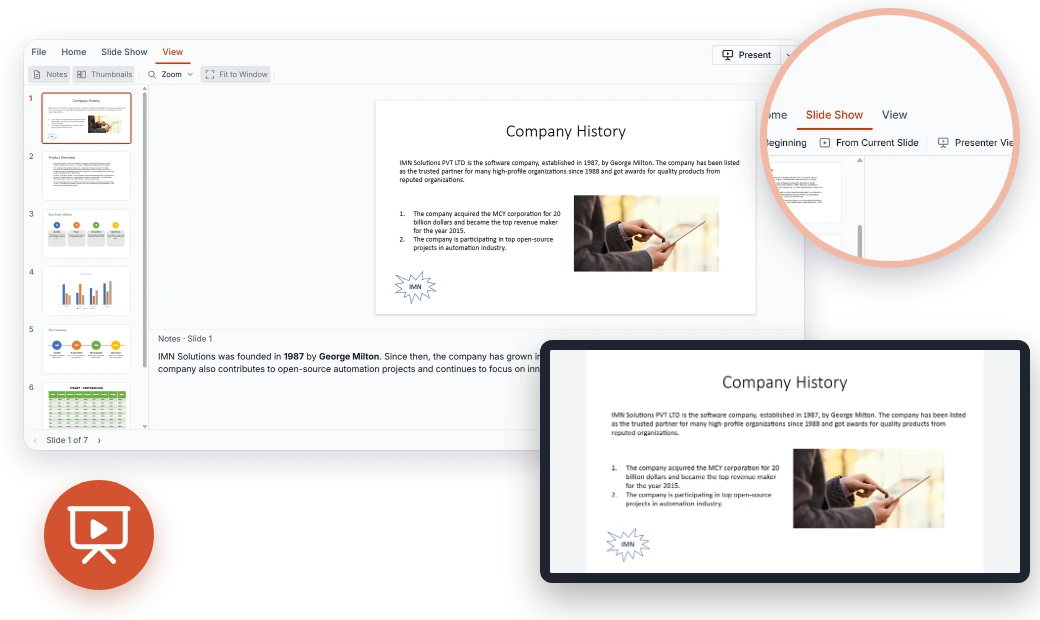
A PowerPoint-style ribbon your React users already know
The built-in viewer ribbon organizes common actions into tabs people recognize from PowerPoint. Match it to your product with themes, localization, and RTL support.
- Home, Slide Show, and View ribbon tabs
- Zoom in and out on any slide
- Built-in themes, localization, and RTL layouts
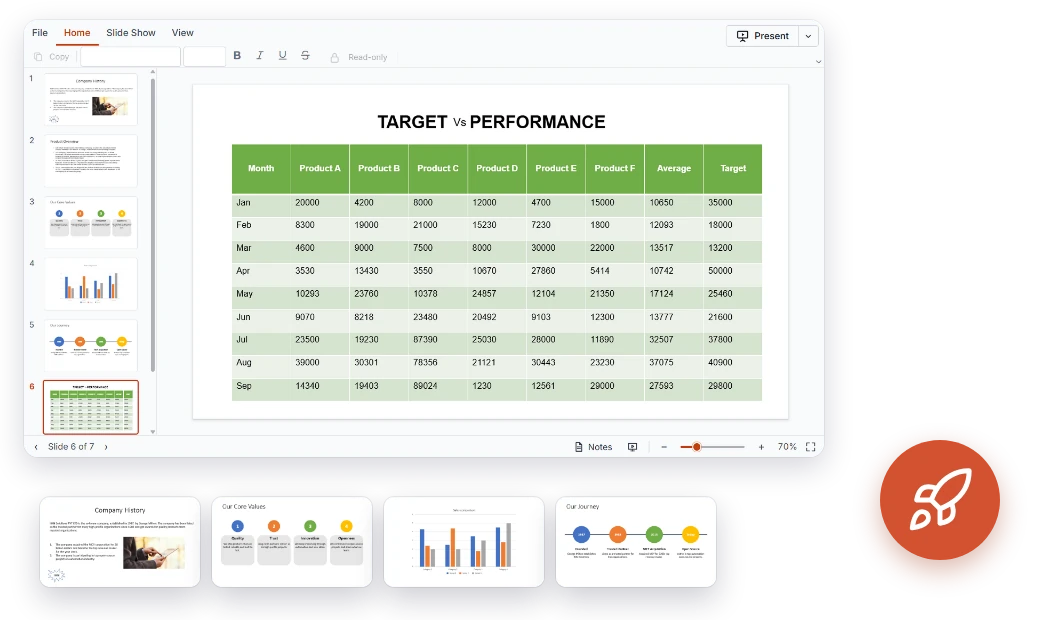
Fast viewing for large React presentations
Long decks stay responsive because slides are virtualized. Users can scan thumbnails and jump to any slide with a single click.
- Slide virtualization for large presentations
- Thumbnails for quick slide navigation
- Smooth navigation by touch, keyboard, or mouse
Present, print, and export from your React app
Users can go full screen, follow their speaker notes, and share the deck by printing it or exporting it as a PPTX file, all in the same app.
- Full-screen slideshow mode
- Speaker notes viewing
- Print and export as PowerPoint (*.pptx)
Everything you need for presentation viewing in React
Rendering, navigation, presenting, and export come together in one Syncfusion® React PPTX Editor, built for modern React applications.
Show every slide the way it was designed.
Textboxes and Placeholders – View text content in textboxes and layout placeholders.
Auto Shapes – Display all auto shapes on your slides.
Images – View pictures placed on slides.
Tables – Read tabular data with its structure intact.
Charts – View charts embedded in presentations.
Text Formatting – Basic paragraph and text formatting is preserved.
Go from viewing to presenting or sharing without leaving the page.
Slideshow Mode – Present slides in full-screen mode.
Speaker Notes – View the notes attached to each slide.
Print – Print presentations directly from the viewer.
Export – Export the presentation as a PowerPoint (*.pptx) file.
Accessibility and global readiness
Keyboard navigation
Users can move between slides with the keyboard alone, so the viewer works for people who don't use a mouse.
Multilingual support
Translate ribbon labels and controls into your users' languages to serve audiences worldwide.
RTL layouts
Right-to-left rendering mirrors the viewer UI, giving RTL readers a natural layout.
Built to fit your React project
The React PPTX Editor installs from npm, adapts to your design, and scales with your application.
- Customizable UI with themes, localization, and right-to-left (RTL) layouts
- Load presentations locally or connect to your backend
- Documentation, live demos, and getting-started guides that get your team productive fast
React PPTX viewing for every industry
Teams in education, sales and marketing, finance, and healthcare use the React PPTX Editor to view, present, and share decks without leaving their apps.
No credit card required.
Education
Embed lecture decks in your React learning platform so students can review slides and speaker notes between classes. Instructors can present full screen and print handouts from the same page.
Sales and marketing
Give reps a portal where they open approved pitch decks, present them to customers, and print copies. Marketing can export the latest version for quick sharing.
Finance
Publish board decks, investor updates, and quarterly reports in a React dashboard with charts and tables intact. Reviewers jump between slides with thumbnails and print or export for meetings.
Healthcare
Host training decks, clinical education material, and case presentations in internal React portals. Presenters use slideshow mode with speaker notes, and staff review long decks smoothly.
Trusted by the world’s leading companies

One React component, many presentation workflows
Lecture decks, sales pitches, board reports, and training material: the React PPTX Editor handles them all. Give users a fast, familiar way to view, present, print, and export presentations inside your React app.
No credit card required.
React PPTX Editor FAQs
Quick answers about the React PPTX Editor, what it supports, and how to get started.
What is the Syncfusion React PPTX Editor?
A React component for viewing, navigating, presenting, printing, and exporting PowerPoint presentations in web applications. It is currently available as a viewer.
Which PowerPoint elements can the React PPTX Editor display?
Text boxes, placeholders, all auto shapes, images, tables, charts, and basic paragraph and text formatting.
Can I run a slideshow from my React app?
Yes. Users can present in full-screen slideshow mode and view speaker notes.
Is the PPTX Editor available for other platforms?
Yes. It is also available for Angular, Vue, JavaScript (ES6 and ES5), ASP.NET Core, and ASP.NET MVC.
Can users edit PPTX files in React?
Not yet. The first release is viewer-only, and editing will be considered in a future phase.
How does the React PPTX Editor handle large decks?
Slides are virtualized for better performance, and thumbnails provide quick navigation.
Can users print or export presentations?
Yes. Users can print presentations or export them as PowerPoint (*.pptx) files.
Where can I find React demos and developer resources?
Try the live demo and follow the getting-started guide.
Resources
Learn more about our React PPTX Editor
Find React demos, KB articles, and documentation to make the most of the PPTX Editor.
Explore guides, APIs, and quick-start tips
See live use cases in action
Ask, share, and connect with peers
Find solutions and best practices fast
Get expert help when you need it
Feature requests and bug reports
Track issues and suggest improvements