Try Our Live Demo
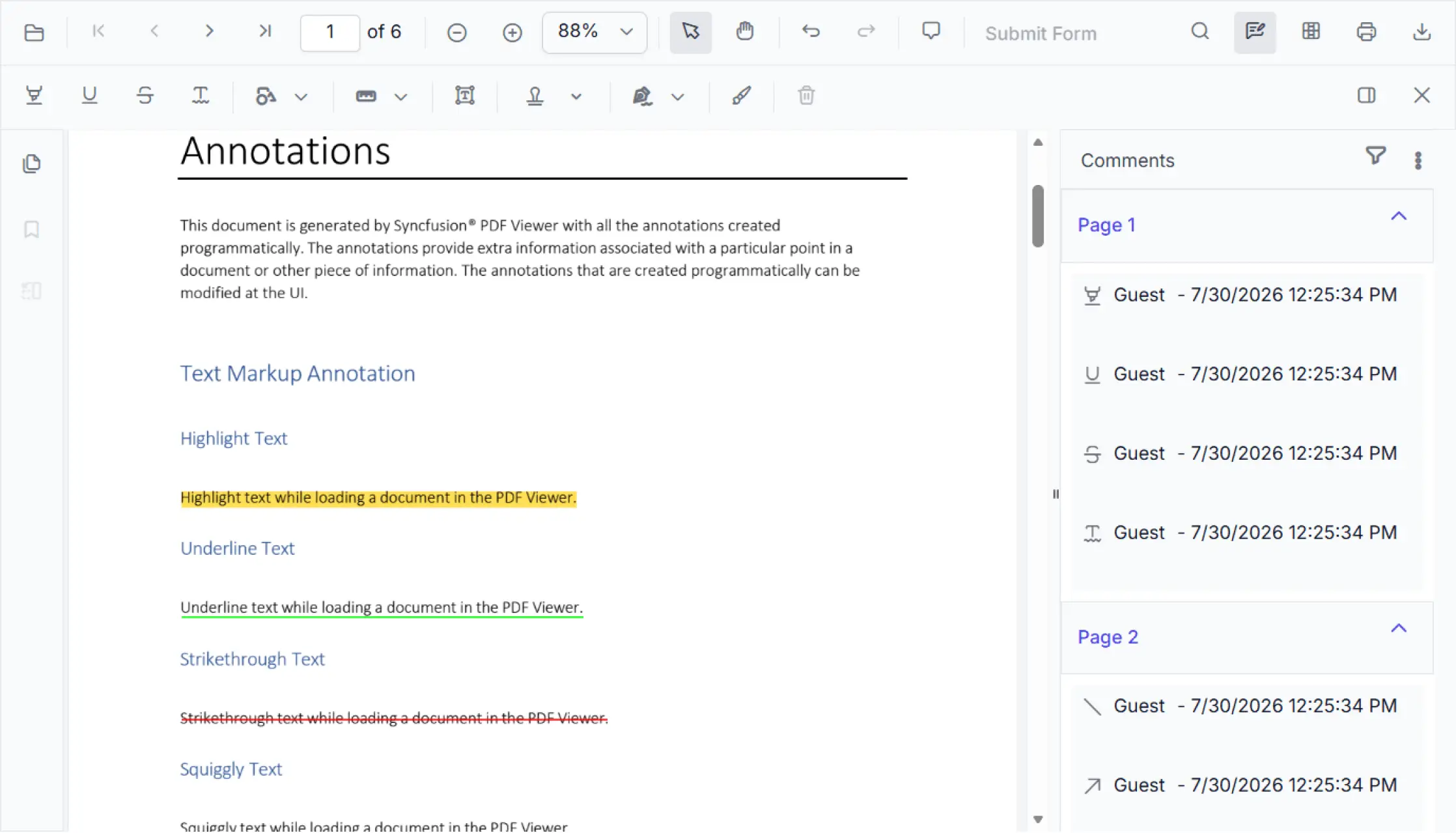
PDF annotation tools for document review
Provide comprehensive annotation tools including highlights, shapes, text notes, stamps, and signatures to streamline document collaboration. Capture feedback, mark revisions, and track updates directly within PDF files to ensure clear, efficient review processes.
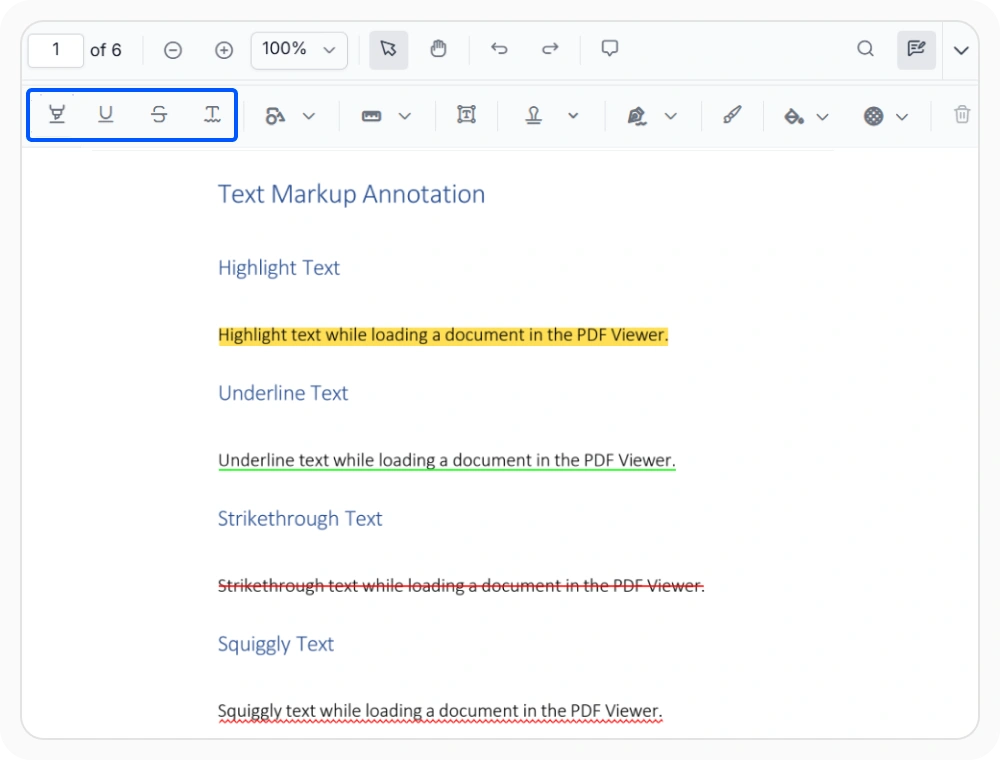
Highlight and mark PDF text
Mark selected PDF text with highlighting, underlining, strikethrough, or squiggly annotations to flag important passages. Use this feature to highlight key information and clearly mark text that requires attention, correction, or verification during document review.
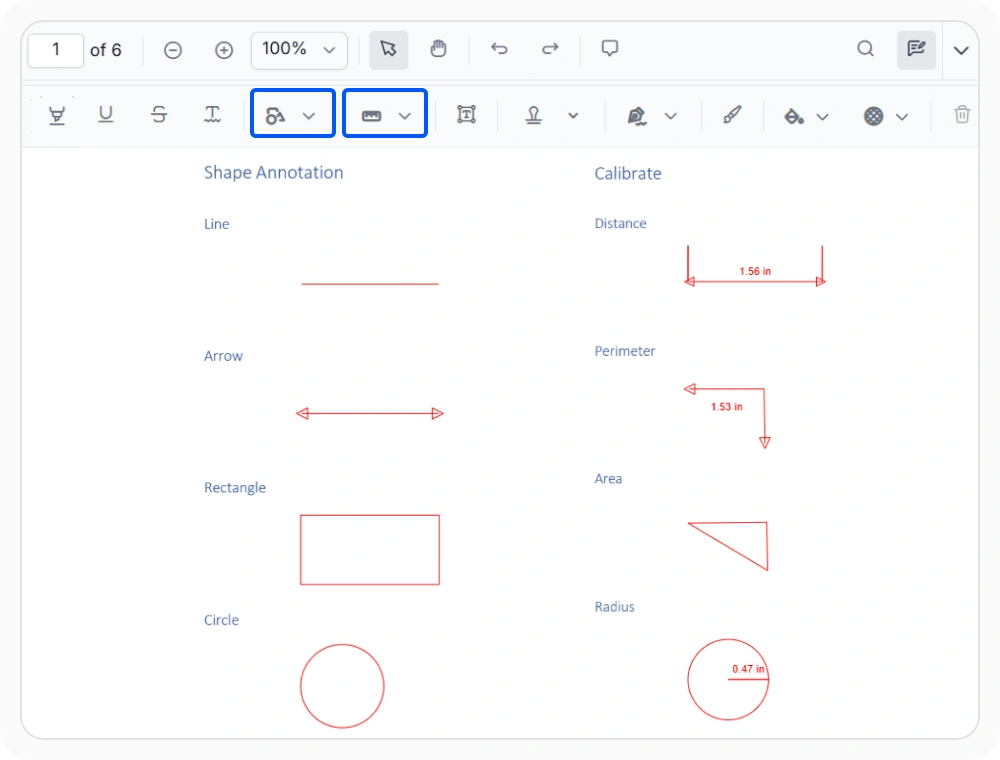
Draw shapes and measure PDFs
Draw shape annotations and measurement tools directly on PDF pages to annotate layouts, designs, and spatial dimensions. Use this feature when you need to provide visual feedback about page layouts, verify measurements, or highlight specific areas during document reviews.
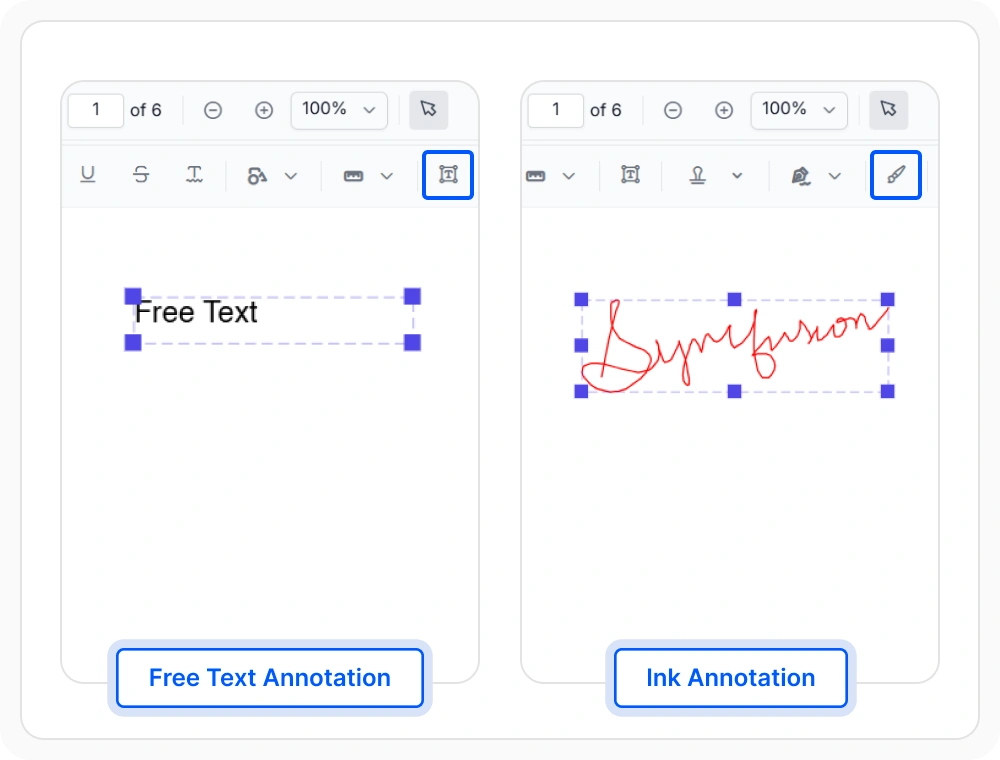
Add freehand sketches and text notes
Draw freehand sketches with ink annotations and add text annotations to capture ideas and feedback directly on PDF pages. Use ink and free-text annotations when visual context or custom notes are needed beyond traditional markup.
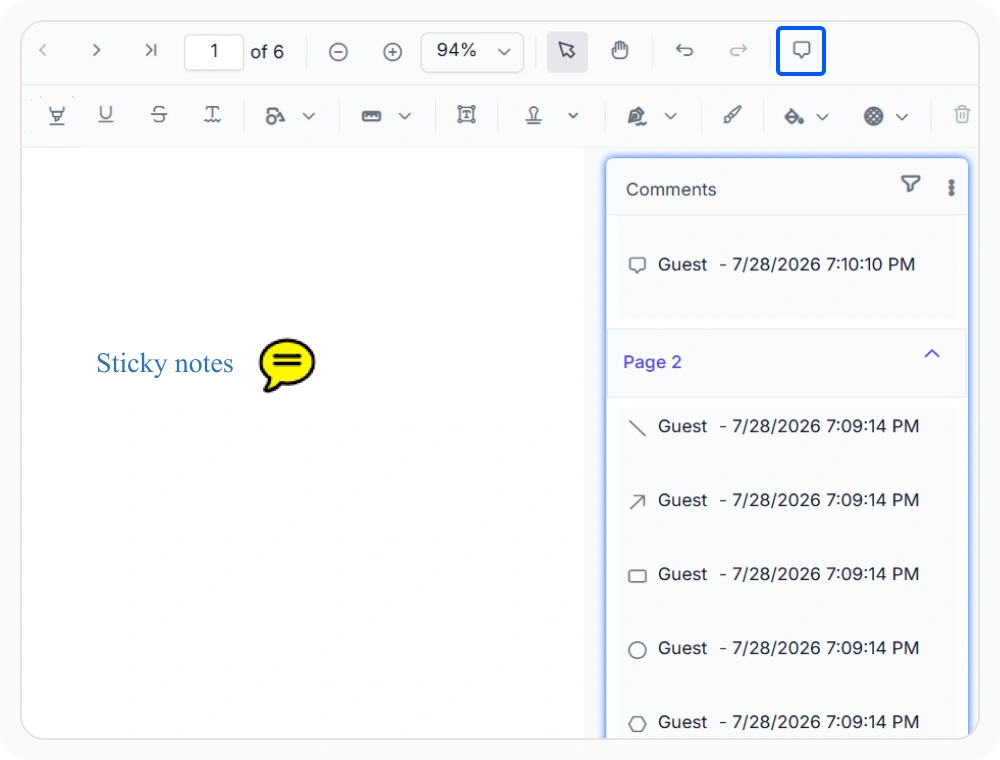
Add comments with sticky note
Attach sticky note comments to specific PDF locations to keep feedback connected to relevant content and discussion points. Use this feature when review discussions and decisions need to stay linked to exact document locations for greater clarity and context.
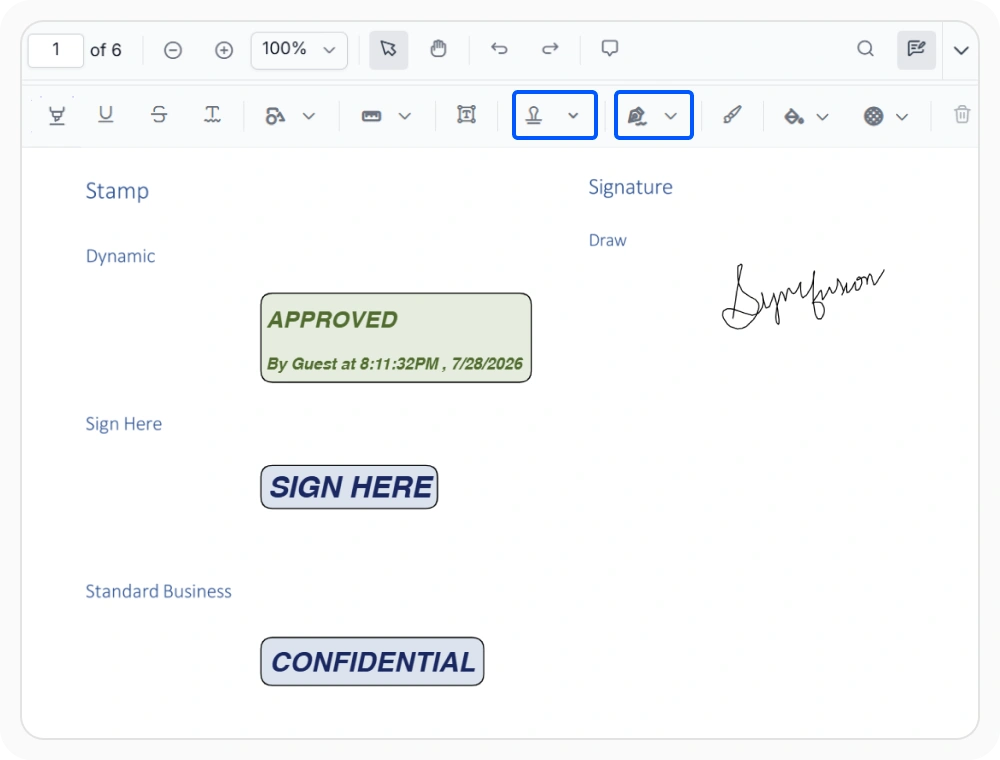
Sign and approve PDF documents
Add approval marks and digital signatures to PDF documents to show review status and confirm final decisions. Apply built-in stamps or create custom text stamps with configurable styling, author details, and timestamps. Use these feature to document approval steps, establish audit trails, and maintain a clear record of who approved the document and when.
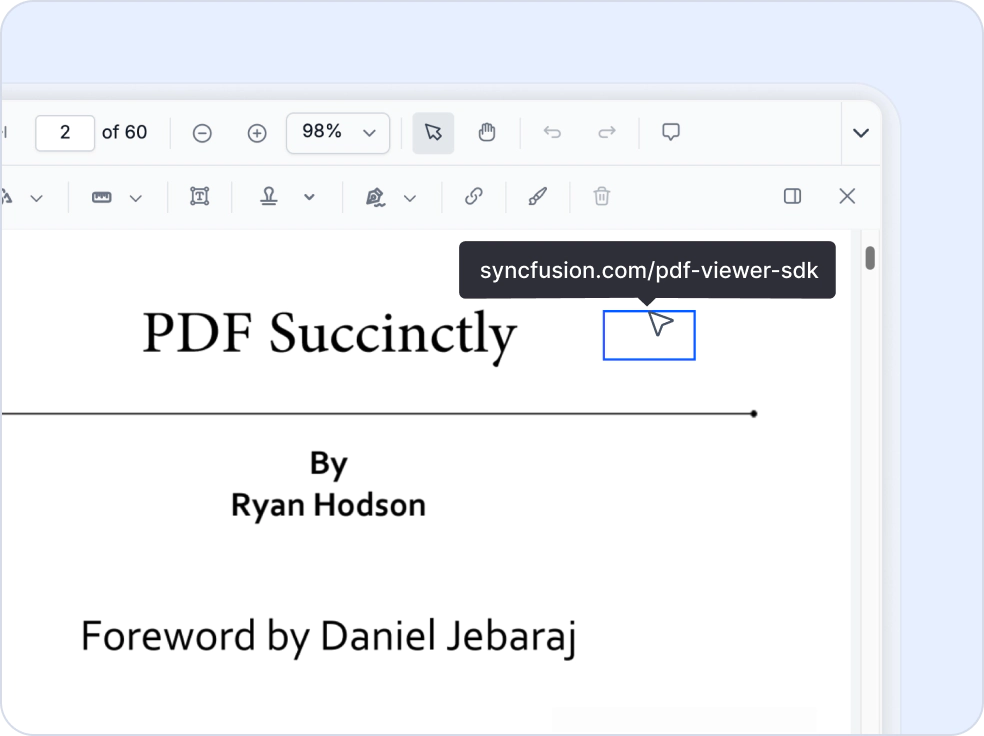
Web and document link annotations
Enhance document navigation with interactive web and document links. Create, edit, and manage link annotations that connect content to external websites, online resources, or specific pages, sections, and destinations within the same document, helping users access relevant information more efficiently.
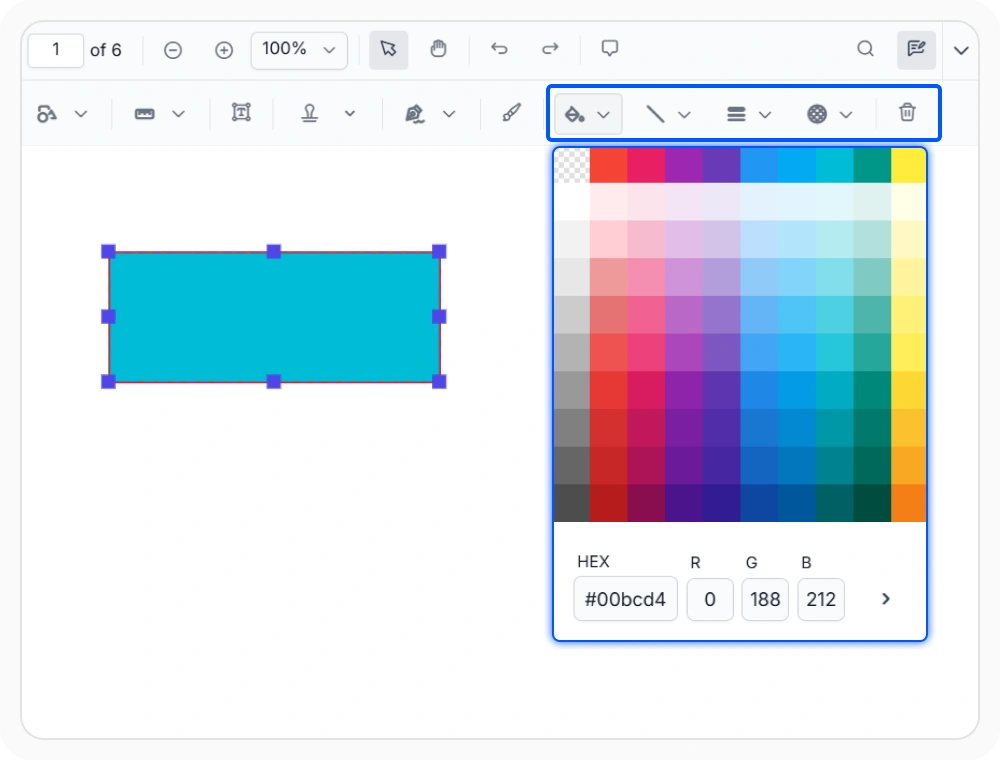
Customize annotation appearance and behavior
Tailor annotation appearance and behavior including colors, opacity, line styles, fonts, and stamps to match organizational standards. Use this feature to create consistent, branded annotation experiences that align with your review requirements and professional document standards.
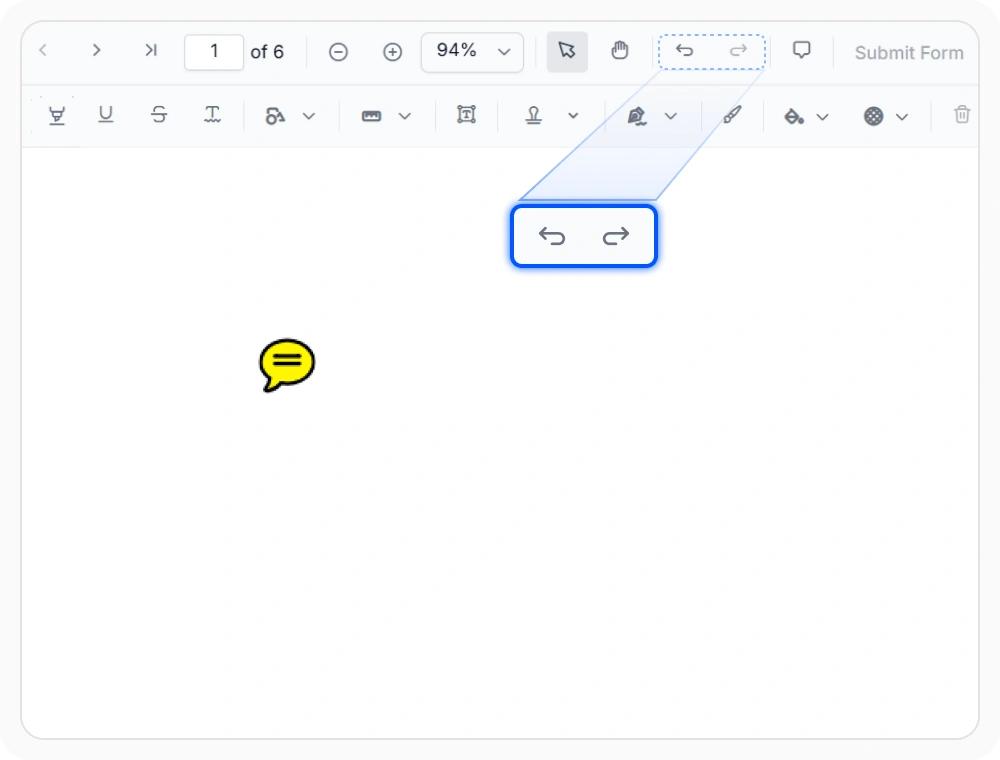
Manage annotation review workflows
Keep document reviews organized by modifying markups, controlling permissions, undoing changes, and organizing feedback throughout the review lifecycle. Use this feature to support complex review processes with multiple contributors while maintaining clear, structured, and audit-ready collaboration.
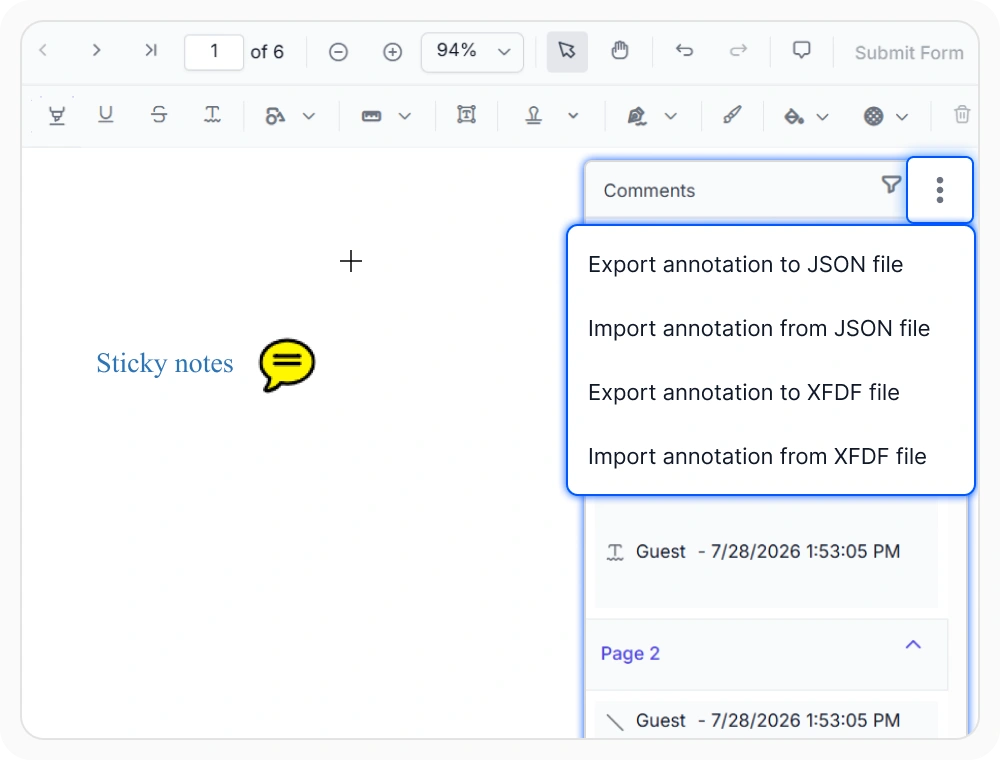
Import and export PDF annotations
Preserve and share annotation data across teams and systems by importing and exporting annotation data. Use this feature to integrate PDF reviews with business workflows, streamline collaboration across departments, and maintain review history across multiple platforms.
See Why Developers Love Syncfusion
Our Customers Love Us
Having an excellent set of tools and a great support team, Syncfusion reduces customers’ development time. Here are some of their experiences.



Frequently Asked Questions
What annotation types does the React PDF Viewer support?
React PDF Viewer supports text markup, shapes, measurements, ink, free text, sticky notes, stamps, redaction, and handwritten signatures.
Can annotations be protected from edits after review in the React PDF Viewer?
Yes. Annotation lock prevents editing and deletion after review. Permission settings also restrict annotation creation, interaction, printing, and downloading.
Can annotation appearance be customized in the React PDF Viewer?
Yes. Annotation properties such as color, opacity, thickness, and font settings can be customized within the Viewer to match specific review or branding requirements.
Does the React PDF Viewer support annotation import and export?
Yes. The React PDF Viewer supports exporting and importing annotation data in JSON and XFDF formats to preserve review history.
Are React PDF Viewer annotations supported on mobile?
Yes. Annotation tools are supported in mobile devices, including touch-based interactions for drawing, selecting, and editing annotations.
Is there a panel to view and manage all annotations in the React PDF Viewer?
Yes. All annotations in the React PDF Viewer can be accessed through a centralized comment panel, where reviewers can view, reply to, navigate, and manage annotation discussions.
Resources
Learn more about our PDF Viewer
Explore demos, KB articles, and documentation to get the most out of the PDF Viewer.
Explore guides, APIs, and quick-start tips
See live use cases in action
Ask, share, and connect with peers
Find solutions and best practices fast
Get expert help when needed
Feature requests and bug reports
Track issues and suggest improvements
Awards
Greatness—it’s one thing to say you have it, but it means more when others recognize it. Syncfusion® is proud to hold the following industry awards.









