









Transform your applications today by downloading our free evaluation version
Overview
The HTML5 JavaScript Report Designer is a jQuery based web reporting tool used to create and edit simple to complex RDL reports. The web-based report designer makes it easy to integrate an intuitive run-time RDL report editing and customization into your web application. It lets you create reports with reporting features such as parameters, expressions, sorting, grouping, filtering, report linking, hyperlink, and more. You can preview and export the report to PDF, Excel, CSV, WORD, PowerPoint, and HTML formats.
Connect to your data
Explore your data from any of the local or server data bases. Create an embedded or shared data source by connecting to the most common data sources by using the following data providers.
- Built-in data sources: Microsoft SQL Server, SQL CE, Oracle, XML, OLEDB, and ODBC.
- Custom data processing extension: OData, SASS, WebApi, MySQL, SQLite, PostgreSQL, etc.
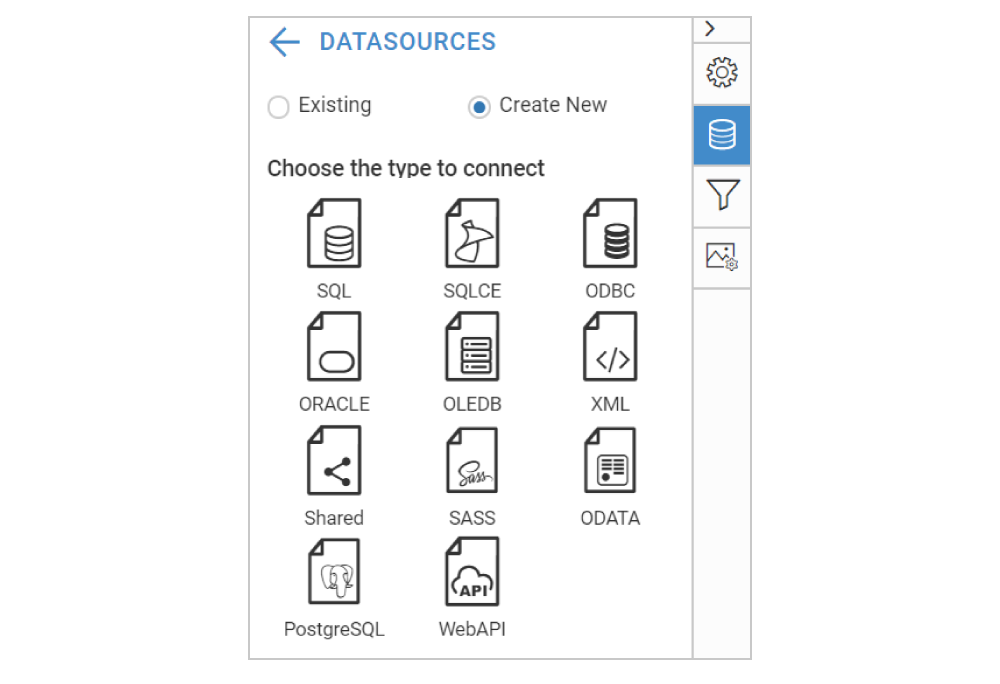

Create data model with query builder
Data query preparation can take most of your time, but with Report Designer, data query generation can be done with a few clicks. Query builder provides a convenient user interface that helps both technical and nontechnical users to create and view relationships between tables.
Report items
Enables users to create stylish and interactive reports using a rich set of data region, visualization, and basic report items efficiently:
- Basic Items: Text box, image, line, and rectangle.
- Data Region Items: Grid and pivot table.
- Data Visualization: 20+ chart types.
- Subreports.
- Custom report items.

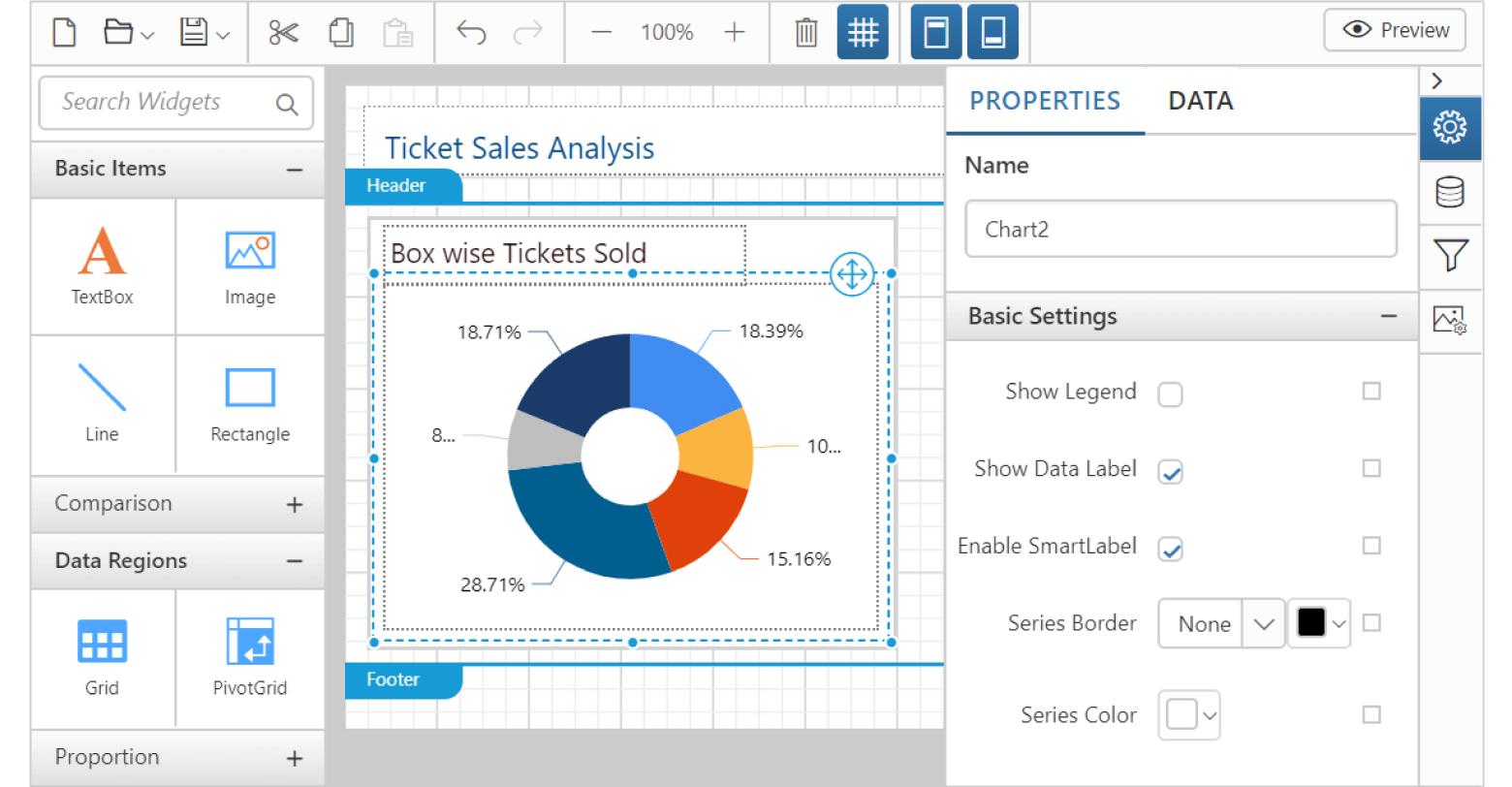
Rich user interface
Provides rich user-friendly interface to easily transform your data into beautiful reports, using the configuration options such as property panel, data configuration panel and image manager.
Report parameters
Supports creating report parameters manually or based on a data set query. Parameters are used to interactively provide user inputs at run-time to vary report presentation based on it. Parameters can also be used in expressions to control report data.

Data set query parameters
Allows creating an embedded or a shared dataset with parameter to filter or limit data. A data set can contain user-defined parameters for internal calculations or report parameter to get run-time inputs from users.

Cascading parameter
Users can add cascading parameters to the report to allow one parameter that limits the values for the next parameter. It greatly reduces the number of choices to a manageable number.
Filter, group and sort data
JavaScript Report Designer support to add filtering, grouping and sorting for data region items such as grids, pivot grids and for data sets. It organizes the data values of the data region report items.
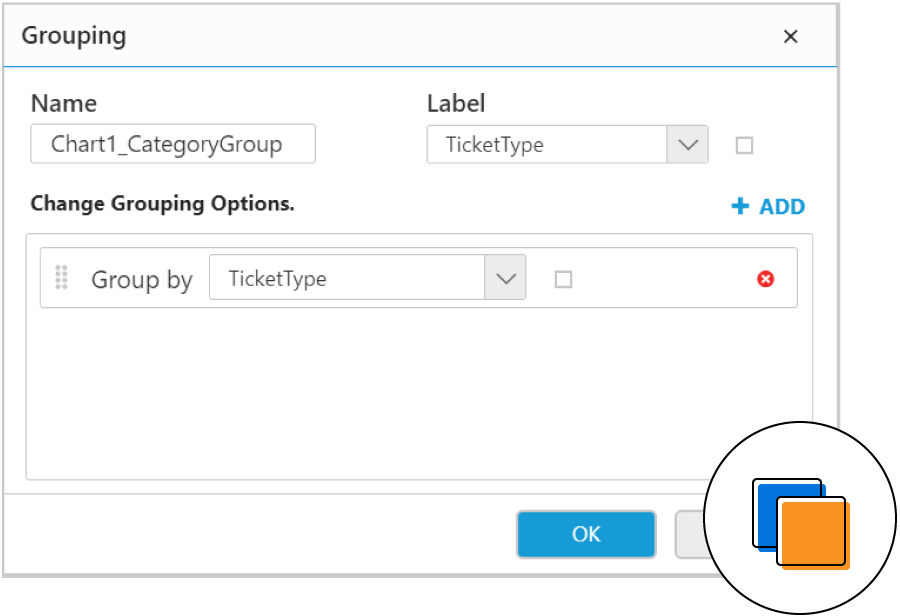
Grouping
User can add grouping to display data in a hierarchy view by organizing nested, adjacent, and recursive hierarchy groups. You can use a dataset field, expression or other values to group data.

Sorting
Supports adding sort expressions to chart category and series groups and pivot table groups. It controls the order in which data is displayed in a data region item of the report (either as ascending or descending).

Filtering
Provides support to add filters to an embedded data set or shared data set, data regions, and data region groups, including detail groups. The filter equation includes a dataset field or expression, an operator, and a value used to compare.
Drill through and hyperlink
Allows users to create a report with SQL RDL reporting’s extremely powerful interactive features like drill through and hyperlink to display data and information in detail.

Drill through reports
An action property is available to specify the drill through report path. It allows end users to click on a data value in the report to view related data information in the child report. A separate child report can have detail/summary data. Also, users can add parameters to filter data based on user selection.

Hyperlink
Provides property options to set hyperlink actions to text boxes, images, charts, and gauges. The hyperlink can contain data field, static or dynamic URL value expression.
Expression builder
Report Designer provides an expression builder that allows you to create simple and complex RDL expressions. Expressions are used throughout the report definition to vary the content or appearance of a report. The following are some usages of expression.
- Use expressions to set dynamic value to many properties, including color, font, and borders.
- Used to create additional operations such as mathematical computation, conditional formatting, conversions, and more.
- Support to use constants, built-in fields, parameters, fields, datasets, variables, operators, common functions, etc.

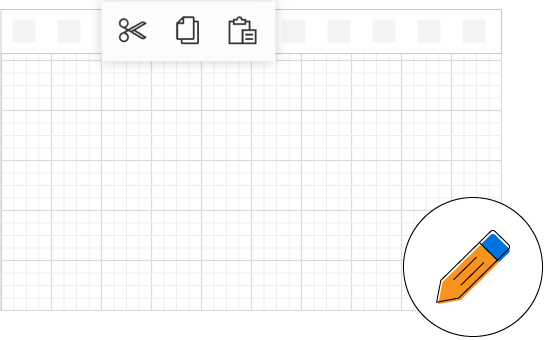
Editing capabilities
Editing a report and its report items is simple with the support of basic editing operations such as cut, copy, paste, undo, and redo.
View report
The HTML5 JavaScript Report Designer provides an option to preview the report and verify whether the created report displays what you require. The reports are displayed using JavaScript Report Viewer with all the RDL functionalities.

Print and export

Export reports
Run or preview a report, and export it to popular file formats such as PDF, Word, Excel, CSV, PowerPoint, and HTML.

Supports printing previewed reports by clicking the print option from the JavaScript Report Viewer toolbar.

Print preview
Clicking print layout option on the JavaScript Report Viewer toolbar shows the report in a printable output format.

Edit report
Users can open and edit any report that is already created using SQL RDL specification. The edited report can be previewed and saved to the same location or to a different location.
Save and share report
The HTML5 JavaScript Report Designer allows you to save a report to Syncfusion Report Server or SSRS Report Server and to your computer. Publishing a report to the server allows other users (who have permission to access the server) to view it.


Developer Friendly APIs
You have control over all the UI elements and behaviors of the HTML5 JavaScript Report Designer. You can provide the best experience to your end users through a rich set of developer-friendly APIs.

Other supported frameworks
The HTML5 JavaScript Report Designer supports jQuery, Angular, and React. This allows you to create your own application with web reporting features.
Globalization and localization

Globalization
You can format the report contents to any language that helps your users from different locales.

Localization
Users can localize all static text of the HTML5 JavaScript Report Designer to any preferred language.

Responsive rendering
The HTML5 JavaScript Report Designer will adaptively render itself with optimal user interfaces for phone, tablet, or desktop form factors. This helps your application to scale elegantly on all form factors with ease.

Browser compatibility
Works in all modern browsers on all devices as the JavaScript Report Designer is rendered using HTML5 elements.

Themes
The HTML5 JavaScript Report Designer is shipped with themes such as material, bootstrap, fabric (office 365), high contrast, and more. Users can create new themes to have their own desired look and feel by using the Theme Studio application with ease.
75+ jQuery UI WIDGETS
ALL WIDGETS
GRIDS
DATA VISUALIZATION
EDITORS
NAVIGATION
NOTIFICATION
FRAMEWORK
MISCELLANEOUS
BUSINESS INTELLIGENCE
REPORTING
FILE FORMAT LIBRARY
Media
Our Customers Love Us
Having an excellent set of tools and a great support team, Syncfusion® reduces customers’ development time.Here are some of their experiences.

We're using the file formats and Windows/JavaScript list controls a lot. They're fast, easy to use, and the documentation is good and contains examples. Tickets with questions or suggestions were answered within a day, so we're happy to use the Syncfusion libraries.
Using Syncfusion Angular and JavaScript controls makes front-end web development a piece of cake. Each component has many properties that can be configured as per your desire, methods that can be used to interact with the element, and a lot of events that trigger at different stages, which makes modifying your components according to the state of the application an easy task. Also, their support is amazing! They always offer a sample working project, which makes it very simple to solve your question about your code.
Rated by users across the globe
Syncfusion jQuery Resources
Learning
 Documentation
 Documentation


Awards
Greatness—it’s one thing to say you have it, but it means more when others recognize it. Syncfusion® is proud to hold the following industry awards.









