Try Our Live Demo
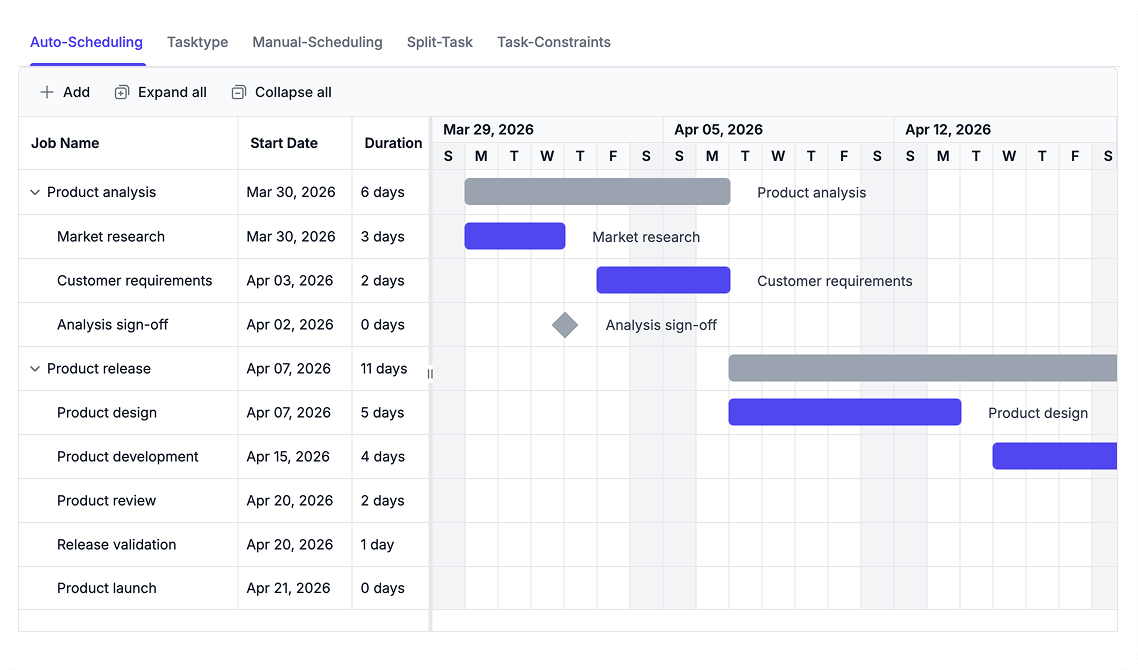
Configure Scheduling Behavior
Apply automatic or manual scheduling modes depending on project requirements. Ensure accurate date calculations by considering dependencies, calendars, constraints, and task types.
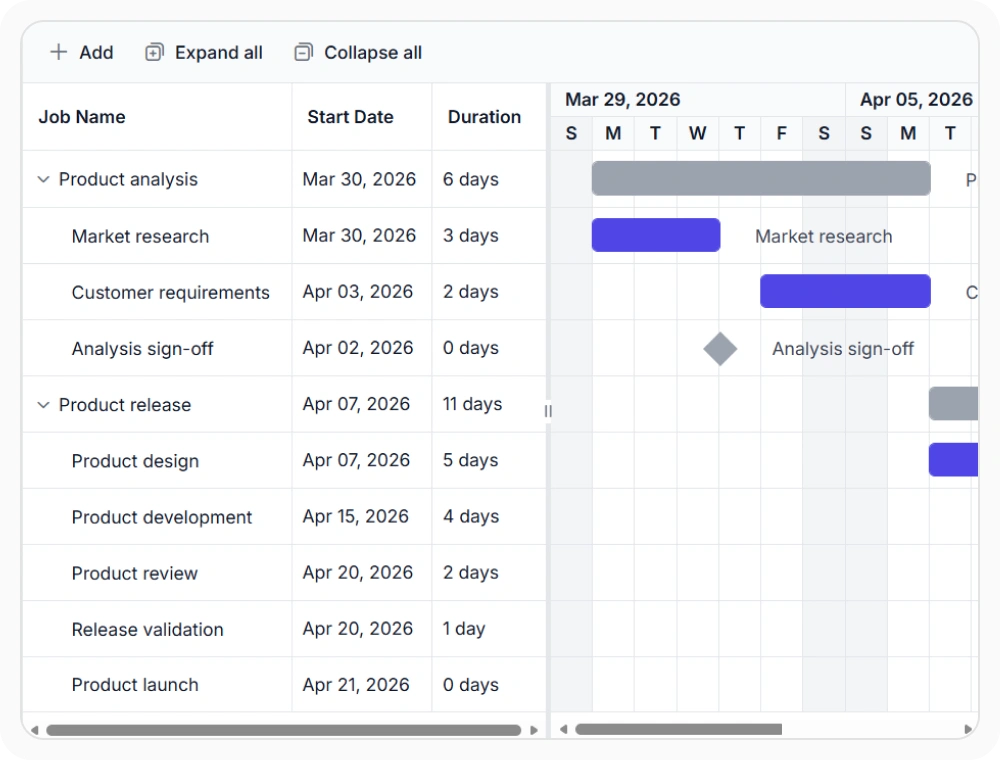
Coordinate dates with auto scheduling
Auto scheduling recalculates task dates as timeline conditions change. Schedule updates are applied across dependent tasks based on defined scheduling logic. Useful when related tasks should update automatically as project timelines change.
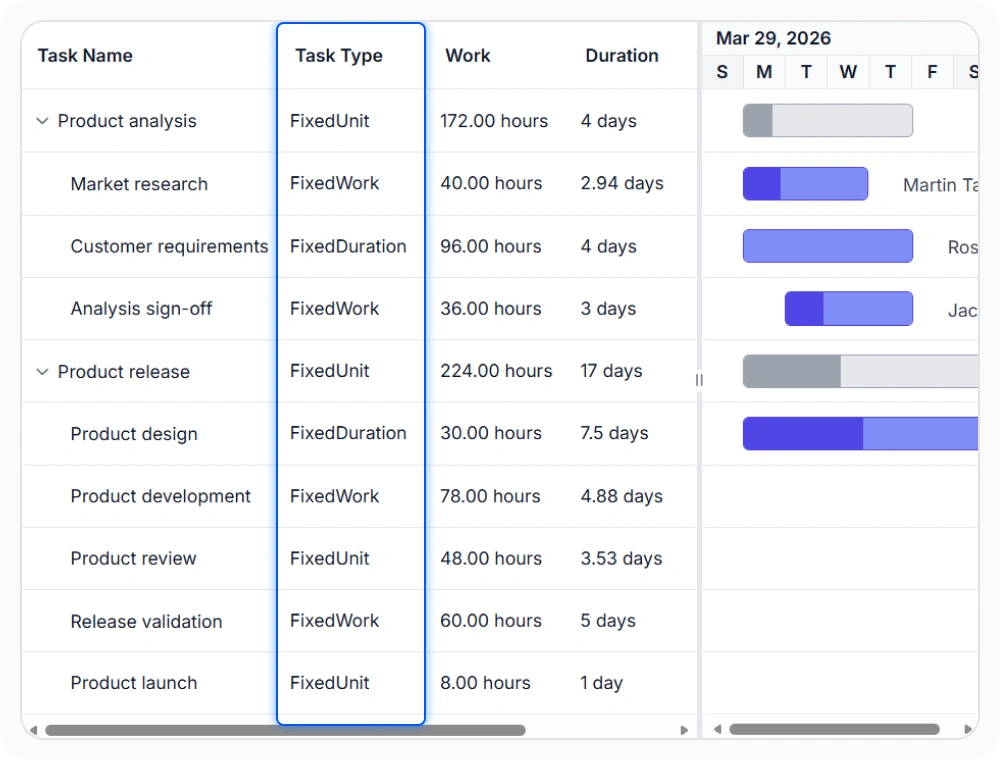
Configure scheduling with task types
Task types determine whether work, duration, or resource units remain fixed during recalculation. Different scheduling models can be applied based on the requirements of each project activity. Useful when tasks require different scheduling approaches.
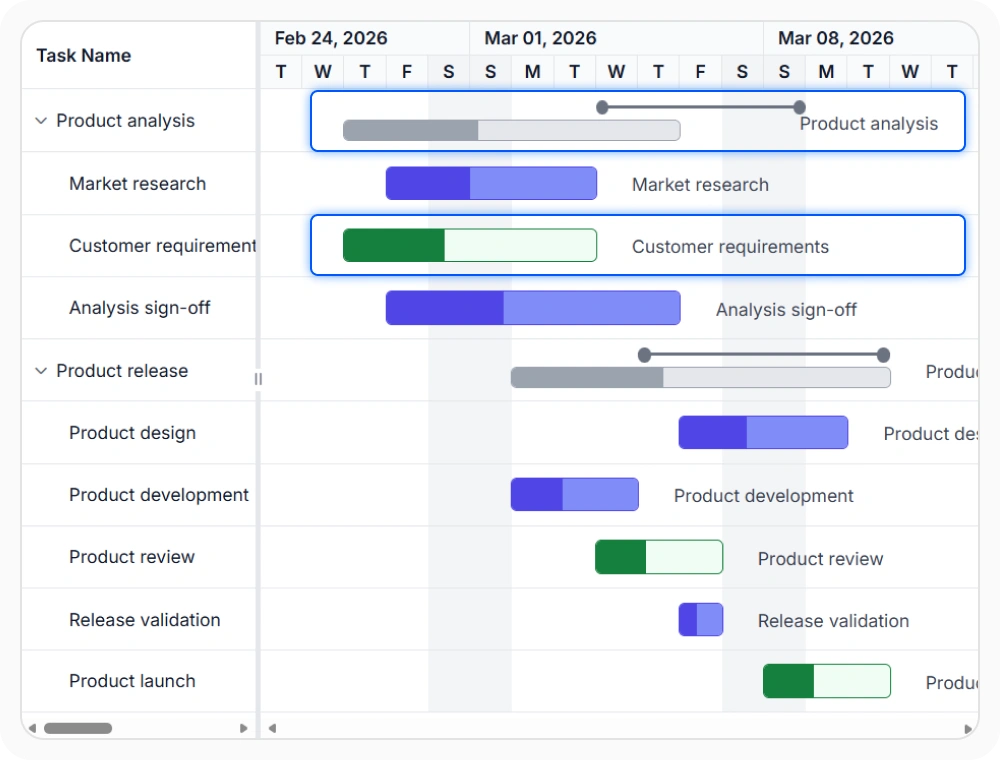
Preserve dates with manual scheduling
Manual scheduling keeps assigned task dates from being recalculated automatically. Direct control can be maintained over important project timelines and planned dates. Useful when selected tasks must retain their planned timing.
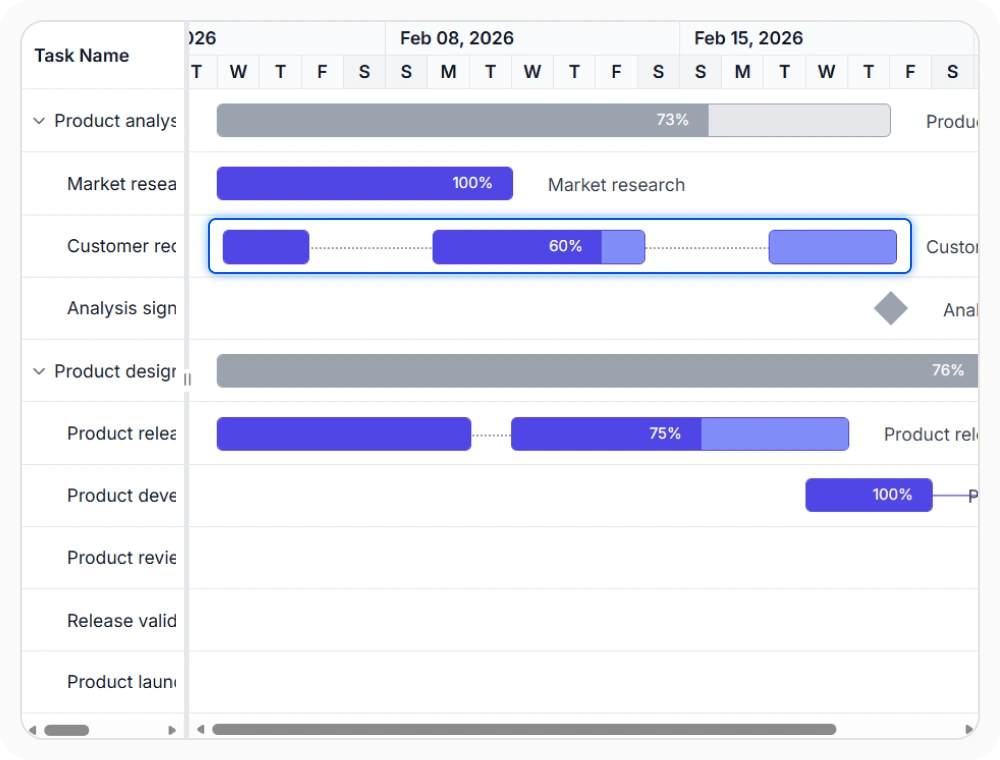
Manage work with split tasks
Split tasks represent interrupted work across multiple time ranges. Activities that pause and resume can be planned within the same schedule. Useful when one activity occurs in separate stages.
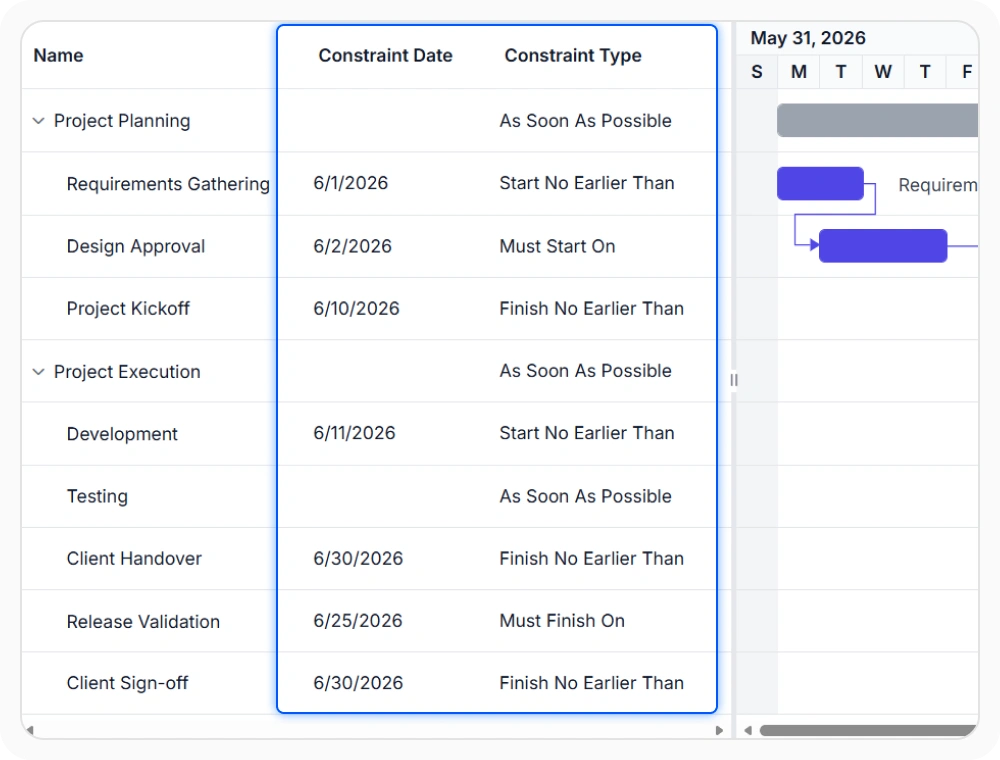
Set boundaries with task constraints
Task constraints restrict when tasks can start or finish. Scheduling requirements and date commitments can be enforced through defined boundaries. Useful when project dates must follow specific scheduling rules.
See Why Developers Love Syncfusion
Our Customers Love Us
Having an excellent set of tools and a great support team, Syncfusion reduces customers’ development time. Here are some of their experiences.





Frequently Asked Questions
How does Syncfusion React Gantt Chart handle manual scheduling?
Manual scheduling allows task dates to remain fixed instead of being automatically recalculated when related tasks or schedule conditions change. Direct control can be maintained over important project timelines and planned dates.
Can I use automatic and manual task scheduling in the same Syncfusion React Gantt Chart project?
Yes. React Gantt Chart supports both automatic and manual scheduling modes within the same project. Use automatic scheduling for tasks that should be recalculated based on project scheduling rules, and manual scheduling for tasks that need to retain fixed dates despite changes to related tasks or the project timeline.
How do task constraints affect project schedules in Syncfusion React Gantt Chart?
Task constraints limit when tasks can start or finish based on defined scheduling rules. Scheduling boundaries help keep project deadlines and date requirements aligned with planned timelines.
Can Syncfusion React Gantt Chart automatically update task dates when dependencies change?
Yes. React Gantt Chart can update related task dates based on dependency relationships and scheduling rules when project timelines change. Task relationships remain aligned as schedule changes are applied across dependent activities.
When should split tasks be used in the Syncfusion React Gantt Chart?
Split tasks are useful when work is interrupted by planned breaks, resource availability, or other scheduling gaps. React Gantt Chart represents the task across multiple scheduled segments while maintaining it as a single project activity.
How do task types affect task scheduling in Syncfusion React Gantt Chart?
Task types determine whether work, duration, or resource units remain fixed when scheduling values change. This allows teams to apply different scheduling models based on the requirements of each task while maintaining accurate project schedules.
Resources
Learn more about React Gantt Chart
Explore demos, KB articles, and documentation to get the most out of React Gantt Chart.
Explore guides, APIs, and quick-start tips
See live use cases in action
Ask, share, and connect with peers
Find solutions and best practices fast
Get expert help when needed
Feature requests and bug reports
Track issues and suggest improvements
Awards
Greatness—it’s one thing to say you have it, but it means more when others recognize it. Syncfusion® is proud to hold the following industry awards.