Try Our Live Demo
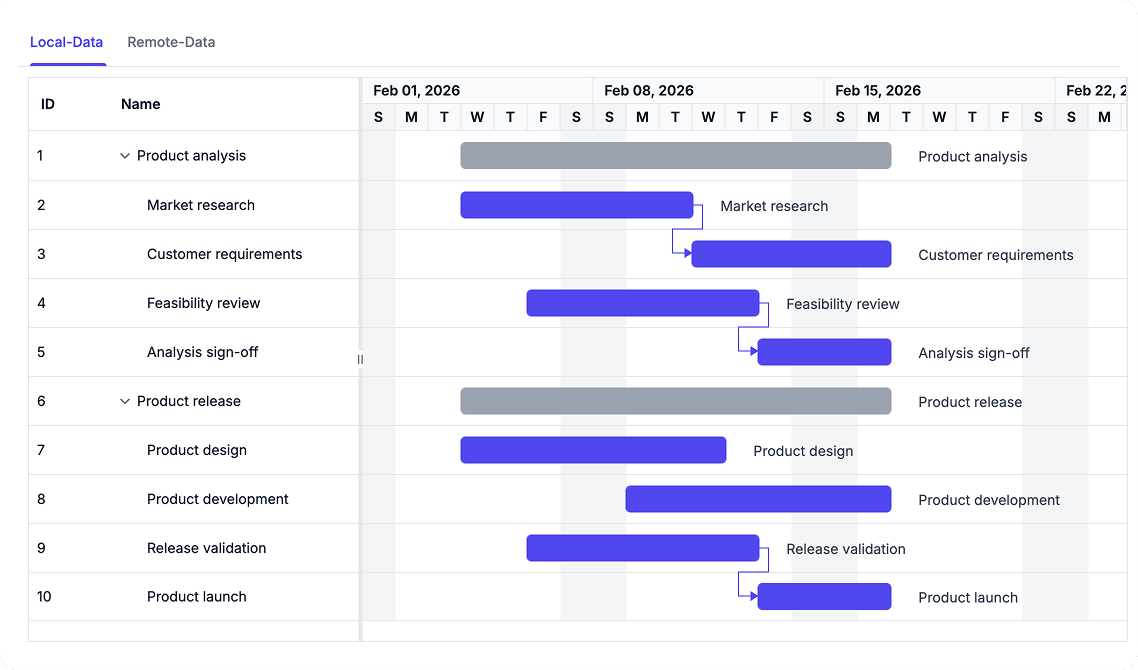
Connect and Load Project Data
Load project schedules from hierarchical or self-referential data structures and integrate directly with REST and OData services. Data sources can be updated dynamically as project information changes to keep schedules synchronized and up to date.
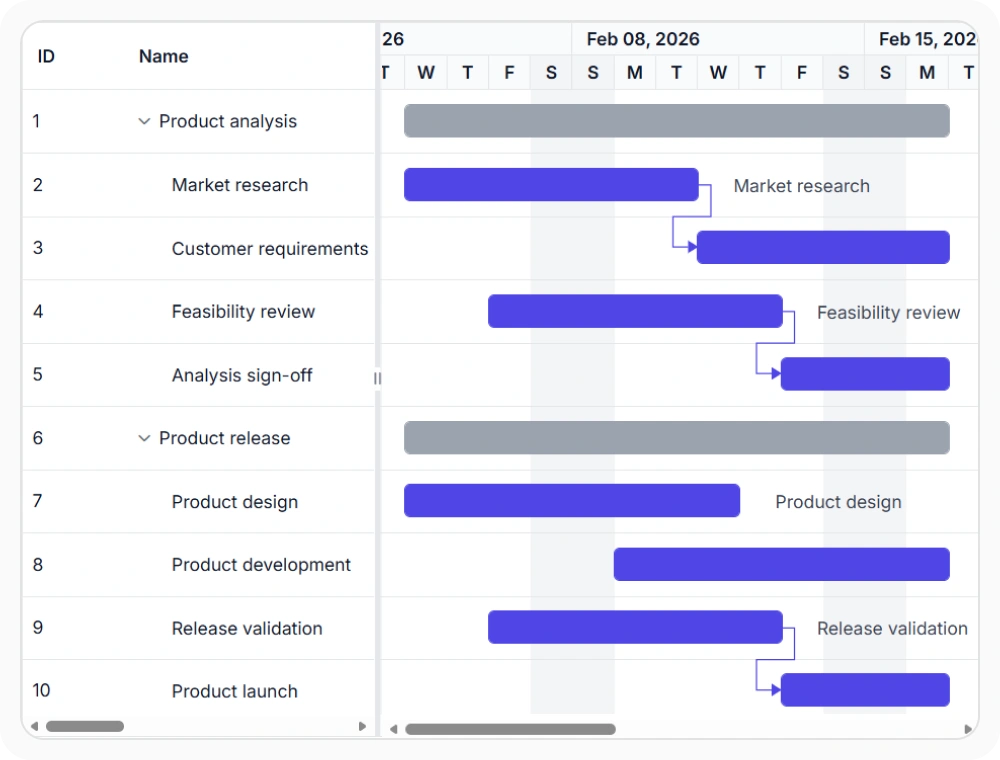
Structure local project data
Local data binding supports both hierarchical and self-referential task structures. Tasks can be organized through nested parent-child records or linked from a single data source using parent references. Hierarchical task organization is suitable when projects contain multiple levels of parent and child tasks.
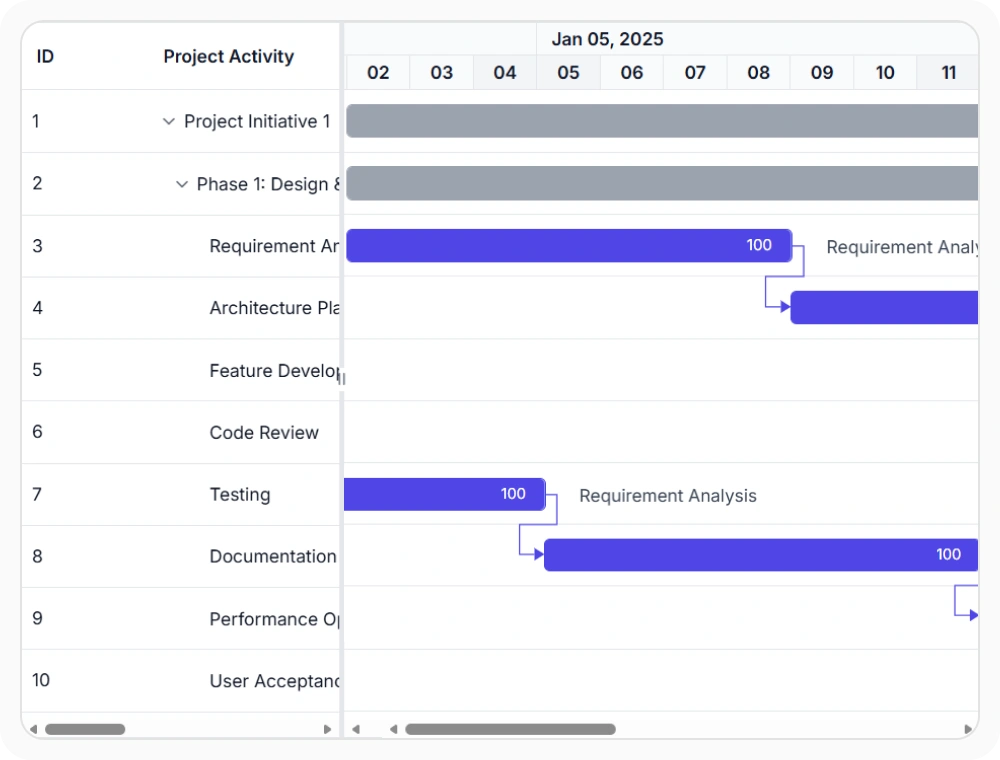
Connect schedules to centralized data
Remote data binding connects schedules to task records served from shared systems. Project views stay aligned with centrally managed information across environments. Backend services or connected platforms work well for schedule updates through remote data binding.
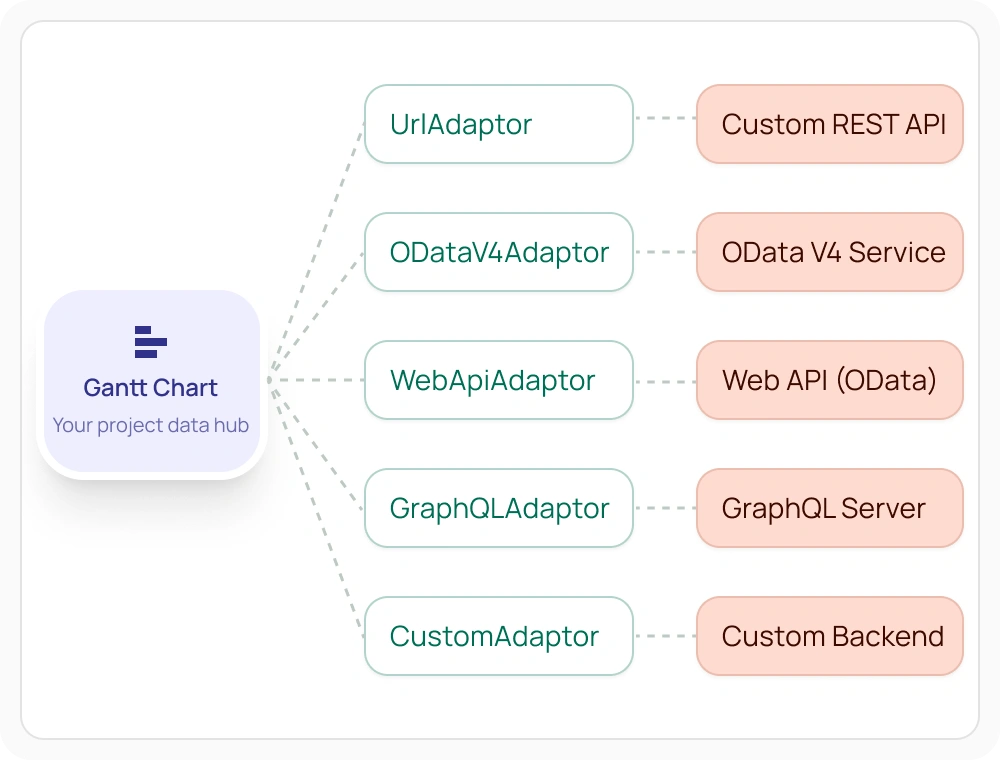
Connect through built-in data adaptors
Built-in adaptors connect the Gantt Chart to back ends that follow each adaptor's request and response format, so remote data binding works without a custom integration layer in between. Each adaptor is purpose-built for a specific service type, so setup starts with selecting the matching adaptor rather than writing custom request handling.
See Why Developers Love Syncfusion
Our Customers Love Us
Having an excellent set of tools and a great support team, Syncfusion reduces customers’ development time. Here are some of their experiences.





Frequently Asked Questions
Can the React Gantt Chart dynamically change its data source?
Yes, the React Gantt Chart allows dynamic updates or replacement of its data source at runtime. When the underlying data collection or remote data source changes, the Gantt Chart can be refreshed to display the latest task information, ensuring that project schedules remain synchronized with application data.
Can React Gantt Chart handle hierarchical task data?
Yes. React Gantt Chart supports hierarchical task structures with parent and child tasks. Hierarchical organization is suitable for breaking project schedules into subtasks and representing multiple levels of project work.
What is self-referential data in React Gantt Chart?
Self-referential data uses parent-child relationships within a single data source to build task hierarchies, allowing the Gantt Chart to organize tasks into hierarchical structures from flat data lists.
When should WebApiAdaptor be used in React Gantt Chart?
WebApiAdaptor should be used when project data is served from a Web API built under OData standards, allowing the Gantt Chart to send and process standardized query operations.
How does React Gantt Chart work with local data sources?
Local task data can be displayed directly and organized into hierarchical task structures using self-referential parent-child relationships. Self-referential binding allows the React Gantt Chart to build project hierarchies from a single data source without requiring additional records.
Can React Gantt Chart connect to remote data sources?
Yes. React Gantt Chart can bind to remote data sources and services, allowing project schedules to stay synchronized with centrally managed task records.
When should remote data binding be used in the React Gantt Chart?
Remote data binding fits schedules that depend on centrally managed task records, shared services, or connected planning systems.
What data adaptors does React Gantt Chart support for remote binding?
React Gantt Chart supports built-in adaptors, including UrlAdaptor for connecting to custom REST-style services and WebApiAdaptor for connecting to enterprise Web API services built on OData standards, without requiring a custom integration layer when the API follows the adaptor's request and response format.
Resources
Learn more about React Gantt Chart
Explore demos, KB articles, and documentation to get the most out of React Gantt Chart.
Explore guides, APIs, and quick-start tips
See live use cases in action
Ask, share, and connect with peers
Find solutions and best practices fast
Get expert help when needed
Feature requests and bug reports
Track issues and suggest improvements
Awards
Greatness—it’s one thing to say you have it, but it means more when others recognize it. Syncfusion® is proud to hold the following industry awards.