







Transform your applications today by downloading our free evaluation version
Overview
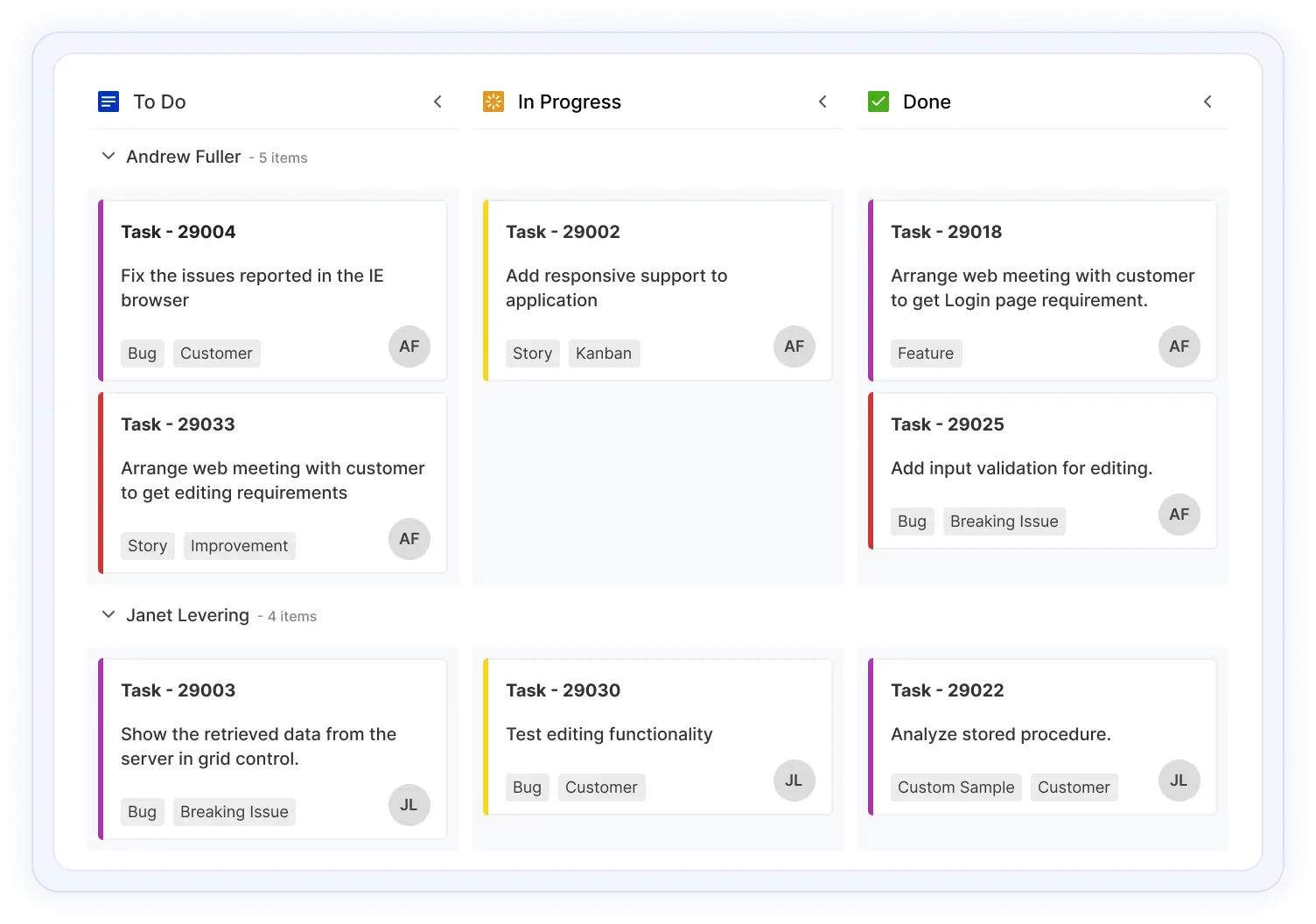
JavaScript Kanban Board is a task scheduling control that provides clear user interface representation to manage multiple stages of work. The Kanban board is widely used in various real-time applications such as task scheduler, project management, software or product development, manufacturing process, personal task management, and much more.
JavaScript Kanban Board Code Example
Easily get started with the JavaScript Kanban Board using a few simple lines of TS code example as demonstrated below. Also explore our JavaScript Kanban Board Example that shows you how to render and configure a Kanban Board.
import { Kanban } from '@syncfusion/ej2-kanban';
import { kanbanData } from './datasource.ts';

let kanbanObj: Kanban = new Kanban({
    dataSource: kanbanData,
    keyField: 'Status',
    columns: [
        { headerText: 'Backlog', keyField: 'Open' },
        { headerText: 'In Progress', keyField: 'InProgress' },
        { headerText: 'Testing', keyField: 'Testing' },
        { headerText: 'Done', keyField: 'Close' }
    ],
    cardSettings: {
        contentField: 'Summary',
        headerField: 'Id',
    },
    swimlaneSettings: {
        keyField: 'Assignee'
    }
});
kanbanObj.appendTo('#Kanban');
AI-assisted development
Build feature-rich JavaScript Kanban experiences faster
Accelerate workflow management application development with Syncfusion AI tools that turn requirements into fully configured kanban experiences with minimal manual setup.
Agent Skills
Accelerate development with Syncfusion AI Agent Skills for faster implementation and integration.
Example Prompt Generate a JavaScript Kanban board with swimlanes, custom cards, and drag-and-drop support.
MCP Server
Accelerate development with AI that generates, configures, and troubleshoots component code directly in your IDE.
Example Prompt Show how to customize card templates in the Syncfusion JavaScript Kanban.
Data binding
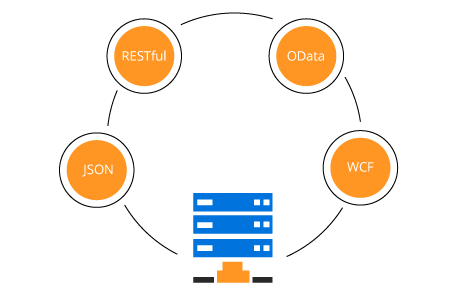
Data binds seamlessly with various local and remote data sources, such as: JSON, RESTful services, OData services, and WCF services.
JavaScript Kanban loads data on demand by default to reduce transfer and load times. Proper field mapping is mandatory when binding Kanban to the data sources with different field names.
Workflow
The Kanban restrict or allow card transitions from one column to another to maintain a controlled workflow process.
Work in progress (WIP) limits
Users can set limits to the card count at each stage of Kanban workflow to avoid working on multiple tasks. Kanban columns visually change its appearance when validation fails.
Flexible layout
By default, JavaScript Kanban has a simple layout with cards and columns. But users can create complex Kanban boards based on their application needs and integrate with any team in an organization.
Card options
A card is the main element of Kanban board that provides clear representation of tasks and flows across various stages.

Customizable cards
Change the look and feel of Kanban cards by customizing their default appearance and style using any HTML or CSS element.
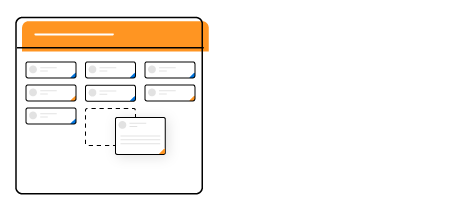
Drag and drop cards
Provides smooth drag-and-drop support to modify the status of cards.

Selection
Easily select multiple cards using mouse, keyboard, or touch interfaces. You can also make multiple selection of cards by pressing the Shift key.
Columns
The JavaScript Kanban board divides its layout as columns to visualize the different stages of work, e. g. to-do, validate, in-progress, testing, and completed.

Expand/Collapse column
Built-in support is available for expanding and collapsing the columns by interaction and programmatically. Users can also control the collapsible behavior on page load.

Multi-key
Users can map multiple keys to single columns to group similar columns. i.e., development column has implementation, review, and testing.
Card editing
JavaScript Kanban provides full support to create, read, update, and delete operations (CRUD) on cards. In addition to built-in editing through dialog, users can create a template that suits their application needs. Editing operations are performed with the help of a data manager.
Stacked header
JavaScript Kanban allows you to add additional headers to group the logically related columns above the column header in a stacked manner.
Swimlane
Visually split the Kanban board horizontally to categorize the cards based on key i.e., assignee, project, or type. Users can customize the swimlane header with templates and control the visibility of empty rows and items count in a swimlane row.
Frozen rows
The Swimlane frozen rows option makes the rows always visible at the top when scrolling the content. It is mainly used to show corresponding swimlane rows.
Tooltip
Display card information with a default tooltip or customized tooltip template.
Templating
Users can customize the UI elements of Kanban using templates i.e., column header, cards, swimlane header, and tooltip.

Developer-friendly APIs
Developers can have full control over the UI and behavior of the Kanban board through its built-in, developer-friendly APIs. The simple and extensible APIs allow you to customize Kanban functionalities with ease.

Built-in themes
Five built-in SASS-based themes are available, such as Material, Bootstrap, Fabric (Office 365), Tailwind CSS, and High Contrast.

Right to left (RTL)
JS Kanban allows you to render its layout, columns, and cards from right to left to improve the user experience and accessibility for RTL languages.
Responsive and touch-friendly
JavaScript Kanban library has a highly responsive layout and a finely optimized design for desktops, touch screens, and smart phones.

Touch support
User-friendly touch gestures and an interactive UI design on Kanban help produce the best user experience.

Adaptive UI
The JavaScript Kanban user interface adapts automatically to mobile and desktop devices. This helps the application to scale elegantly across all form factors without any additional effort.
Localization
Localize all the static strings that are used in the user interface of the JavaScript Kanban control using the localization (l10n) library.

Other supported frameworks
The Kanban Board is available for the Blazor, React, Angular, and Vue frameworks. Explore its platform-specific options through the following links:
Supported browsers
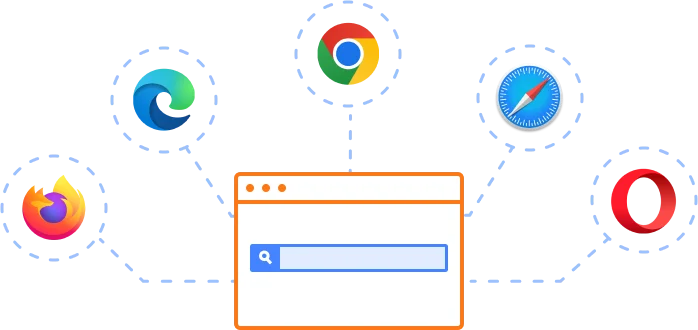
The JavaScript Kanban Board works well with all modern web browsers, including Chrome, Firefox, Edge, Safari, and Opera.
Not sure how to create your first JavaScript Kanban? Our documentation can help.
I’d love to read it nowFrequently Asked Questions
Why should you choose Syncfusion JavaScript Kanban Board?
- Visual organization and prioritization of your tasks with a transparent workflow.
- Efficient control to manage software and product development, project management, and task planning using swim lanes, cards, WIP validations, and more.
A rich set of built-in functionalities such as data binding, templating for card, scrolling, drag-and-drop, stacked headers, responsiveness, various built-in themes, and much more.
Simple configuration and API.
- Support for all modern browsers.
Expansive learning resources such as demos and documentation to learn quickly and get started with JavaScript Kanban Board.
Where can I find the Syncfusion JavaScript Kanban Board demo?
You can find our JavaScript Kanban Board demo here, which demonstrates how to render and configure the Kanban Board.
Can I download and utilize the Syncfusion JavaScript Kanban Board for free?
No, this is a commercial product and requires a paid license. However, a free community license is also available for companies and individuals whose organizations have less than $1 million USD in annual gross revenue, 5 or fewer developers, and 10 or fewer total employees.
How do I get started with Syncfusion JavaScript Kanban Board?
A good place to start would be our comprehensive getting started documentation.
Our Customers Love Us
Having an excellent set of tools and a great support team, Syncfusion® reduces customers’ development time.Here are some of their experiences.

Satisfying components with great community support.
It solves a lot. I mostly use its Kanban control and Grid control with no problems. It has a great ui design and design options. It made it easy for us to build a warehouse management system.

Muhammed Y.

Co-Founder - Full-Stack Developer
Great Community Program and Pro Components for Building New Solutions
Having gantt component ready to use, helped me to focus on what really matters on my solution

fred P.
Director
See Real Success Stories
Developers around the world trust Syncfusion’s Essential Studio to simplify complex projects and speed up delivery. With a vast library of UI controls, powerful SDKs, and reliable support, Essential Studio helps teams build enterprise-ready applications with confidence.
Read Our Customer StoriesIndustry
Software development
75% Cost reduction
50% Faster development
Industry
Utilities (oil and gas)

450+ hours saved
Streamlined processes and hours of development effort saved.

Advanced, flexible features
Empowered users through robust and versatile functionality.
Industry
Software and technology
1000+ of hours saved
Accelerated development with enterprise-ready UI components.

Efficient file management
Streamlined workflows with document libraries without building them from scratch.
Industry
Software and technology

2 Years of delay avoided
Two years of delays prevented with proactive planning.

On-time delivery
Projects delivered on schedule using trusted controls.
Industry
IT services and IT consulting

Improved performance
Large datasets handled with easy customization and quick debugging.

Highly customizable
Plug-and-play controls with quick template integration.
Industry
Professional services
Instant access
Quick availability of features and resources.
Reduced dependencies
Fewer dependencies for faster development.
Rated by users across the globe
Syncfusion JavaScript Kanban Board Resources


UI Kits
 Figma Download
Figma Download
Awards
Greatness—it’s one thing to say you have it, but it means more when others recognize it. Syncfusion® is proud to hold the following industry awards.









