Try Our Live Demo
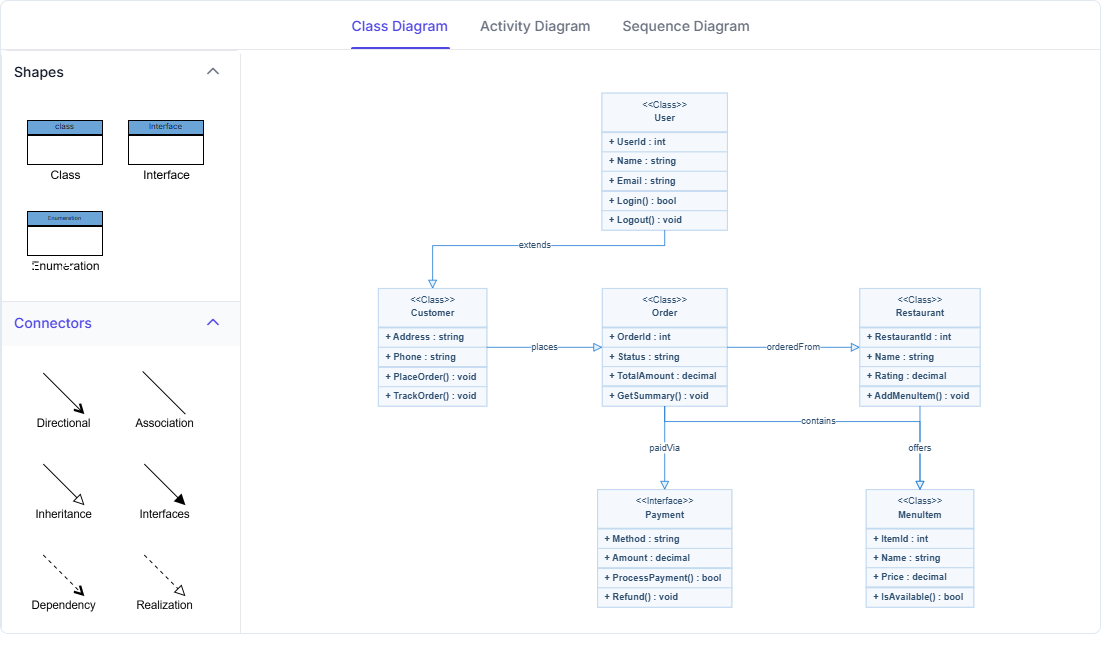
Explore React Diagram UML modeling features
Model software structure, workflows, and time-ordered interactions using UML class, activity, and sequence diagrams. Use dedicated UML notation, automated sequence layout, and reusable class and activity symbols to document system architecture, application behavior, and communication between participants.
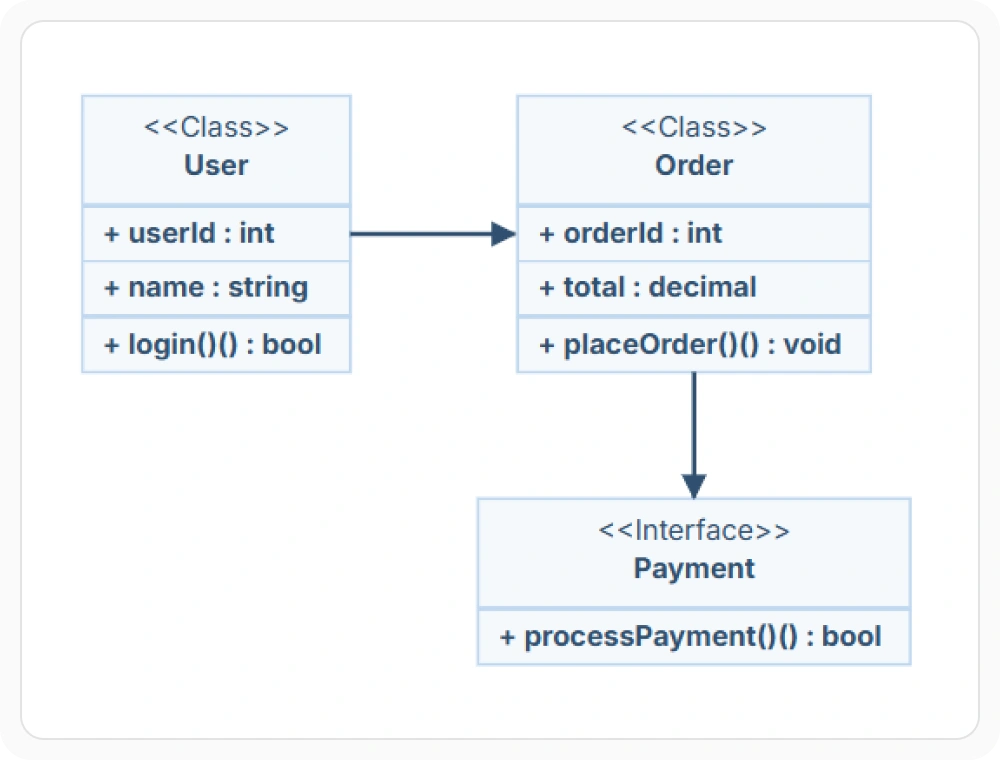
Visualize system structure
Class diagrams represent the static structure of a system through classes, attributes, methods, interfaces, and relationships. They help teams understand how software elements are defined and connected. Use them when domain models, object structures, or application architecture need to be documented.
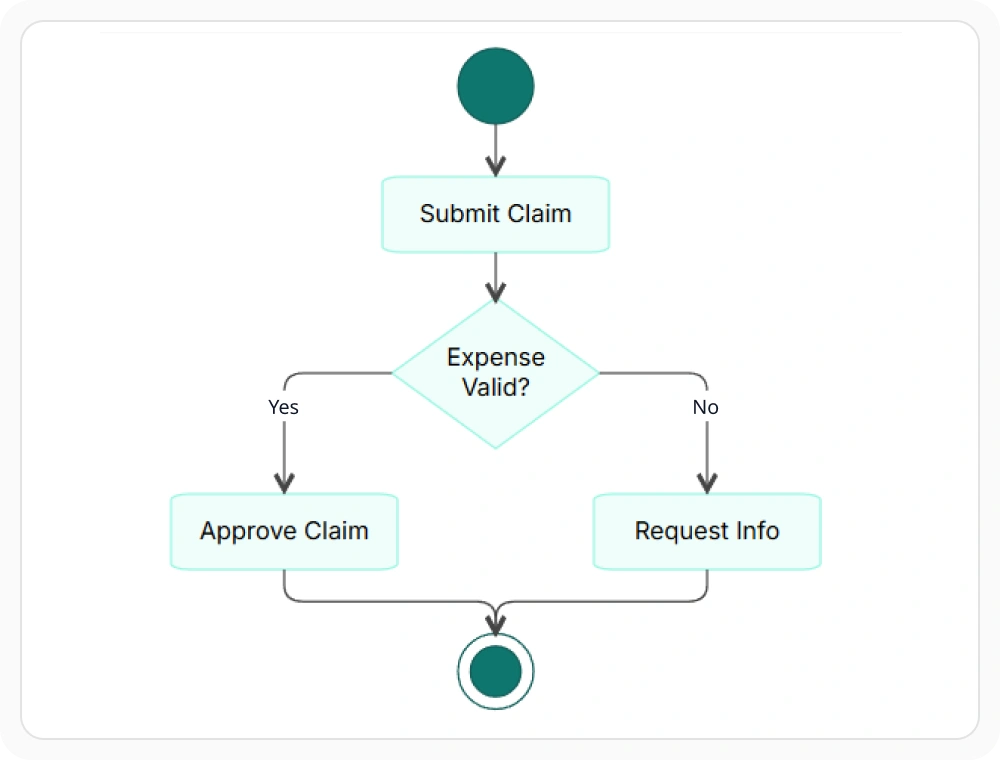
Trace workflows and processes
Activity diagrams represent actions, decisions, branches, and parallel paths within a workflow. They help readers trace control or data flow from the starting point to the final outcome. Use them when business processes, application behavior, or operational workflows need to be analyzed.
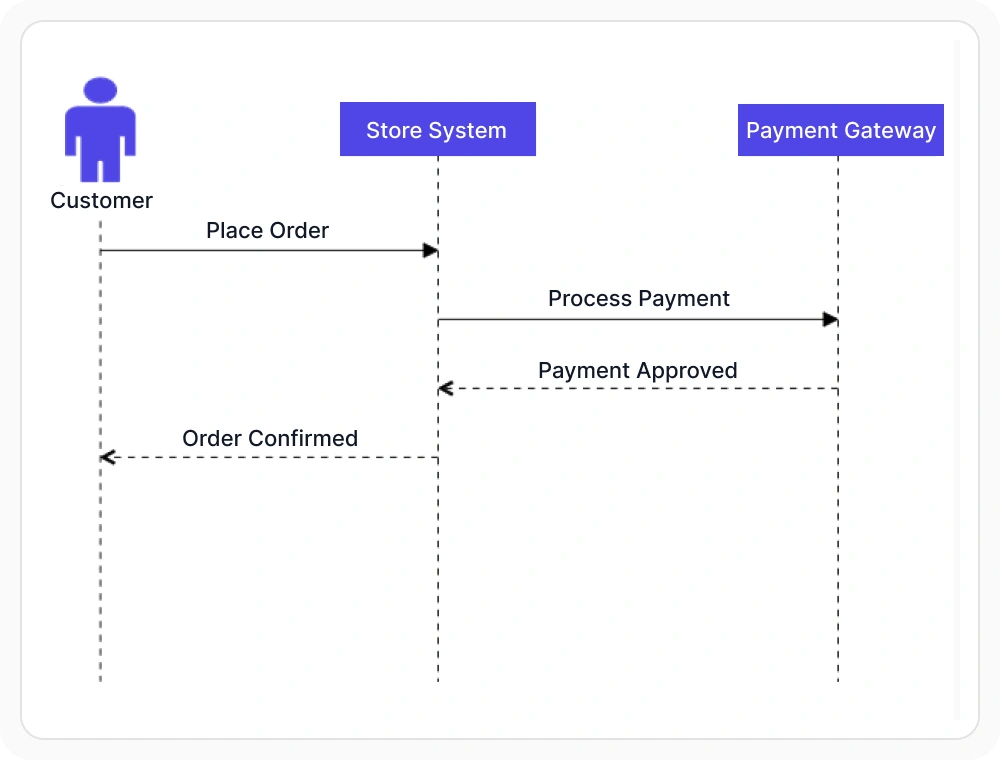
Trace time-ordered interactions
Sequence diagrams show how participants exchange messages in time order through lifelines, messages, activation boxes, and interaction fragments. Automated layout arranges these elements into a structured flow, making interactions easier to understand. Use sequence diagrams when API requests, service communication, or user-system interactions need to be documented.
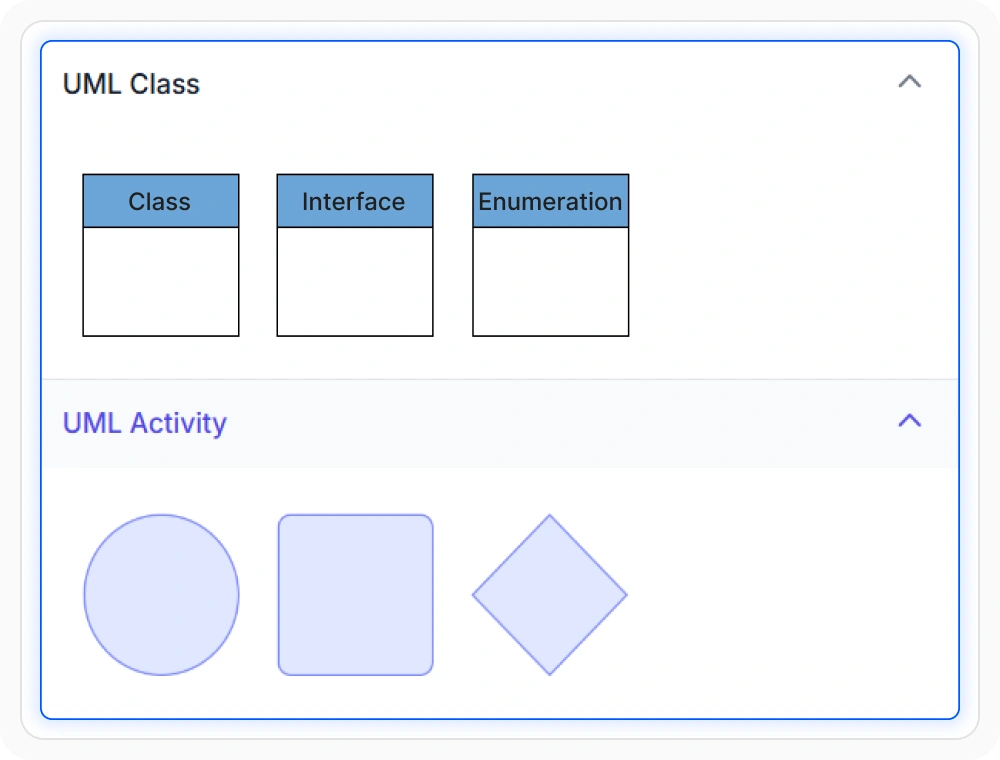
Reuse UML modeling symbols
Add UML class and activity symbols to a Symbol Palette so commonly used elements can be placed on the diagram surface when needed. Reusable symbols help teams follow consistent notation and reduce repeated setup during modeling. Use them when similar UML elements are needed across multiple diagrams.
See Why Developers Love Syncfusion
Our Customers Love Us
Having an excellent set of tools and a great support team, Syncfusion reduces customers’ development time. Here are some of their experiences.




Frequently Asked Questions
What UML diagrams does React Diagram support?
React Diagram supports UML class, activity, and sequence diagrams. Class diagrams describe static system structure, activity diagrams represent workflow behavior, and sequence diagrams show time-ordered interactions between participants.
Is React Diagram suitable for sequence diagrams?
Yes. React Diagram supports UML sequence diagrams with participants, lifelines, messages, activation boxes, and interaction fragments. These elements help represent how users, services, or applications communicate over time.
Which UML diagram type should be used for a design review?
Use a class diagram to review static structure and relationships, an activity diagram to examine workflows and decisions, or a sequence diagram to inspect time-ordered communication. The best choice depends on whether the review focuses on structure, behavior, or interaction.
Can UML symbols be reused in React Diagram?
Yes. Common UML class and activity symbols can be added to a Symbol Palette and placed on the diagram surface when needed. This helps teams reuse visual elements and maintain consistent notation across diagrams.
Resources
Learn more about our React Diagram
Explore demos, knowledge base articles, and documentation to get the most out of the Diagram.
Explore guides, APIs, and quick-start tips
See live use cases in action
Ask, share, and connect with peers
Find solutions and best practices fast
Get expert help when needed
Feature requests and bug reports
Track issues and suggest improvements
Awards
Greatness—it’s one thing to say you have it, but it means more when others recognize it. Syncfusion® is proud to hold the following industry awards.









