Try Our Live Demo
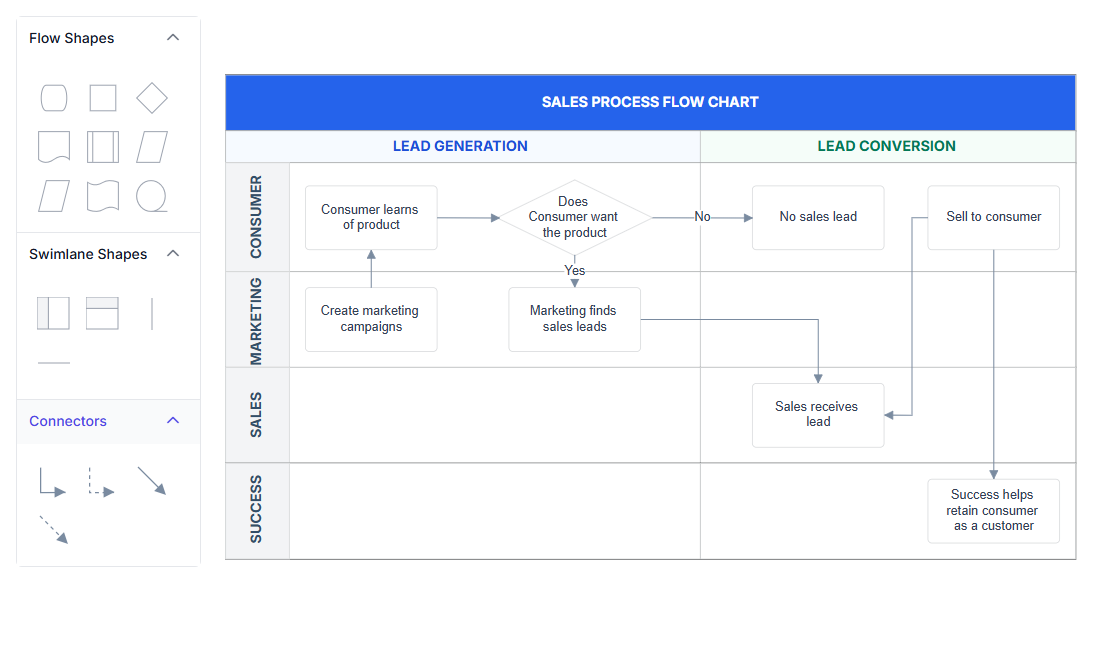
Explore React Diagram swimlane features
Organize workflow activities by responsibility area and process stage using configurable lanes and phases. Choose a horizontal or vertical orientation, customize headers, update phases, reorder lanes, and use reusable Symbol Palette elements to create recurring workflow structures more efficiently.
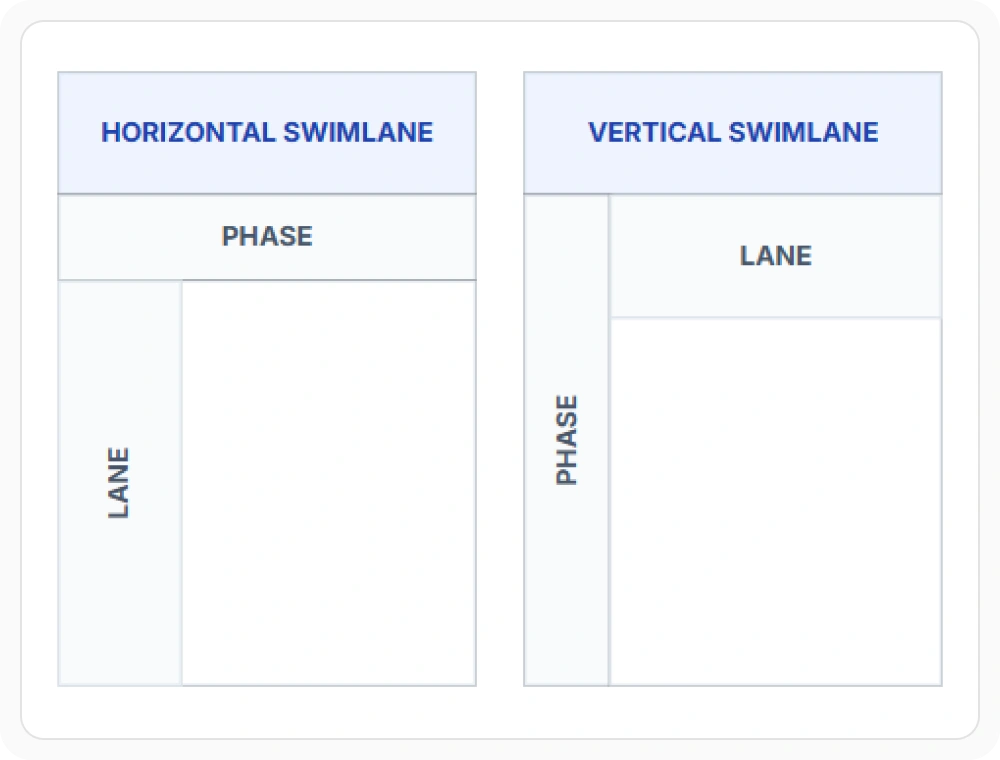
Choose a horizontal or vertical orientation
Display swimlanes horizontally or vertically to match the direction of the workflow and the available diagram space. Horizontal swimlanes suit processes that move from left to right, while vertical swimlanes suit processes that move from top to bottom. Use the orientation that makes activities and handoffs easier to follow.
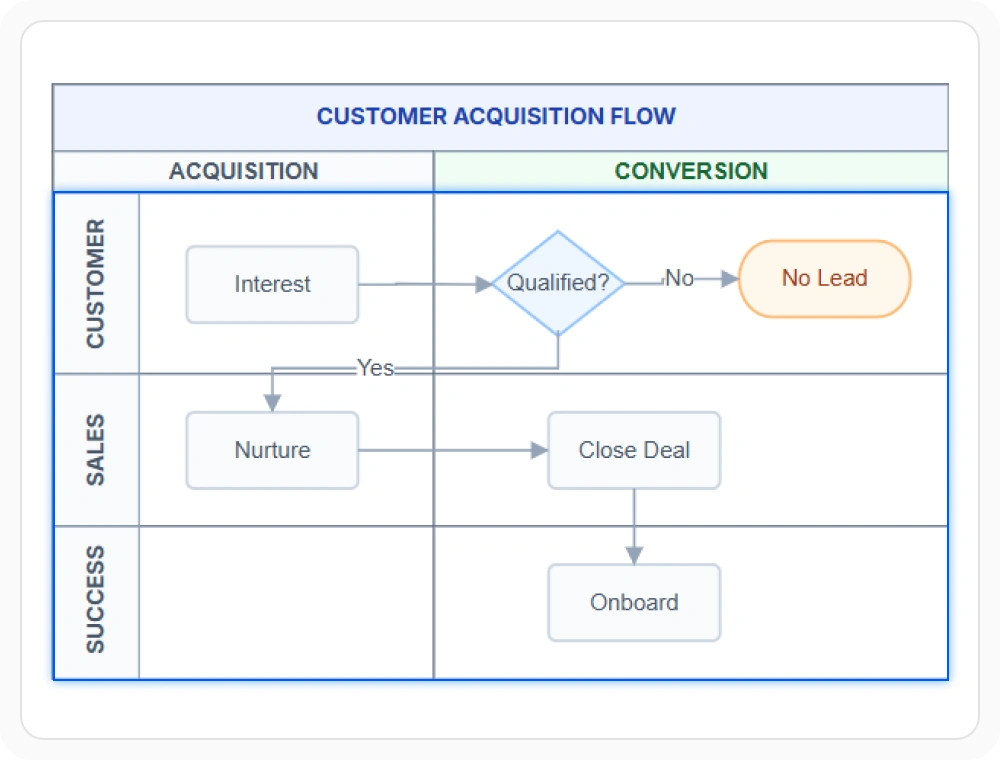
Group activities by lanes
Lanes organize activities into separate responsibility areas for roles, teams, departments, participants, or systems. This makes ownership and handoffs easier to identify when several contributors take part in one process. Use lanes when each activity must be associated with a clear responsibility area.
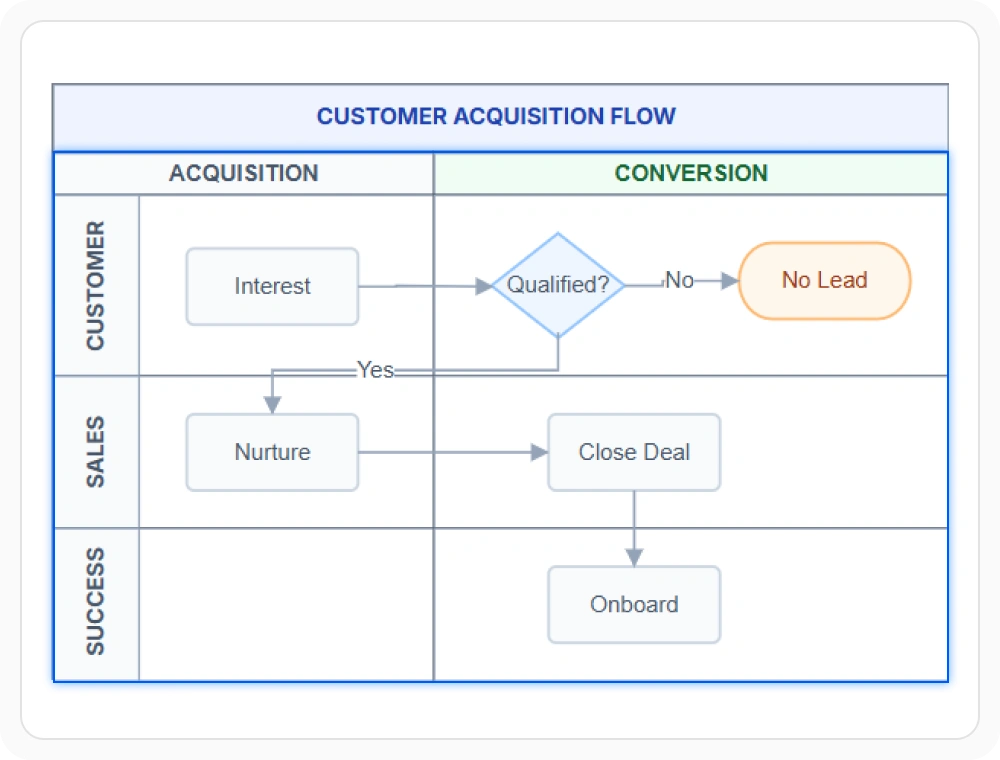
Separate stages with phases
Phases divide a workflow into stages, milestones, or sequential sections with clear visual boundaries. They help readers follow progress across every lane while preserving the broader process context. Use phases when the workflow needs a shared timeline or stage-based structure.
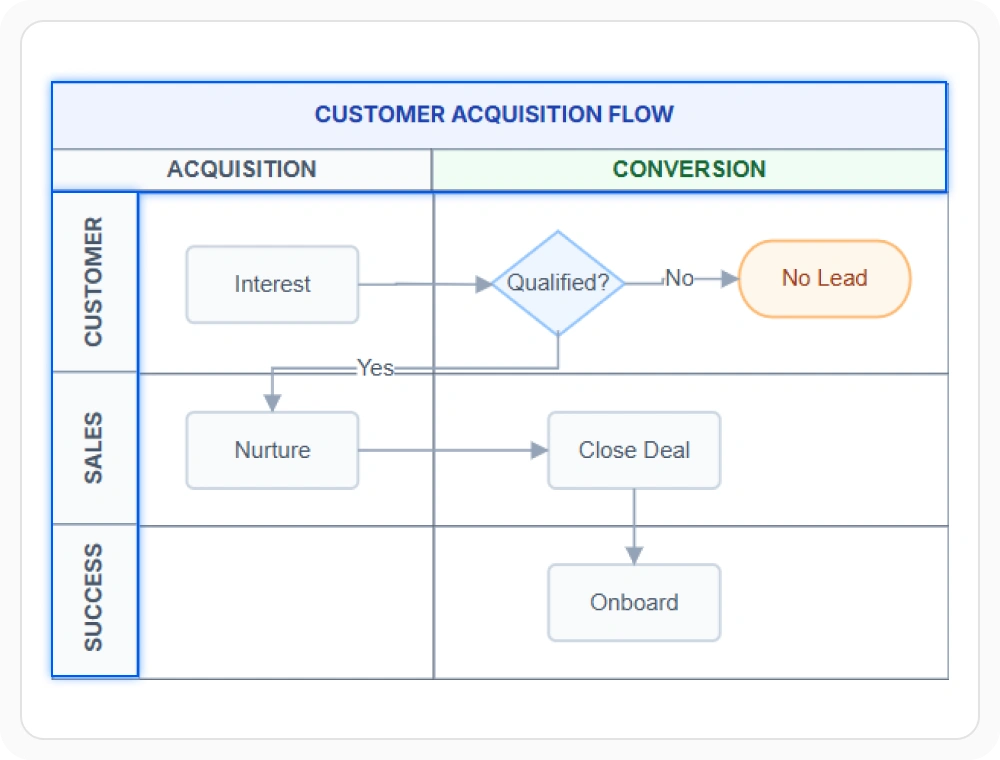
Customize headers for context
Customize swimlane, lane, and phase headers to identify the overall process, responsibility areas, and workflow stages. Clear labels and visual styles give each section more context and help the diagram follow an application or organization’s design. Use customized headers when roles and stages must be distinguished at a glance.
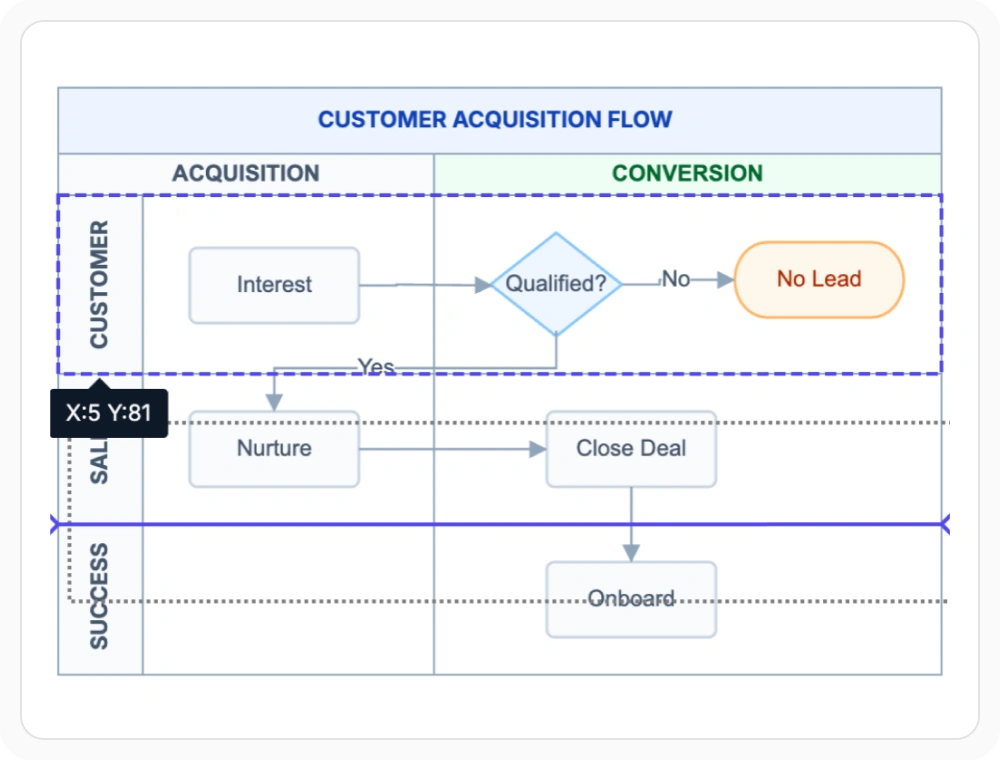
Update phases and reorder lanes
Add, remove, or resize lanes and phases as workflow requirements change. Reorder lanes by dragging one lane over another; an insertion indicator helps users place each lane accurately in its new position. Use these options when responsibilities, process stages, or the space required for activities change over time.
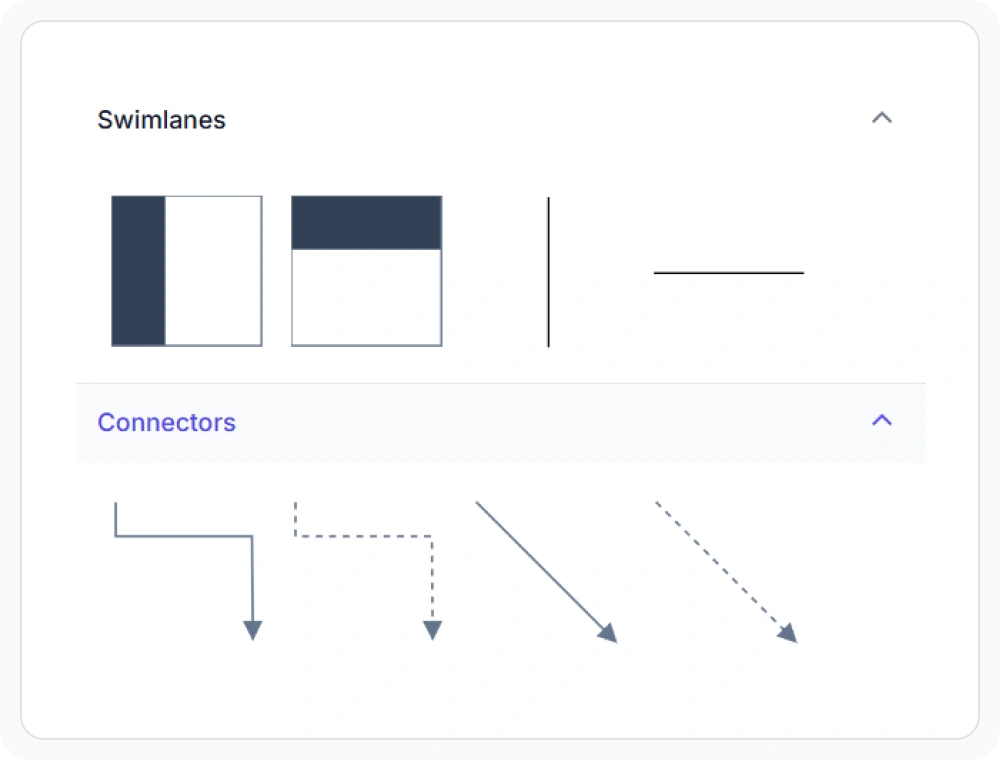
Start faster with reusable symbols
Add preconfigured swimlane, lane, and phase symbols to the Symbol Palette so users can place them on the diagram surface. This speeds up diagram assembly and gives teams a consistent starting point for repeated workflow designs. Use palette symbols when similar swimlane structures must be created regularly.
See Why Developers Love Syncfusion
Our Customers Love Us
Having an excellent set of tools and a great support team, Syncfusion reduces customers’ development time. Here are some of their experiences.




Frequently Asked Questions
What are React Diagram swimlanes used for?
React Diagram swimlanes organize workflow activities into lanes and phases so responsibilities, stages, and task flow remain easy to understand. They are useful for process mapping, workflow documentation, and cross-functional process analysis.
Does React Diagram support horizontal and vertical swimlanes?
Yes. React Diagram supports horizontal and vertical swimlane orientations. Horizontal swimlanes suit left-to-right processes, while vertical swimlanes suit workflows that progress from top to bottom.
Can lanes be reordered in React Diagram swimlanes?
Yes. Lanes can be reordered interactively by dragging one lane over another. An insertion indicator shows where the lane will be placed. Lane swapping can also be disabled when responsibility areas must remain in a fixed order.
How do React Diagram swimlanes improve workflow clarity?
Swimlanes group activities into lanes for roles, teams, departments, participants, or systems and divide the workflow into phases. This makes ownership, handoffs, process stages, and activity sequence easier to follow.
Can React Diagram show phases and lanes together?
Yes. React Diagram can display lanes and phases in the same swimlane. Lanes identify responsibility areas, while phases divide the workflow into broader stages, giving the diagram two clear levels of structure.
Can swimlane symbols be added from the Symbol Palette?
Yes. Preconfigured swimlane, lane, and phase symbols can be added to the Symbol Palette and placed on the diagram surface. This provides a consistent starting point for creating repeated workflow structures.
Resources
Learn more about our React Diagram
Explore demos, knowledge base articles, and documentation to get the most out of the Diagram.
Explore guides, APIs, and quick-start tips
See live use cases in action
Ask, share, and connect with peers
Find solutions and best practices fast
Get expert help when needed
Feature requests and bug reports
Track issues and suggest improvements
Awards
Greatness—it’s one thing to say you have it, but it means more when others recognize it. Syncfusion® is proud to hold the following industry awards.









