Try Our Live Demo
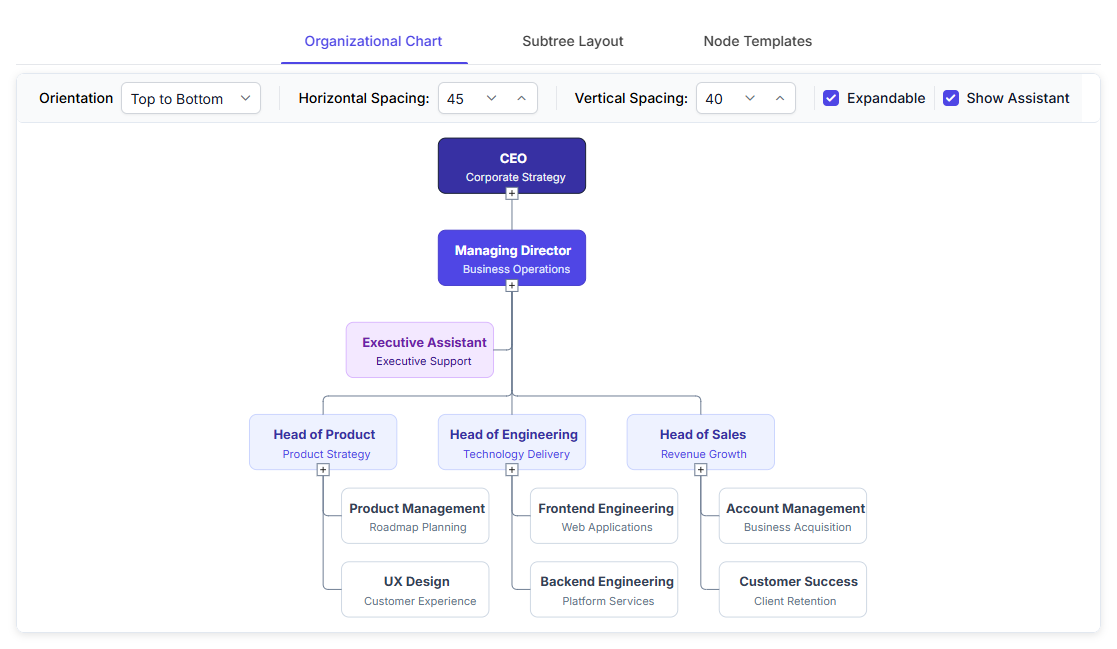
Explore React Diagram organizational chart features
Create clear organizational charts that show reporting relationships, assistant roles, department structures, and employee information. Customize individual branch layouts, expand or collapse large hierarchies, and use employee card templates to provide additional context.
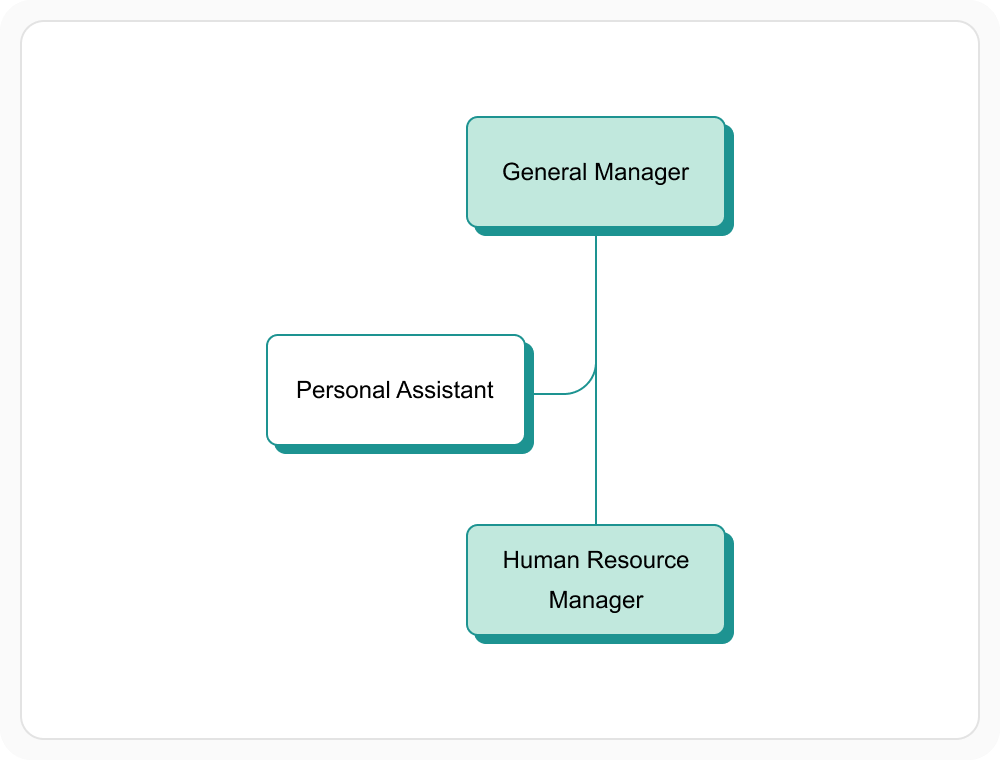
Show assistant roles separately
Place assistant, advisor, or supporting roles in a separate position within the organizational hierarchy. Separate role placement is suitable for showing supporting positions alongside leadership roles while retaining their relationship with a manager.
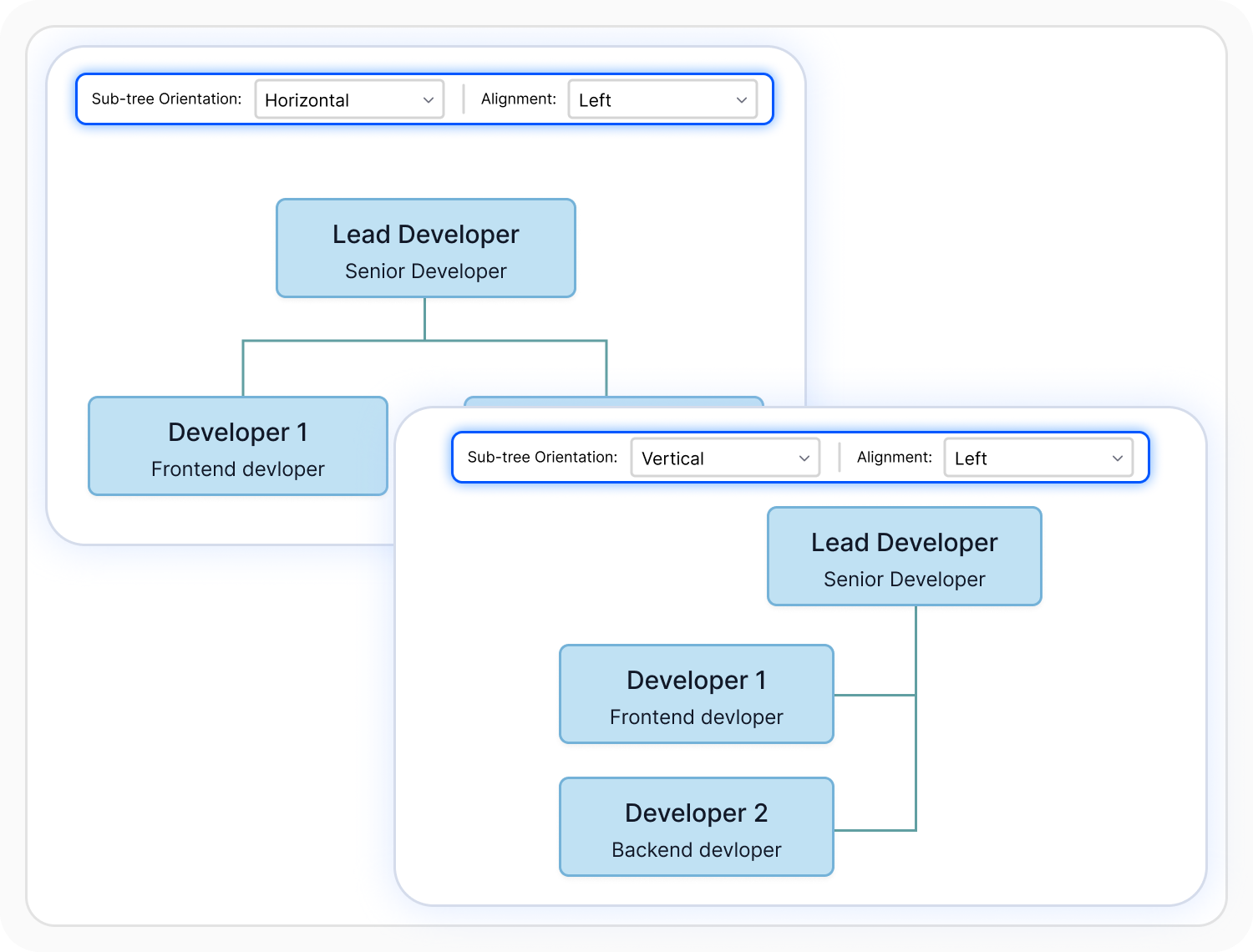
Customize branch layouts
Apply different orientation, alignment, and layout settings to individual departments or teams within the same organizational chart. Branch-level layout settings are suitable for departments that vary in size, reporting depth, or available display space.
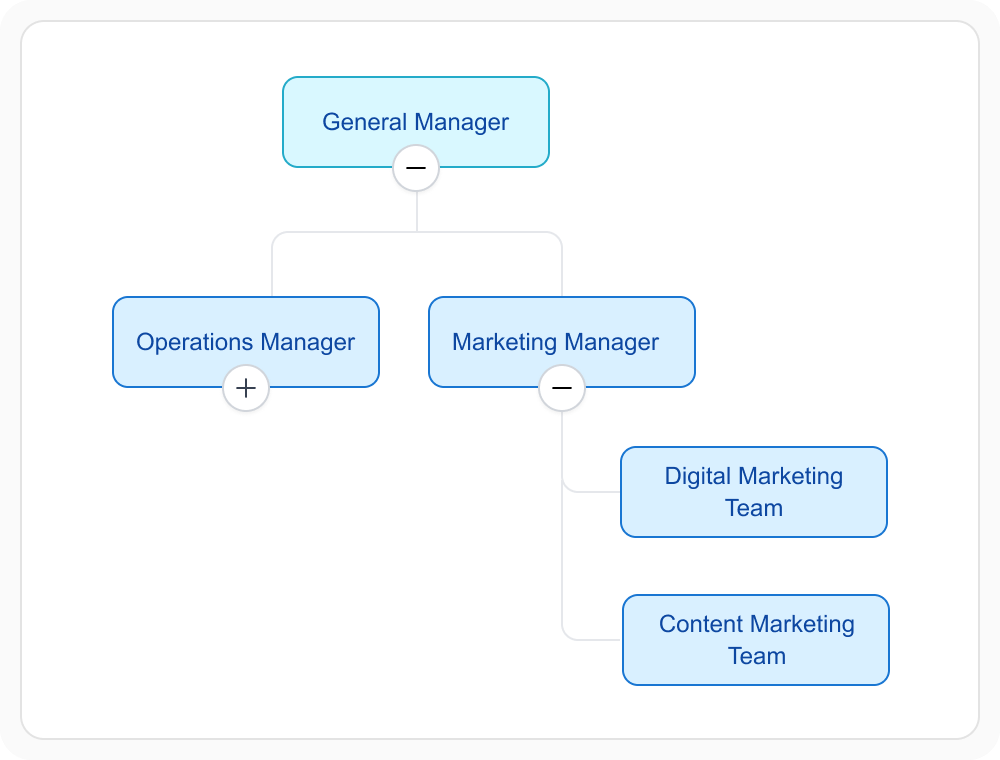
Expand and collapse branches
Expand branches to display team members and roles, or collapse them to focus on selected sections of the organizational chart. Branch expansion and collapse are suitable for large departments or organizations with multiple reporting levels.
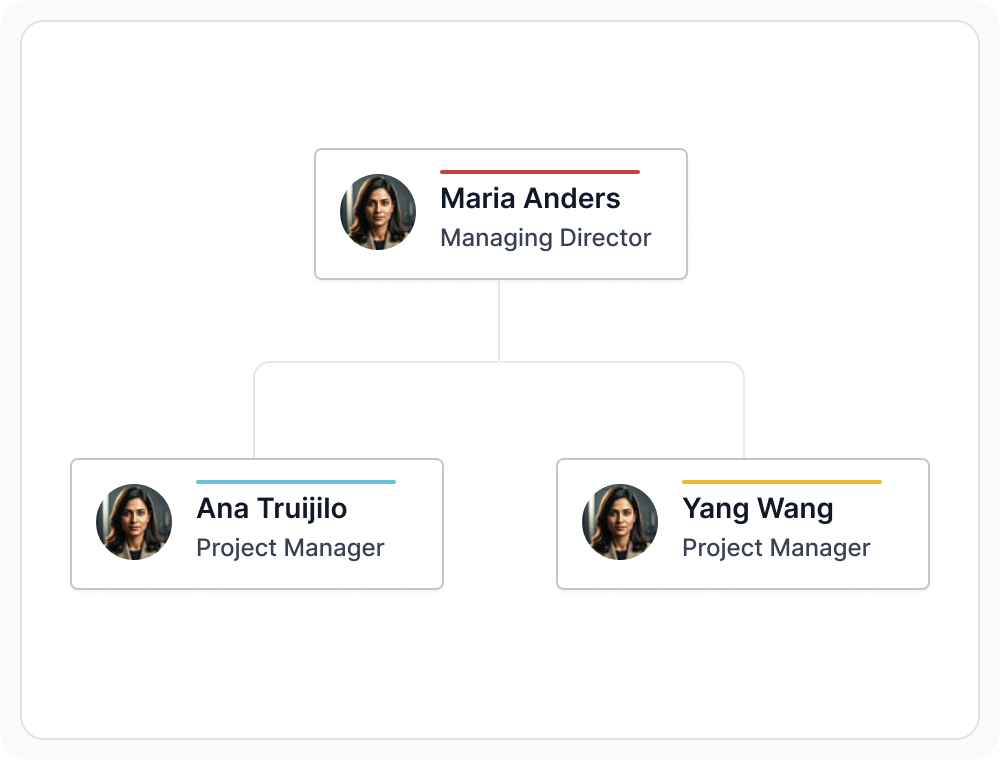
Customize employee cards
Apply custom card templates to display employee details such as name, role, image, department, and contact information. Template-based cards are suitable for presenting employee information and reporting relationships together while maintaining the organization’s visual style.
See Why Developers Love Syncfusion
Our Customers Love Us
Having an excellent set of tools and a great support team, Syncfusion reduces customers’ development time. Here are some of their experiences.




Frequently Asked Questions
What is an organizational chart in Syncfusion React Diagram?
The Syncfusion React Diagram arranges people and roles into a reporting hierarchy. Organizational chart layouts support managers and team members, assistant roles, branch-level layouts, expand and collapse, and custom employee cards.
Can Syncfusion React Diagram customize organizational chart cards?
Yes. Employee cards can apply custom templates to present details such as name, role, image, department, and contact information. Configurable cards display employee information alongside reporting relationships.
Can Syncfusion React Diagram show assistant roles separately?
Yes. Assistant, advisor, or supporting roles can be placed separately within the organizational chart. Separate role placement distinguishes supporting positions from the standard reporting hierarchy while retaining their relationship with a manager.
How does Syncfusion React Diagram handle large organizational charts?
Large organizational charts can be managed by expanding or collapsing individual branches. A selected department can remain expanded while unrelated departments stay collapsed, allowing specific teams or reporting levels to be viewed at a time.
Resources
Learn more about our React Diagram
Explore demos, knowledge base articles, and documentation to get the most out of the Diagram.
Explore guides, APIs, and quick-start tips
See live use cases in action
Ask, share, and connect with peers
Find solutions and best practices fast
Get expert help when needed
Feature requests and bug reports
Track issues and suggest improvements
Awards
Greatness—it’s one thing to say you have it, but it means more when others recognize it. Syncfusion® is proud to hold the following industry awards.