Try Our Live Demo
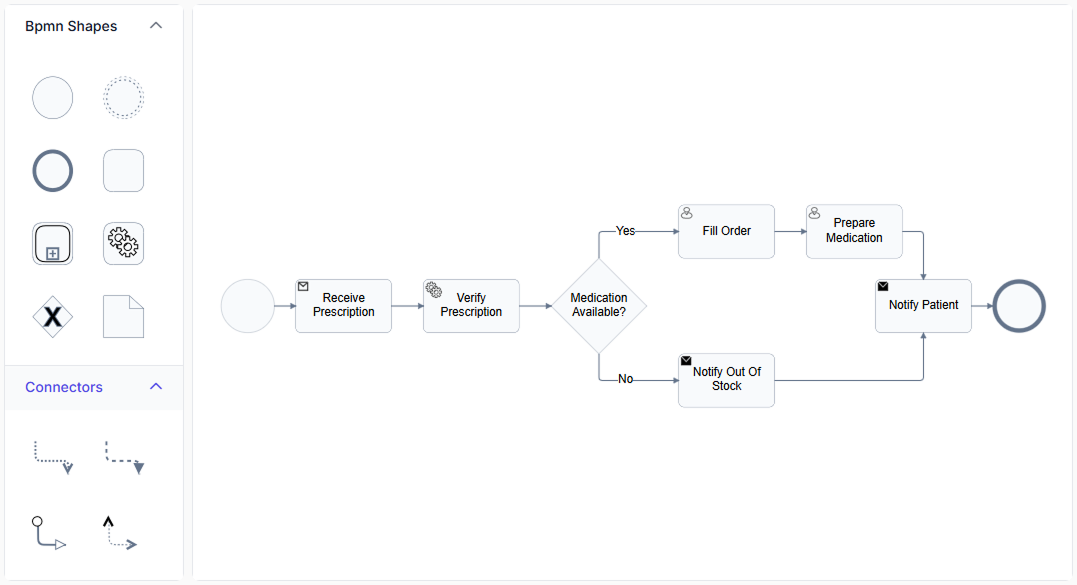
Explore React Diagram BPMN process modeling features
Model business processes with standard BPMN elements that clearly represent process steps, decisions, connections, and supporting information. Use events, activities, gateways, flows, subprocesses, data objects, and annotations to create process diagrams for both business and technical users.
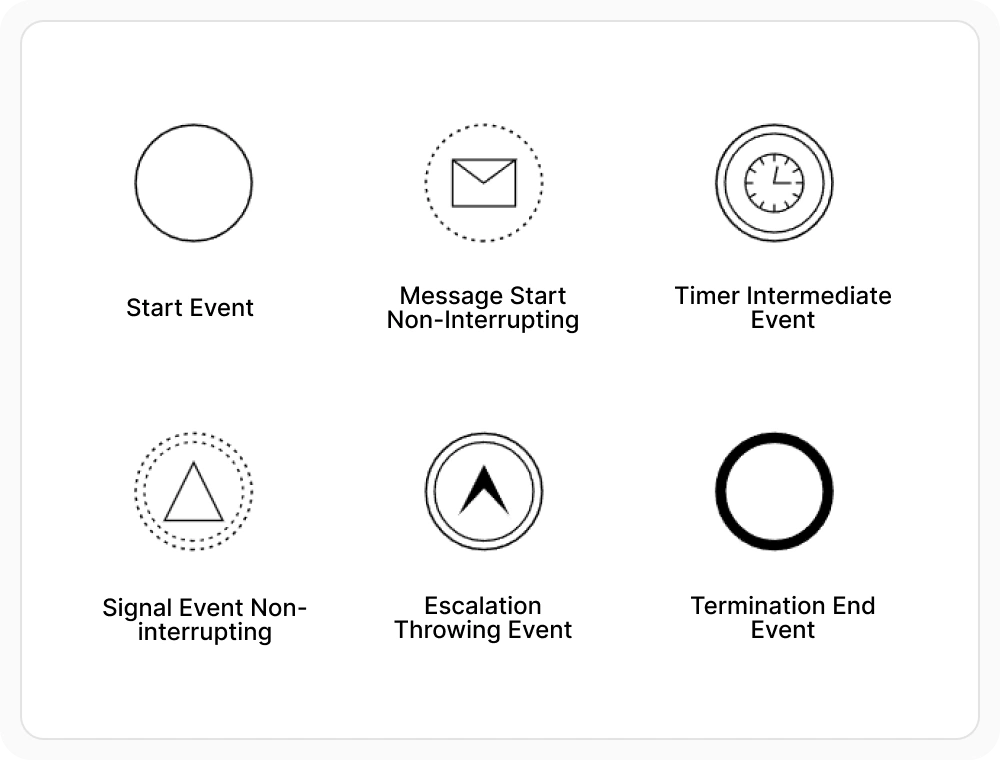
Mark process events clearly
BPMN events let users show where a process starts, responds to a trigger, reaches an important milestone, or ends. Standard BPMN event types help teams understand process flow, timing, and transitions at a glance. Use events when a process diagram needs to show key points such as its start, completion, or response to a specific trigger.
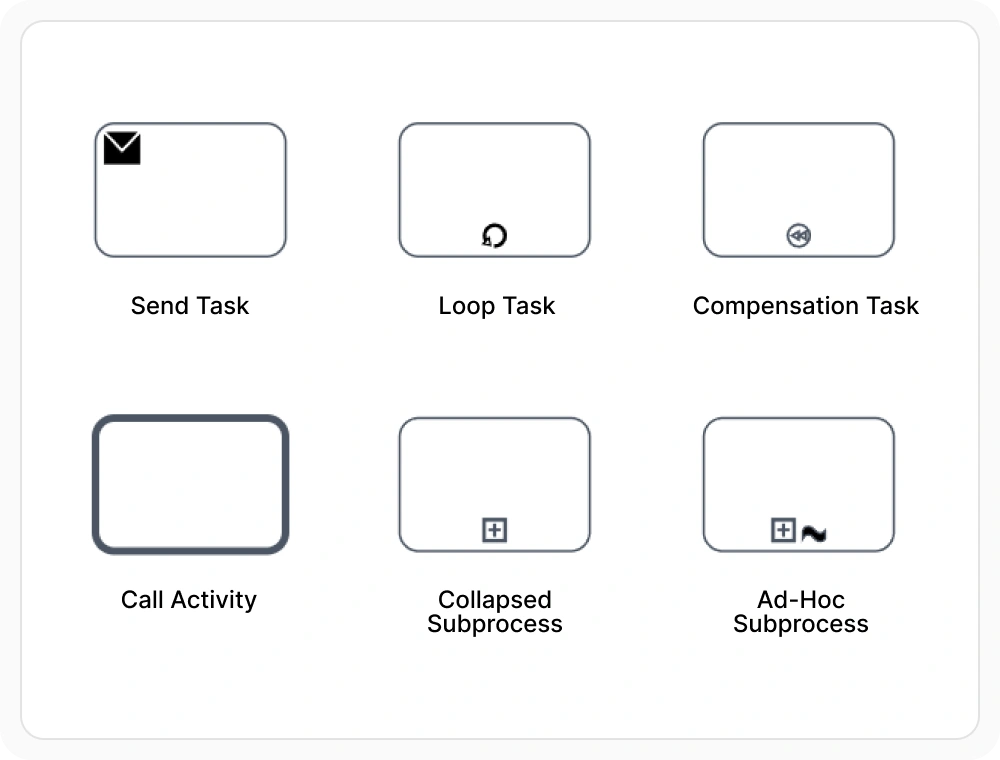
Represent work with activities
BPMN activities represent the tasks and actions performed within a business process. They help teams visualize how work moves through a workflow, from individual tasks to larger process steps. Use activities to clearly show what work is being done and where it happens.
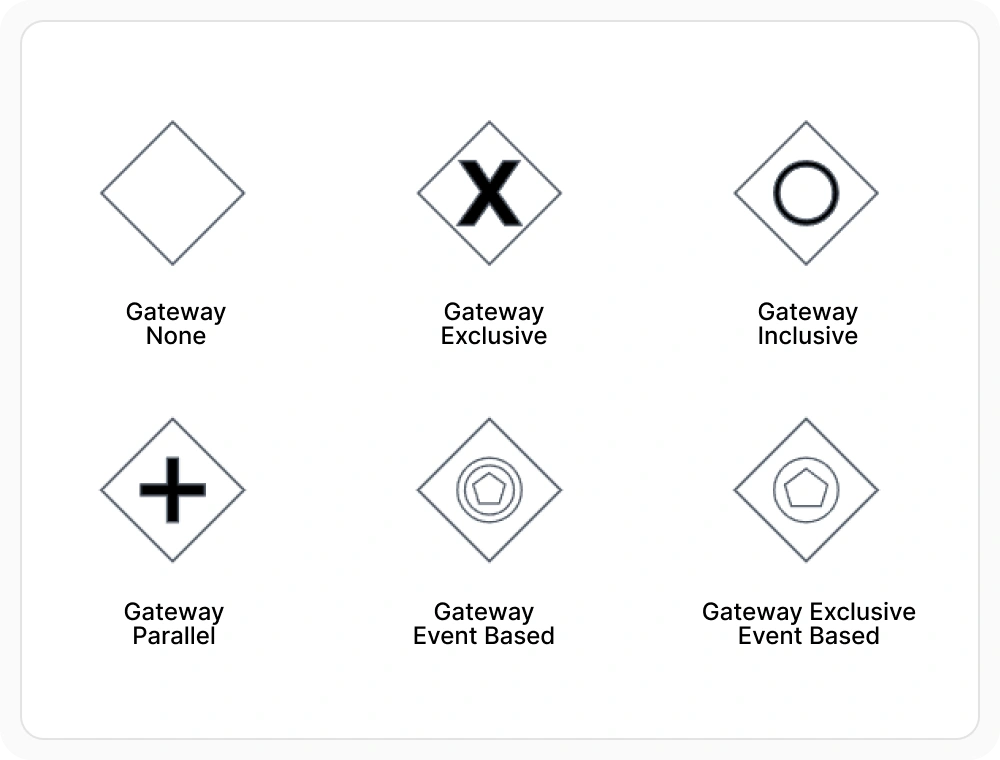
Control routing with gateways
BPMN gateways let users split or combine process flows and direct them along different paths. They help teams model decisions, conditions, and parallel activities, making complex workflows easier to understand and manage. Use gateways when a process can follow different paths based on a decision or when multiple activities occur at the same time.
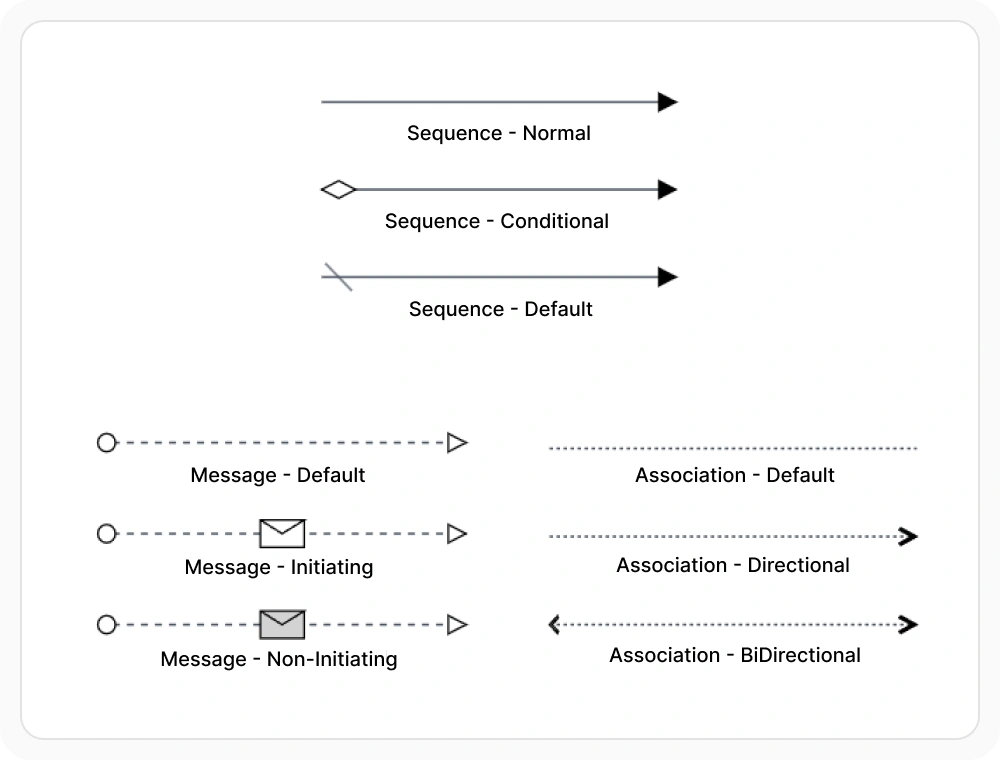
Connect steps with flows
Flows connect BPMN elements and show how work, information, and communication move through a process. They help teams understand the sequence of activities, interactions between participants, and relationships across the workflow. Use flows when a diagram needs to show the order of process steps or how participants exchange information.
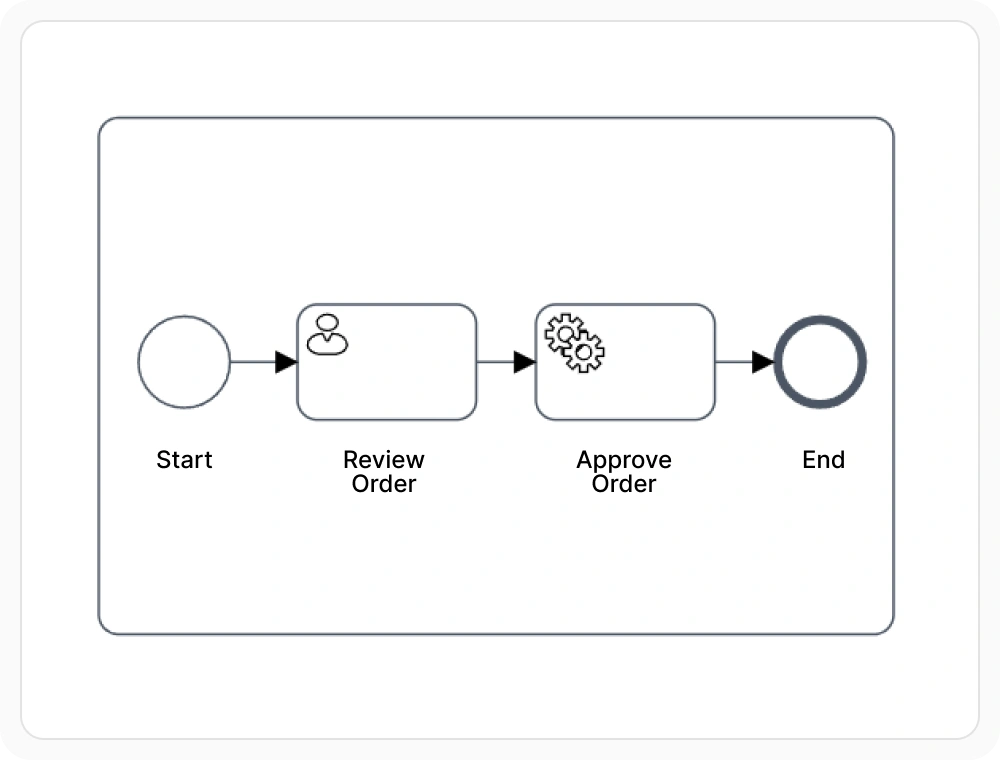
Simplify detail with subprocesses
Subprocesses let users group related activities into a single process step. They reduce clutter and make large process models easier to understand by providing both high-level overviews and detailed process breakdowns. Use subprocesses when a complex section of a workflow needs to be summarized in the main diagram while retaining its detailed steps.
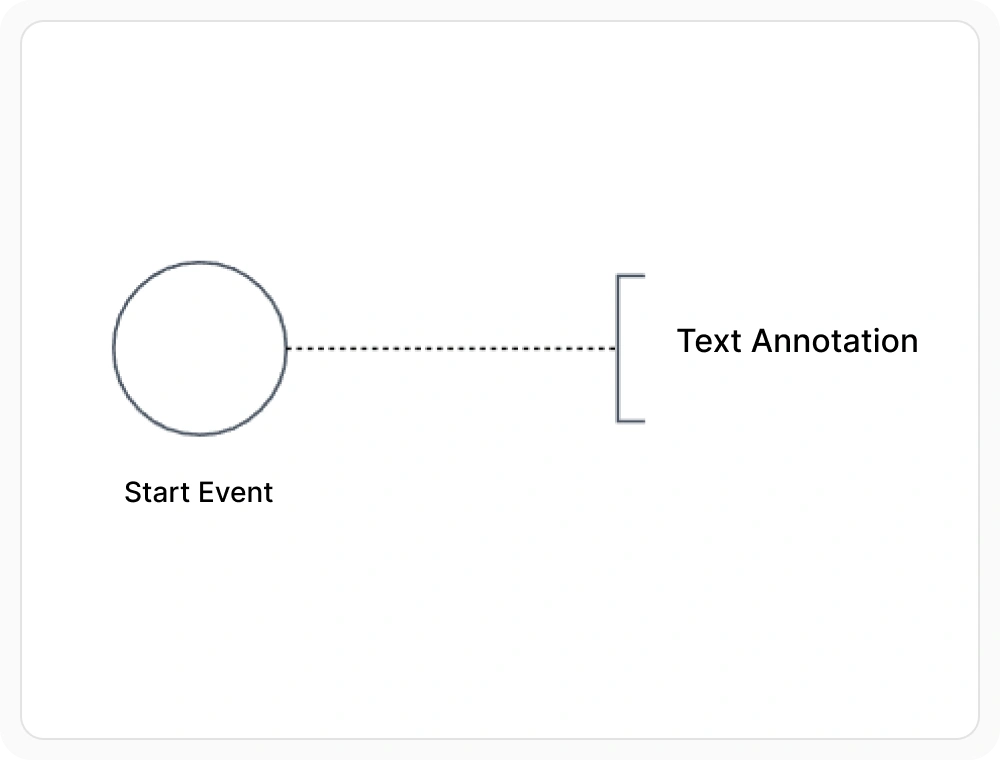
Support processes with data and annotations
Data objects and annotations let users add supporting information to business processes without affecting the process flow. They help document important details and make diagrams easier for technical and business users to understand. Use them when a process step needs additional data, notes, or explanations that are not part of the workflow itself.
See Why Developers Love Syncfusion
Our Customers Love Us
Having an excellent set of tools and a great support team, Syncfusion reduces customers’ development time. Here are some of their experiences.




Frequently Asked Questions
What is React BPMN diagram support?
React BPMN diagram support provides a visual process modeling surface with standard BPMN elements. It helps present business processes with events, activities, gateways, flows, subprocesses, and supporting details in one interactive view.
Can React Diagram edit BPMN processes interactively?
Yes. BPMN diagrams can be created, adjusted, and reviewed through interactive editing on the diagram surface. This supports both editable process builders and more restricted viewing scenarios.
Can a React BPMN diagram be exported?
Yes. BPMN diagrams can be exported for documentation, review, and sharing. This is useful when process models need to move beyond the editor into presentations or reference material.
Does React Diagram include standard BPMN shapes?
Yes. BPMN modeling includes standard process elements such as events, activities, gateways, flows, subprocesses, data objects, and annotations. This helps process diagrams stay aligned with familiar BPMN structure.
How does a React BPMN diagram work with process data?
The diagram can work with a structured model that represents BPMN elements and relationships in a format suitable for storage and exchange. This helps keep the visual process and related process data closely aligned over time.
Resources
Learn more about our React Diagram
Explore demos, knowledge base articles, and documentation to get the most out of the Diagram.
Explore guides, APIs, and quick-start tips
See live use cases in action
Ask, share, and connect with peers
Find solutions and best practices fast
Get expert help when needed
Feature requests and bug reports
Track issues and suggest improvements
Awards
Greatness—it’s one thing to say you have it, but it means more when others recognize it. Syncfusion® is proud to hold the following industry awards.









