Try Our Live Demo
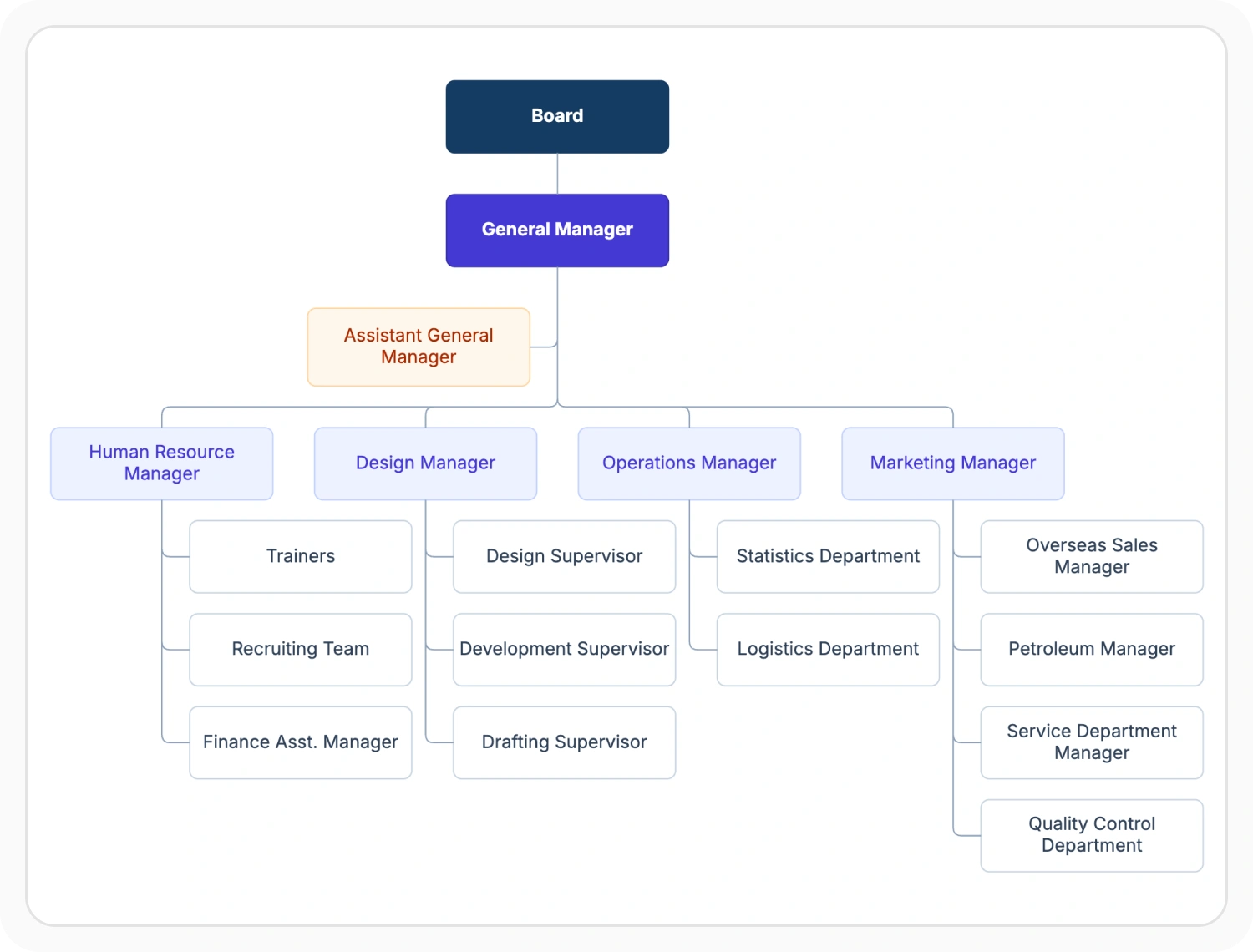
Explore React Diagram automatic layout types
Automatically arrange connected nodes into clear visual structures for different relationship and workflow patterns. Use hierarchical tree, complex hierarchical, organizational chart, flowchart, mind map, and radial layouts to present diagrams in a structure suited to their content.
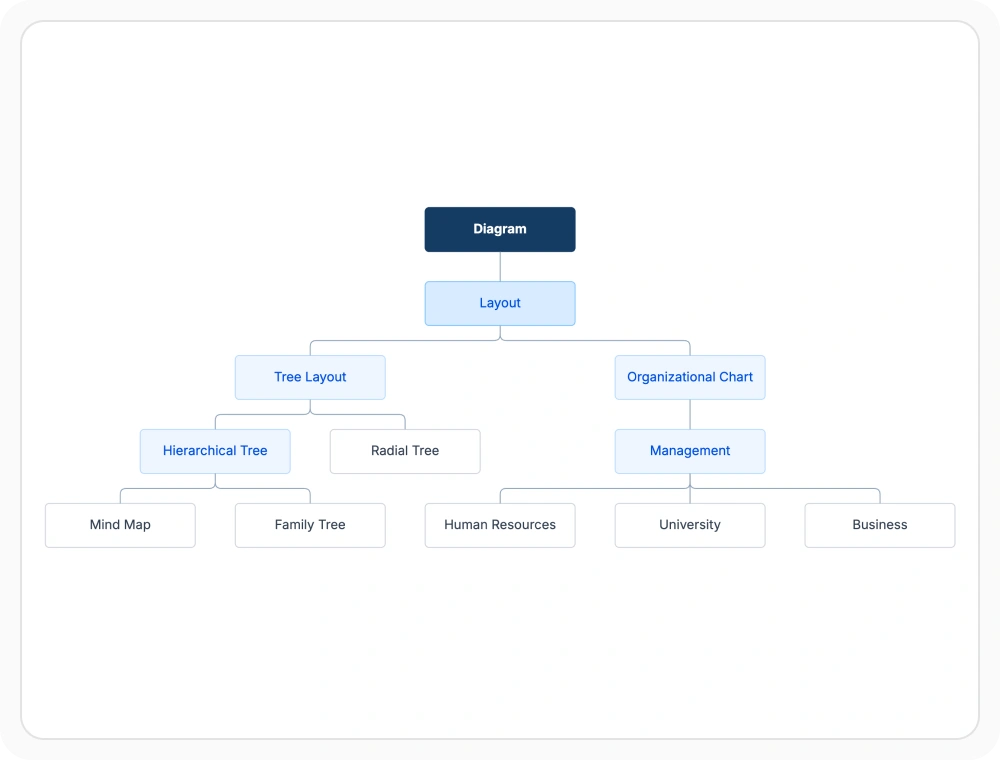
Arrange parent-child hierarchies
Hierarchical tree layout arranges connected elements into parent-child levels, helping large structures remain understandable as more branches are added. Use it for diagrams that represent relationships across multiple levels.
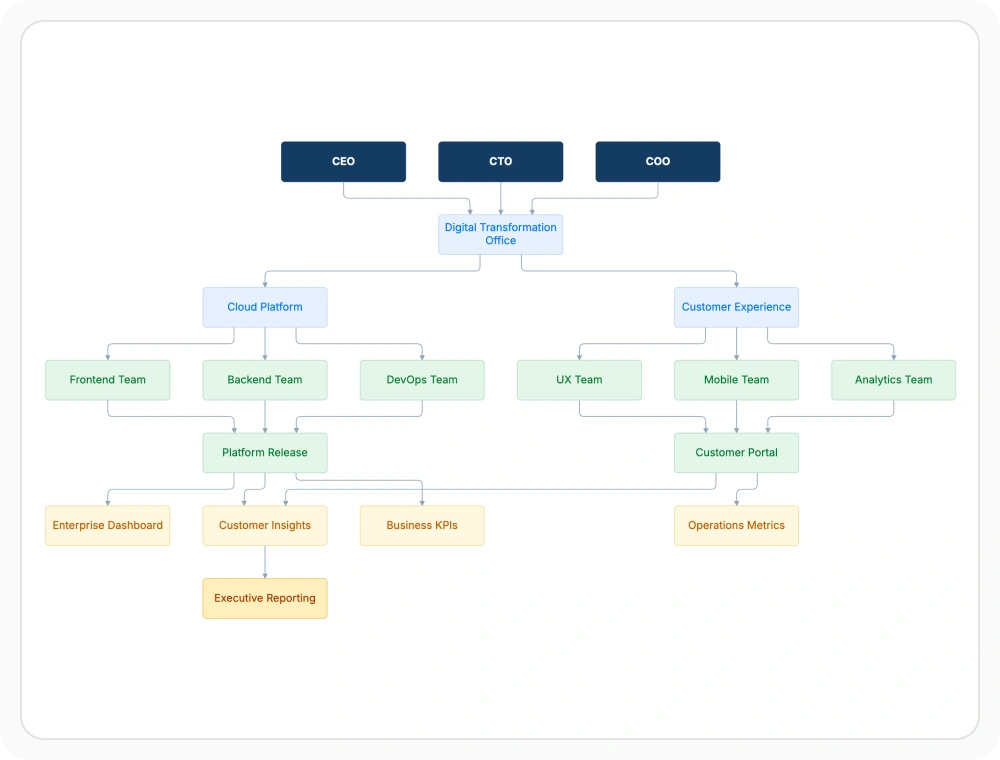
Organize complex hierarchies
Complex hierarchical tree layout arranges nodes in layers when a child connects to multiple parents. Use it when relationships cannot be represented by a standard single-parent tree.
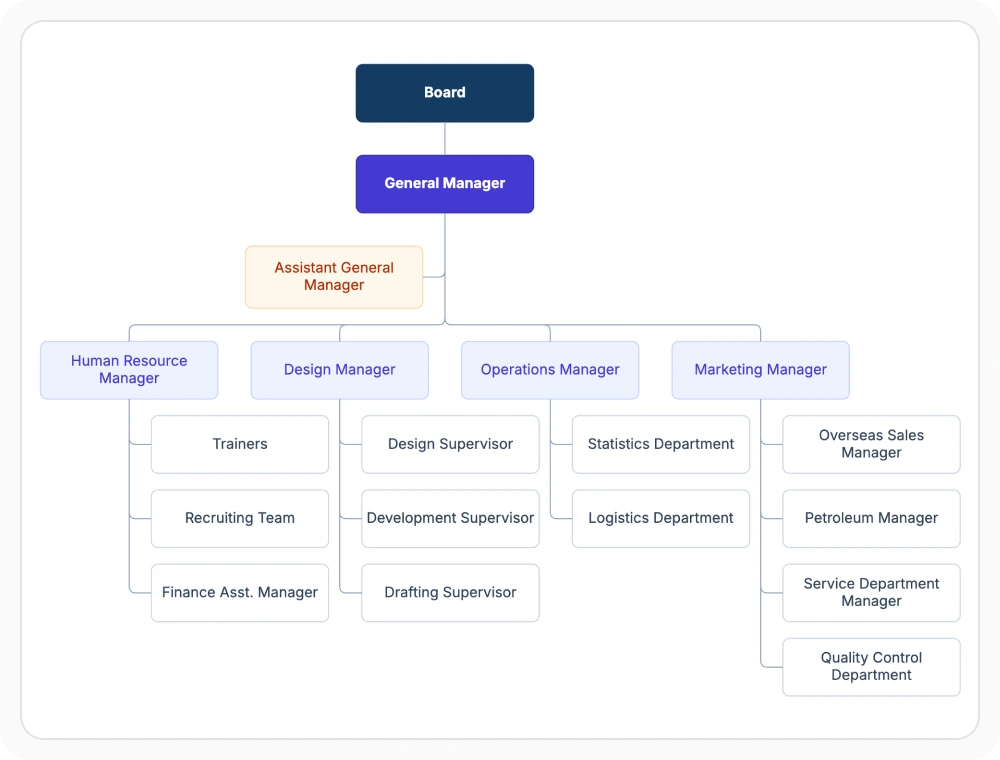
Display organizational reporting structures
Organizational chart layout arranges roles and teams according to their reporting levels. Use it when a diagram must represent departments, management levels, or employee reporting structures.
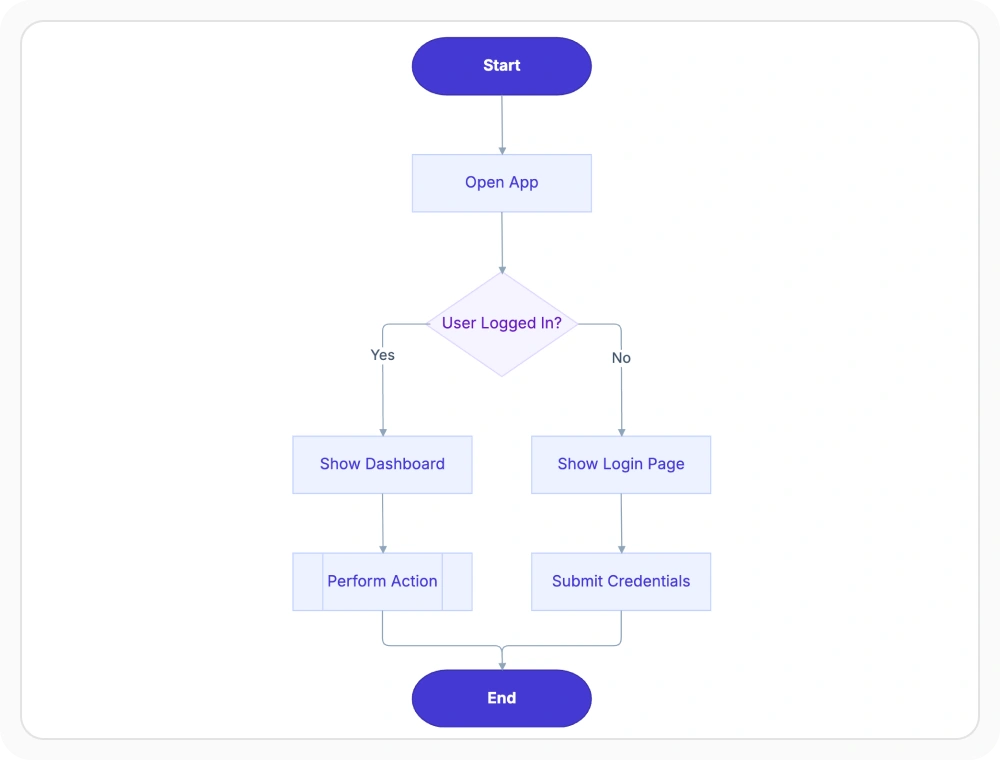
Trace process paths with flowcharts
Flowchart layout arranges steps and decisions along a directional path. It makes branching processes easier to follow from start to finish. Use it when a diagram represents procedures, approvals, or decision-based workflows.
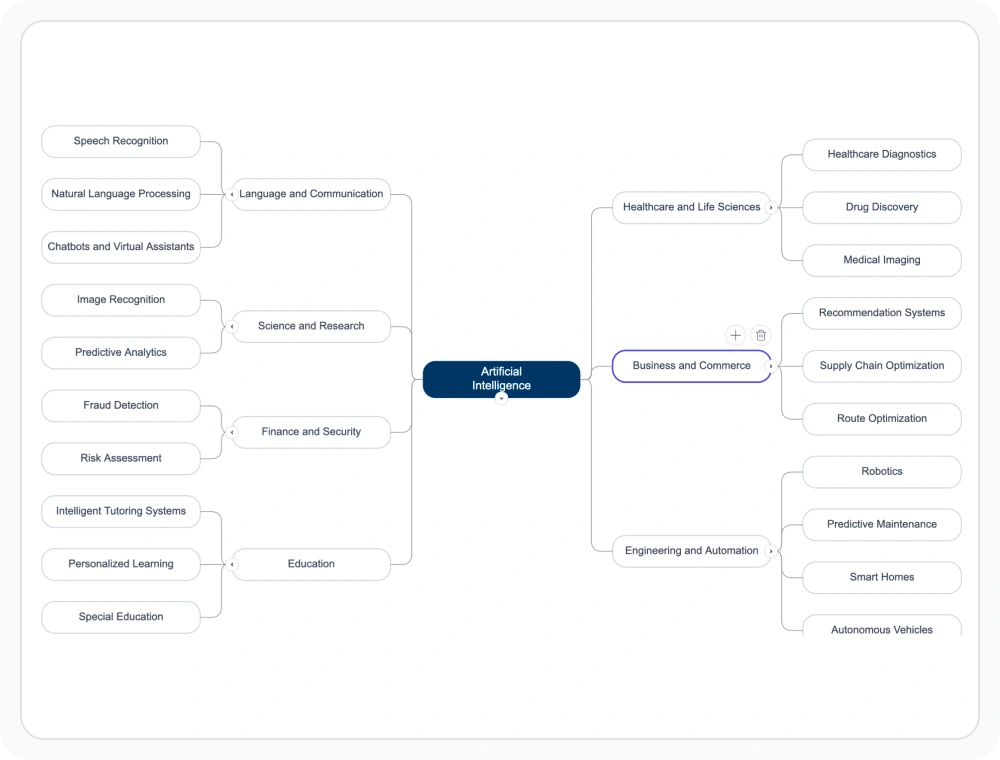
Expand ideas with mind map layout
Mind map layout places related concepts around a central topic and distributes them across balanced branches. Use it when ideas need to be developed from one subject and grouped across multiple levels.
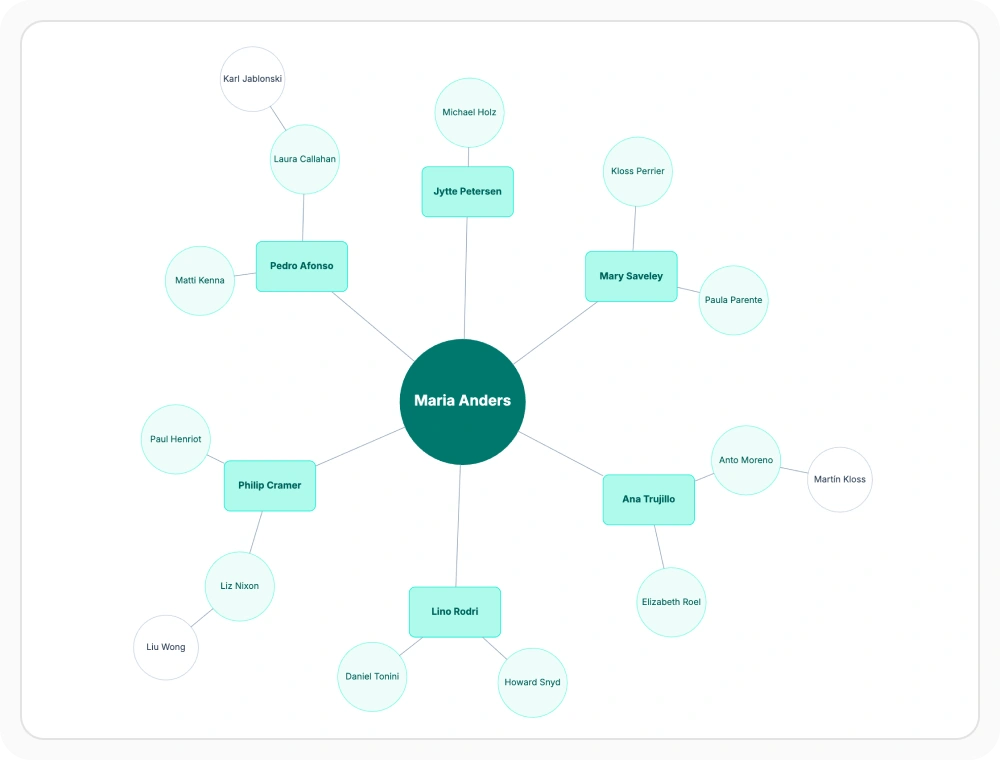
Map connections with radial layout
Radial layout positions a primary node at the center and distributes its connected nodes around it. Use it when several items must be presented in relation to one central subject.
See Why Developers Love Syncfusion
Our Customers Love Us
Having an excellent set of tools and a great support team, Syncfusion reduces customers’ development time. Here are some of their experiences.




Frequently Asked Questions
What is React Diagram automatic layout?
React Diagram automatic layout arranges connected nodes into an organized visual structure instead of relying on manual placement. It supports multiple layout types so different relationship patterns remain easier to read.
Which automatic layouts does React Diagram support?
React Diagram supports hierarchical tree, complex hierarchical, organizational chart, flowchart, mind map, and radial layouts. Each layout is suited to a different structure and reading pattern.
When should hierarchical layouts be used in React Diagram?
Hierarchical layouts fit diagrams that follow parent-child levels or layered relationships. A standard hierarchical tree suits straightforward parent-child structures, while a complex hierarchical layout suits structures where a node can be connected to more than one parent.
What is complex hierarchical layout in React Diagram?
Complex hierarchical layout is useful for hierarchical diagrams that include multiple parent relationships. It helps arrange structures where one item may belong to, report to, or depend on more than one higher-level item.
Can layout behavior be adjusted in React Diagram?
Yes. Layout behavior can be adjusted to change orientation, spacing, alignment, and other arrangement details. This helps the diagram fit different visual and structural needs.
Can the layout update automatically when data changes in React Diagram?
Yes. The arrangement can be recalculated when nodes or relationships change, helping the diagram stay organized as the structure evolves.
Resources
Learn more about our React Diagram
Explore demos, KB articles, and documentation to get the most out of the Diagram.
Explore guides, APIs, and quick-start tips
See live use cases in action
Ask, share, and connect with peers
Find solutions and best practices fast
Get expert help when needed
Feature requests and bug reports
Track issues and suggest improvements
Awards
Greatness—it’s one thing to say you have it, but it means more when others recognize it. Syncfusion® is proud to hold the following industry awards.









