Overview
The Angular Diagram mind map organizes related topics around a central idea and supports data-driven creation, interactive editing, appearance customization, spacing, and child-node visibility. Mind mapping is suitable when ideas or related information need to be arranged in a hierarchical visual structure.
Data-driven mind maps
Mind maps can be generated from JSON and supported remote data sources by mapping data fields to diagram elements. Data-driven creation is suitable when topic relationships are already available in application or service data.

Interactive mind map editing
Mind map nodes can be created and modified through mouse, touch, and keyboard interactions. Direct editing is suitable when topics and subtopics need to be added or adjusted within the diagram.

Keyboard shortcuts
Keyboard shortcuts can be configured for actions such as adding topics and subtopics through assigned key gestures. Key-based interaction is suitable when common mind map actions need to be performed from the keyboard.

Quick commands
Frequently used commands can be shown as buttons near a selector. You can define actions like add or remove topic as a command for a button and perform that action by just clicking the button.
Automatic layout algorithm
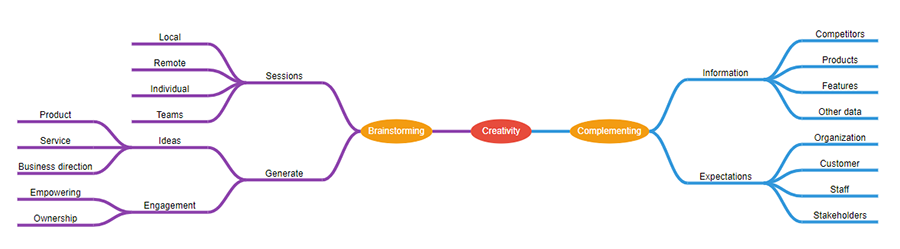
A built-in automatic layout algorithm specifically made for mind map diagrams allows you to define which topic (shape or node) should be the center of the diagram, and which subtopics (shapes or nodes) should be placed around the topic in the diagram surface.
Appearance customization
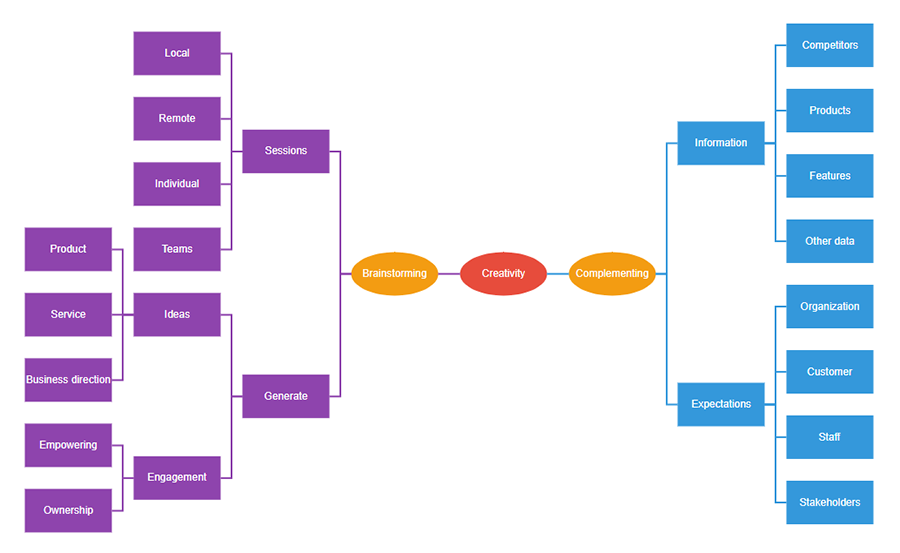
Topic and subtopic appearance can be customized with backgrounds, border styles, text formatting, and images. Visual styling is suitable when hierarchy levels or content categories require distinct presentation.
Level spacing
Horizontal and vertical spacing between mind map levels can be adjusted, with margin settings available around the diagram. Layout spacing is suitable when the distance between topic levels needs to match diagram size or presentation requirements.
Expand and collapse child nodes
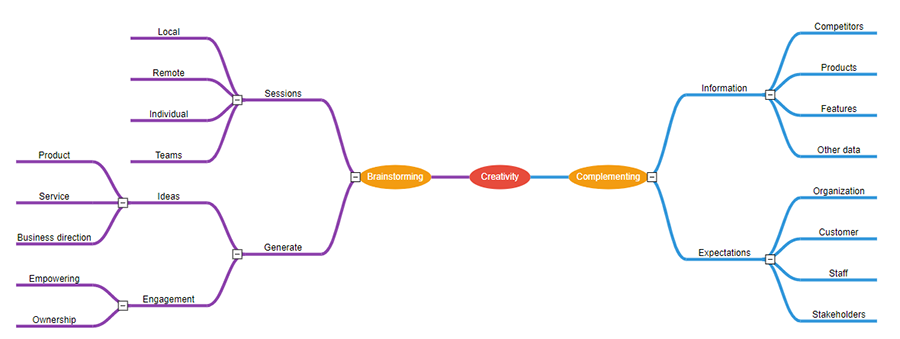
Child nodes can be shown or hidden to control which branches are visible in the diagram. Branch visibility is suitable when selected portions of a larger mind map need to remain in focus.
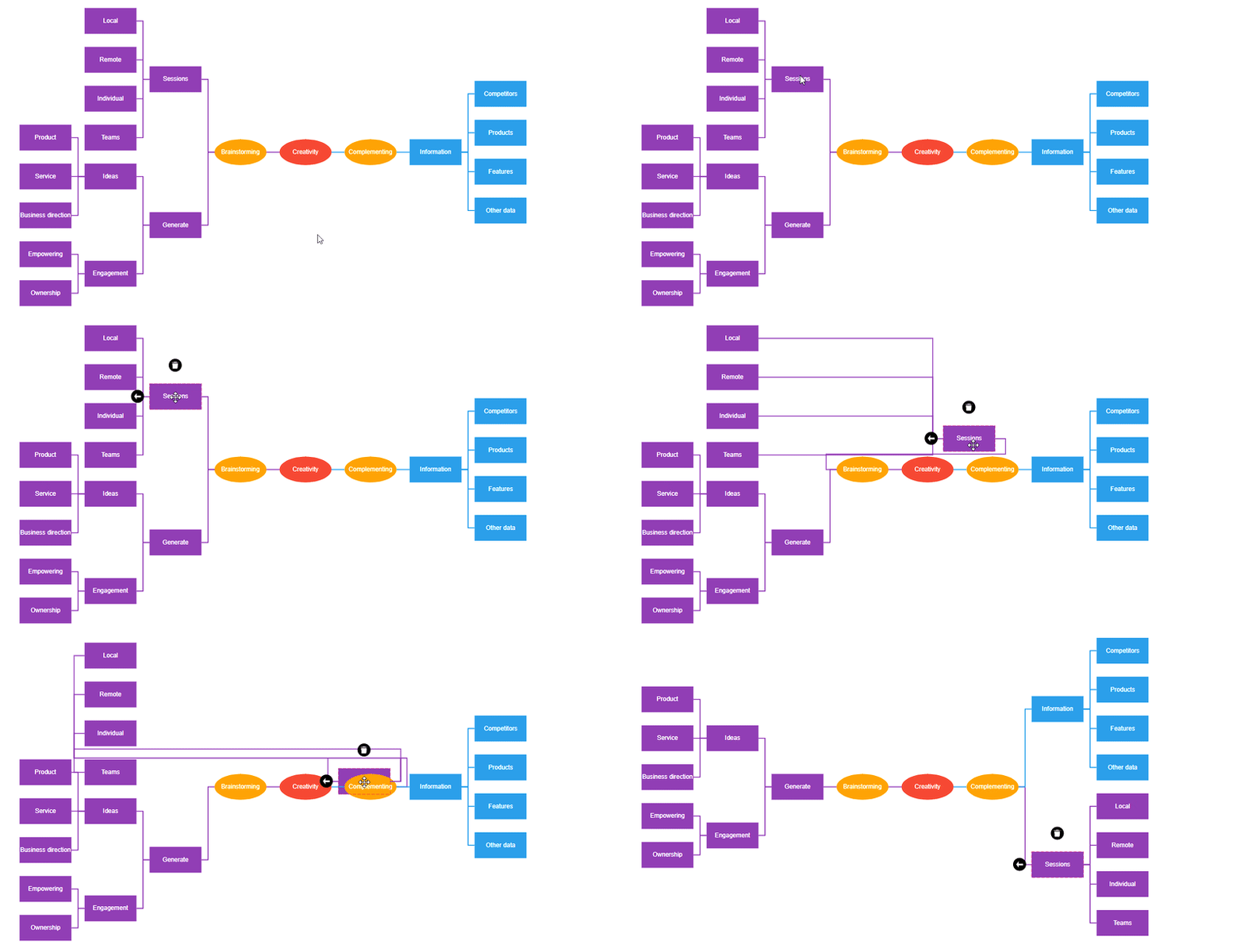
Drag and drop
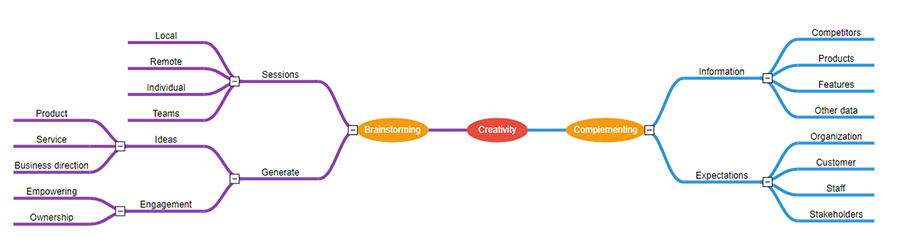
You can easily modify the mind map layout interactively by dragging the topic or subtopic and then dropping it on the required topic.
Our Customers Love Us
Here are some of their experiences.




See Real Success Stories
Developers around the world trust Syncfusion’s Essential Studio to simplify complex projects and speed up delivery. With a vast library of UI controls, powerful SDKs, and reliable support, Essential Studio helps teams build enterprise-ready applications with confidence.
Read Our Customer StoriesIndustry
Software development
75% Cost reduction
50% Faster development

Industry
Utilities (oil and gas)

450+ hours saved
Streamlined processes and hours of development effort saved.

Advanced, flexible features
Empowered users through robust and versatile functionality.
Industry
Software and technology
1000+ of hours saved
Accelerated development with enterprise-ready UI components.

Efficient file management
Streamlined workflows with document libraries without building them from scratch.
Industry
Software and technology

2 Years of delay avoided
Two years of delays prevented with proactive planning.

On-time delivery
Projects delivered on schedule using trusted controls.
Industry
IT services and IT consulting

Improved performance
Large datasets handled with easy customization and quick debugging.

Highly customizable
Plug-and-play controls with quick template integration.
Industry
Professional services
Instant access
Quick availability of features and resources.
Reduced dependencies
Fewer dependencies for faster development.
 Automatic layout algorithms 40+ interactive demos 1.1M+ downloads