 Manikanda Akash Munisamy
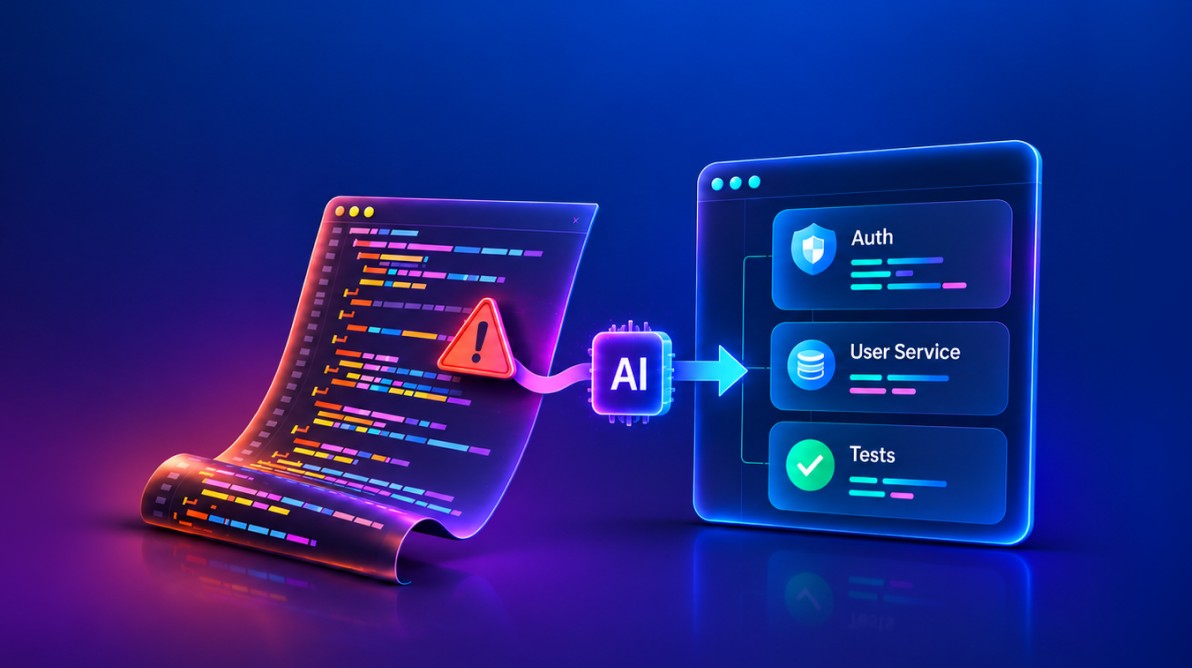
TL;DR: Vibe coding helps developers build features quickly, but repeated AI-generated changes can leave behind duplicated logic, inconsistent patterns, and code that is difficult to maintain. Learn seven warning signs of technical debt, how to audit a feature across its changes, and a practical approach for deciding what to refactor.
Introduction
A developer asks an AI coding assistant to create a function. Another prompt adds validation, and a third handles an edge case. Within a short time, the feature is implemented, the code compiles, and the tests pass.
Everything appears to be working as expected. But then comes a small change.
You revisit the code and find duplicated logic, business rules scattered across files, and components with unnecessary dependencies. What seemed like a straightforward implementation has become more difficult to modify.
This is one of the challenges of AI-assisted development. When generated code is accepted without considering the overall application architecture, quick solutions can gradually introduce technical debt.
Let’s explore why this happens, how to identify the warning signs, and what developers can do to keep AI-generated code maintainable.
What is Vibe Coding Technical Debt?
Vibe coding is an informal way of building software through iterative conversations with AI. You describe what you want, an AI assistant generates or modifies code, and you refine the result through further prompts.
Technical debt refers to design or implementation decisions that make software harder or more expensive to maintain, extend, or modify later. A solution may work today but still make future changes more difficult. Technical debt is not necessarily a bug, although debt and defects can exist together.
AI-generated technical debt can be difficult to notice because the code may run and tests may pass, even when coverage is incomplete. An assistant may also suggest a solution that works for the immediate request but duplicates an existing implementation or conflicts with a project convention.
The important distinction is between a change that works for the current task and a change that fits the application as a whole.
How it happens
Imagine asking an AI assistant to add authentication to an endpoint. It adds a token check at the beginning of the function. The endpoint works.
The next week, you need rate limiting. Another conditional is added. Then, you request logging, guest-user handling, and an administrator exception.
After several changes, the endpoint may contain authentication, authorization, rate limiting, logging, and business logic in one function. Testing becomes more complicated, and each new change has more responsibilities to consider.
The pattern can spread across the application. Different endpoints may end up with slightly different authentication implementations, duplicated rate-limiting logic, and inconsistent administrator checks. Each change may work in isolation, while the accumulation makes the code harder to maintain.
Before vs. After vs. Refactored
Here’s a simplified JavaScript example of how an endpoint can become a patchwork of unrelated responsibilities.
Before: Clean service function
async function getUserProfile(userId) {
  return await db.users.findById(userId);
}
After: Patchwork function
async function getUserProfile(userId, token, req) {
  if (!token) throw new Error('No token');

  // Decoding does not verify the token signature.
  const decoded = jwt.decode(token);
  if (!decoded) throw new Error('Invalid token');

  const isAdmin = await db.admins.exists(decoded.id);

  if (!isAdmin) {
    const recentCalls = await redis.get(`calls:${decoded.id}`);
    if (recentCalls > 100) throw new Error('Rate limited');
  }

  logger.info(`Fetching profile for ${decoded.id}`);

  if (isAdmin && req?.guestAccess) {
    // Special handling for guest administrators
  }

  return await db.users.findById(userId);
}
This example intentionally shows responsibilities accumulating in one function. It is not a recommended authentication implementation. In particular, jwt.decode() only decodes a token; it does not verify its signature. Decoding alone must not be used to authenticate a request.
After refactoring: Separate responsibilities
// Authentication middleware verifies the token.
function authMiddleware(req, res, next) {
  const token = req.headers.authorization?.replace(/^Bearer\s+/, '');

  if (!token) {
    return res.status(401).json({ error: 'Authentication required' });
  }

  try {
    req.user = jwt.verify(token, process.env.JWT_SECRET);
    return next();
  } catch {
    return res.status(401).json({ error: 'Invalid or expired token' });
  }
}

// The service is configured separately from the route handler.
const rateLimiter = new RateLimitService();

// Rate limiting is handled separately.
async function rateLimitMiddleware(req, res, next) {
  try {
    const allowed = await rateLimiter.isAllowed(req.user.id);

    if (!allowed) {
      return res.status(429).json({ error: 'Rate limited' });
    }

    return next();
  } catch (error) {
    return next(error);
  }
}

// The endpoint focuses on retrieving the signed-in user's profile.
async function getUserProfile(req, res, next) {
  try {
    const user = await db.users.findById(req.user.id);

    if (!user) {
      return res.status(404).json({ error: 'User not found' });
    }

    logger.info(`Profile accessed by ${req.user.id}`);
    return res.json(user);
  } catch (error) {
    return next(error);
  }
}

// Example Express route; middleware order matters.
router.get('/profile', authMiddleware, rateLimitMiddleware, getUserProfile);
This is an illustrative Express-style example. It assumes that the JWT secret, database, logger, and rate-limiter service are configured, and that the application has appropriate error-handling middleware. The route applies authentication before rate limiting and the endpoint. Applications that allow access to other users’ profiles also need an explicit authorization check.
The improvement is not simply fewer lines. Each part now has a clear responsibility, and the route makes the request flow visible. That makes the code easier to review and gives developers clearer places to test authentication, rate limiting, and profile retrieval independently.
7 signs your vibe-coded project is becoming patchwork
These signs are prompts for investigation, not a formal scoring standard. One sign alone does not prove that a codebase has serious debt. Look for recurring patterns and their impact.
| Sign | Why it matters | What to do |
|---|---|---|
| Same files changed repeatedly | Fixes may be addressing symptoms rather than causes. | Review file history and investigate recurring changes. |
| Logic duplicated across files | Copies can drift and behave differently. | Consider shared middleware, helpers, or services. |
| Growing conditionals | Complex branching is harder to understand and test. | Clarify rules and consider a suitable policy or role-based approach. |
| Dependency sprawl | Overlapping libraries add maintenance overhead. | Check existing dependencies before adding another. |
| Mixed architecture patterns | Inconsistent approaches make the codebase harder to understand. | Document and follow suitable project patterns. |
| Tests changed to pass code | Test changes can hide defects if expectations are weakened. | Change tests only when requirements or expected behavior change. |
| Code with unclear purpose | Unknown dependencies make changes risky. | Trace the reason for the code and document important decisions. |
1. You keep changing the same files
Check your Git history. If the same files appear repeatedly in commits during a sprint, you may be patching symptoms instead of solving the underlying problem.
What to do: Review the changes together. Are they all fixing different symptoms of the same design issue? Treat repeated changes as a signal to investigate, not as a fixed numerical threshold.
2. The same logic exists in multiple places
Authentication logic may appear separately in users.js, posts.js, and comments.js, with slightly different implementations. When the rule changes, every copy needs to be updated.
What to do: Identify genuinely shared behavior and consider extracting it into middleware, a helper, or a service. Avoid creating an abstraction when the code only looks similar but serves different purposes.
3. Conditionals keep growing
Nested conditions can accumulate for administrators, moderators, premium users, guests, and other special cases. As the logic grows, it becomes harder to understand which rules apply and how they interact.
What to do: Clarify the business rules first. Consider role-based access control (RBAC) when permissions are organized around roles, or a policy-based approach when access depends on more detailed conditions. Choose an approach that fits the application.
4. Dependencies pile up
An AI assistant may suggest a new library without knowing that the project already has a dependency for the same purpose. A codebase might gradually include multiple utility or date-handling libraries.
What to do: Check whether an existing dependency or built-in capability already meets the requirement. Consider maintenance status, compatibility, security, and bundle-size impact where relevant before adding another package.
5. Architecture is all over the place
One part of an application may use MVC, another may use functional handlers, and another may introduce classes for similar responsibilities. Data access may also vary without a clear reason.
What to do: Document the patterns the team wants to follow, including routing, data access, authentication, error handling, and testing. Share relevant guidance when prompting AI assistants.
6. Tests get changed to make code pass
Imagine a test expects verified to be true. It fails, and an AI assistant changes the expectation to false. The test now passes, but the implementation may still be wrong.
What to do: Understand why the test failed before changing it. Fix the implementation when it does not meet the requirement. Change a test when expected behavior has genuinely changed, not just to make a failing test pass.
7. Nobody knows why code exists
Comments such as “Not sure if needed” or “Don’t remove, breaks prod” are warning signs when they do not explain the reason behind the code.
What to do: Trace the code to the requirement or decision that introduced it. Document important constraints and why a particular approach was chosen. Confirm that code is no longer needed before removing it.
A practical audit: Follow one feature across its changes
A useful way to find AI-related technical debt is to audit one feature rather than asking an assistant to review the entire repository and accepting a long list of generic suggestions.
For example, choose the profile endpoint from the earlier code sample. Review the feature in this order:
-
Trace the change history: Use
git log --oneline -- path/to/profile-file.jsto see commits that changed the file. Open the relevant diffs and identify which requirements led to each change. -
Map the responsibilities: List what the endpoint currently handles: token validation, permission checks, rate limiting, logging, database access, and response formatting.
-
Find duplicated behavior: Search for other endpoints that implement the same authentication or rate-limiting rules. Compare the behavior, not just the names of the functions.
-
Check the tests: Find tests for valid tokens, missing or invalid tokens, rate limits, missing users, and unexpected database errors. Confirm that the tests reflect the intended behavior.
-
Review dependencies and assumptions: Check whether the endpoint uses existing project services and conventions. Identify any new package or special-case rule that needs justification.
-
Record findings before changing code: Separate confirmed defects from maintainability concerns and possible improvements.
A simple audit note could look like this:
| Finding | Evidence to collect | Suggested next step |
|---|---|---|
| Authentication repeated in several routes | Compare route handlers and middleware | Consolidate only if the behavior and security requirements match. |
| Rate limiting mixed with profile logic | Trace the endpoint and its tests | Move rate limiting into dedicated middleware or a service. |
| Admin exception is unclear | Find the requirement and authorization rule | Confirm the rule with the product or security owner before changing it. |
| Missing failure-path tests | Review existing test cases | Add tests for invalid tokens, rate limits, and missing users. |
This is where the audit becomes more valuable than a generic code review: every finding is tied to a specific file, behavior, or requirement. Do not refactor solely because an AI tool labels something as complex. First confirm that the issue exists and that the proposed change preserves the required behavior.
Why AI-assisted development can accumulate debt
AI coding assistants can generate useful local changes, but they may not always account for the whole system. Several factors contribute to this risk:
-
Incomplete context: An assistant may not have access to every relevant file, architectural decision, or business rule. Even when it can inspect a repository, it may not understand why an existing pattern was chosen.
-
Local task focus: A generated change may address the prompt without considering every system-wide effect. Developers still need to review maintainability, consistency, and integration.
-
Limited continuity: Context can vary by tool, configuration, and session. Without project-level guidance, later suggestions may not follow earlier decisions.
-
Patches hide root causes: When a patch fixes an immediate symptom, the underlying design issue may remain.
-
Fast iteration: AI makes code generation faster. If review and refactoring do not receive enough attention, changes can accumulate faster than the team can evaluate them.
The lesson is not that AI-generated code is inherently worse than human-written code. Both need review. The important question is whether each change meets the same standards for correctness, security, consistency, and maintainability.
A six-step approach to stop the patchwork
Use this approach when a change touches an area that has become difficult to maintain.
Step 1: PAUSE
Stop coding and step back. Ask yourself:
-
Am I solving the right problem?
-
Is this a band-aid for a bigger issue?
-
Have I changed this area repeatedly?
-
Did the AI assistant have the architectural context needed for this change?
Step 2: INSPECT
Open your Git diff and review the recent history of the files you changed. Then ask:
-
Do I understand every important line that was added?
-
Is the change consistent with the rest of the codebase?
-
Would I approve this implementation in a code review?
-
Does it solve the underlying problem or only address a symptom?
Step 3: TEST
Check whether tests cover the changed behavior:
-
What about edge cases?
-
Does error handling work as expected?
-
What happens with missing, invalid, or unexpected input?
-
Could this change affect another part of the application?
You can ask AI to suggest missing test cases, but review those suggestions against the actual requirements. Tests should verify expected behavior, not simply make the implementation pass.
Step 4: REFACTOR
Improve the structure where necessary:
-
Pull genuinely duplicated code into shared functions.
-
Simplify deeply nested conditionals.
-
Group related responsibilities together.
-
Simplify unnecessarily complex function signatures.
-
Remove unused code or dependencies only after confirming they are not needed.
-
Add comments that explain important decisions.
Ask AI to suggest a behavior-preserving refactor and explain the proposed changes. Review the result and run relevant tests before accepting it.
Step 5: DOCUMENT
Write down why a decision was made, not just what the code does. For example, explain why the team chose a simple discount implementation instead of introducing a rule-engine library, and what future change would justify revisiting that decision.
Step 6: CONTINUE
Once the change is reviewed, tested, and easier to maintain, continue building. The goal is to address complexity before it becomes expensive to manage.
Should you patch, refactor, or rebuild?
Not every issue needs a large refactor. Choose the smallest change that safely addresses the underlying problem.
| Situation | Better next step | Why |
|---|---|---|
| A small, isolated defect with a clear cause | Patch | A focused fix is appropriate when it does not add another workaround or break an established pattern. |
| The same logic is repeated or responsibilities are mixed | Refactor | Improve the structure while preserving the required behavior. |
| Several features depend on an unclear or unsuitable design | Assess a broader redesign | First map dependencies, risks, migration effort, and a safe transition path. |
| A prototype is not yet production code | Keep it lightweight, but set a review point | Avoid premature architecture, but do not let experimental code become production code without review. |
A rebuild should not be the automatic response to a messy codebase. It can introduce new risks and may recreate the same problems if the underlying requirements and design decisions are not addressed. Prefer incremental refactoring when it can safely improve the system.
Team practices for AI-assisted development
Technical debt is also a team concern. Shared practices help keep generated code consistent:
-
Share architecture guidance: Document the project’s routing, data access, authentication, error-handling, and testing conventions.
-
Maintain reviewed prompts: Keep useful prompts for common tasks, but update them when project patterns change.
-
Review high-impact changes carefully: Give additional attention to authentication, authorization, data access, and new dependencies.
-
Use AI as a review aid: Ask it to identify edge cases, duplication, and possible inconsistencies. Developers remain responsible for verifying the findings.
Quick audit checklist
Use these questions during a code review or maintenance session:
-
Is the same logic implemented in multiple files?
-
Are some files repeatedly changed to address related issues?
-
Are there several different ways to handle the same operation, such as authentication, logging, or validation?
-
Are multiple libraries being used for essentially the same purpose?
-
Is important conditional logic deeply nested or difficult to follow?
-
Are there comments such as “Don’t touch this” without an explanation?
-
Does the team struggle to explain why an important piece of code exists?
Use the answers to identify areas for investigation, not to produce a formal technical-debt score. Prioritize findings by their impact on security, correctness, maintainability, and the effort required to fix them.
AI prompt template: Architecture-first approach
Use this template to give an AI assistant context before asking it to implement a change.
TASK: [Describe what you want to build or change.]

PROJECT CONTEXT:
[Relevant files, architecture, existing patterns, and constraints.]

PATTERNS:
[Authentication, logging, data access, error handling, and testing conventions.]

CONSTRAINTS:
- Reuse existing abstractions where appropriate.
- Avoid unnecessary dependencies.
- Preserve existing behavior unless requirements say otherwise.
- Include relevant tests.
- Explain assumptions and trade-offs.

BEFORE IMPLEMENTING:
1. Identify relevant existing code.
2. Explain which patterns or abstractions can be reused.
3. Identify possible edge cases and risks.
4. Present an implementation plan.

THEN:
Implement the approved approach and summarize the changes and tests.
Review the proposed plan and generated code before using them. Providing context improves the quality of the discussion, but it does not guarantee that generated code is correct.
Frequently Asked Questions
What if my codebase is already a patchwork? Is it too late to fix?
No. Start with the file or feature causing the most maintenance problems. Review its behavior, add or improve tests, extract duplicated logic where appropriate, and clarify its responsibilities. Work in manageable steps rather than trying to restructure the entire application at once.
Are there situations where quick AI patches are fine?
Yes. Quick patches can be appropriate for prototypes, throwaway experiments, or low-risk changes when the trade-offs are understood. Before a prototype becomes production code, review its architecture, security, and test coverage.
How do I convince my team to make time for refactoring?
Track examples of repeated bug fixes, slow code reviews, and time spent understanding complex areas. Explain how addressing a specific source of complexity could reduce future maintenance effort. Start with a focused improvement and use the result to demonstrate its value.
Does using AI automatically create technical debt?
No. AI-generated code can be maintainable when it is reviewed, tested, and aligned with the project’s requirements and architecture. Technical debt can result from human-written code as well. The important factor is how changes are evaluated and maintained.
Keep the speed, lose the patchwork
Vibe coding is not inherently flawed. AI assistants can help developers explore ideas and build features faster. Problems arise when rapid iteration happens without enough attention to architecture, testing, and maintainability.
The seven warning signs help identify a codebase that is becoming harder to change. The practical audit shows how to trace a concern back to specific code and supporting evidence. The six-step approach helps developers inspect, test, refactor, and document changes, while the patch-or-refactor guide helps determine the right level of response.
Start with one feature or file that repeatedly causes maintenance work. Trace its history, verify the behavior, and prioritize the issues that have the greatest impact. Use AI to analyze and review code, but keep developers responsible for understanding and approving the changes.
Build faster with AI while keeping your codebase maintainable.




Be the first to get updates