 Manikanda Akash Munisamy
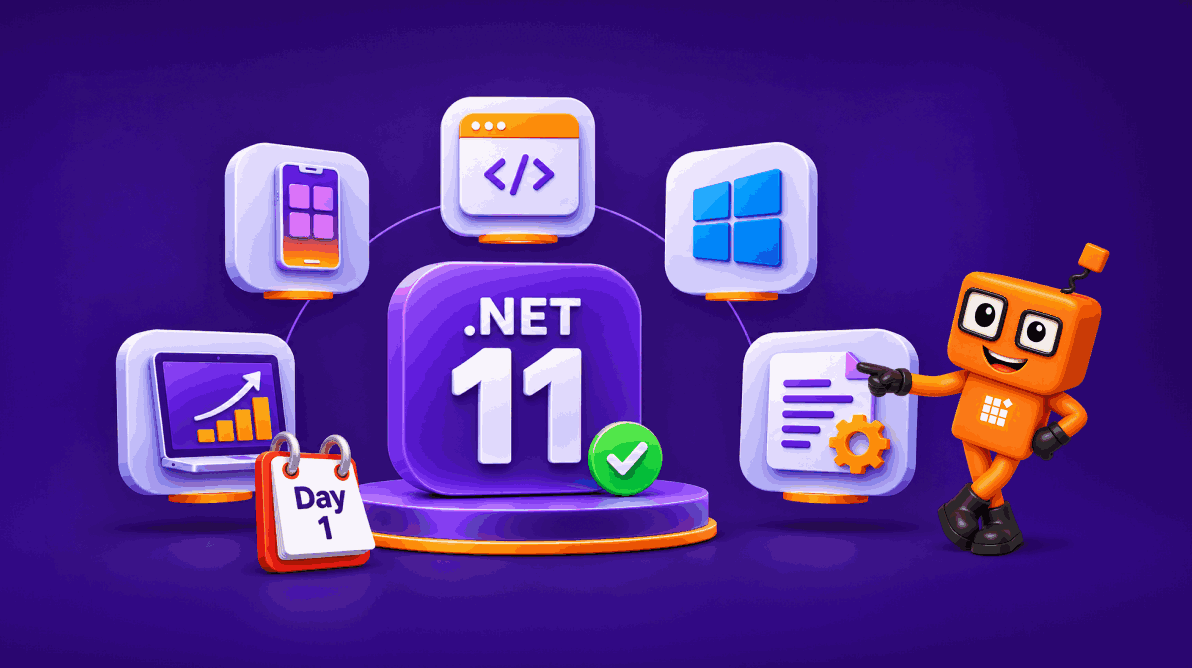
TL;DR: Syncfusion Essential Studio now supports .NET 11 from day one across .NET MAUI, Blazor, WPF, WinForms, WinUI, and Document SDK libraries. Developers can begin evaluating and upgrading supported Syncfusion applications to .NET 11 while taking advantage of the latest runtime, framework, tooling, and C# 15 capabilities.
.NET 11 is here and Syncfusion Essential Studio is ready
.NET 11 is now generally available, bringing updates across the .NET runtime, C# 15, ASP.NET Core and Blazor, .NET MAUI, Windows development, libraries, tooling, and AI development.
For teams maintaining production applications, however, a new .NET release brings an immediate practical question:
Are the UI components and document-processing libraries our applications depend on ready for the new runtime?
With day-one .NET 11 support, Syncfusion® Essential Studio enables developers to begin evaluating the new release without waiting for a later compatibility update across supported Syncfusion platforms.
That includes applications built with:
Upgrading a production application still requires testing your own dependencies, application scenarios, deployment environment, and Microsoft’s .NET 11 breaking changes. Day-one support means the Syncfusion compatibility layer is available when you begin that evaluation.
Let’s look at what .NET 11 support means for Syncfusion developers, the framework changes worth knowing about, and the steps to consider when upgrading.
Syncfusion .NET 11 support at a glance
| Syncfusion platform | .NET 11 support |
|---|---|
| .NET MAUI | Supported |
| Blazor | Supported |
| WPF | Supported |
| WinForms | Supported |
| WinUI | Supported |
| Document SDK libraries | Supported |
If your application uses more than one Syncfusion package or platform dependency, update the related packages together and validate the complete application before deploying the .NET 11 build to production.
What day-one .NET 11 support means for developers
Framework compatibility involves more than changing the target framework and rebuilding.
A .NET application can depend on UI components, document libraries, third-party packages, native dependencies, publishing modes, operating-system capabilities, and application-specific requirements.
When evaluating .NET 11, consider the complete application.
Update supported packages
Use Syncfusion NuGet package versions that support .NET 11 and keep related Syncfusion packages aligned.
Review .NET 11 breaking changes
Review Microsoft’s compatibility and breaking changes documentation for the frameworks and APIs your application uses.
Test platform-specific behavior
Validate behavior that matters to your application, such as:
- Data loading and editing.
- Filtering and sorting.
- Virtualization.
- Charts and visualization.
- Forms and validation.
- Scheduling.
- Themes and styling.
- Printing and export.
- Document generation and conversion.
Retest business-critical scenarios
A successful build does not confirm that every application scenario behaves exactly as it did previously.
Run your application’s unit, integration, UI, regression, and performance tests against representative workloads before production deployment.
.NET 11 highlights that matter for Syncfusion developers
.NET 11 includes a large number of changes across the ecosystem.
Rather than reproducing the complete .NET 11 release notes, here are some of the changes particularly relevant to developers building UI-heavy and enterprise applications with Syncfusion.
.NET MAUI: CoreCLR, XAML, and developer productivity
One of the most significant changes in .NET 11 for .NET MAUI is the move to CoreCLR as the default runtime across supported MAUI platforms.
For developers, this brings the MAUI runtime closer to the broader .NET ecosystem and contributes to improvements in areas such as debugging, profiling, performance, and development experience.
.NET 11 also continues improving the XAML development experience.
Highlights include:
- Improvements to XAML source generation.
- Better binding diagnostics.
- Lazy
ResourceDictionaryloading. - XAML Incremental Hot Reload improvements.
- Improvements for compiled bindings.
- Additional controls and platform capabilities.
- Testing and accessibility improvements.
The framework also includes enhancements to maps, animations, CollectionView behavior, and native platform experiences.
What this means for Syncfusion .NET MAUI developers
Syncfusion .NET MAUI controls support .NET 11, so existing applications can evaluate the new runtime while continuing to use controls such as DataGrid, Scheduler, Charts, and other Syncfusion UI components.
When upgrading, test the scenarios most important to your application.
For example:
- DataGrid grouping, filtering, editing, and virtualization.
- Scheduler navigation and interactions.
- Chart rendering and updates.
- Large datasets.
- Device-specific layouts.
- Application startup and navigation.
- Existing XAML and binding behavior.
Blazor: Better forms, virtualization, and agentic UI experiences
.NET 11 adds several capabilities to Blazor and ASP.NET Core that are relevant to data-driven enterprise applications.
Improved form validation
Blazor static server-side rendering forms gain improved client-side and asynchronous validation capabilities.
For applications with complex forms, this makes it easier to provide immediate validation while supporting rules that depend on remote APIs or other asynchronous operations.
Better virtualization
The Virtualize component receives improvements for items with different heights and adds capabilities for controlling scrolling and viewport behavior.
These improvements can be useful in interfaces such as:
- Chat experiences.
- Activity feeds.
- Logs.
- Large dynamic lists.
Static SSR improvements
.NET 11 expands static SSR capabilities, including improvements around caching, session-related scenarios, and state management.
Agentic UI development
.NET 11 also advances the AI application story for Blazor.
Microsoft is introducing experimental capabilities for building richer agentic interfaces, including scenarios where applications can stream AI output, render tool interactions, manage approvals, and coordinate UI state with AI agents.
For Syncfusion Blazor developers, this expands the range of AI-driven application experiences that can be explored alongside existing Syncfusion UI components.
What this means for Syncfusion Blazor developers
Syncfusion Blazor components support .NET 11.
For applications using DataGrid, Scheduler, Charts, forms, dashboards, or other interactive components, validate:
- Data binding.
- Sorting and filtering.
- Virtualization.
- Form validation.
- Interactive render modes.
- Export operations.
- Authentication-related behavior.
- Server and WebAssembly deployment scenarios used by your application.
Desktop development: WPF, WinForms, and WinUI
.NET 11 also brings runtime, library, tooling, and Windows-development improvements relevant to desktop applications.
Runtime and JIT improvements
The .NET 11 runtime includes optimizations across JIT compilation, asynchronous operations, code generation, and core libraries.
These improvements can benefit applicable workloads, although the impact depends on the code paths and application.
Runtime Async
.NET 11 includes Runtime Async as a preview feature.
Runtime Async moves more of the mechanics behind asynchronous execution into the runtime, with goals including lower overhead and cleaner async stack traces.
Because it remains a preview capability, evaluate it separately before considering it for production application code.
WinForms improvements
.NET 11 includes improvements for Windows Forms across areas such as:
- Visual styling.
- Full-screen and kiosk scenarios.
- System visual settings.
- Startup behavior.
- Rendering and layout.
- Input handling.
WPF improvements
WPF receives reliability and rendering updates across several desktop scenarios.
Syncfusion desktop controls
Syncfusion WPF, WinForms, and WinUI controls support .NET 11.
When upgrading a desktop application, validate scenarios such as:
- DataGrid rendering and editing.
- Chart updates.
- Theming.
- High-DPI behavior.
- Keyboard and pointer interaction.
- Printing.
- Export.
- Document viewing.
- Window and layout behavior.
C# 15 comes with .NET 11
C# 15 is the default language version for projects targeting .NET 11.
It introduces new language capabilities including:
- Collection expression arguments.
- Union types.
- Closed hierarchies.
- Extension indexers.
- Labeled
breakandcontinue. - Additional memory-safety work.
These language features are independent of Syncfusion components, but developers can use supported C# 15 capabilities alongside Syncfusion applications targeting .NET 11.
As with any new language feature, evaluate whether it improves the clarity and maintainability of the specific application rather than adopting it simply because it is new.
Syncfusion Document SDK libraries on .NET 11
Syncfusion Document SDK libraries also support .NET 11.
This means document-processing applications can evaluate the new runtime while continuing to use Syncfusion libraries for document-processing tasks involving formats such as PDF, Word, Excel, and PowerPoint.
.NET 11 includes runtime and library optimizations that may benefit some document-processing workloads.
However, a newer runtime does not guarantee that every document operation becomes faster.
The performance difference depends on factors including:
- The document operation.
- Input-file size and complexity.
- Memory allocation behavior.
- Runtime execution paths.
- Application concurrency.
- Publishing configuration.
- Hardware.
- Syncfusion package version.
Our internal validation showed lower execution times in several selected Document SDK operations on .NET 11, while some operations showed little or no difference compared with .NET 10.
The important takeaway is not that every operation receives the same improvement.
If document-processing performance matters to your application, benchmark your own representative files and workloads on both runtimes before making performance assumptions.
How to upgrade a Syncfusion application to .NET 11
The exact upgrade process depends on your application platform, but this provides a practical starting point.
1. Install the .NET 11 SDK and compatible development tools
Install the final .NET 11 SDK and ensure that your development and CI environments use compatible tooling.
Verify the installed SDKs with:
dotnet --list-sdks
Avoid mixing preview and final SDK versions between developer machines and CI unless that configuration is intentional.
2. Update the target framework
Update the project’s target framework to the appropriate .NET 11 target framework moniker for your application type.
For a standard .NET application, for example:
<TargetFramework>net11.0</TargetFramework>
Windows desktop and .NET MAUI projects use the corresponding platform-specific target frameworks.
Follow Microsoft’s platform documentation for the exact TFM required by your application.
3. Update Syncfusion packages
Update to Syncfusion package versions that support .NET 11.
For applications using multiple Syncfusion packages, keep compatible package versions aligned instead of updating individual dependencies in isolation.
4. Restore packages and workloads
Restore the application dependencies and any required platform workloads.
dotnet restore
For platforms such as .NET MAUI, make sure the corresponding .NET 11 workloads are installed and up to date.
5. Review breaking changes
Check Microsoft’s .NET 11 compatibility documentation for changes relevant to:
- Runtime behavior.
- ASP.NET Core.
- .NET MAUI.
- WPF.
- WinForms.
- Libraries.
- SDK and tooling.
Also review application-specific third-party dependencies before upgrading production projects.
6. Build the application
Perform a clean build and resolve any compilation, package, workload, or analyzer issues.
7. Run regression tests
Test the application scenarios your users actually depend on.
Do not treat a successful build as the end of the upgrade validation.
What should you test before moving to production?
The validation checklist depends on the platform.
.NET MAUI
Test:
- Startup.
- Navigation.
- DataGrid behavior.
- Charts.
- Scheduler.
- XAML bindings.
- Large datasets.
- Device-specific layouts.
- Android, iOS, Windows, and macOS scenarios your application supports.
Blazor
Test:
- Server and WebAssembly scenarios you use.
- Forms and validation.
- Data loading.
- Virtualization.
- Authentication.
- Grid operations.
- Export.
- Interactive components.
- Reconnection and server-state behavior where applicable.
WPF, WinForms, and WinUI
Test:
- Rendering.
- Editing.
- Themes.
- High-DPI displays.
- Accessibility.
- Printing.
- Export.
- Keyboard and pointer input.
- Window behavior.
Document SDK
Test representative:
- PDF operations.
- Word conversions.
- Excel imports and exports.
- PowerPoint operations.
- Large files.
- Concurrent processing.
- Memory consumption.
- Production deployment configuration.
Whenever performance is important, measure the application using the files, hardware, concurrency, and deployment model that reflect your actual production workload.
Should you move to .NET 11 immediately?
.NET 11 is a Standard Term Support (STS) release.
Whether you should upgrade immediately depends on your organization’s requirements.
.NET 11 may be a good fit when you want:
- Access to the latest framework and runtime capabilities.
- The newest .NET MAUI and Blazor improvements.
- C# 15.
- Current AI and agentic development capabilities.
- The latest runtime and tooling improvements.
Organizations that prioritize a longer support window may decide to remain on a supported LTS release depending on their lifecycle requirements.
The important point is that Syncfusion’s .NET 11 support lets you make that decision based on your application strategy rather than waiting for component compatibility.
Frequently asked questions
Does Syncfusion Essential Studio support .NET 11?
Yes. Syncfusion Essential Studio provides .NET 11 support across .NET MAUI, Blazor, WPF, WinForms, WinUI, and Document SDK libraries.
Which Syncfusion platforms support .NET 11?
The support covered in this release includes .NET MAUI, Blazor, WPF, WinForms, WinUI, and Syncfusion Document SDK libraries.
Do I need to rewrite my Syncfusion application to move to .NET 11?
Not necessarily, but every application should be evaluated individually.
Retarget the application, update compatible Syncfusion and third-party packages, review Microsoft’s breaking changes, and run regression tests against your important application scenarios.
Does .NET 11 automatically make Syncfusion applications faster?
No. .NET 11 contains runtime and JIT optimizations that can improve applicable workloads, but actual results depend on the application, data, hardware, operation, and deployment environment.
Measure performance using representative workloads before drawing conclusions.
Is Runtime Async production-ready in .NET 11?
Runtime Async is available in .NET 11 as a preview feature. Evaluate it separately before using it for production-specific application code.
Does .NET 11 use C# 15?
Yes. C# 15 is the default language version for projects targeting .NET 11 with the .NET 11 SDK.
Is .NET 11 an LTS release?
No. .NET 11 is a Standard Term Support (STS) release. Organizations should consider their support-lifecycle requirements when deciding between .NET 11 and a supported LTS release.
Get started with Syncfusion and .NET 11
.NET 11 brings updates across runtime performance, developer tooling, C# 15, .NET MAUI, Blazor, desktop development, core libraries, and AI application development.
With day-one .NET 11 support across Syncfusion Essential Studio UI components and Document SDK libraries, developers can begin evaluating these capabilities within their existing Syncfusion development environments.
If you’re planning an upgrade:
- Install the final .NET 11 SDK.
- Update to the Syncfusion packages that support .NET 11.
- Retarget the application.
- Review breaking changes.
- Build and test representative workloads.
- Validate production-critical behavior before deployment.
Explore the latest Syncfusion Essential Studio release from your Syncfusion license and download page.
If you have questions while upgrading, use the Syncfusion support forum, support portal, or feedback portal.


Be the first to get updates