Try Our Live Demo
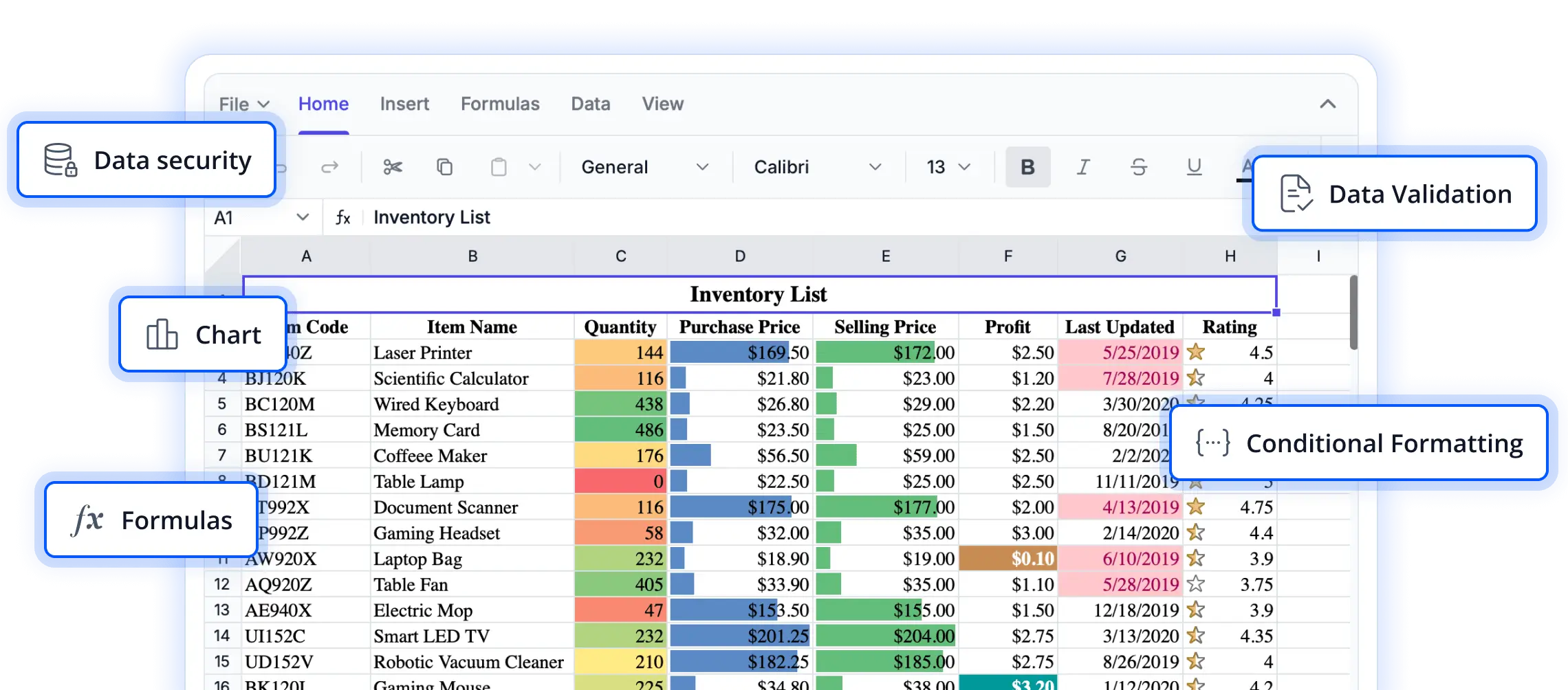
Enhance spreadsheet reviews with built-In annotations
Explore annotation and review capabilities that help users share context, provide feedback, and document important information directly within spreadsheets. These features support better collaboration, improve clarity, and streamline review workflows in React applications.
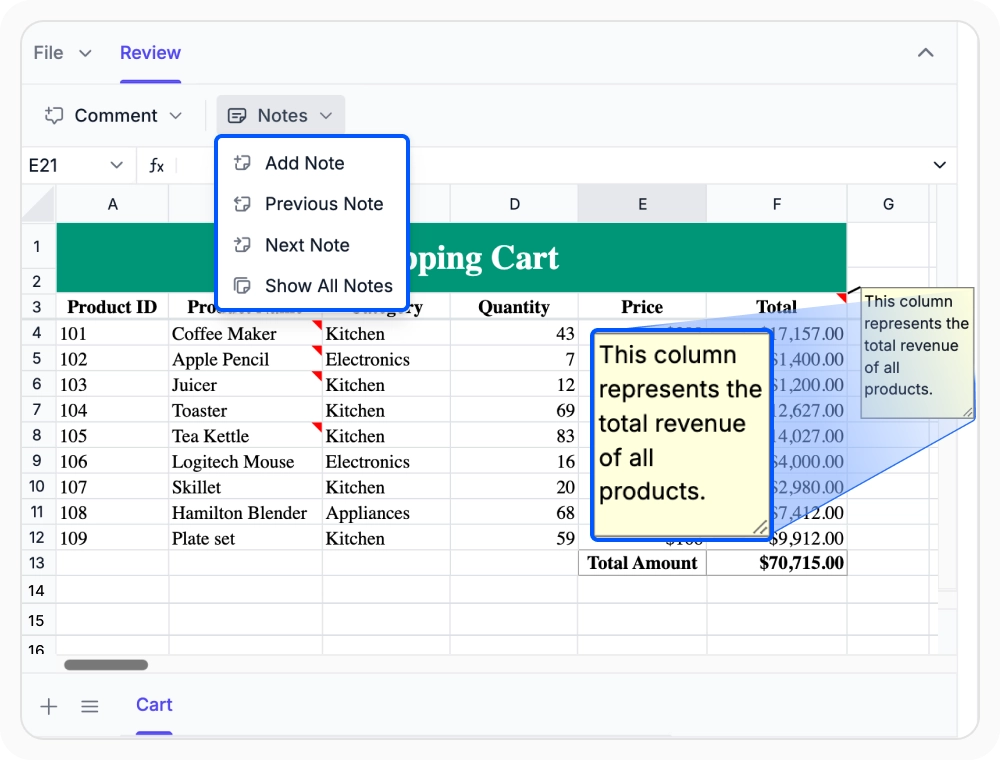
Add notes to worksheet cells
Add notes directly to worksheet cells to provide instructions or explanations without affecting spreadsheet data. Use notes when additional context is needed for future reviewers or for compliance documentation.
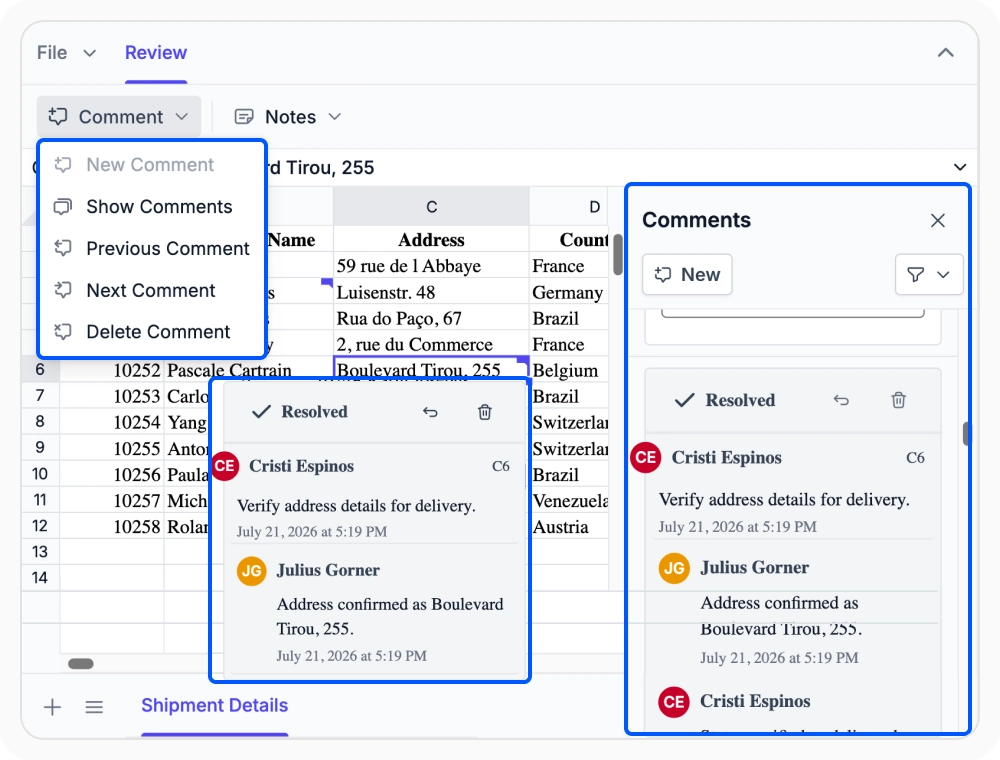
Track Discussions With Comments
Start and manage threaded discussions within spreadsheet cells to capture feedback, replies, and review history. Use comments to support collaborative reviews, approvals, and informed decision making within workbooks.
See Why Developers Love Syncfusion
Our Customers Love Us
Having an excellent set of tools and a great support team, Syncfusion reduces customers’ development time. Here are some of their experiences.




Frequently Asked Questions
What is the difference between notes and comments in the React Spreadsheet Editor?
In React Spreadsheet Editor, notes are lightweight annotations for contextual information in a cell, while comments enable threaded discussions and replies for review processes that require feedback, and input from multiple contributors.
Do cell notes and comments in the React Spreadsheet Editor affect worksheet data?
No. In the React Spreadsheet Editor, cell notes and threaded comments are separate from worksheet data, formulas, and cell values. They provide context and feedback without modifying the underlying spreadsheet content.
Where do notes and comments appear in the React Spreadsheet Editor?
In React Spreadsheet Editor, notes and comments stay linked to the cells where they are created. Contextual information and review feedback are accessible directly with the related spreadsheet content.
Which annotation option is best for multi-reviewer feedback in the React Spreadsheet Editor?
Threaded comments in React Spreadsheet Editor are best for multi-reviewer feedback, supporting replies, discussion tracking, and review history. Notes are ideal for individual annotations or reminders that do not require discussion.
Can threaded comments in the React Spreadsheet Editor support approval workflows?
Yes. Threaded comments in React Spreadsheet Editor support replies and conversation history, making them suitable for approval workflows, structured feedback cycles, and multi-stage review processes.
Are notes and comments retained when exporting spreadsheet files in the React Spreadsheet Editor?
Yes, notes and comments can be retained when exporting spreadsheet files, depending on the export format. Comments are preserved only in .xlsx files, while notes are preserved in both .xlsx and .xls files.
Resources
Learn more about our React Spreadsheet Editor
Explore demos, KB articles, and documentation to get the most out of our React Spreadsheet Editor.
Explore guides, APIs, and quick-start tips
See live use cases in action
Ask, share, and connect with peers
Find solutions and best practices fast
Get expert help when needed
Feature requests and bug reports
Track issues and suggest improvements
Awards
Greatness—it’s one thing to say you have it, but it means more when others recognize it. Syncfusion® is proud to hold the following industry awards.









