Try Our Live Demo

Enrich spreadsheets with visual content
Explore image management capabilities that enable users to add, position, and customize visual elements within worksheets. These features help create more engaging spreadsheets, improve data presentation, and support visually rich business applications.

Add images to worksheets
Insert images into worksheets to create visually engaging spreadsheets. Use this when business data, branding, and visual references need to be presented together in a single workbook.
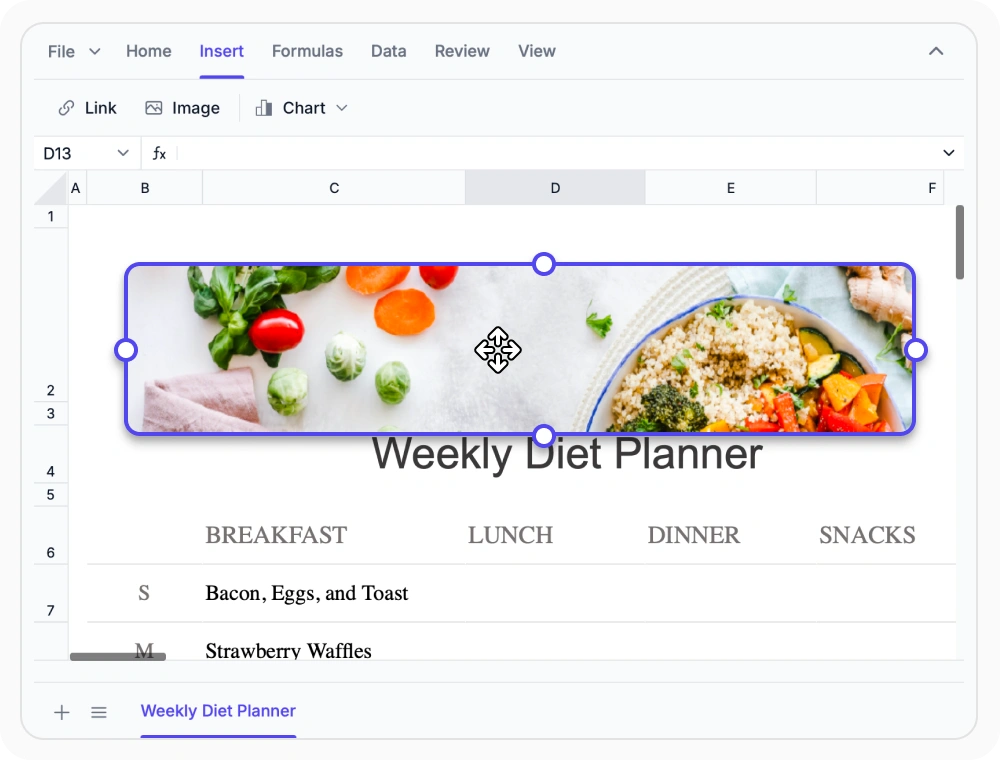
Position images within worksheets
Drag and place images precisely within worksheets to organize visual content with spreadsheet data. Use when visual elements must be positioned accurately in worksheet structures.

Resize and adjust image dimensions
Adjust image dimensions precisely to maintain visual consistency in reports, dashboards, and business documents. Use when images must fit worksheet layouts without disrupting content.
See Why Developers Love Syncfusion
Our Customers Love Us
Having an excellent set of tools and a great support team, Syncfusion reduces customers’ development time. Here are some of their experiences.




Frequently Asked Questions
How can images be inserted in the React Spreadsheet Editor?
Images can be inserted in the React Spreadsheet Editor either programmatically or at runtime through the Ribbon’s Image option. Once inserted, they can be moved and resized.
Can images be resized and repositioned in the React Spreadsheet Editor?
Yes. Images can be resized and repositioned within worksheets to fit different worksheet layouts and presentation requirements.
Can images be removed from worksheet in the React Spreadsheet Editor?
Yes. Images can be removed from worksheets by selecting them and pressing Delete or Backspace, or by using the Clear options in the ribbon.
What image management operations does React Spreadsheet Editor offer?
React Spreadsheet Editor supports inserting, selecting, moving, resizing, and deleting images, allowing users to seamlessly manage visual content alongside spreadsheet data.
Do images affect calculations in the React Spreadsheet Editor?
No. Images in the React Spreadsheet Editor are visual elements and do not affect formulas, calculations, sorting, or filtering operations.
Can images be repositioned in a worksheet after insertion in the React Spreadsheet Editor?
Images can be inserted at specific worksheet locations and repositioned as needed via drag within the worksheet layout in the React Spreadsheet Editor.
Resources
Learn more about our Spreadsheet Editor
Explore demos, KB articles, and documentation to get the most out of the Spreadsheet Editor.
Explore guides, APIs, and quick-start tips
See live use cases in action
Ask, share, and connect with peers
Find solutions and best practices fast
Get expert help when needed
Feature requests and bug reports
Track issues and suggest improvements
Awards
Greatness—it’s one thing to say you have it, but it means more when others recognize it. Syncfusion® is proud to hold the following industry awards.









