Try Our Live Demo
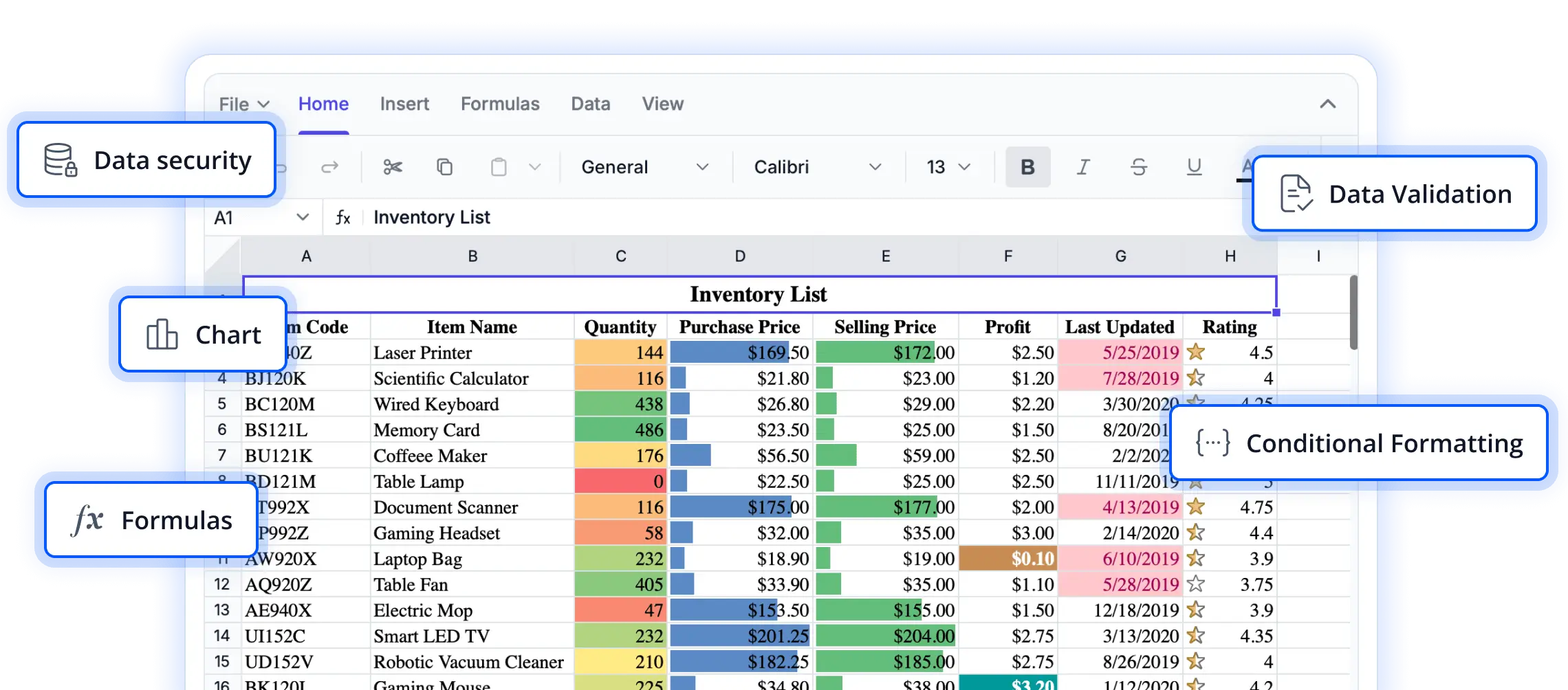
Built for efficient data exploration
Discover the capabilities that help users navigate complex worksheets with confidence. From managing large datasets to improving data visibility, these features are designed to streamline spreadsheet interactions and boost productivity.
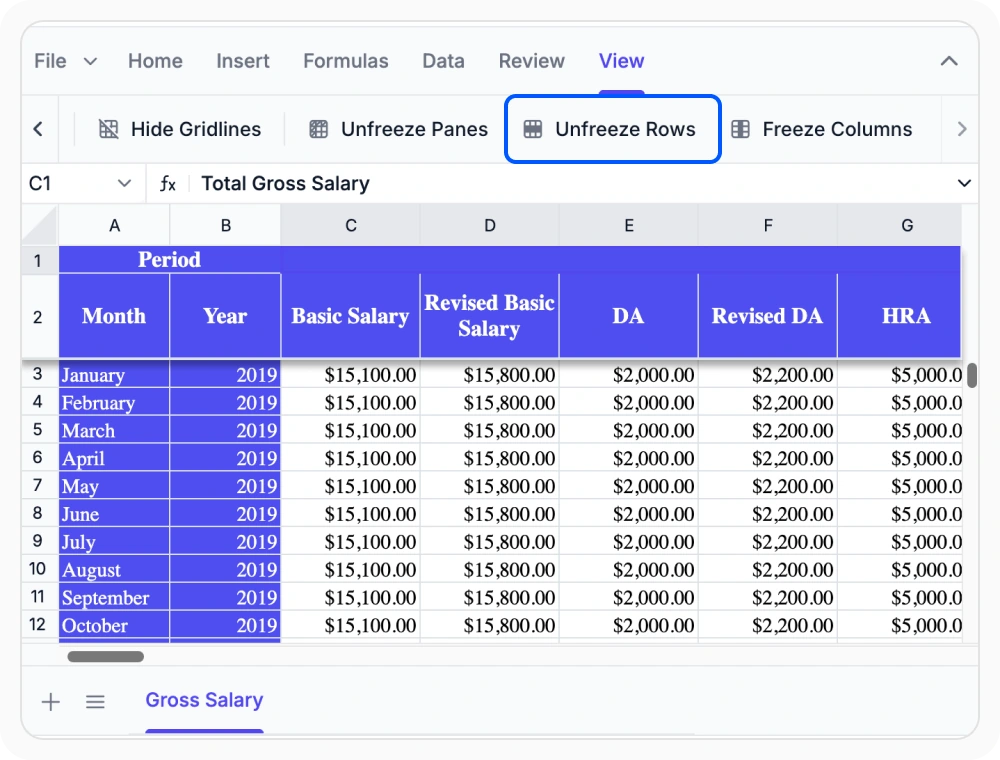
Freeze top rows
Keep one or more rows fixed at the top so that headers remain visible while scrolling down. Use row freezing to maintain context when reviewing and comparing data in large worksheets.
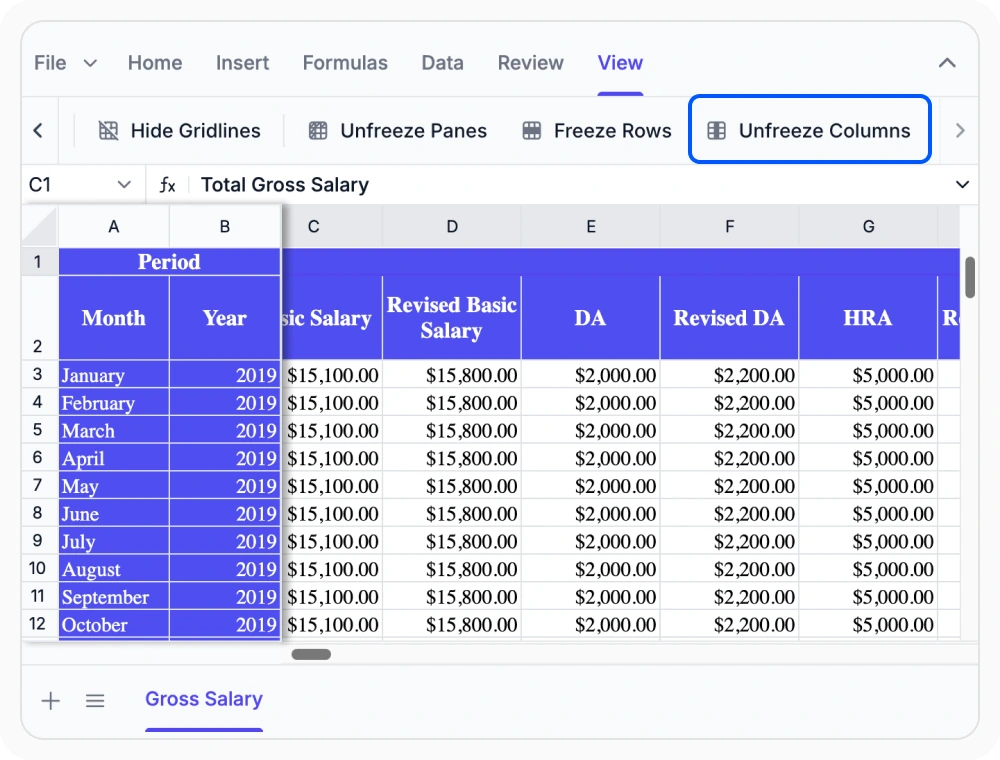
Freeze key columns
Keep one or more columns visible while scrolling horizontally. Use column freezing to maintain context when working with reference fields such as names, categories, or IDs.
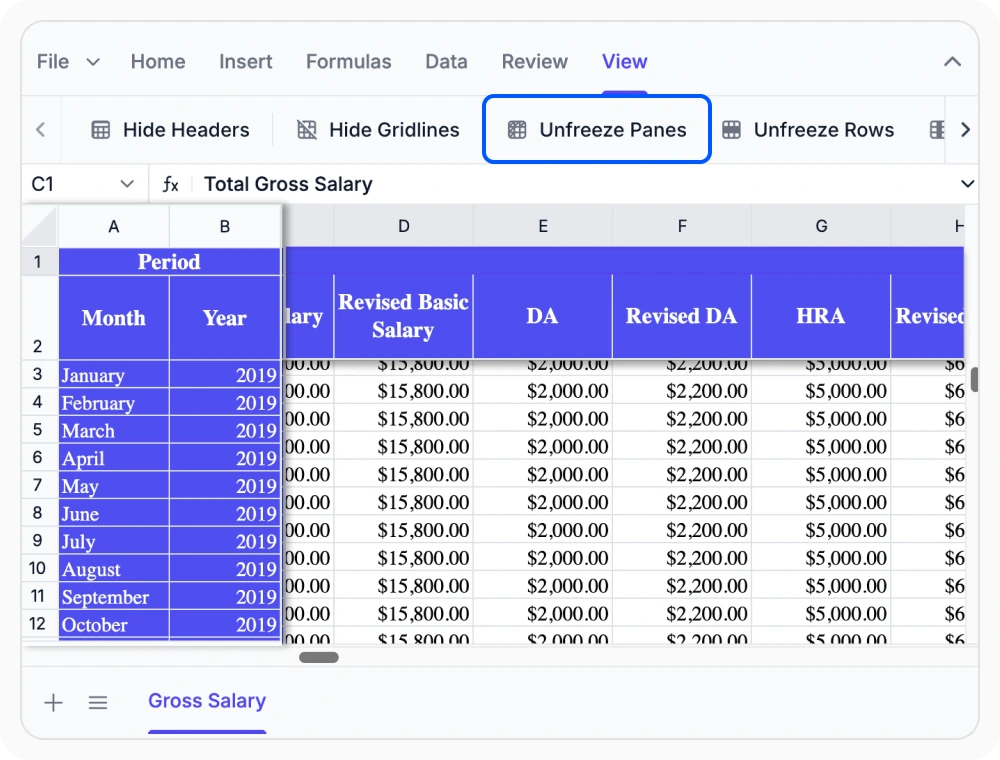
Freeze rows and columns together
Keep both row and column headers visible while scrolling across large worksheets. Use combined freezing to maintain context and quickly navigate data in any direction.
See Why Developers Love Syncfusion
Our Customers Love Us
Having an excellent set of tools and a great support team, Syncfusion reduces customers’ development time. Here are some of their experiences.




Frequently Asked Questions
How do freeze panes work in the React Spreadsheet Editor?
Freeze panes keep selected rows or columns visible while scrolling, so headers or key fields always stay in view for easier worksheet navigation.
How do freeze panes improve worksheet navigation in the React Spreadsheet Editor?
Freeze panes keep headers or key fields visible while scrolling, helping users maintain context and quickly locate information in large worksheets.
What types of worksheets benefit most from freeze panes in the React Spreadsheet Editor?
Worksheets with large datasets, wide tables, or many rows benefit most from Freeze Panes, as it keeps important headers and key columns visible while scrolling.
Do freeze panes change worksheet data or formulas in the React Spreadsheet Editor?
No. Freeze panes only affect the visible area for navigation. All worksheet data, formulas, and formatting remain unchanged when rows or columns are frozen.
Can I freeze rows and columns at the same time in the React Spreadsheet Editor?
Yes, you can freeze both rows and columns together to keep headers and key fields visible while scrolling in any direction in large spreadsheets.
How do freeze panes support large dataset navigation in the React Spreadsheet Editor?
Freeze panes keep headers and reference labels visible while navigating large datasets, making it easier to review and compare information without losing context.
Resources
Learn more about our React Spreadsheet Editor
Explore demos, KB articles, and documentation to get the most out of our React Spreadsheet Editor.
Explore guides, APIs, and quick-start tips
See live use cases in action
Ask, share, and connect with peers
Find solutions and best practices fast
Get expert help when you need it
Feature requests and bug reports
Track issues and suggest improvements
Awards
Greatness—it’s one thing to say you have it, but it means more when others recognize it. Syncfusion® is proud to hold the following industry awards.









