Try Our Live Demo
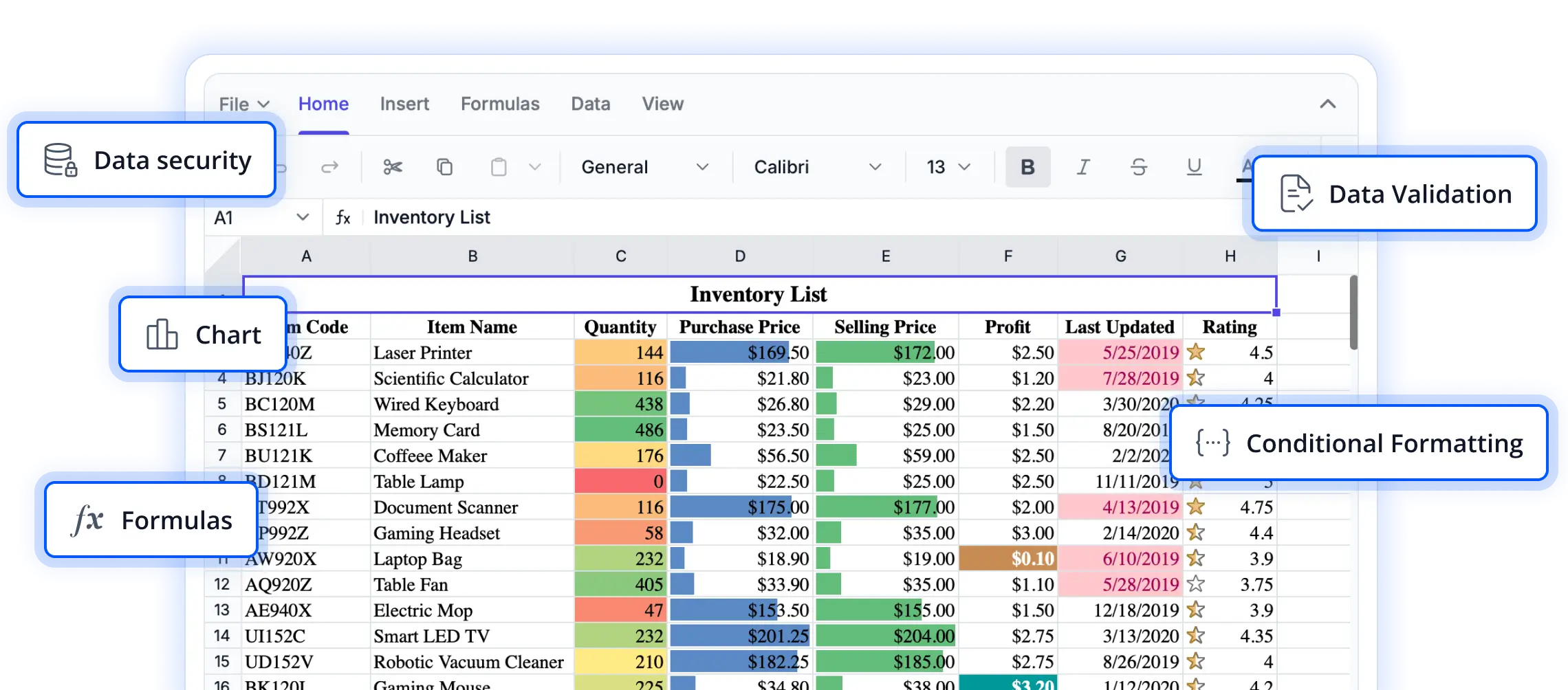
Create visually engaging spreadsheets
Explore comprehensive formatting and styling capabilities that help users present data more effectively. From improving readability to highlighting key information, these features enable the creation of polished and professional spreadsheet experiences in React applications.
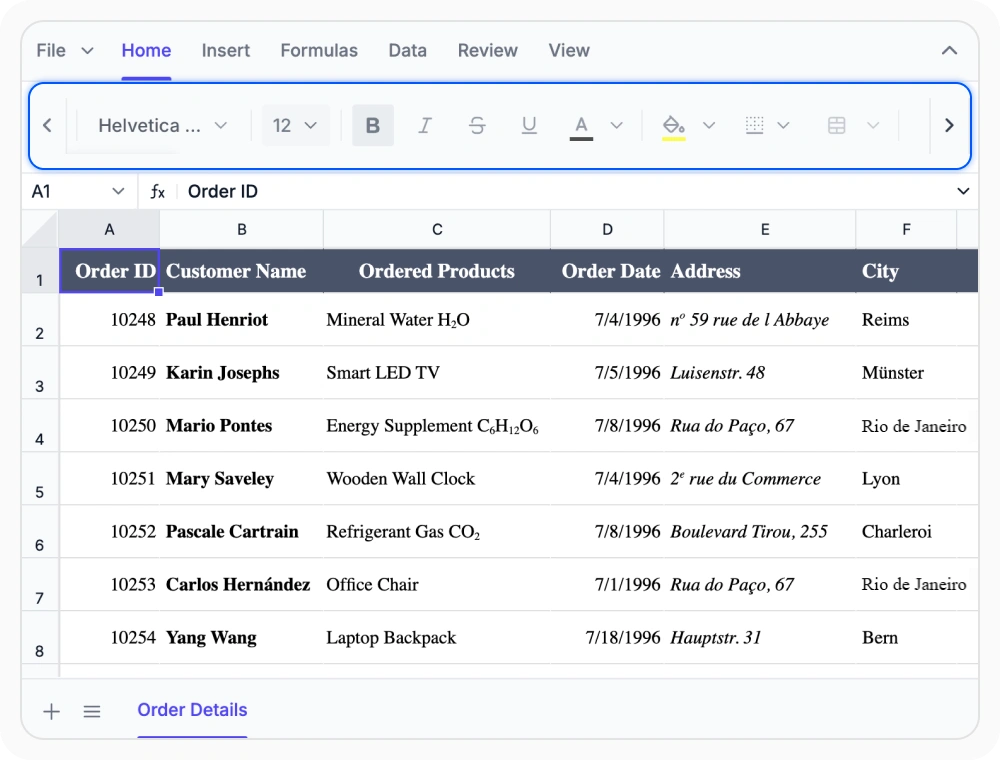
Format cells and text styles
Cell and text formatting controls how spreadsheet content looks using fonts, colors, borders, and alignment. Use it when reports, project plans, and worksheets need to be easy to read, clearly organized, and presented with a consistent, professional appearance.
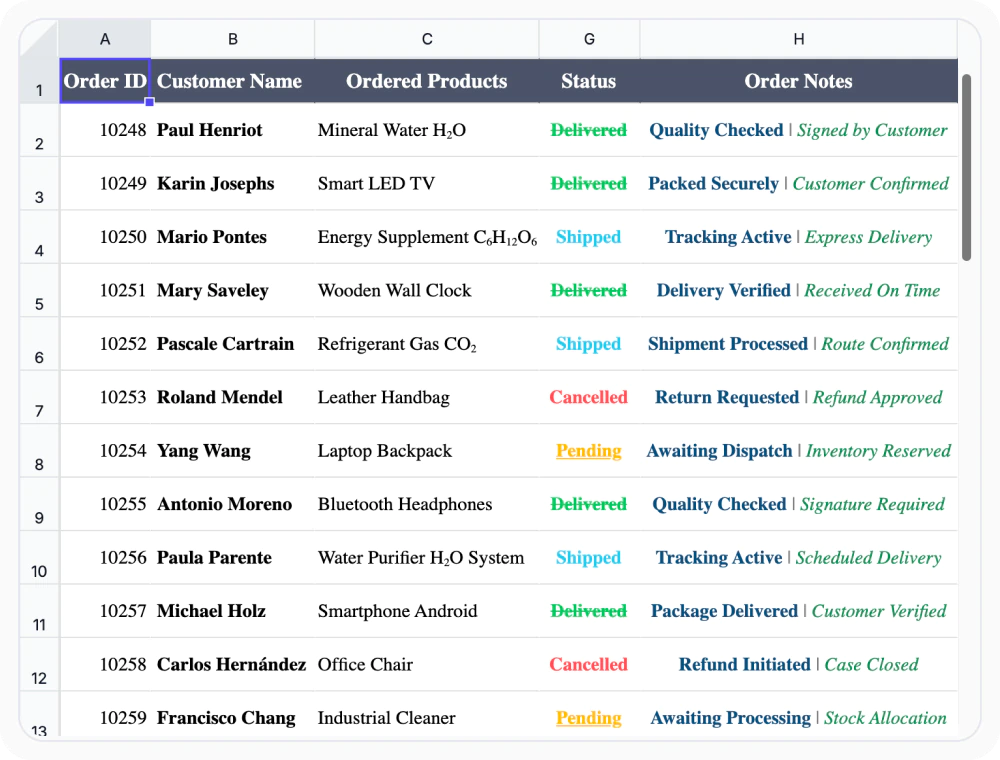
Rich text formatting in cells
Rich text formatting applies different text styles to selected portions of content within a single cell. Use it when emphasizing key information, organizing content, or improving readability with multiple formatting styles within the same cell.
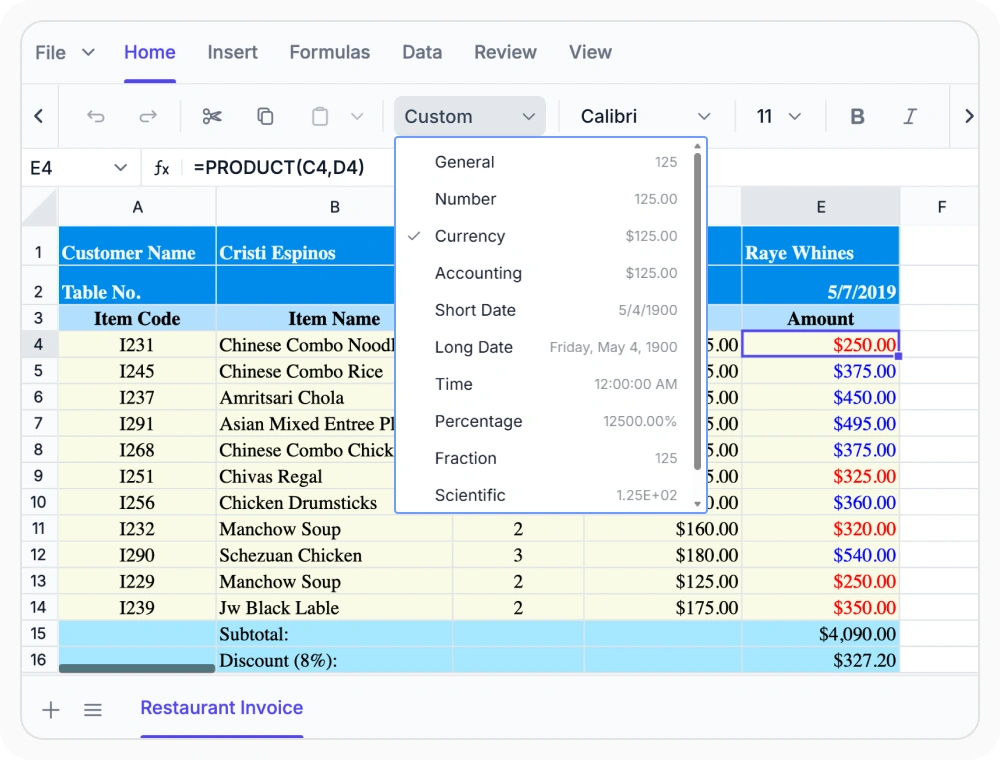
Format numbers in spreadsheets
Number formatting displays values as currency, percentages, dates, times, and accounting figures without changing the underlying data. Use it when presenting financial, regional, or business data that requires consistent interpretation and readability.
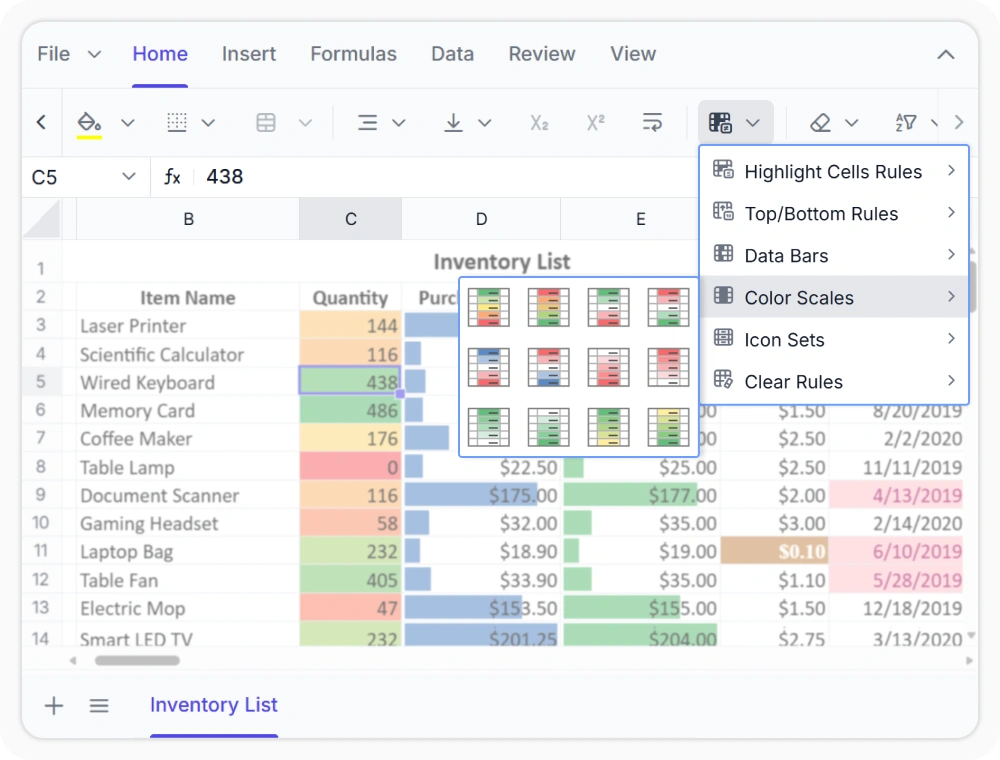
Apply conditional formatting rules
Conditional formatting highlights key values, trends, and exceptions using highlight rules, color scales, data bars, and icon sets. Use it when analyzing large or frequently updated datasets to quickly identify patterns, outliers, and important changes.
See Why Developers Love Syncfusion
Our Customers Love Us
Having an excellent set of tools and a great support team, Syncfusion reduces customers’ development time. Here are some of their experiences.




Frequently Asked Questions
What formatting options are available in the React Spreadsheet Editor?
The Syncfusion React Spreadsheet Editor supports cell formatting, number formatting, and conditional formatting. Customize fonts, colors, borders, alignment, and number formats, and use visual rules to highlight insights and trends.
Does applying formatting change the actual cell values in the React Spreadsheet Editor?
No. Formatting controls only how information is displayed in the React Spreadsheet Editor. The underlying cell values remain unchanged regardless of which formatting option is applied.
Can the React Spreadsheet Editor support custom number formats for specific business requirements?
Yes. Beyond built-in currency, percentage, date, and accounting formats, the Syncfusion React Spreadsheet Editor supports custom number formats to display values for business, industry needs.
Which formatting option is best for highlighting trends in the React Spreadsheet Editor?
Conditional formatting is the most effective option for highlighting trends. It applies visual indicators such as color scales, data bars, and icon sets based on cell values, making patterns and exceptions immediately visible without manual analysis.
Is conditional formatting preserved when exporting to Excel from the React Spreadsheet Editor?
Yes. Conditional formatting rules applied in the React Spreadsheet Editor are retained when the workbook is exported to XLSX format, so the visual indicators remain intact when opened in Excel.
Can formatting improve worksheet readability in the React Spreadsheet Editor?
Yes. The React Spreadsheet Editor provides formatting options such as fonts, colors, borders, alignment, and conditional formatting to help users create clear, organized, and visually effective worksheets.
Resources
Learn more about our React Spreadsheet Editor
Explore demos, KB articles, and documentation to get the most out of our React Spreadsheet Editor.
Explore guides, APIs, and quick-start tips
See live use cases in action
Ask, share, and connect with peers
Find solutions and best practices fast
Get expert help when you need it
Feature requests and bug reports
Track issues and suggest improvements
Awards
Greatness—it’s one thing to say you have it, but it means more when others recognize it. Syncfusion® is proud to hold the following industry awards.









