Try Our Live Demo
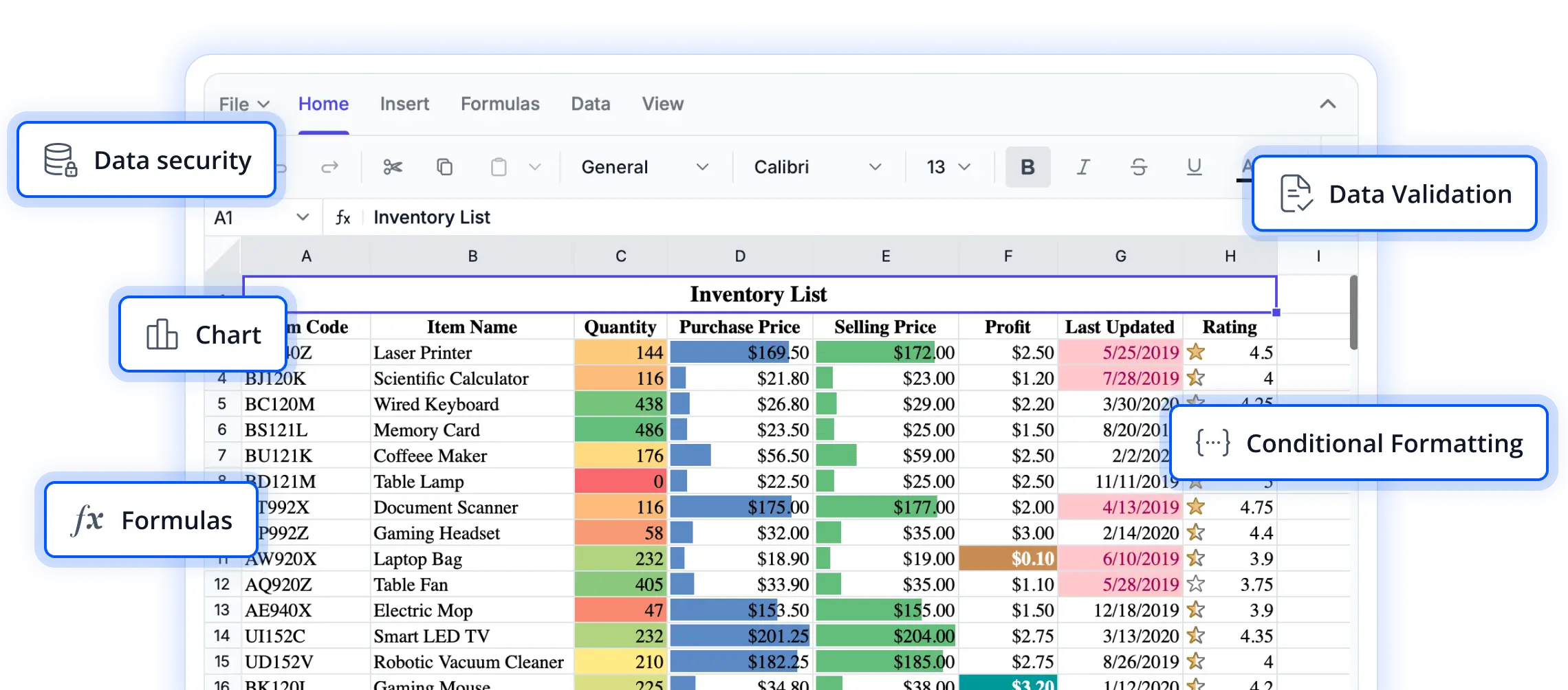
Ensure data accuracy and consistency
Discover validation capabilities that help maintain high-quality spreadsheet data by enforcing input rules, reducing entry errors, and guiding users toward correct values across worksheets.
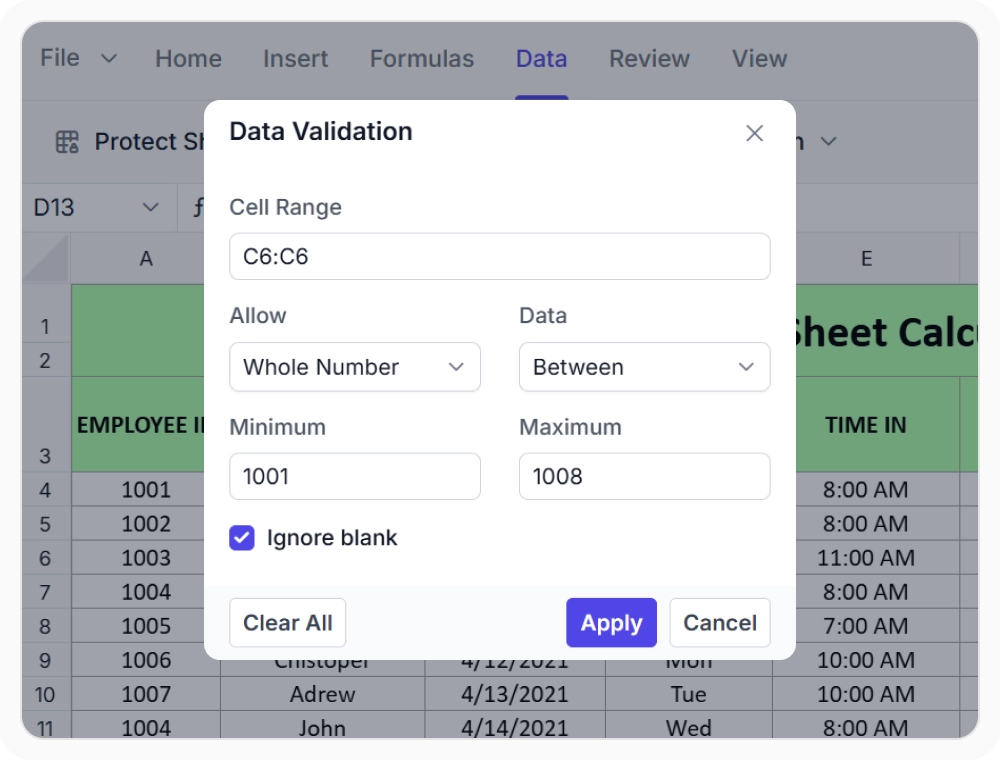
Enforce valid worksheet entries
Standard input validation restricts cell entries to whole numbers, decimals, dates, text length, or list values. Use this validation to maintain structured and accurate worksheets when accepted values must conform to specific types or ranges.
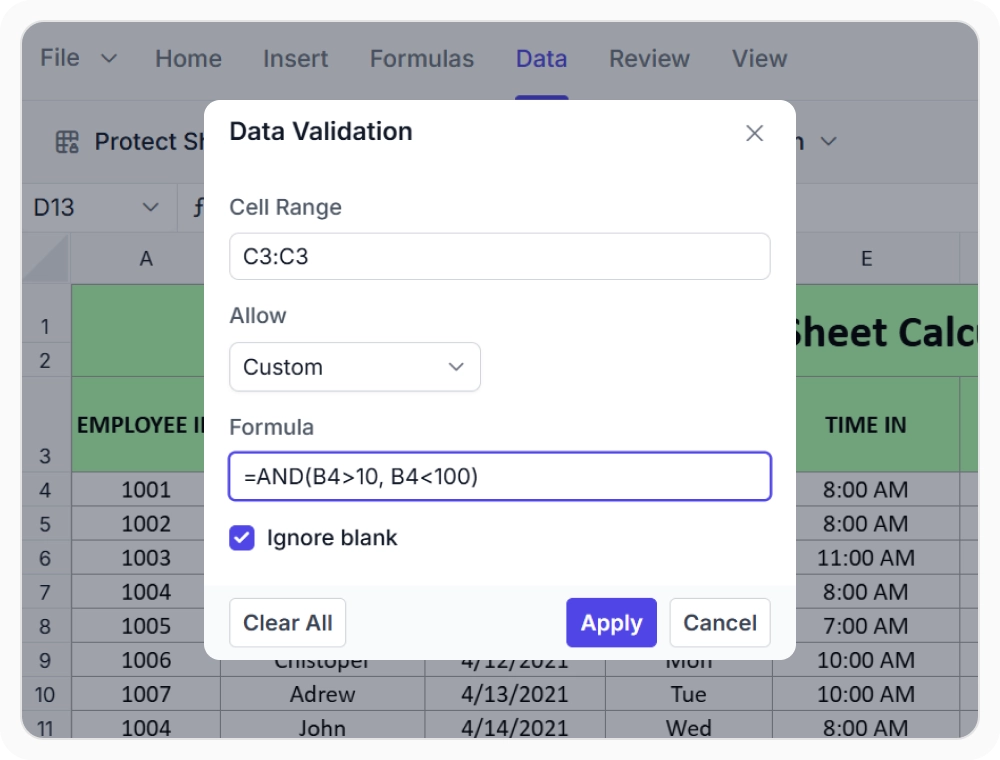
Apply custom validation rules
Custom validation uses logical conditions to enforce complex requirements, such as calculations or cross-cell relationships. Use it when worksheet entries must meet business rules or eligibility criteria based on formulas or related cell values.
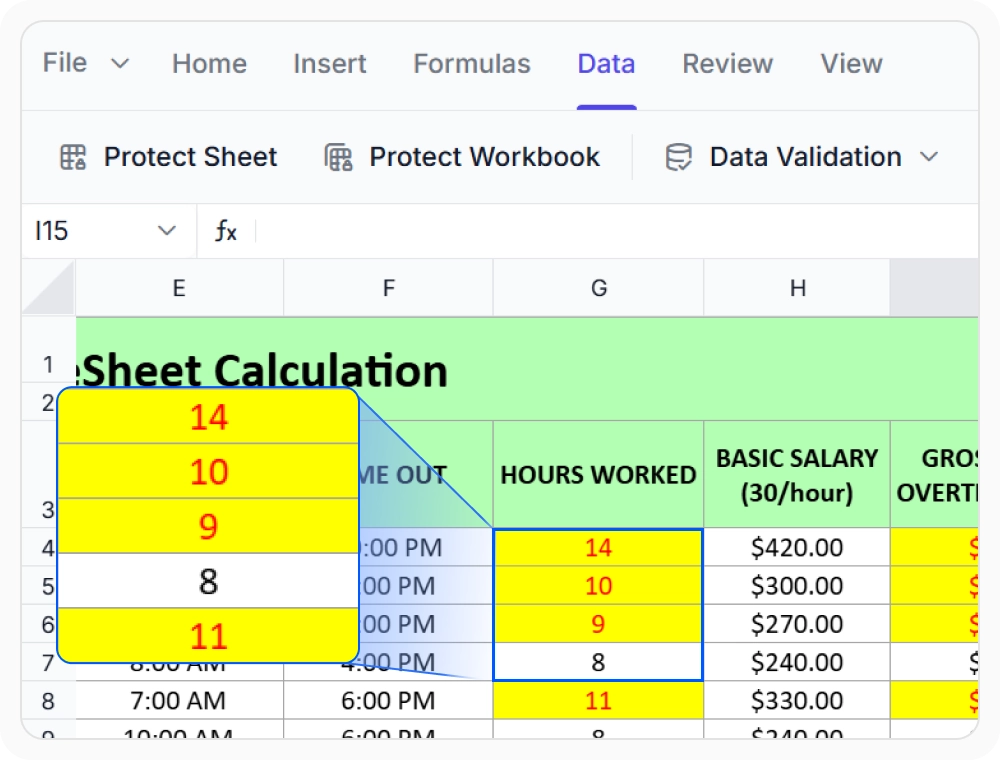
Highlight invalid worksheet entries
Highlight cells with values that do not meet validation rules. Use this to quickly identify and correct errors in large or frequently updated worksheets, improving data accuracy and reducing manual review.
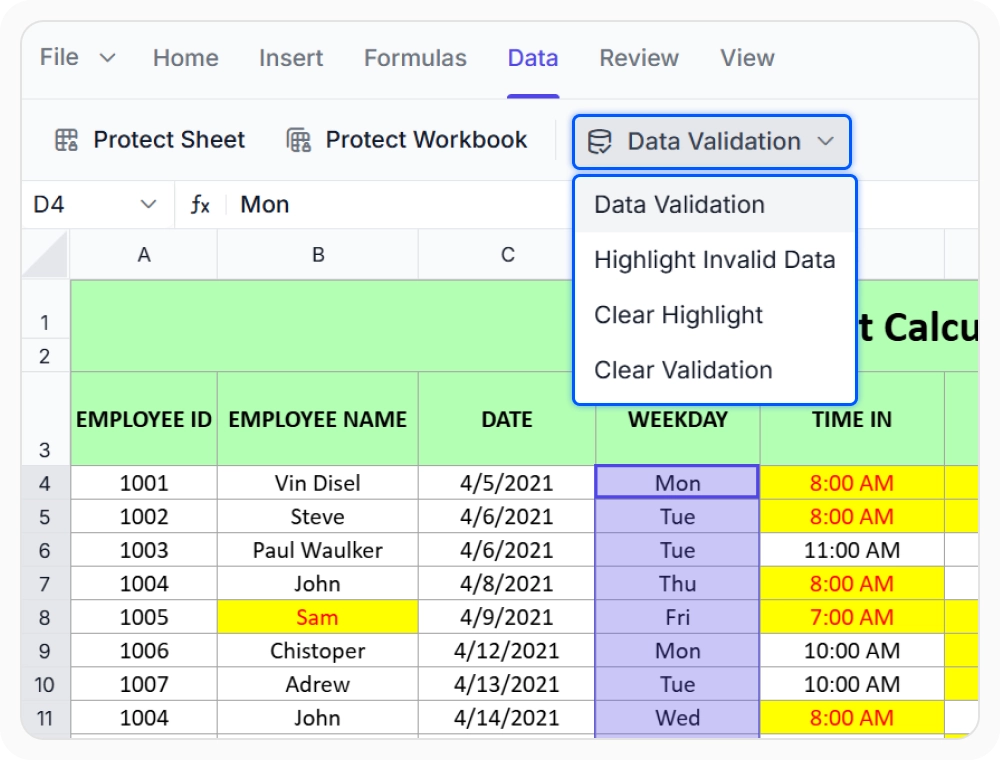
Manage and update validation rules
Configure, update, or remove validation rules across worksheet ranges as requirements change. Use this to manage validation rules in dynamic worksheets, ensuring that validation logic adapts without altering existing data.
See Why Developers Love Syncfusion
Our Customers Love Us
Having an excellent set of tools and a great support team, Syncfusion reduces customers’ development time. Here are some of their experiences.




Frequently Asked Questions
What types of data validation are available in React Spreadsheet Editor?
React Spreadsheet supports data validation for whole numbers, decimals, dates, text length, and lists, plus custom validation using logical conditions for complex or business-specific requirements.
How does React Spreadsheet Editor maintain worksheet data quality with validation?
React Spreadsheet maintains worksheet data quality by applying standard and custom validation rules, restricting incorrect entries, and highlighting invalid values for quick correction.
Can validation rules be managed programmatically in React Spreadsheet Editor?
Yes, validation rules can be set, updated, or removed programmatically across worksheet ranges in React Spreadsheet as requirements evolve.
How can invalid data be identified in React Spreadsheet Editor worksheet entries?
Yes, React Spreadsheet visually highlights cells with values that do not meet validation criteria, making it easy to find and correct issues in worksheet data during audits or reviews.
Does removing validation rules in React Spreadsheet Editor affect existing cell values?
No, removing or updating validation rules does not change existing worksheet cell values. Data remains unchanged when validation settings are adjusted in React Spreadsheet.
How does React Spreadsheet Editor handle custom data validation?
React Spreadsheet custom data validation uses logical conditions to support business-specific rules based on calculations, cross-cell values, or worksheet relationships.
Resources
Learn more about our Spreadsheet Editor
Explore demos, KB articles, and documentation to get the most out of our React Spreadsheet Editor.
Explore guides, APIs, and quick-start tips
See live use cases in action
Ask, share, and connect with peers
Find solutions and best practices fast
Get expert help when needed
Feature requests and bug reports
Track issues and suggest improvements
Awards
Greatness—it’s one thing to say you have it, but it means more when others recognize it. Syncfusion® is proud to hold the following industry awards.









