Try Our Live Demo

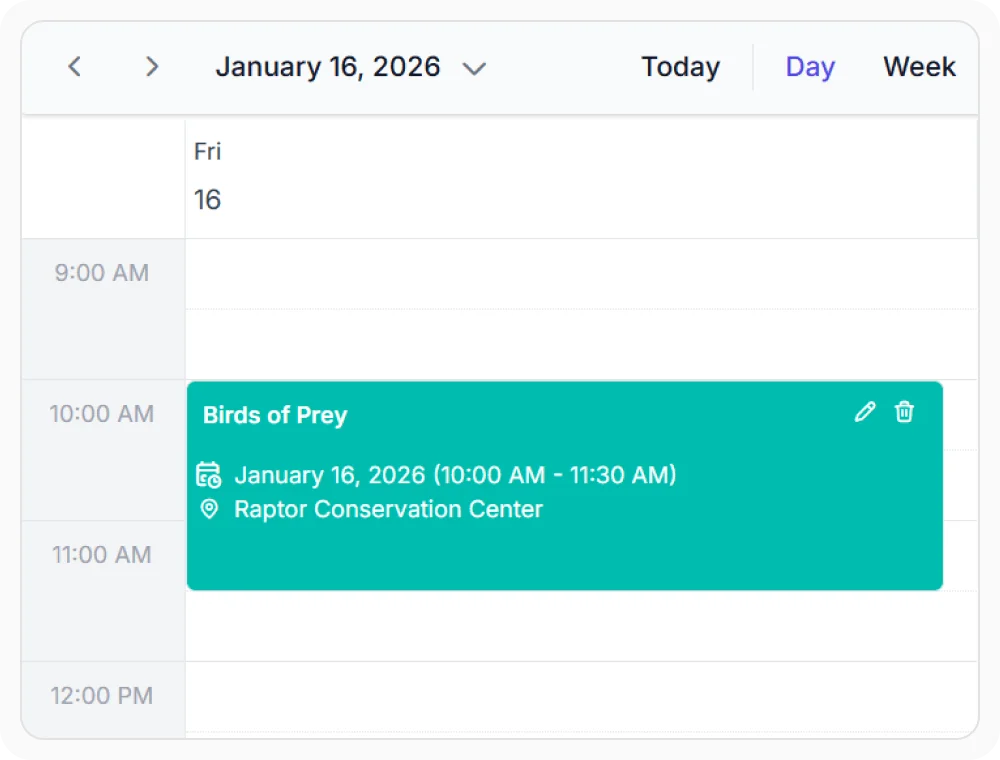
Personalize appointment appearance
The appointment template replaces default appointment styling with custom colors, icons, and data fields. This helps users identify priority, status, or assignee directly on the calendar block. Use it when the default display lacks enough visual context at a glance.
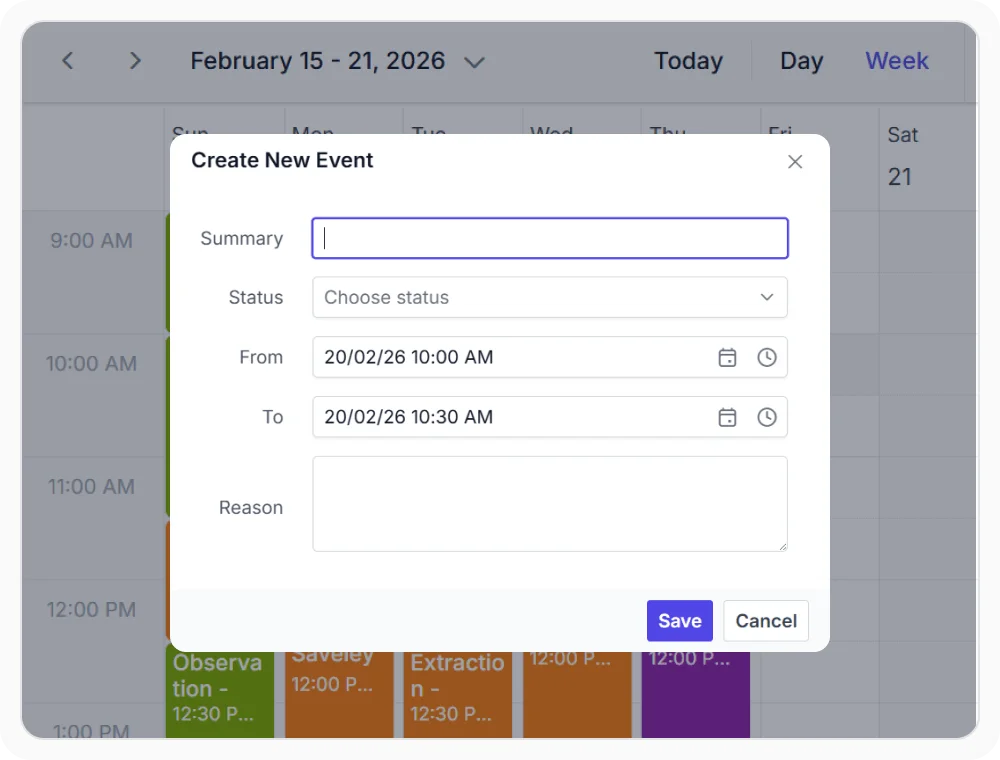
Build custom appointment forms
The editor template replaces the default appointment dialog with a custom form that includes your own fields, layouts and validation rules. This enables business-specific data collection directly within the Scheduler. Use it when the default fields are insufficient for your workflow.
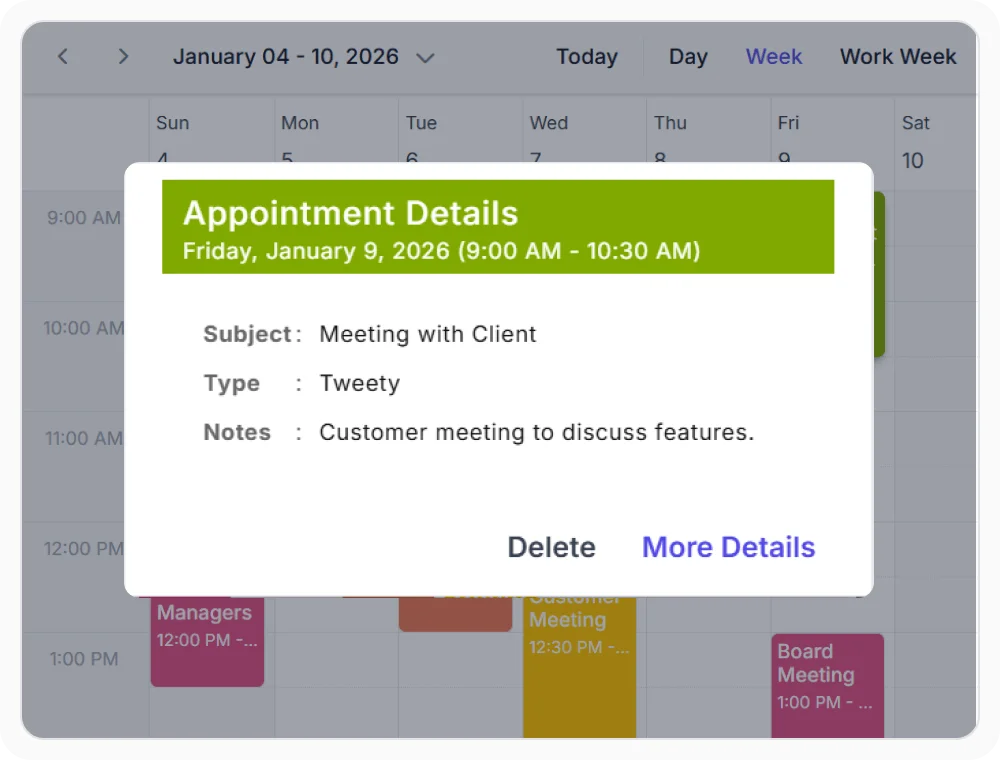
Control quick info popup content
The quick info template customizes the popup shown on appointment or cell click. This gives users instant access to details and actions without opening the full editor. Use it when opening the editor for every interaction adds unnecessary friction.
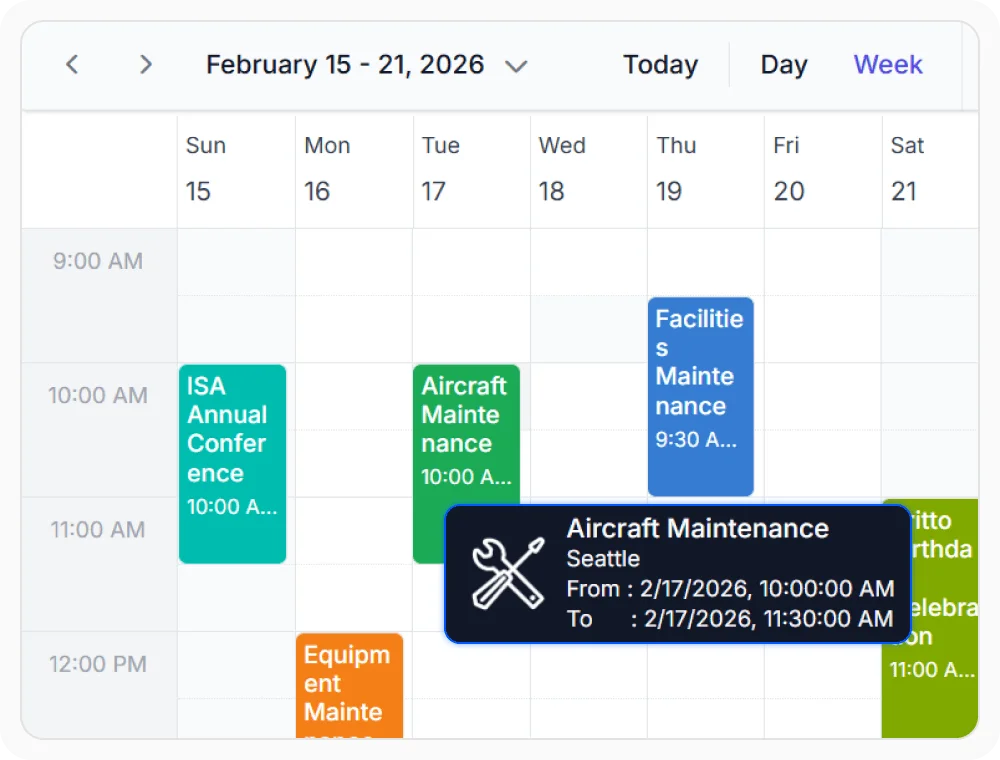
Show tooltips with rich appointment details
The tooltip template displays a detail card when hovering over an appointment. This lets users preview full event details without clicking or navigating away. Use tooltip templates when appointments contain additional information that cannot be fully displayed within the calendar view.
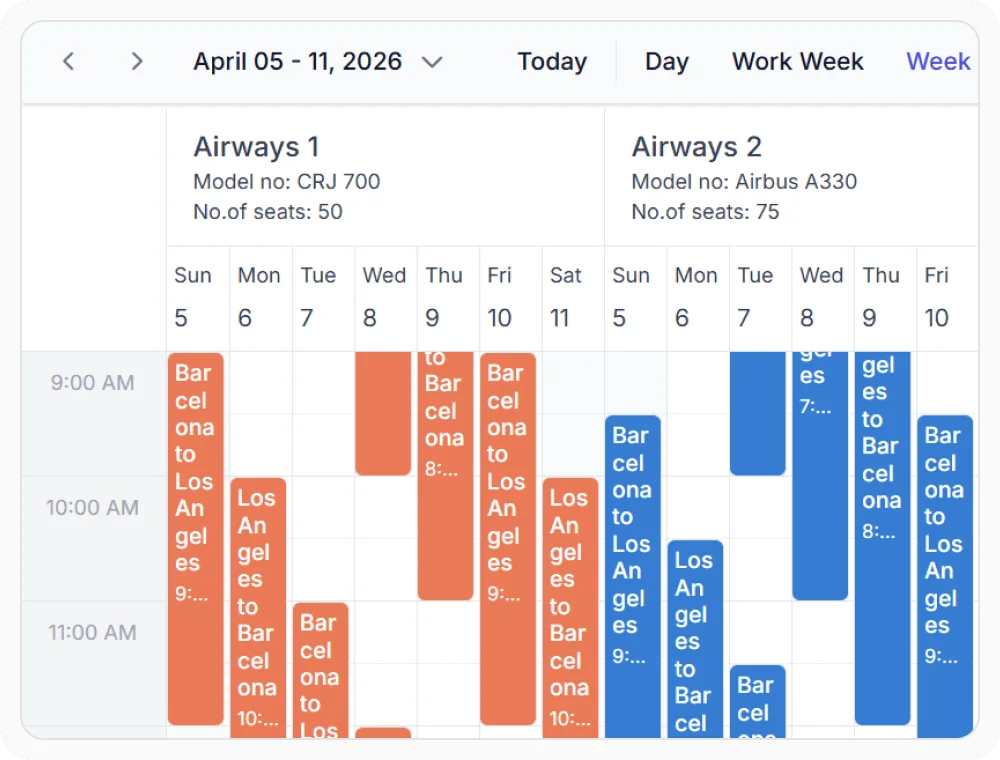
Display resource information in headers
The resource header template replaces the default label with a custom layout showing photos, roles, and availability. This helps users identify people, rooms, or equipment directly in the calendar header. Use it when multiple resources are shown side by side and a name alone is insufficient.
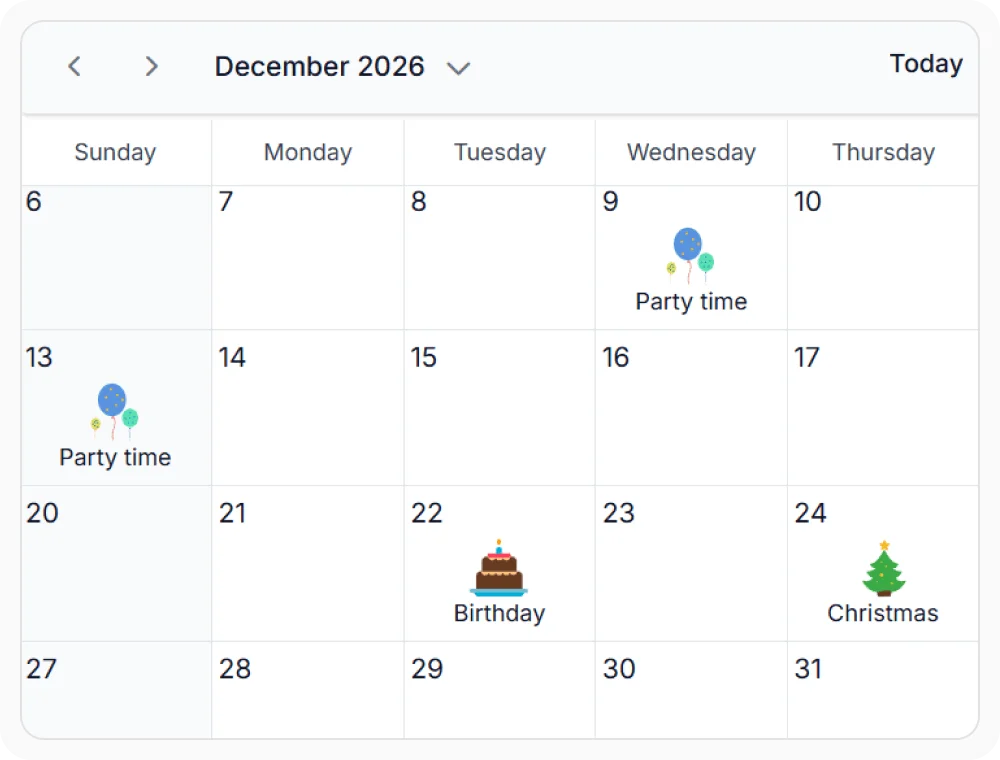
Shape the calendar grid and time labels
The cell, date header, and timescale templates offers to customize cells, labels, and time markers. This visually communicates availability, restrictions, and time boundaries across the grid. Use them when calendar views require custom visual cues, labels, or scheduling information.
Frequently Asked Questions
How can React Scheduler templates be configured?
React Scheduler templates are configured through the property associated with each scheduling element. Examples include cellTemplate, resourceHeaderTemplate, editorTemplate, quickInfoTemplates, and eventSettings.template.
Can templates in React Scheduler access parent component state or external data?
Yes. Because templates are defined as functions or components in the parent’s scope, they have full access to component state, context values, and props via closure. This allows templates to incorporate data not stored in the event model, such as real-time availability or user permissions.
Does React Scheduler support multiple custom templates?
Yes. React Scheduler provides templates for appointments, cells, resource headers, date headers, timescale labels, tooltips, quick info popups, and editor forms.
What are the best practices for React Scheduler templates?
Use lightweight JSX in templates and avoid expensive computations during render. Memoize template functions with useCallback when passing them as props to prevent unnecessary re-renders.
Can React Scheduler editor templates include custom validation and fields?
Yes. Editor templates support tailored form layouts, additional fields, conditional content, input components, and client-side validation rules.
How can React Scheduler resource templates improve resource management?
Resource templates enable display of profile images, department affiliations, availability status, skill tags, and contact information. This information simplifies resource identification and supports faster resource allocation decisions during scheduling workflows.
Resources
Learn more about our React Scheduler
Explore demos, KB articles, and documentation to get the most out of our React Scheduler.
Explore guides, APIs, and quick-start tips
See live use cases in action
Ask, share, and connect with peers
Find solutions and best practices fast
Get expert help when needed
Feature requests and bug reports
Track issues and suggest improvements
Awards
Greatness—it’s one thing to say you have it, but it means more when others recognize it. Syncfusion® is proud to hold the following industry awards.









