Try Our Live Demo

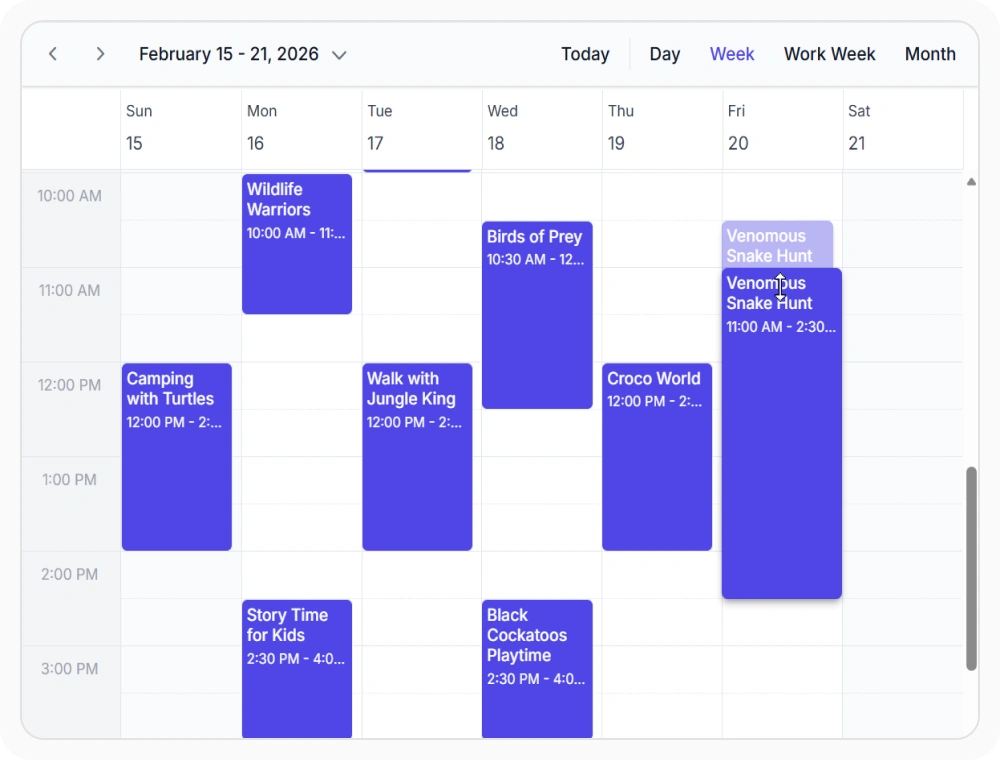
Adjust duration in vertical views
Event resizing lets users drag the top or bottom edge of an appointment to change its start or end time on the calendar. This removes the need to open an editor for routine duration changes. Use it when users adjust meeting lengths frequently during daily scheduling.
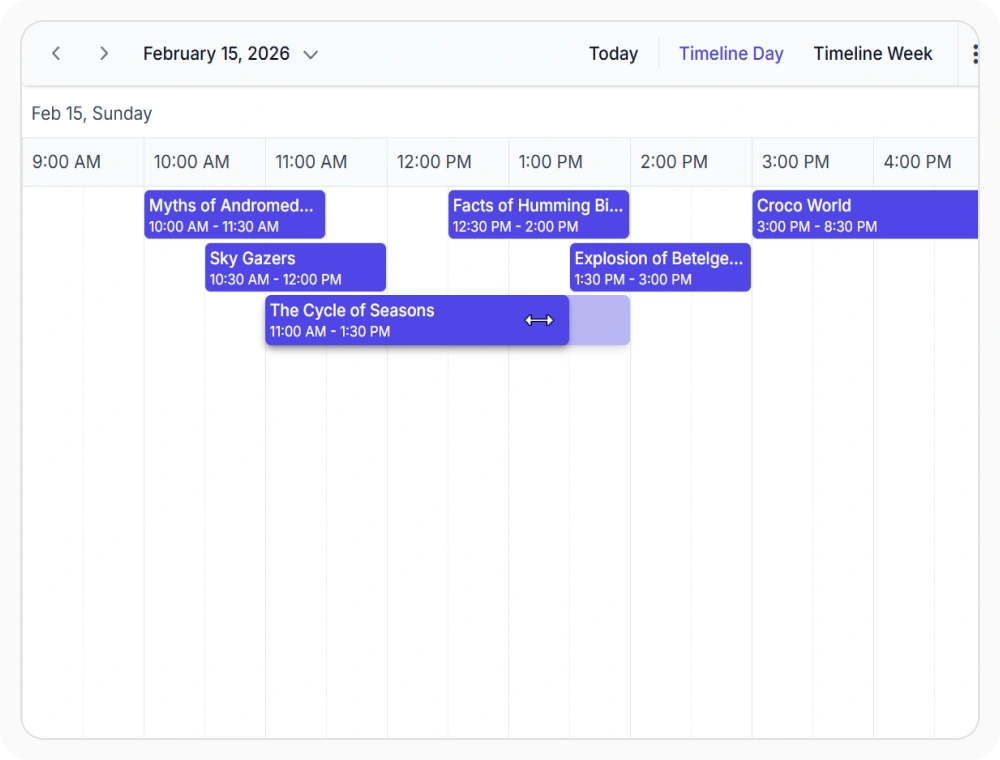
Adjust duration across timeline views
Timeline view resizing allows users to adjust appointment duration by dragging its boundaries along the timeline. This provides a visual way to update schedules directly within timeline views. Use it when managing shifts, tasks, or projects that span multiple hours or days.
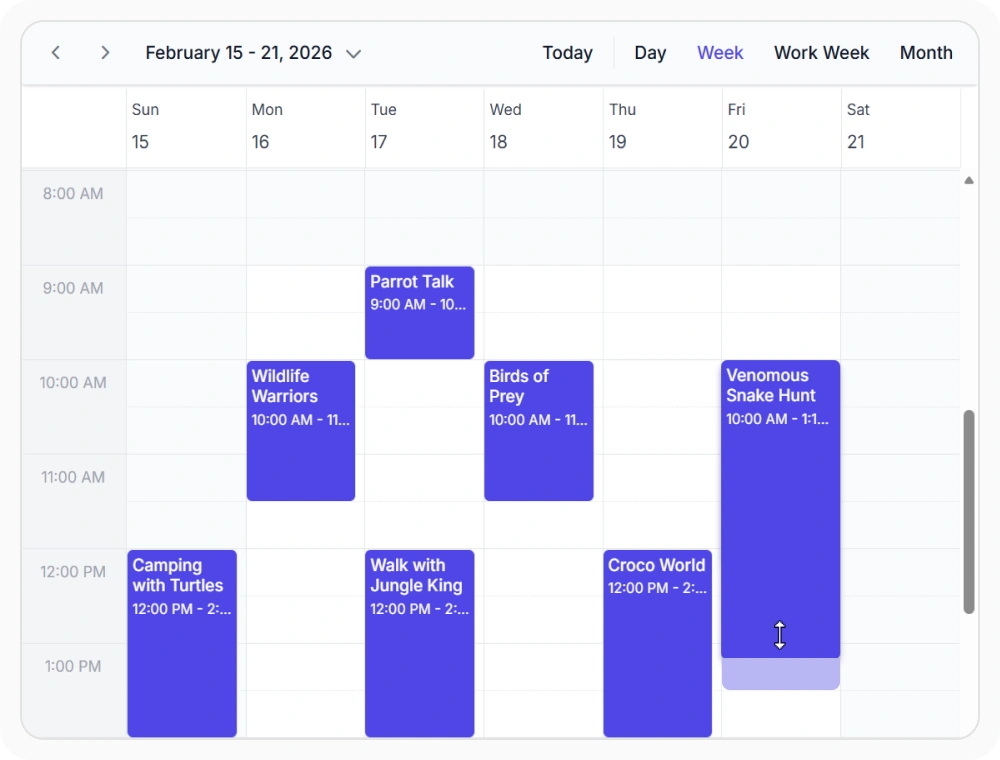
Resize appointments by fixed intervals
Snap intervals limit appointment resizing to fixed time increments. This maintains consistent scheduling durations across the calendar. Use it when appointments must follow standardized time blocks.
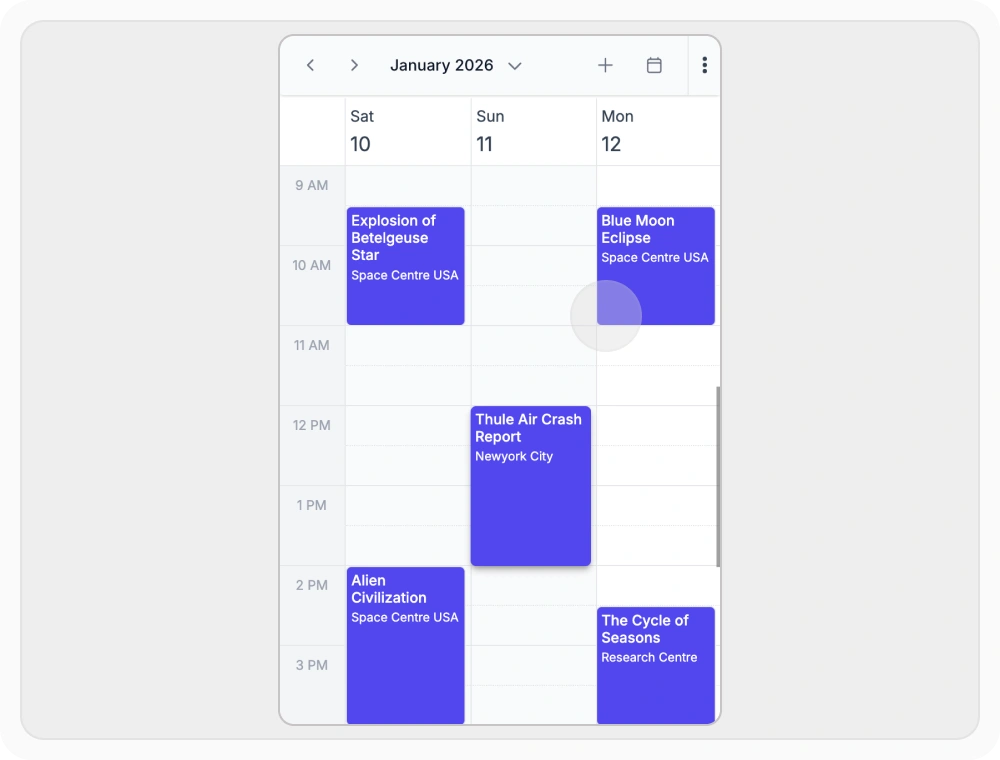
Adjust appointments using touch gestures
Touch-based resizing allows users to adjust appointment duration using touch gestures on appointment boundaries. This makes schedule updates easier on touchscreen devices. Use it when appointments are managed from smartphones or tablets.
Frequently Asked Questions
Can React Scheduler resize behavior be customized?
Yes. Resize events expose the appointment data and proposed start and end times, allowing the action to be evaluated or cancelled.
How can appointment resizing be configured in React Scheduler?
Configure the resize interval through resizeStart and evaluate proposed times through the resize lifecycle events. A resize action can be cancelled when custom rules are not met.
Which React Scheduler views support event resizing?
Event resizing is supported in Day, Week, Work Week, Month, and all Timeline views. Agenda and Month-Agenda views do not support resizing because appointments in those views are listed rather than rendered as positioned blocks.
Can React Scheduler event resizing work on mobile devices?
Yes. Appointment boundaries can be moved through touch interaction on supported mobile and tablet layouts.
How does event resizing and validation work in React Scheduler?
Validation can be applied during the resize lifecycle by checking the proposed start and end times before accepting the change.
Can React Scheduler track changes during resizing?
Yes. The resizing event provides the proposed start and end times while an appointment boundary is being moved.
Resources
Learn more about React Scheduler
Explore demos, KB articles, and documentation to get the most out of our React Scheduler.
Explore guides, APIs, and quick-start tips
See live use cases in action
Ask, share, and connect with peers
Find solutions and best practices fast
Get expert help when needed
Feature requests and bug reports
Track issues and suggest improvements
Awards
Greatness—it’s one thing to say you have it, but it means more when others recognize it. Syncfusion® is proud to hold the following industry awards.









