Try Our Live Demo
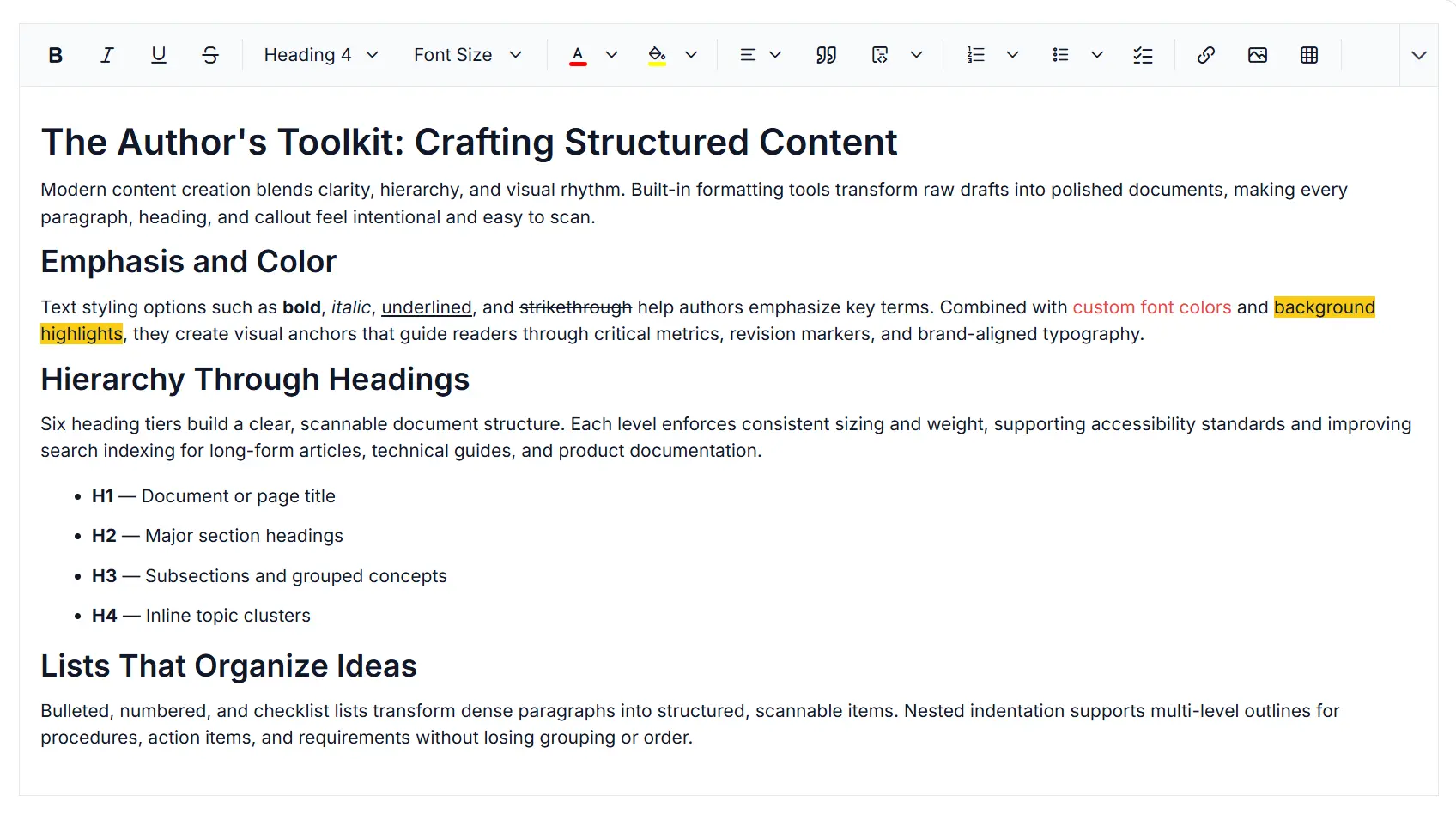
Paste cleanup and formatting control in Rich Text Editor
Manage pasted content in the React Rich Text Editor with flexible paste cleanup options that preserve formatting, keep plain text, or remove unwanted styles to maintain clean and consistent content.
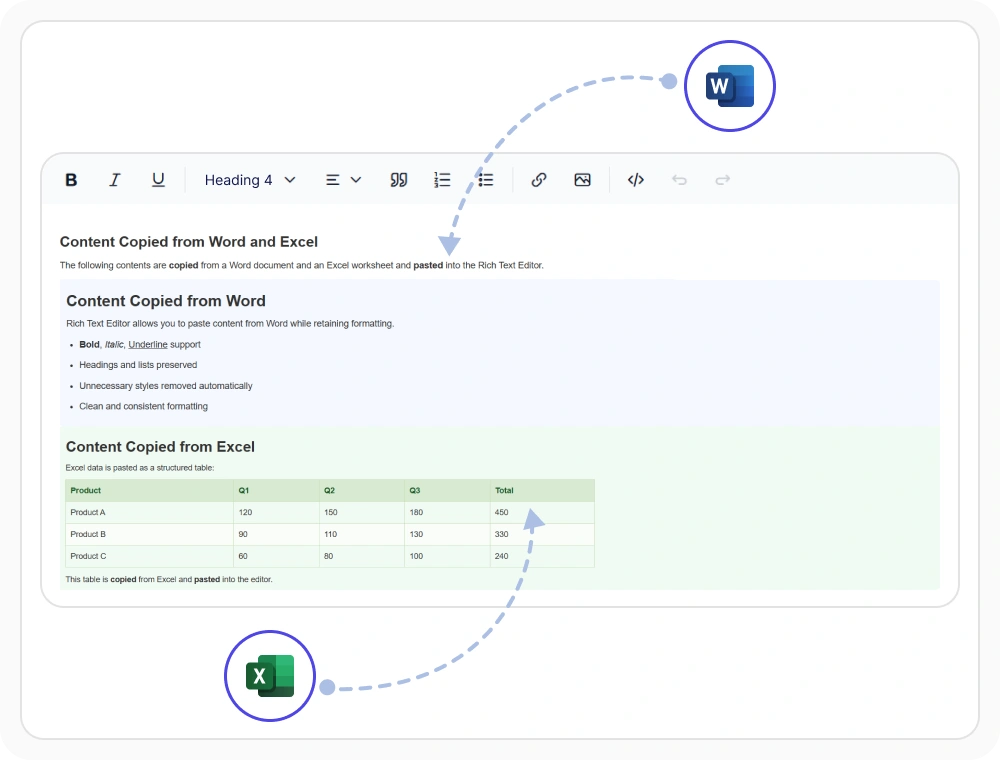
Keep original formatting on paste
Keep original formatting when pasting content, preserving text styles, tables, lists, and layouts from external sources. Use it to retain document appearance, reduce manual reformatting, and simplify content migration from Word, websites, and other editors.
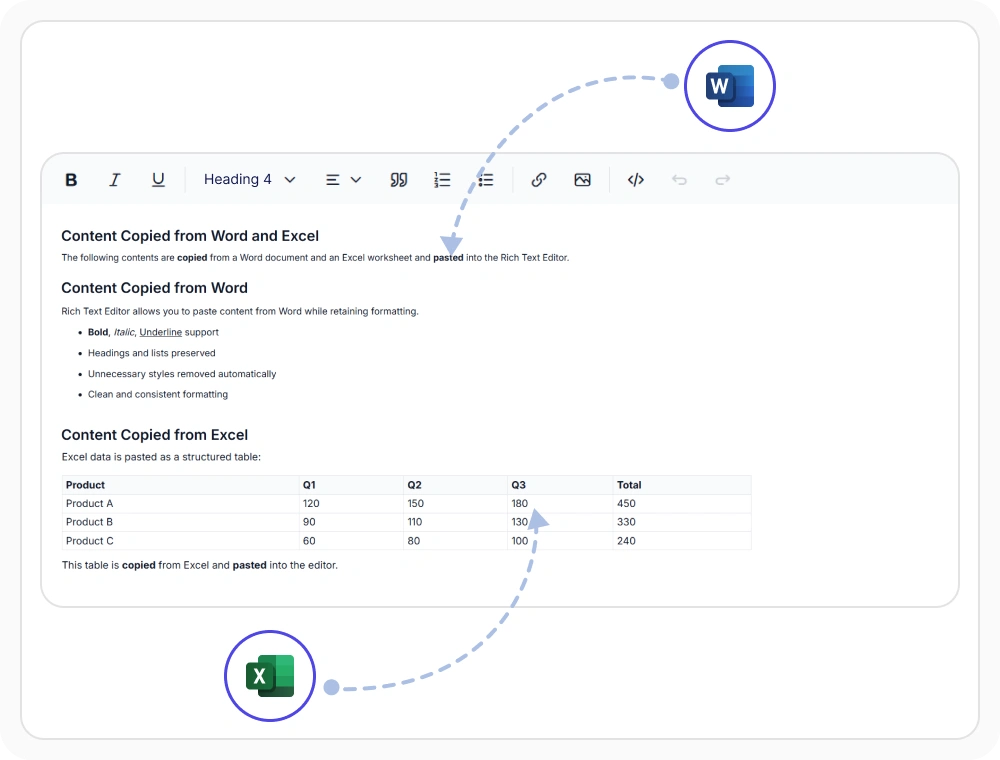
Clean formatting on paste
Clean format mode removes unwanted inline styles and non-structural HTML attributes while preserving headings, paragraphs, and lists. Use it when pasting content from external sources like web pages and emails to maintain consistent formatting, reduce cleanup efforts, and improve content quality.
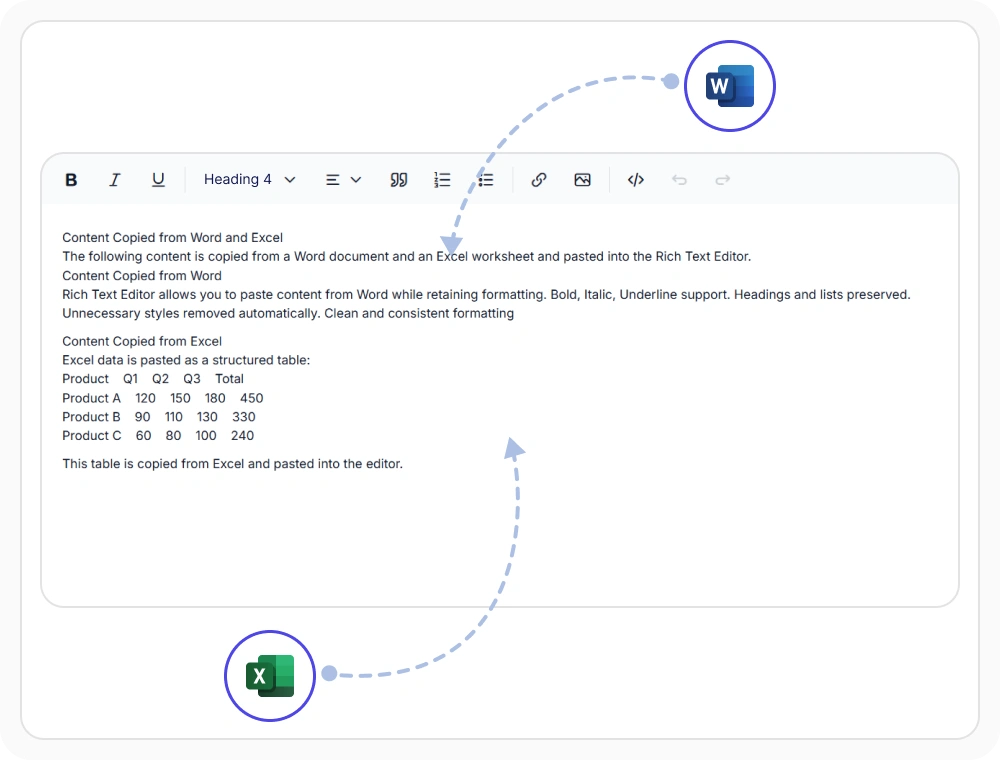
Plain text on paste
Plain text mode removes all HTML, formatting, and metadata from pasted content while applying the editor’s default styles. Use it when pasting content from external sources to create a clean starting point, maintain consistent formatting, and simplify content editing workflows.
See Why Developers Love Syncfusion
Our Customers Love Us
Having an excellent set of tools and a great support team, Syncfusion reduces customers’ development time. Here are some of their experiences.




Frequently Asked Questions
Can the React Rich Text Editor preserve formatting when pasting?
Yes. The React Rich Text Editor offers a Keep Format mode that retains the original styles, structure, tables, lists, and images from the source document. This is the recommended paste mode when users need to maintain branded layouts or visual fidelity from external content.
Can users choose paste behavior in the React Rich Text Editor?
Yes. The React Rich Text Editor can display a paste prompt dialog on every paste action, letting users choose between Keep Format, Clean Format, and Plain Text modes interactively. Developers can also configure the default paste behavior programmatically without requiring user input.
Can specific HTML tags be blocked in the React Rich Text Editor?
Yes. The React Rich Text Editor lets developers automatically remove specific HTML tags and attributes from pasted content. This provides precise control over the paste cleanup process and helps maintain clean, secure, and consistent document formatting without custom post processing code.
Can the React Rich Text Editor strip formatting on paste?
Yes. The React Rich Text Editor provides Clean Format and Plain Text paste modes that remove unwanted styles, attributes, and HTML tags from pasted content. Clean Format preserves the content hierarchy while Plain Text strips all markup and applies the editor’s default styles.
Which sources can be pasted into the React Rich Text Editor?
The React Rich Text Editor accepts pasted content from Word, Excel, Outlook, Google Docs, and third party HTML sources. Paste Cleanup automatically sanitizes and normalizes content while preserving the selected paste mode, eliminating the need for manual reformatting after pasting.
Can the React Rich Text Editor keep document structure while removing formatting?
Yes. The React Rich Text Editor Clean Format mode removes unwanted styles and attributes while preserving document structure, including headings, paragraphs, and lists. This helps maintain readability and consistent formatting without manual cleanup.
Resources
Learn more about our React Rich Text Editor
Explore demos, KB articles, and documentation to get the most out of the React Rich Text Editor.
Explore guides, APIs, and quick-start tips
See live use cases in action
Ask, share, and connect with peers
Find solutions and best practices fast
Get expert help when you need it
Feature requests and bug reports
Track issues and suggest improvements
Awards
Greatness—it’s one thing to say you have it, but it means more when others recognize it. Syncfusion® is proud to hold the following industry awards.









