Try Our Live Demo
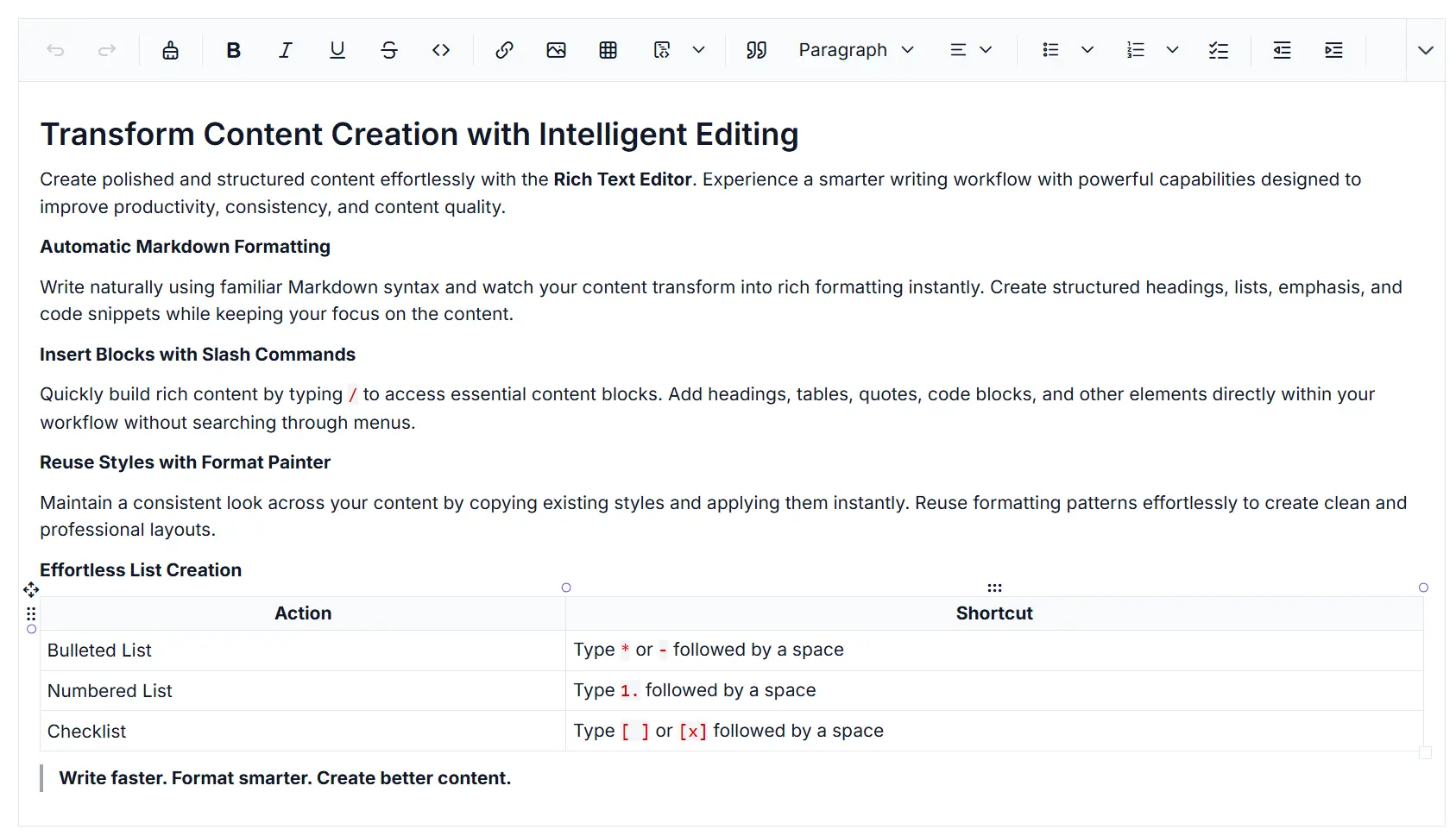
Streamlined editing and formatting workflows in Rich Text Editor
Write faster in the React Rich Text Editor with intelligent shortcuts, slash commands, format painter, and reusable styling tools. Streamline content creation and maintain consistent formatting across documents with efficient editing workflows.
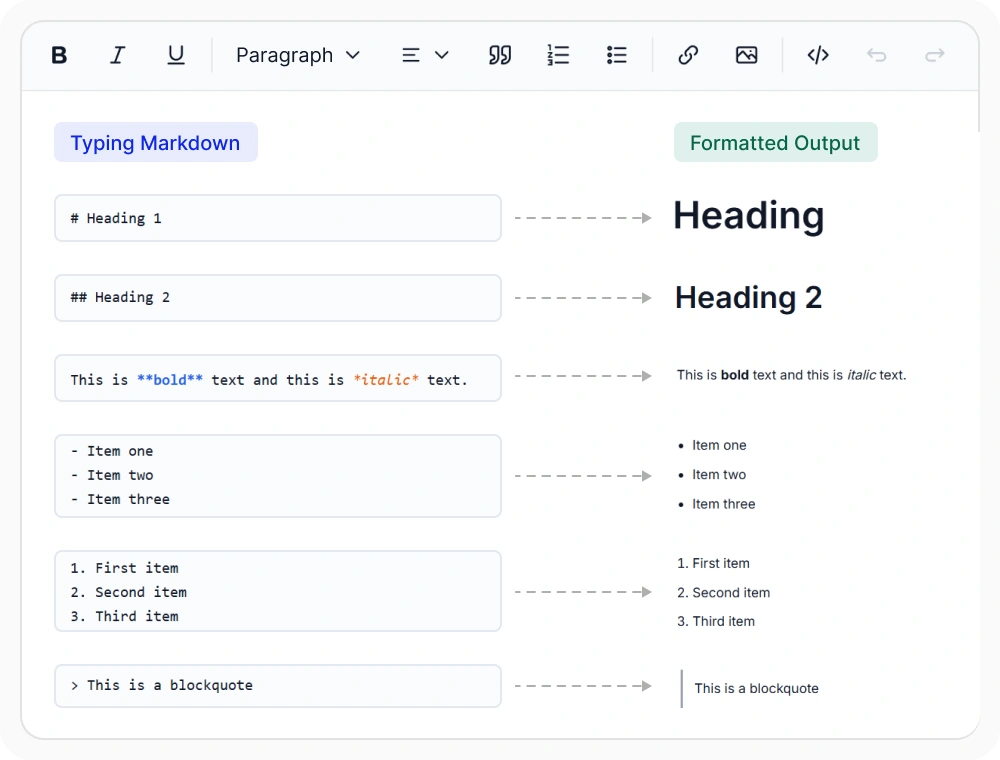
Automatic Markdown formatting
Markdown shortcuts automatically convert typed syntax for headings, lists, bold text, and code blocks into rich text formatting while authors write. Use them to structure content naturally during drafting, reduce manual formatting, and maintain consistent document formatting.
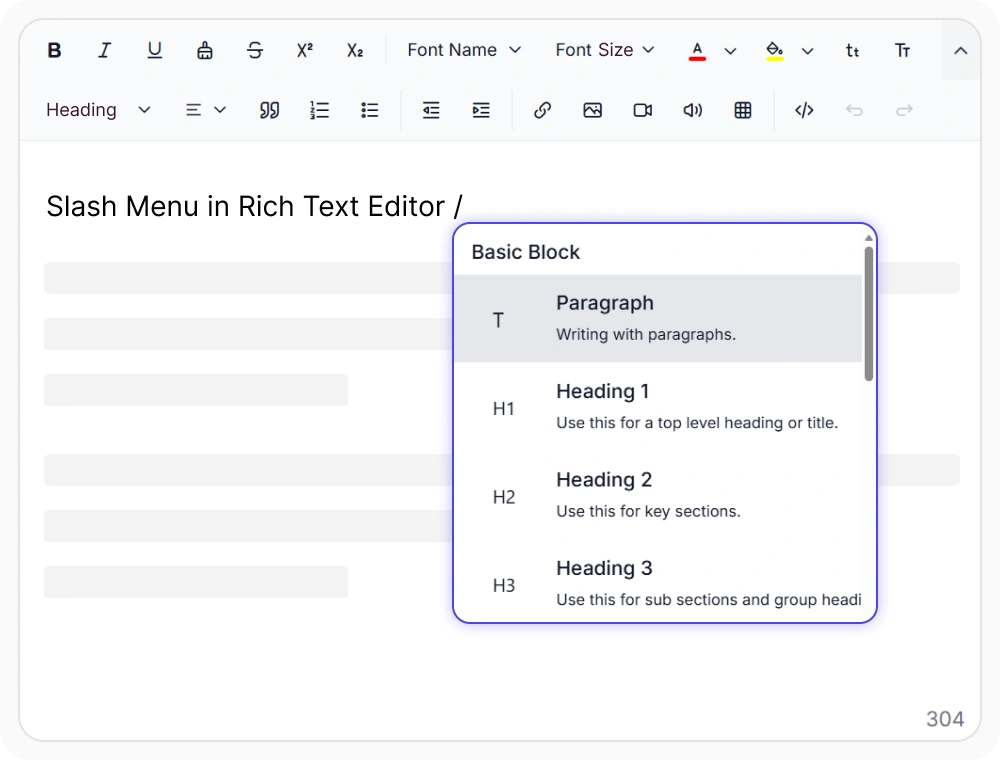
Insert blocks with slash commands
Typing the / character opens a command menu for inserting tables, headings, quotes, code blocks, and other content blocks. Use it to insert structured content quickly, reduce toolbar navigation, and maintain a focused writing workflow.
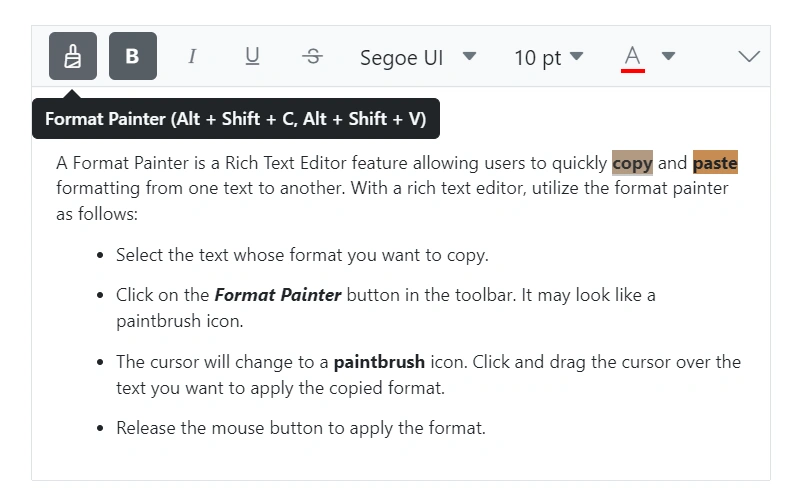
Reuse styles with format painter
Copy text formatting from one selection and apply it to another with format painter. Use it to maintain consistent formatting, reduce repetitive styling, and standardize the appearance of headings, paragraphs, tables, and other document content.
See Why Developers Love Syncfusion
Our Customers Love Us
Having an excellent set of tools and a great support team, Syncfusion reduces customers’ development time. Here are some of their experiences.




Frequently Asked Questions
What quick content formatting options are available in the React Rich Text Editor?
The React Rich Text Editor includes Markdown shortcuts, a slash commands, and a format painter. Markdown shortcuts apply supported formatting as content is entered, the slash commands provides access to formatting and insertion actions within the editor, and the format painter copies supported formatting between content selections.
Can I add custom commands to the React Rich Text Editor slash commands?
Yes. It allows users to add custom slash commands item alongside built-in options for headings, lists, block quotes, code blocks, tables, links, and media. Each custom item can perform an application-specific action, such as inserting a template, meeting notes, or a signature.
Does the React Rich Text Editor support Markdown shortcuts?
Yes. The React Rich Text Editor converts supported Markdown patterns into formatted content as they are entered. This allows authors to apply common text styles and content structures without moving focus to the toolbar. It helps streamline content creation, improve editing efficiency, and maintain a faster writing workflow for documentation teams.
How does the React Rich Text Editor format painter maintain consistent styling?
The format painter copies supported formatting from selected content and applies it to another selection. It helps maintain consistent typography and styling across long-form content and multi-author workflows. This reduces repetitive formatting tasks and promotes a more consistent editing experience.
Resources
Learn more about our React Rich Text Editor
Explore demos, KB articles, and documentation to get the most out of the Rich Text Editor.
Explore guides, APIs, and quick-start tips
See live use cases in action
Ask, share, and connect with peers
Find solutions and best practices fast
Get expert help when needed
Feature requests and bug reports
Track issues and suggest improvements
Awards
Greatness—it’s one thing to say you have it, but it means more when others recognize it. Syncfusion® is proud to hold the following industry awards.









