Try Our Live Demo
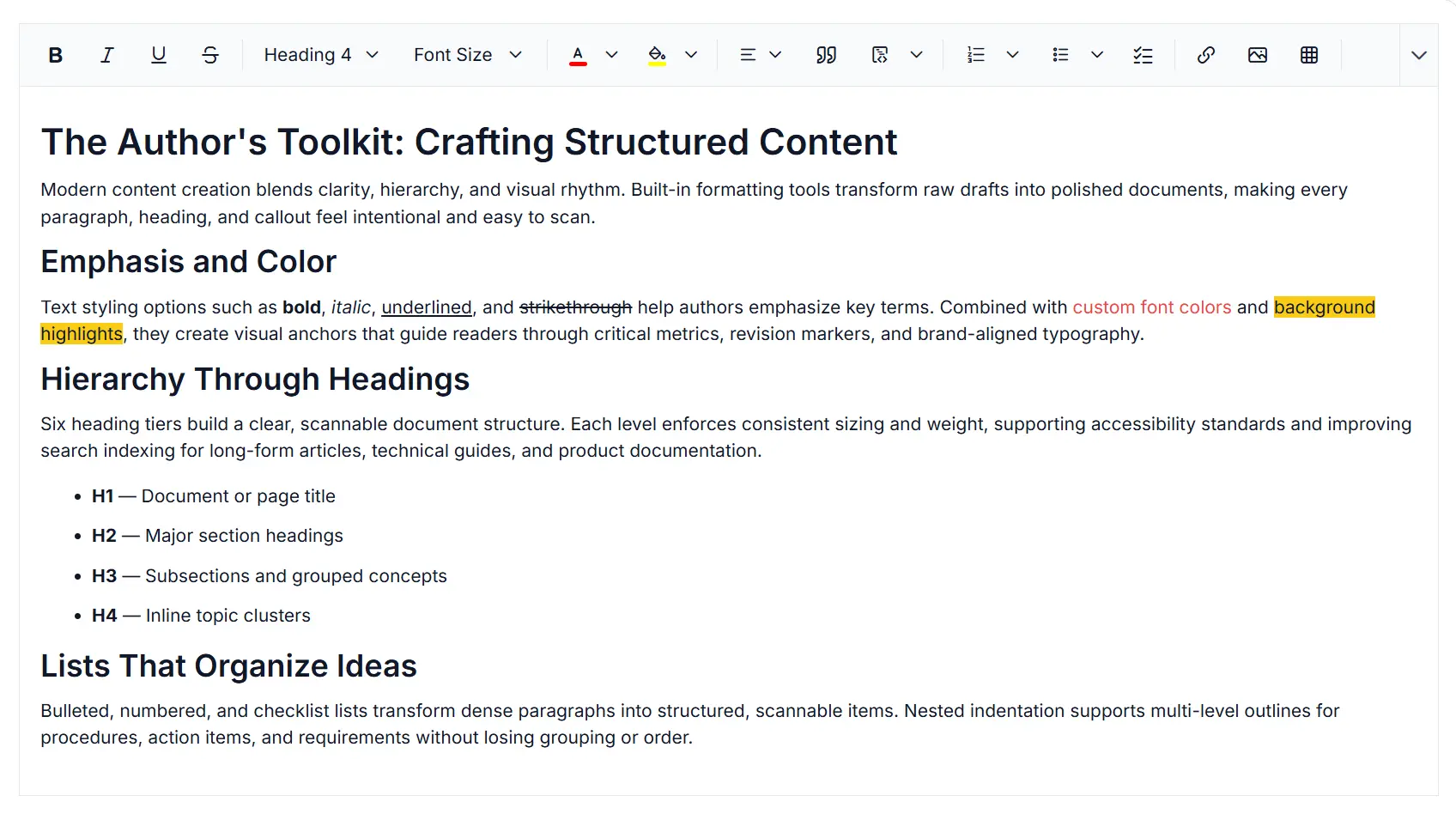
Advanced table editing and layout management in Rich Text Editor
Create structured and professional tables in the React Rich Text Editor with flexible layout controls, advanced table editing features, and rich formatting options for complex content creation and document authoring workflows.
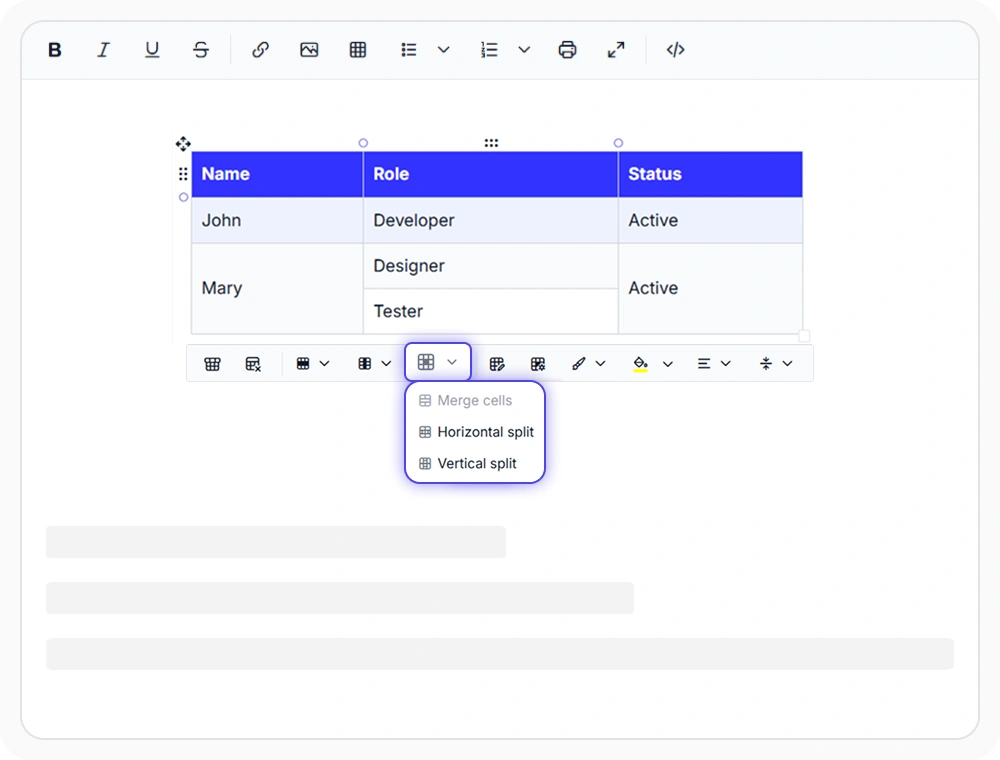
Merge, split, and structure cells
Merge and split table cells to create structured layouts with grouped headers and organized content. Use them to build financial reports, HR directories, comparison tables, and other documents that require flexible, well-organized table structures.
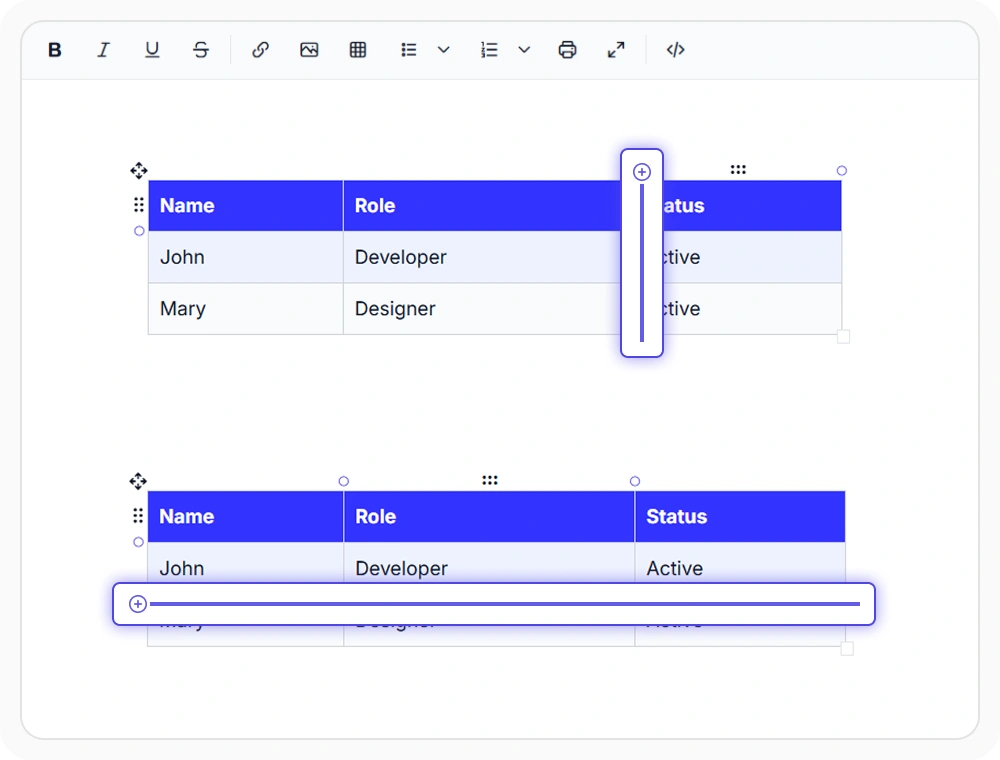
Insert rows and columns on demand
Insert rows and columns at any table position while preserving existing table structure and formatting. Use them to expand financial reports, project plans, comparison tables, and business documents as new records, tasks, and data are added over time.
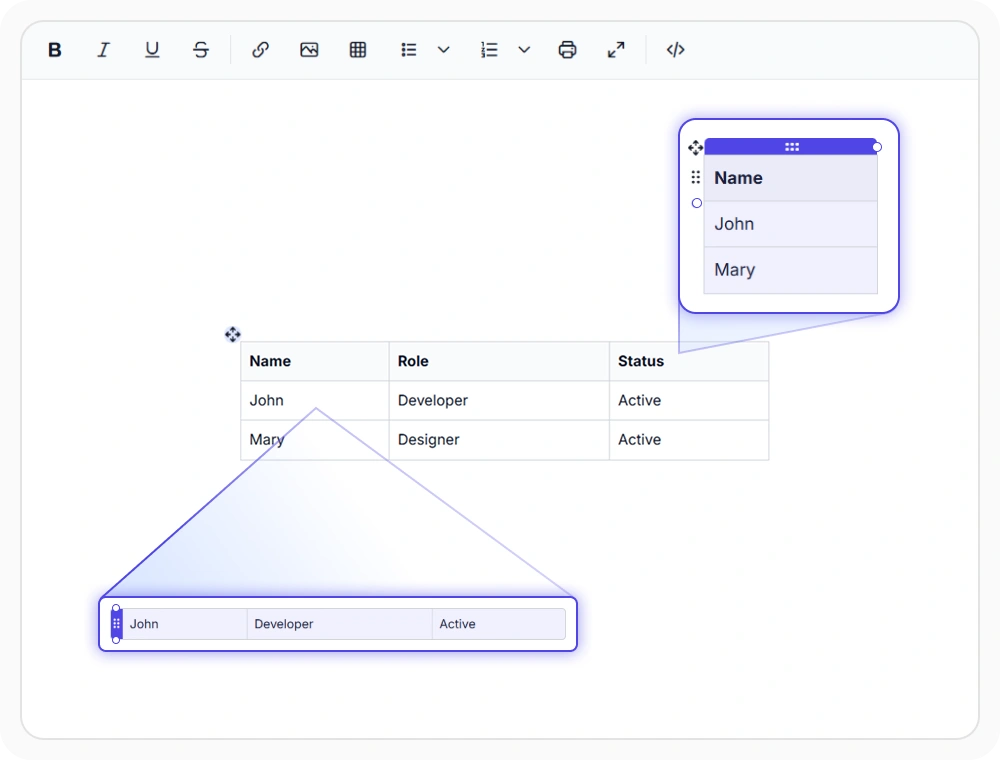
Quick table and cell selection
Select table cells, rows, columns, or entire tables to perform editing and formatting operations efficiently. Use table selection to streamline bulk updates, apply consistent formatting, and manage complex tables across business and technical documents.
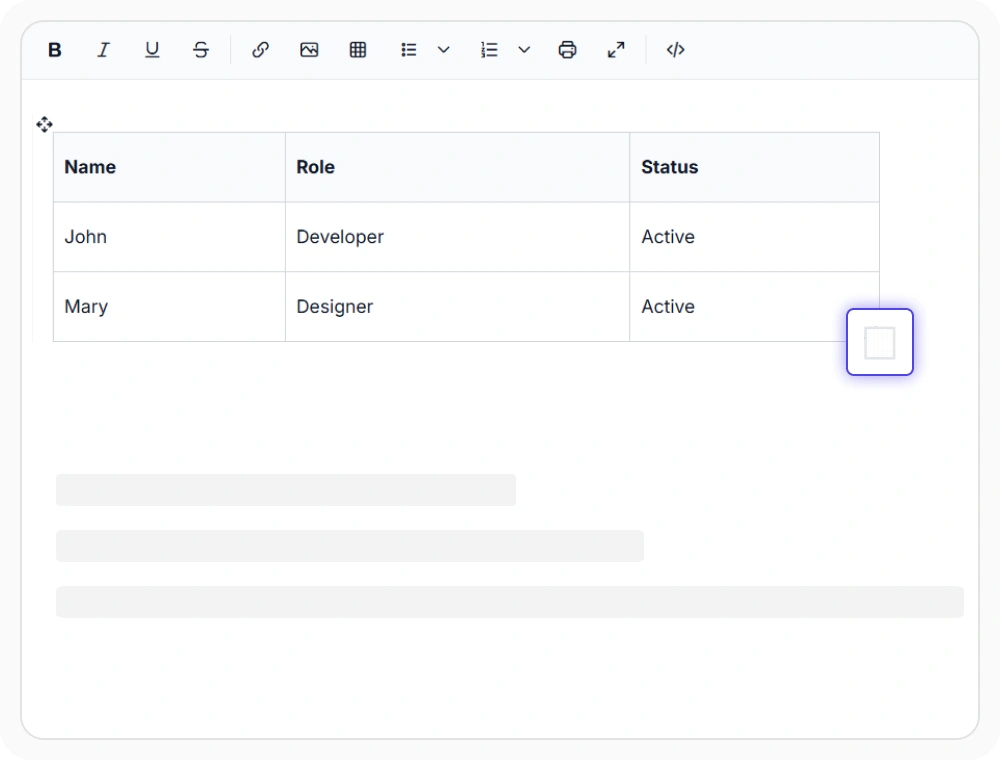
Resize rows, columns, and tables
Resize table rows, columns, or entire tables directly within the editor using drag controls for precise layout adjustments. Use it to improve readability, create balanced table layouts, and optimize reports, financial statements, and business documents for different viewing experiences.
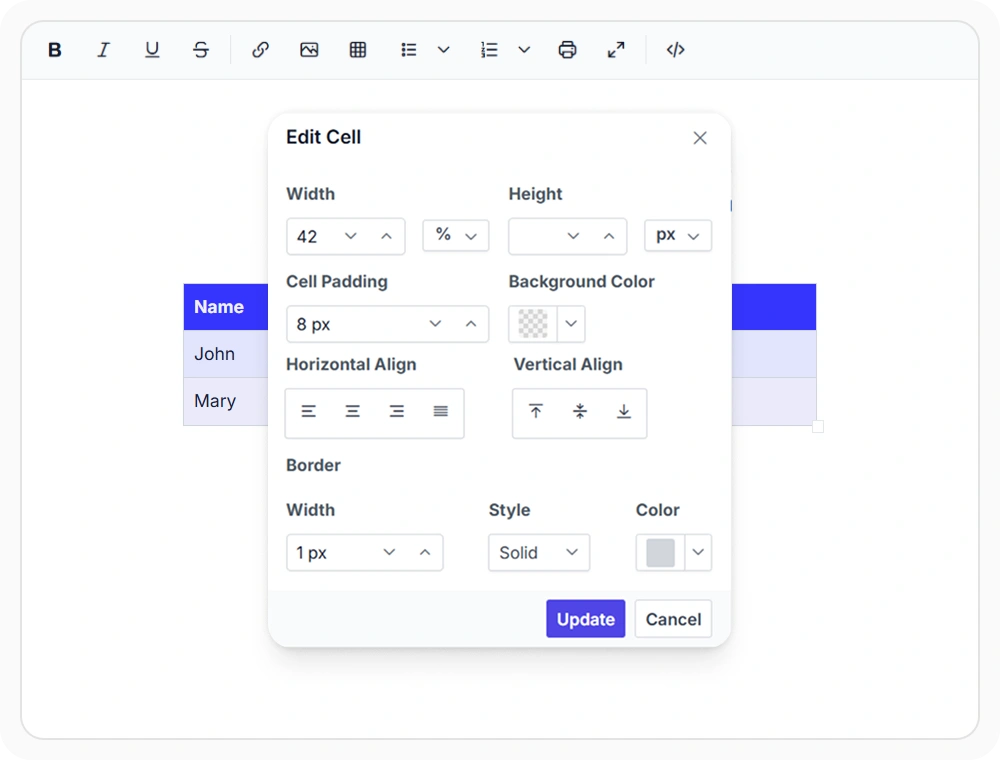
Table cell formatting
Format individual table cells with text alignment, borders, background colors, padding, and vertical alignment. Use it to highlight important information, improve table readability, and create structured layouts for reports, invoices, schedules, and business documents.
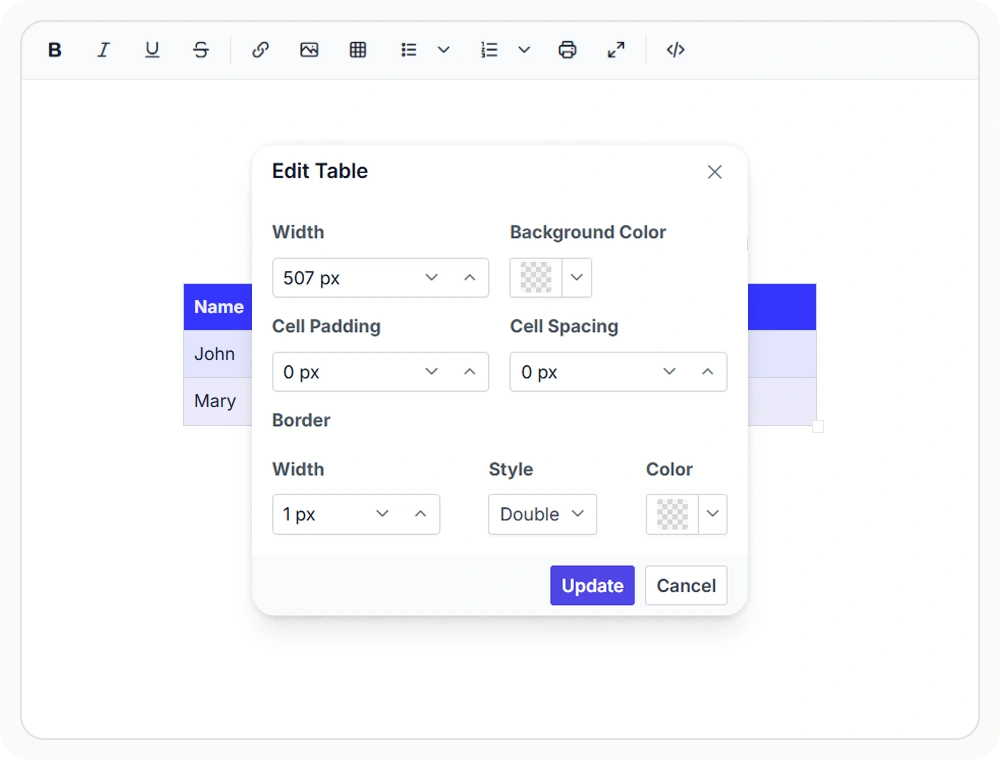
Advanced table formatting
Customize table-level alignment, sizing, borders, and spacing to create consistent layouts across entire tables. Use it to maintain a uniform appearance, reinforce branding, and standardize tables across reports, review documents, and structured content.
See Why Developers Love Syncfusion
Our Customers Love Us
Having an excellent set of tools and a great support team, Syncfusion reduces customers’ development time. Here are some of their experiences.




Frequently Asked Questions
Does the React Rich Text Editor support merging and splitting table cells
Yes. The React Rich Text Editor supports merging adjacent cells for structured headers and splitting cells to expand content. Merged cells produce clean semantic HTML output, and the operation is fully reversible so authors can restructure tables as data evolves.
Can I resize tables directly in the React Rich Text Editor?
Yes. The React Rich Text Editor supports resizing rows, columns, and entire tables with visual drag controls. Resized dimensions persist in the saved document and render consistently across browsers without custom CSS.
Can I configure full table formatting in the React Rich Text Editor?
Yes. The React Rich Text Editor supports alignment, size, borders, and spacing for full table formatting. Authors can apply consistent table styles while allowing individual cells to be formatted separately when needed.
Does the React Rich Text Editor support adding rows and columns on demand?
Yes. The React Rich Text Editor allows rows and columns to be inserted anywhere in a table without affecting existing formatting. The contextual quick toolbar displays insertion options when a table is selected.
Can I format individual table cells in the React Rich Text Editor?
Yes. The React Rich Text Editor supports alignment, borders, colors, and spacing for individual cells. Authors can highlight specific values or differentiate header rows without overriding the rest of the table.
Does the React Rich Text Editor provide a contextual toolbar for tables?
Yes. The React Rich Text Editor shows a quick toolbar when a table is selected for fast editing. The contextual toolbar exposes merge, split, insert row, insert column, delete, and alignment actions so authors can perform common operations without leaving the keyboard flow.
Resources
Learn more about our React Rich Text Editor
Explore demos, KB articles, and documentation to get the most out of the React Rich Text Editor.
Explore guides, APIs, and quick-start tips
See live use cases in action
Ask, share, and connect with peers
Find solutions and best practices fast
Get expert help when needed
Feature requests and bug reports
Track issues and suggest improvements
Awards
Greatness—it’s one thing to say you have it, but it means more when others recognize it. Syncfusion® is proud to hold the following industry awards.









