Try Our Live Demo
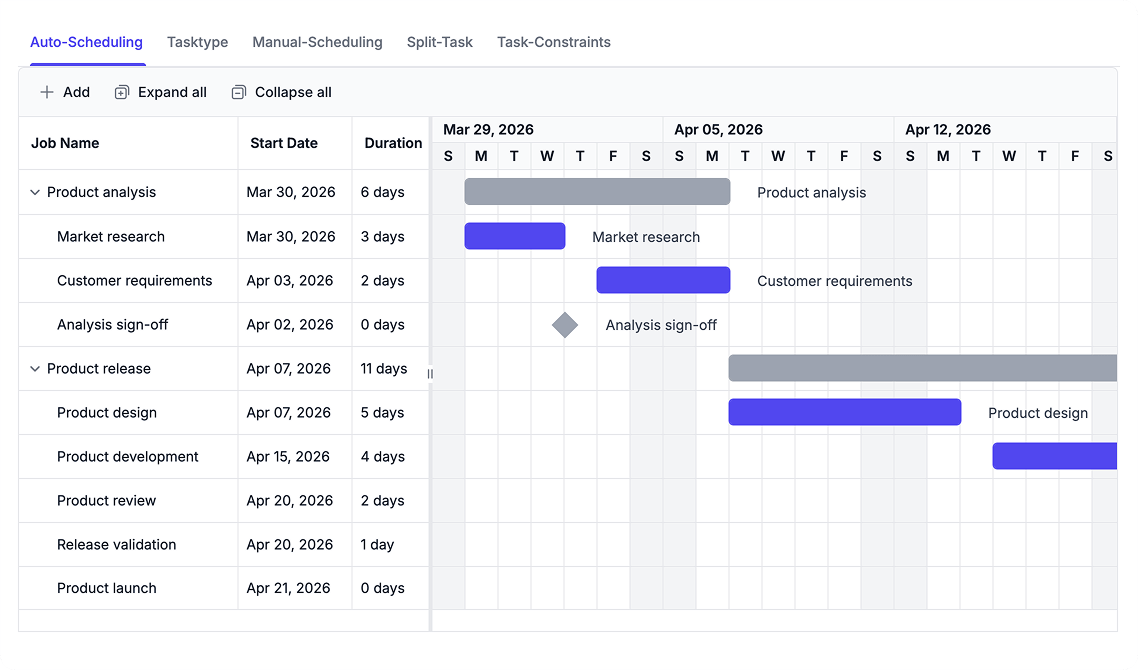
Configure Scheduling Behavior
Apply automatic or manual scheduling modes depending on project requirements. Ensure accurate date calculations by considering dependencies, calendars, constraints, and task types.
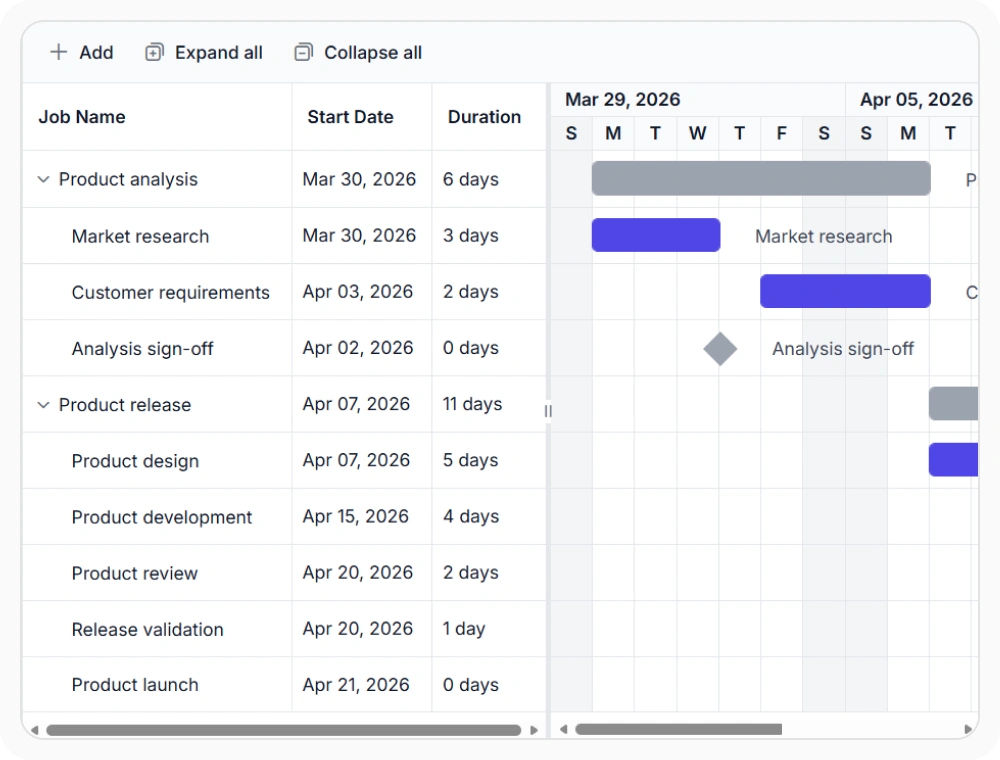
Coordinate dates with auto scheduling
Auto scheduling recalculates task dates as timeline conditions change. This helps teams maintain accurate schedules across dependent tasks. Use it when related tasks should update according to scheduling logic.
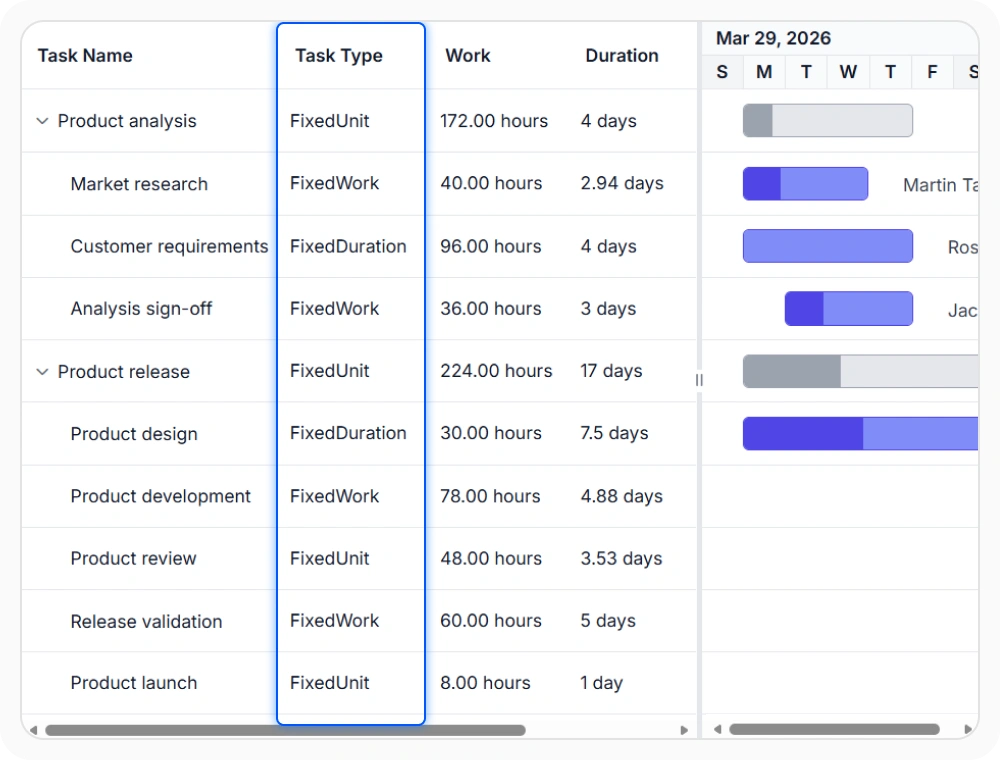
Configure scheduling with task types
Task types determine whether work, duration, or resource units remain fixed during recalculation. This helps teams apply the appropriate scheduling approach for different project activities. Use them when tasks require different scheduling models.
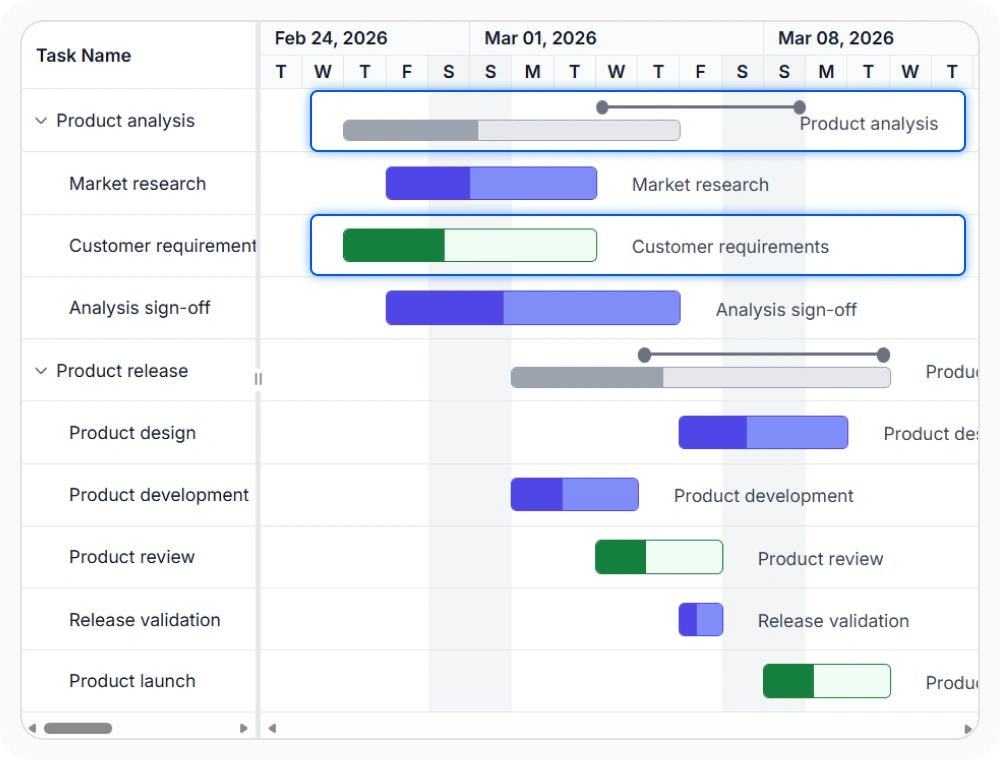
Preserve dates with manual scheduling
Manual scheduling keeps assigned task dates from being recalculated automatically. This helps teams maintain direct control over important project timelines. Use it when selected tasks must retain planned timing.
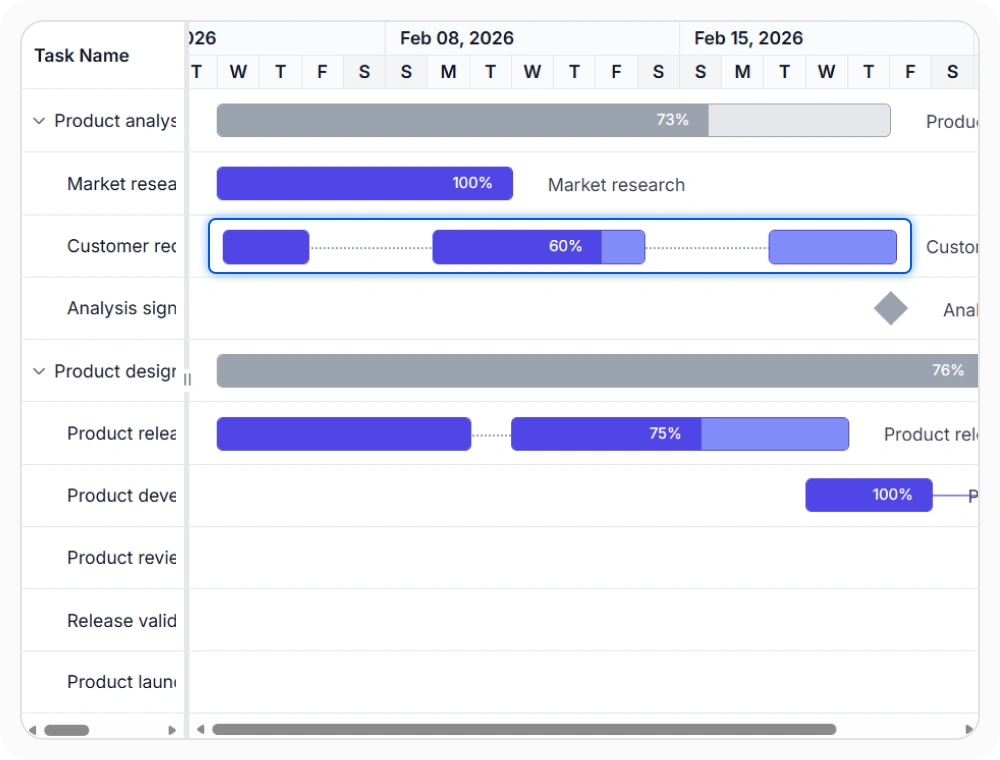
Manage work with split tasks
Split tasks represent interrupted work across multiple time ranges. This helps teams plan activities that pause and resume during a project. Use them when one activity occurs in separate stages.
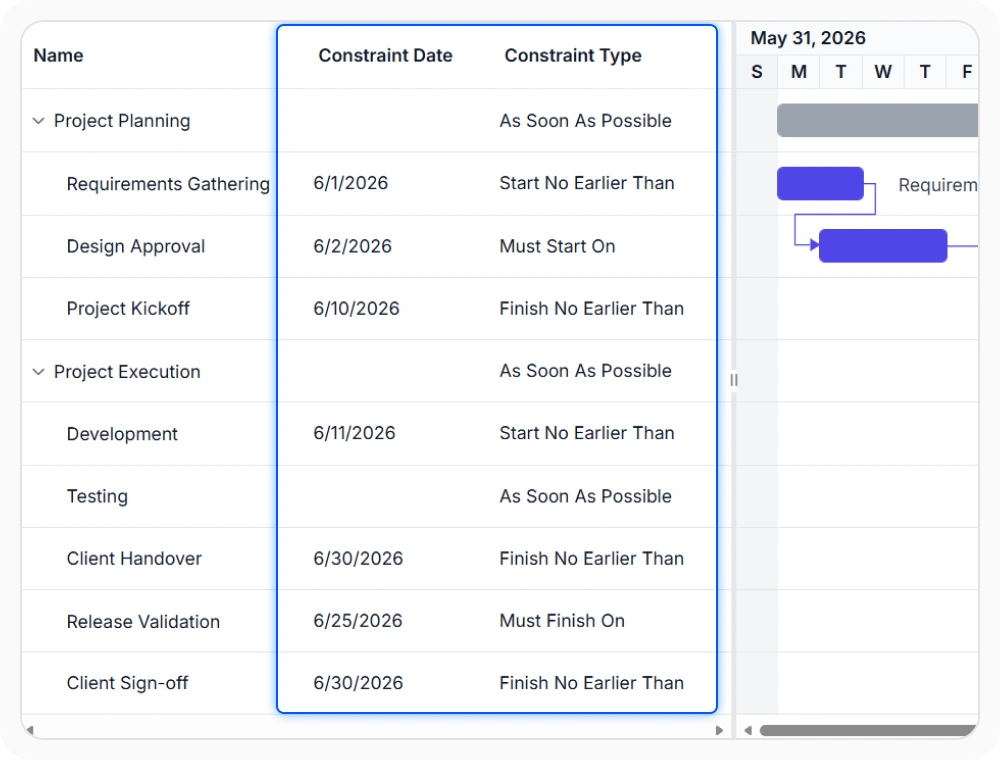
Set boundaries with task constraints
Task constraints restrict when tasks can start or finish. This helps teams enforce scheduling requirements and date commitments. Use them when project dates must follow defined scheduling boundaries.
See Why Developers Love Syncfusion
Our Customers Love Us
Having an excellent set of tools and a great support team, Syncfusion reduces customers’ development time. Here are some of their experiences.





Frequently Asked Questions
How does React Gantt Chart handle manual scheduling?
Manual scheduling allows task dates to remain fixed instead of being automatically recalculated when related tasks or schedule conditions change. This helps teams maintain direct control over important project timelines.
Can I use automatic and manual task scheduling in the same React Gantt Chart project?
Yes. React Gantt Chart supports both automatic and manual scheduling modes within the same project. Use automatic scheduling for tasks that should be recalculated based on project scheduling rules, and manual scheduling for tasks that need to retain fixed dates despite changes to related tasks or the project timeline.
How do task constraints affect project schedules?
Task constraints limit when tasks can start or finish based on defined scheduling rules. They help enforce project deadlines and other date requirements while planning and managing schedules.
Can React Gantt Chart automatically update task dates when dependencies change?
Yes. React Gantt Chart can update related task dates based on dependency relationships and scheduling rules when project timelines change. This helps maintain task relationships and reduces the need for manual schedule updates.
When should I use split tasks in React Gantt Chart?
Use split tasks when work is interrupted by planned breaks, resource availability, or other scheduling gaps. React Gantt Chart represents the task across multiple scheduled segments while maintaining it as a single project activity.
How do task types affect task scheduling in React Gantt Chart?
Task types determine whether work, duration, or resource units remain fixed when scheduling values change. This allows teams to apply different scheduling models based on the requirements of each task while maintaining accurate project schedules.
Resources
Learn more about React Gantt Chart
Explore demos, KB articles, and documentation to get the most out of React Gantt Chart.
Explore guides, APIs, and quick-start tips
See live use cases in action
Ask, share, and connect with peers
Find solutions and best practices fast
Get expert help when needed
Feature requests and bug reports
Track issues and suggest improvements
Awards
Greatness—it’s one thing to say you have it, but it means more when others recognize it. Syncfusion® is proud to hold the following industry awards.









