Try Our Live Demo
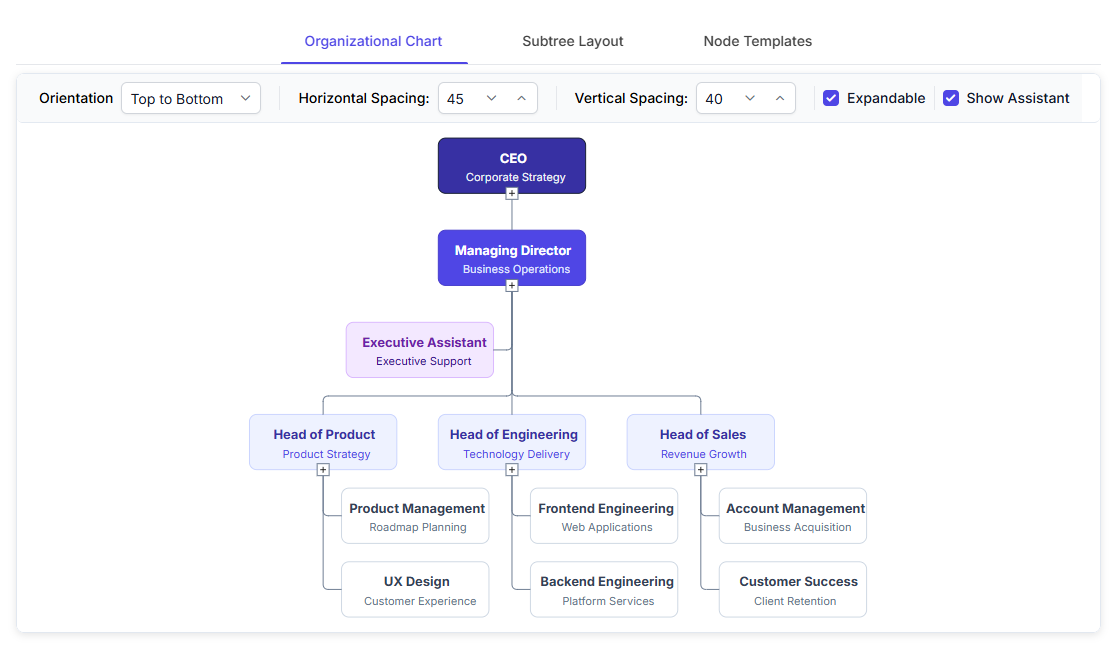
Explore React Diagram organizational chart features
Create clear organizational charts that show reporting relationships, assistant roles, department structures, and employee information. Customize individual branch layouts, expand or collapse large hierarchies, and use employee card templates to provide additional context.
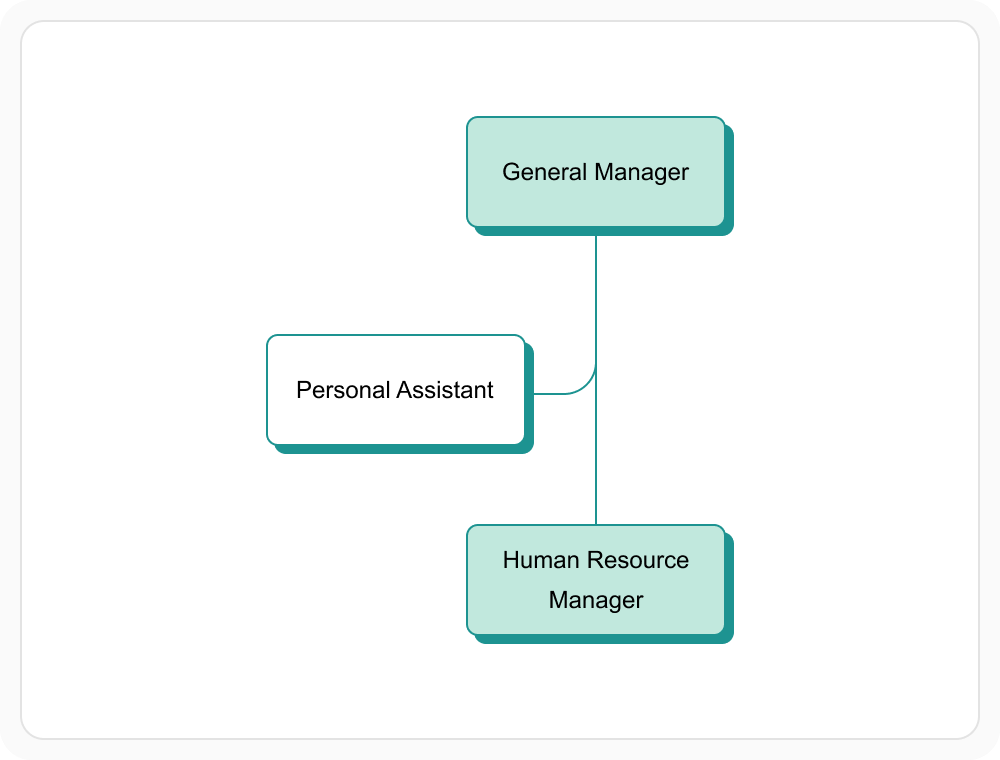
Show assistant roles separately
Place assistant, advisor, or supporting roles in a separate position within the organizational hierarchy. This keeps their relationship with a manager visible without presenting them as part of the standard reporting chain. Use this option when supporting roles must appear alongside leadership positions.
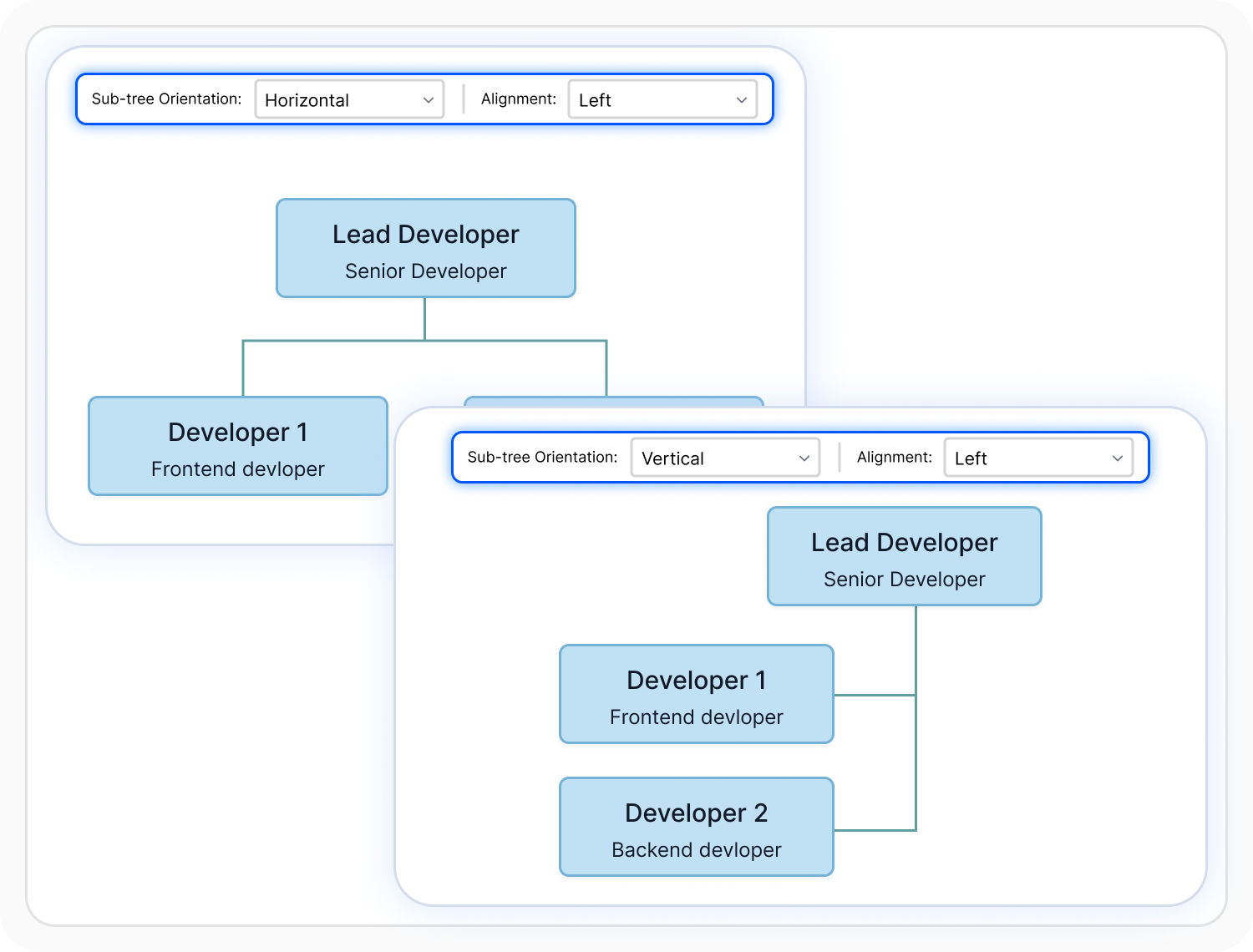
Customize branch layouts
Apply different orientation, alignment, and layout settings to individual departments or teams within the same organizational chart. This helps wide and deep teams use the available space effectively. Use branch-level layouts when departments differ in size or reporting depth.
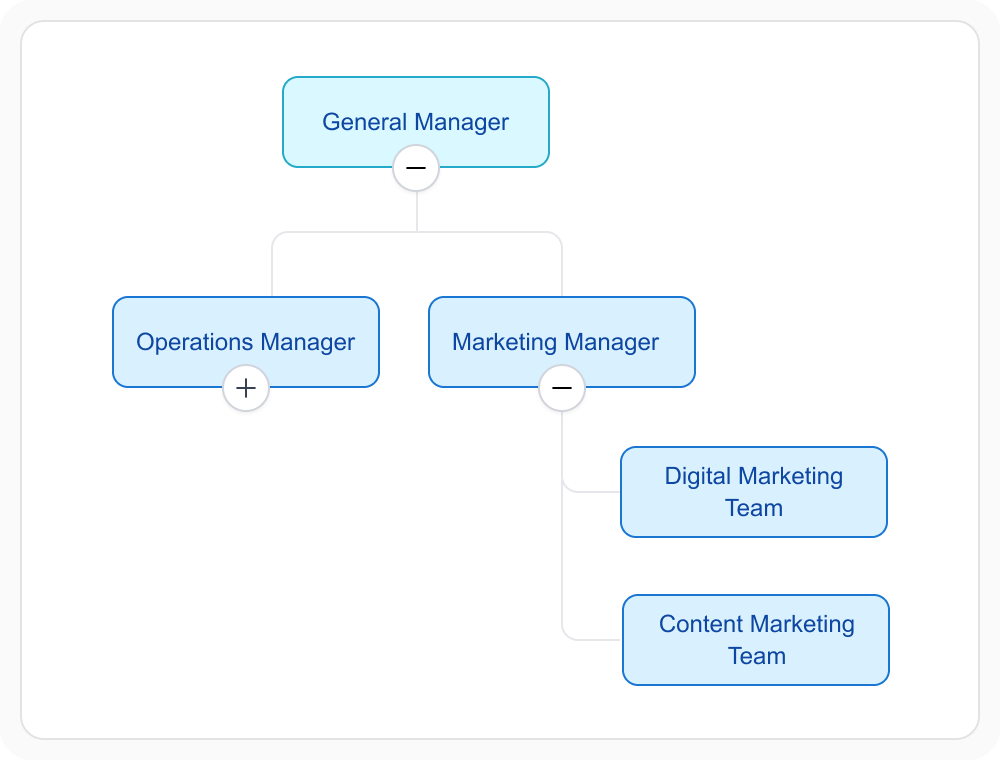
Expand and collapse branches
Expand branches to display team members and roles, or collapse them to simplify the organizational chart. This helps users focus on relevant teams or reporting levels instead of viewing the entire organization at once. Use this capability for large departments or organizations with several reporting levels.
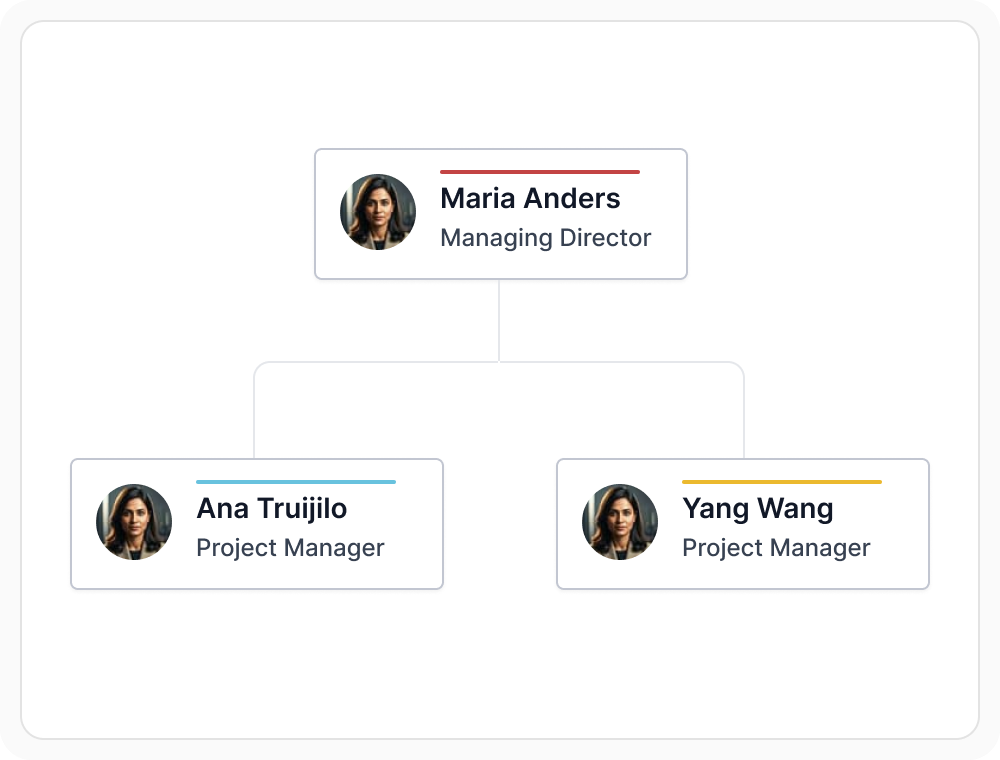
Customize employee cards
Use custom card templates to display employee details such as name, role, image, department, and contact information. These templates provide more context than a name alone and help the chart match an organization’s visual style. Use them when employee details and reporting relationships must appear together.
See Why Developers Love Syncfusion
Our Customers Love Us
Having an excellent set of tools and a great support team, Syncfusion reduces customers’ development time. Here are some of their experiences.




Frequently Asked Questions
What is an organizational chart in React Diagram?
React Diagram automatically arranges people and roles into a clear reporting structure. It positions managers and their team members and supports assistant roles, different layouts for individual branches, expand and collapse, and custom employee cards.
Can React Diagram customize organizational chart cards?
Yes. Employee cards can use custom templates to present details such as name, role, image, department, and contact information. This allows the organizational chart to show employee information alongside reporting relationships.
Can React Diagram show assistant roles separately?
Yes. Assistant, advisor, or supporting roles can be placed in a separate position within the organizational chart. This keeps their relationship with a manager visible while distinguishing them from the standard reporting hierarchy.
How does React Diagram handle large organizational charts?
Users can expand or collapse individual branches in a large organizational chart. This makes it easier to focus on relevant teams or reporting levels without displaying the entire organization at once. For example, users can expand one department while keeping unrelated departments collapsed.
Resources
Learn more about our React Diagram
Explore demos, knowledge base articles, and documentation to get the most out of the Diagram.
Explore guides, APIs, and quick-start tips
See live use cases in action
Ask, share, and connect with peers
Find solutions and best practices fast
Get expert help when needed
Feature requests and bug reports
Track issues and suggest improvements
Awards
Greatness—it’s one thing to say you have it, but it means more when others recognize it. Syncfusion® is proud to hold the following industry awards.









