Try Our Live Demo
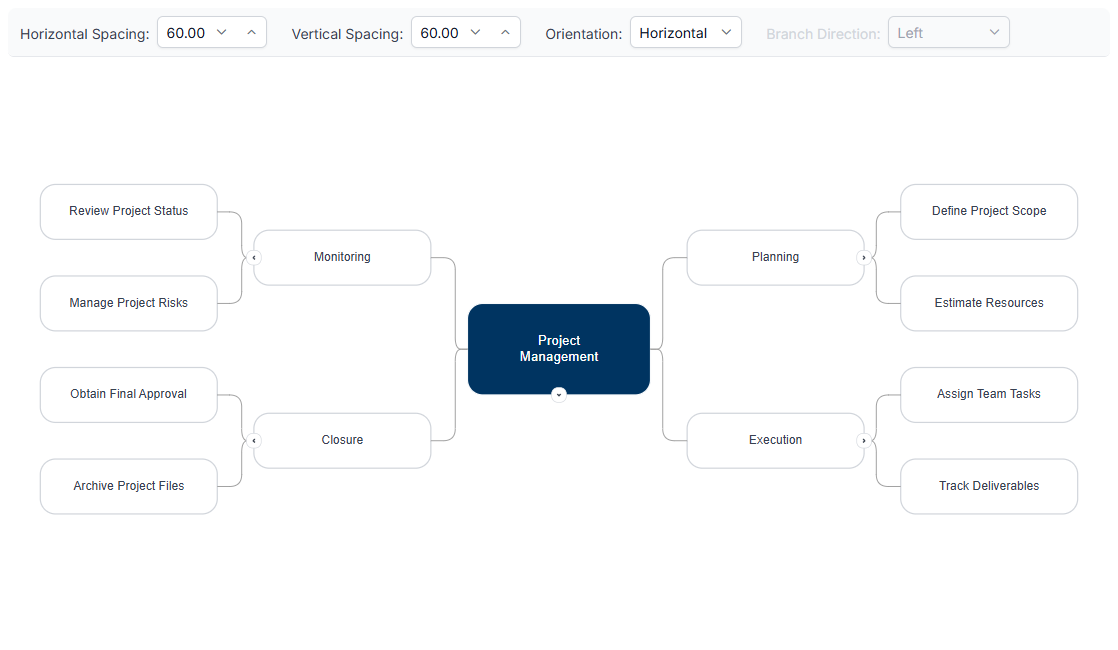
Explore React Diagram mind map features
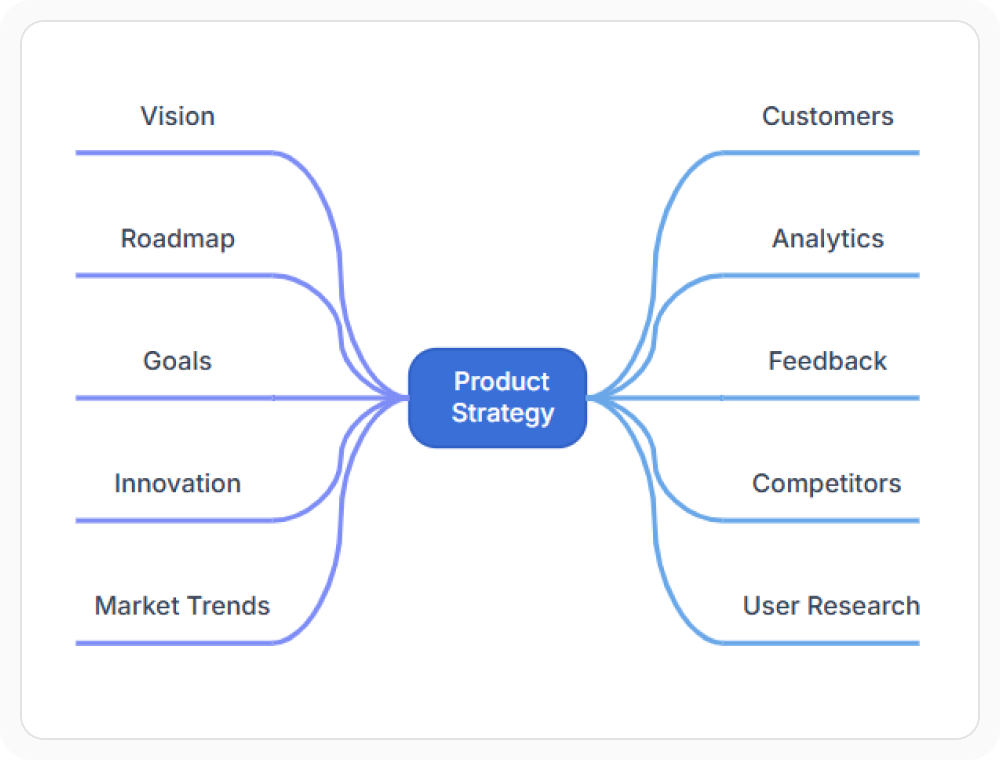
Organize related topics around a central idea using flexible orientation, spacing, and branch-direction controls. Expand or collapse branches to focus on relevant information, and use custom templates to give topics additional context and a consistent visual presentation.
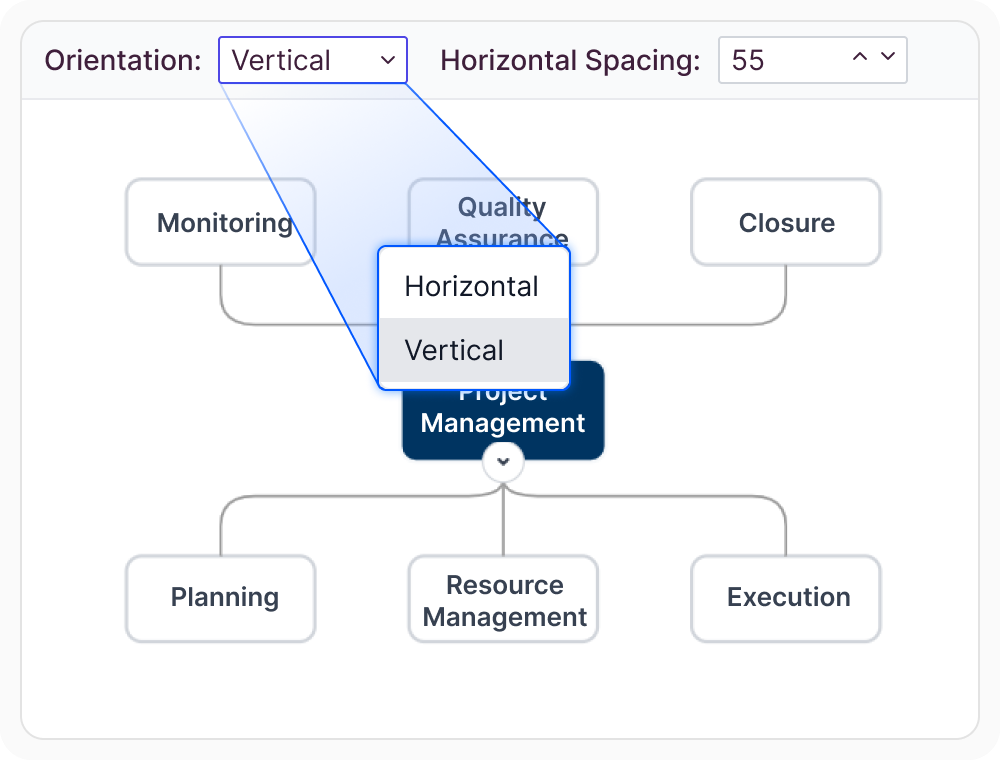
Adjust orientation and spacing
Arrange the mind map horizontally or vertically and adjust the spacing between topics to improve readability. These settings help reduce crowding and make deep or wide topic structures easier to scan. Use them when the map needs to fit a particular reading direction or available space.
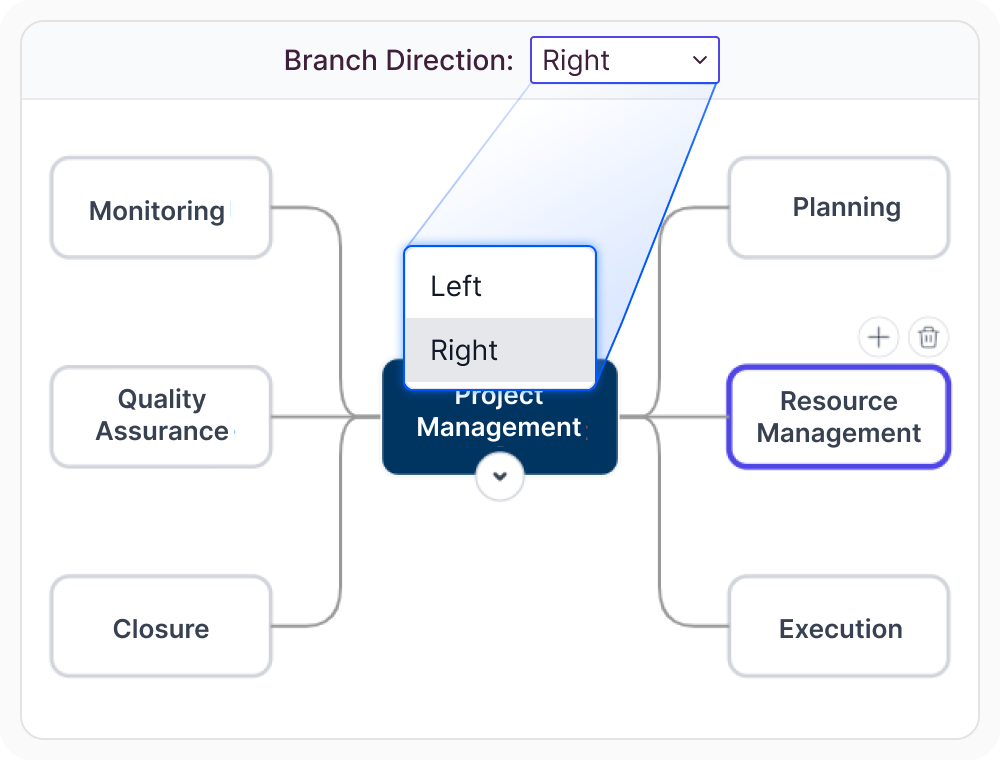
Balance topics with branch direction control
Branch direction control places selected root-level branches on the left or right of the central topic. This helps distribute topics across both sides of the map and prevents one side from becoming overcrowded. Use it when related topic groups need a balanced and readable arrangement.
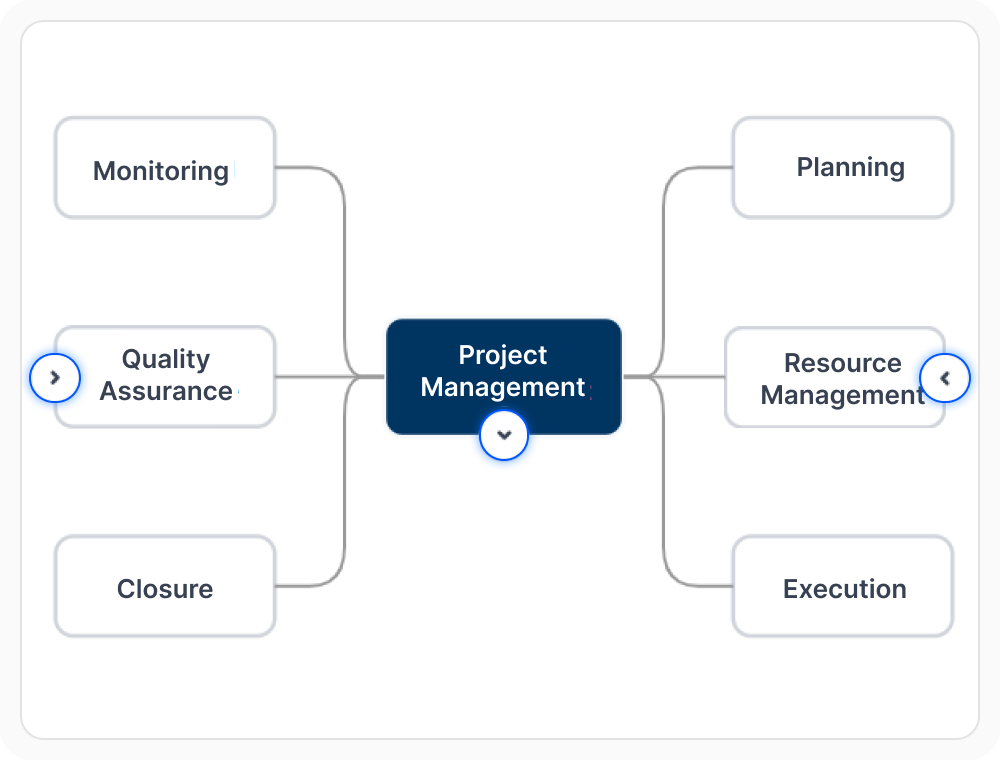
Focus on topics with expand and collapse
Expand branches to review their child topics and collapse them to simplify the view. This keeps large mind maps easier to navigate without removing the broader topic structure. Use it when one section needs closer attention while other branches remain minimized.
Customize topics with templates
Custom templates can give topics a distinct visual presentation and display richer content than plain text alone. They can help communicate topic purpose, importance, status, or category at a glance. Use them when mind map topics need additional context or consistent application styling.
See Why Developers Love Syncfusion
Our Customers Love Us
Having an excellent set of tools and a great support team, Syncfusion reduces customers’ development time. Here are some of their experiences.




Frequently Asked Questions
What is React Diagram mind map layout?
React Diagram mind map layout arranges related topics around a central idea in a structured visual map. It helps teams review how concepts branch outward while keeping the overall layout easier to read and maintain.
Can React Diagram mind map branches be expanded and collapsed?
Yes. Branches can be expanded to show detailed sections or collapsed to simplify the view. This keeps larger maps easier to review while preserving the overall topic structure.
How does React Diagram mind map layout handle large maps?
Large mind maps can be kept readable by adjusting orientation and spacing, distributing branches across both sides of the central topic, and collapsing sections that are not currently needed. Users can then focus on one part of the map without losing the overall topic structure.
How does React Diagram mind map layout arrange branches?
React Diagram mind map layout positions connected topics as branches around a central idea, with spacing and orientation that can be adjusted to improve readability. Branch direction control also lets selected branches connected directly to the central topic appear on the left or right for a balanced layout.
Can React Diagram customize topic presentation?
Yes. Custom templates can be applied to style topics and create a visually clear, polished mind map. This helps different parts of the map communicate more context at a glance.
Resources
Learn more about our React Diagram
Explore demos, knowledge base articles, and documentation to get the most out of the Diagram.
Explore guides, APIs, and quick-start tips
See live use cases in action
Ask, share, and connect with peers
Find solutions and best practices fast
Get expert help when needed
Feature requests and bug reports
Track issues and suggest improvements
Awards
Greatness—it’s one thing to say you have it, but it means more when others recognize it. Syncfusion® is proud to hold the following industry awards.









