Try Our Live Demo
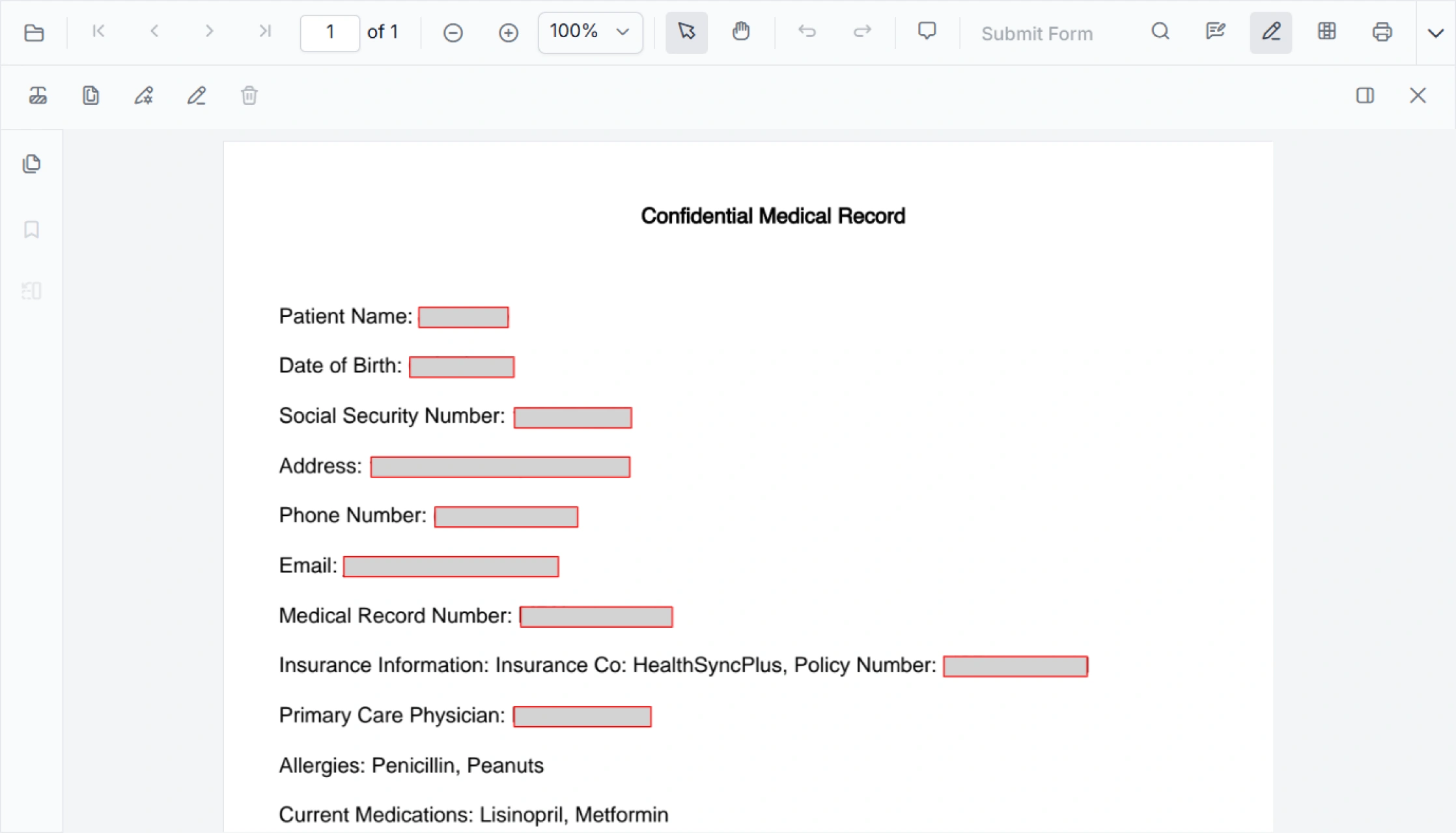
Protect Confidential Information in PDF Documents
Prevent unauthorized access to confidential information by eliminating sensitive content from PDF documents. Apply targeted redaction to text, images, page sections, or full pages using multiple review and detection methods.
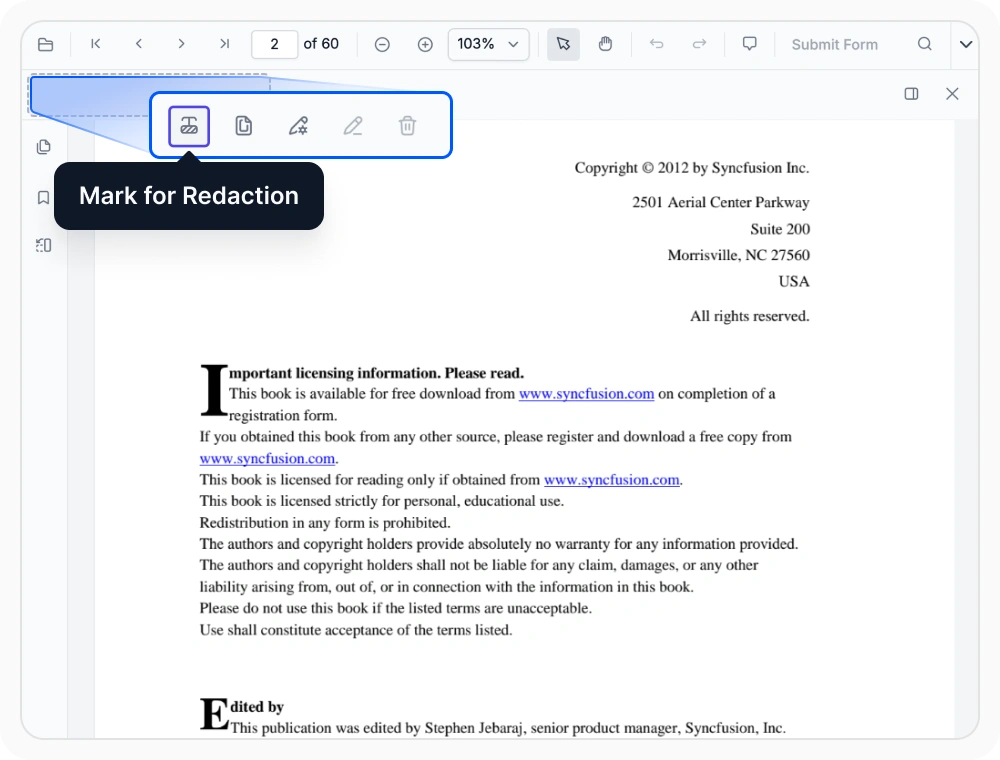
Redact content with the toolbar
Manually mark sensitive text, images, or selected document regions for redaction using the toolbar. Use it when sensitive content must be reviewed individually before permanent removal.
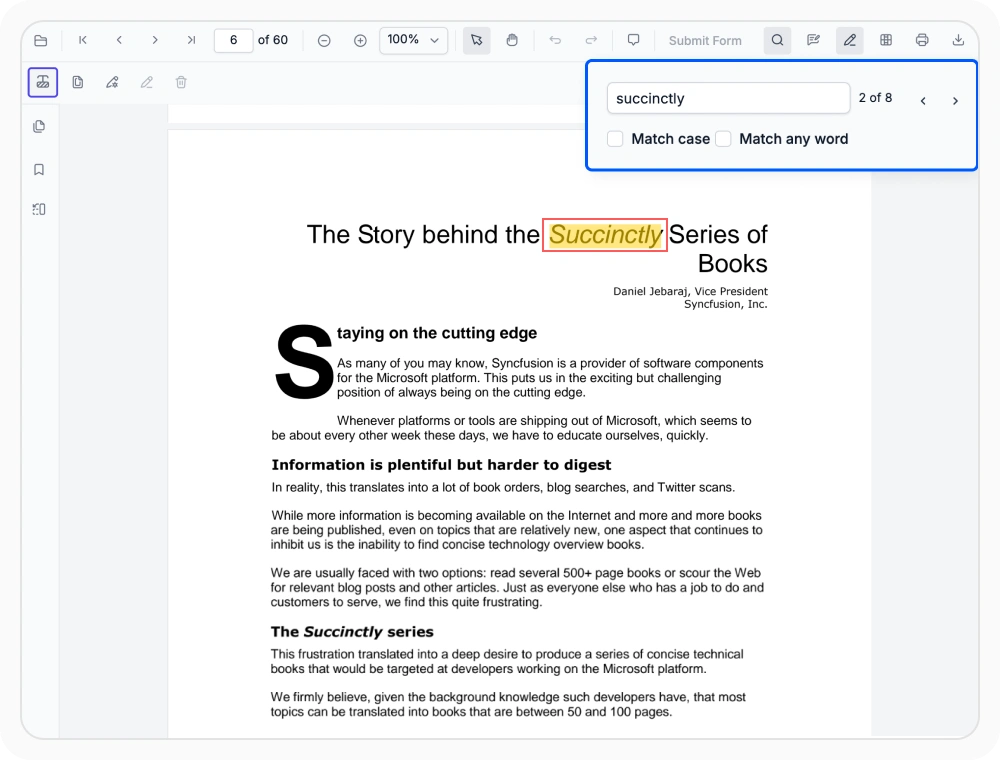
Search and redact matching text
The text search option finds and highlights every occurrences of a searched term for review and manual redaction. Use it when specific information appears repeatedly across multiple pages.
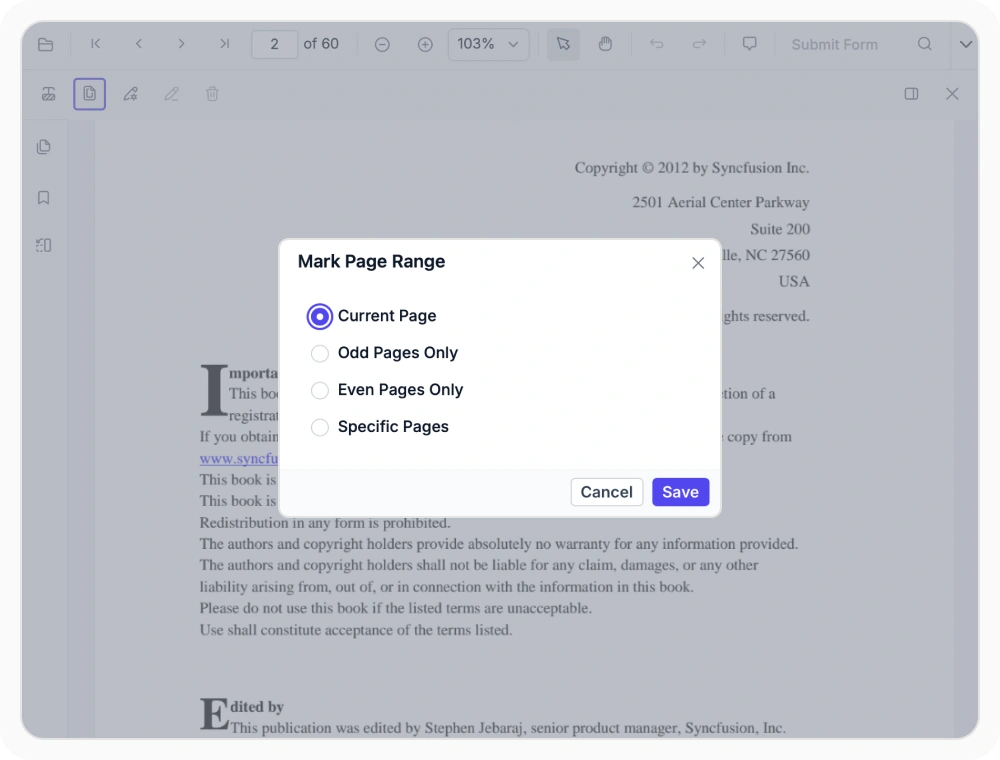
Redact entire pages and ranges
Page redaction removes entire pages or selected page ranges, with options to target the current page, odd pages, or even pages. Use when a complete page or document section must be removed.
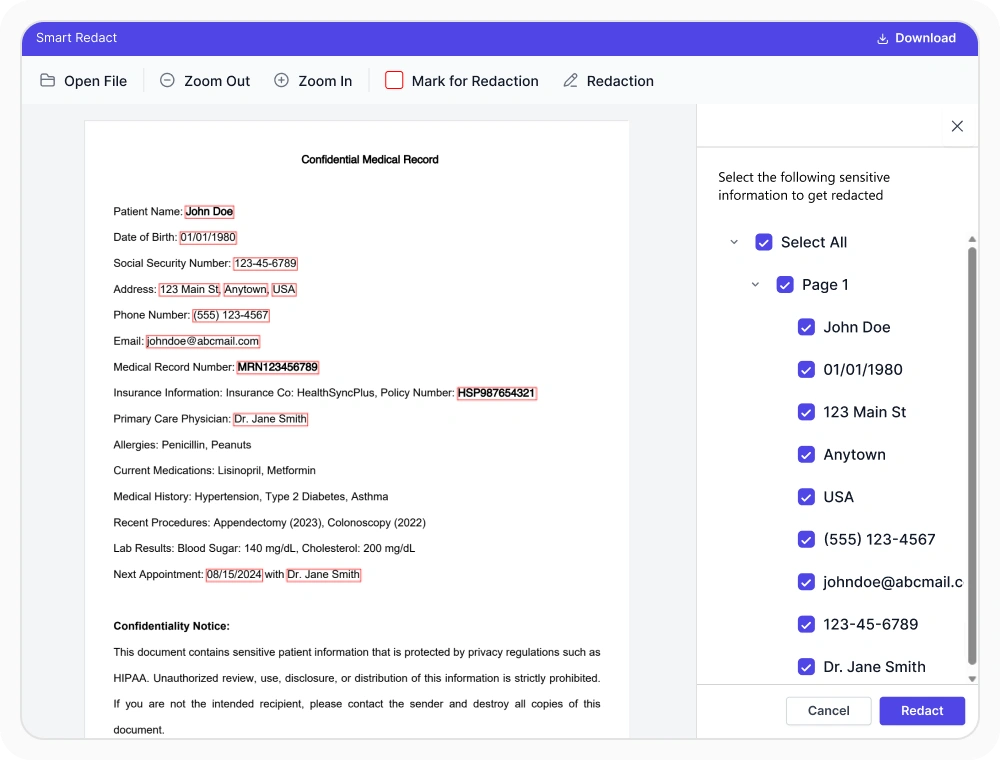
Detect sensitive data with AI
AI Assist identifies sensitive information through contextual analysis and highlights suggested matches for review. Use it when sensitive details cannot be found through exact keyword searches alone.
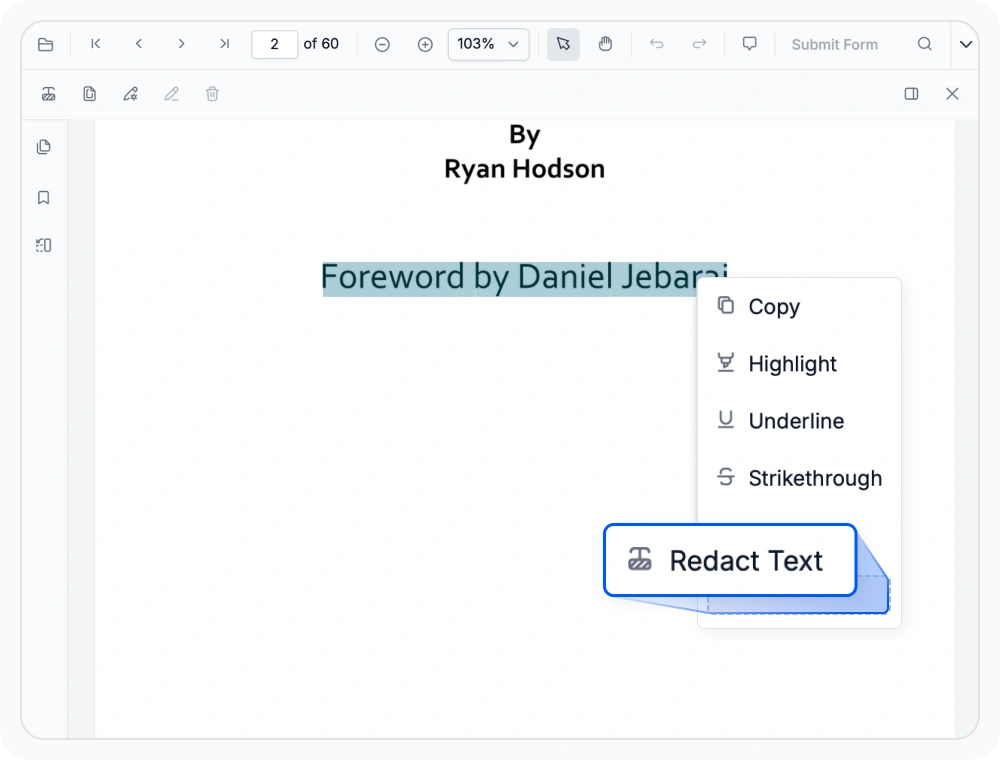
Redact text using the context menu
Redact selected content directly using the context menu during document review without interrupting review flow. Use when sensitive content is discovered while reading.
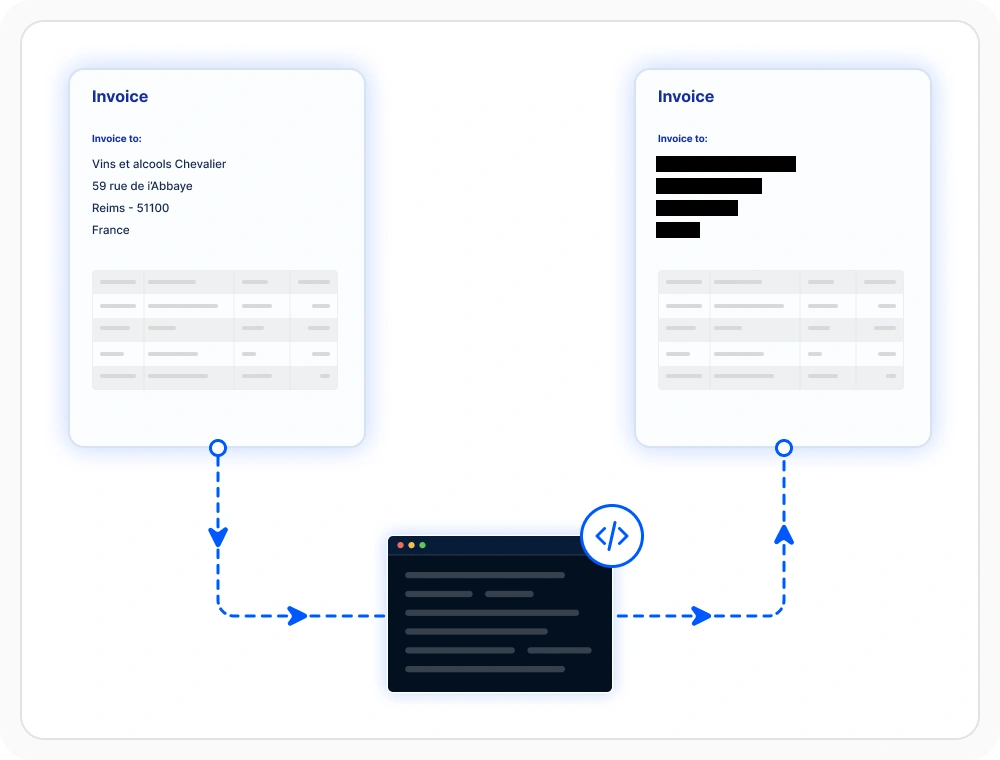
Automate PDF redaction workflows
Automate PDF redaction with APIs to apply consistent removals without manual intervention. Use when sensitive content must be removed consistently across large volumes of PDF documents.
See Why Developers Love Syncfusion
Our Customers Love Us
Having an excellent set of tools and a great support team, Syncfusion reduces customers’ development time. Here are some of their experiences.



Frequently Asked Questions
What does React PDF Viewer redaction remove from a document?
React PDF Viewer Redaction can remove sensitive text, images, selected areas, and entire pages from a PDF document. Once the redactions are applied and the document is saved, the marked content is permanently removed.
Does the React PDF Viewer redaction permanently remove PDF content?
Yes. The Syncfusion React PDF Viewer completely removes the marked content from the PDF. Once the document is saved, the redacted content can no longer be recovered.
Can the React PDF Viewer find repeated sensitive text for redaction?
Yes. Search-based redaction can find all occurrences of matching text throughout a document and mark them for review before permanent removal.
Is it possible to track redaction activities in React PDF Viewer?
Yes. In the Syncfusion React PDF Viewer, redaction annotations can include comments using the built-in comment panel. This helps add notes, track reviews, or record the reason for each redaction applied to the document.
Can marked areas be reviewed before saving in React PDF Viewer?
Yes. Marked content can be reviewed visually before the changes are finalized, which helps confirm the intended areas are selected for removal.
Does React PDF Viewer redaction change document structure or layout?
No. React PDF Viewer removes only the selected content while preserving the document’s overall structure and layout, helping maintain readability after redaction.
Resources
Learn more about our React PDF Viewer
Explore demos, KB articles, and documentation to get the most out of the React PDF Viewer.
Explore guides, APIs, and quick-start tips
See live use cases in action
Ask, share, and connect with peers
Find solutions and best practices fast
Get expert help when needed
Feature requests and bug reports
Track issues and suggest improvements
Awards
Greatness—it’s one thing to say you have it, but it means more when others recognize it. Syncfusion® is proud to hold the following industry awards.









