





Transform your applications today by downloading our free evaluation version
Overview
The tree grid control can be used to effectively visualize self-referential hierarchical data. It has support for all the common grid functionality like sorting, editing, column resizing, and column customization.
Sorting
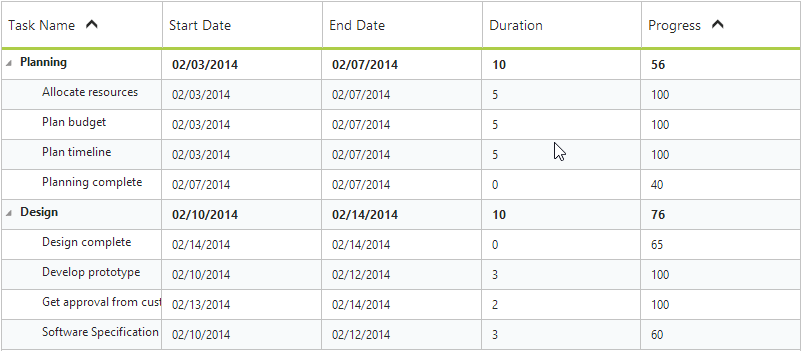
Sort columns based on any field. You can also perform multicolumn sorting by selecting the desired column headers while holding the Ctrl key.
Editing
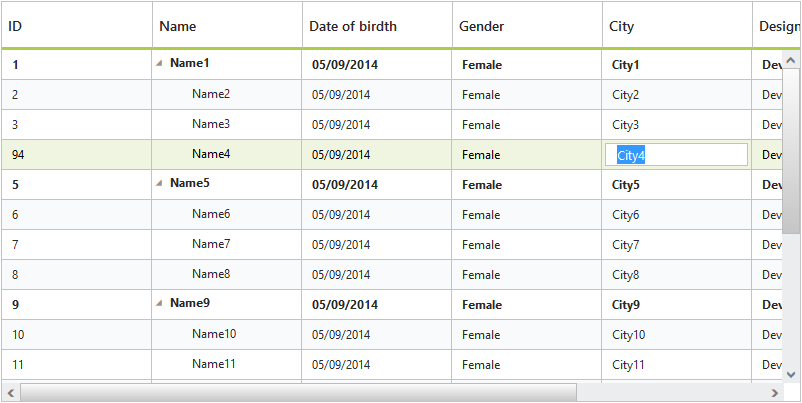
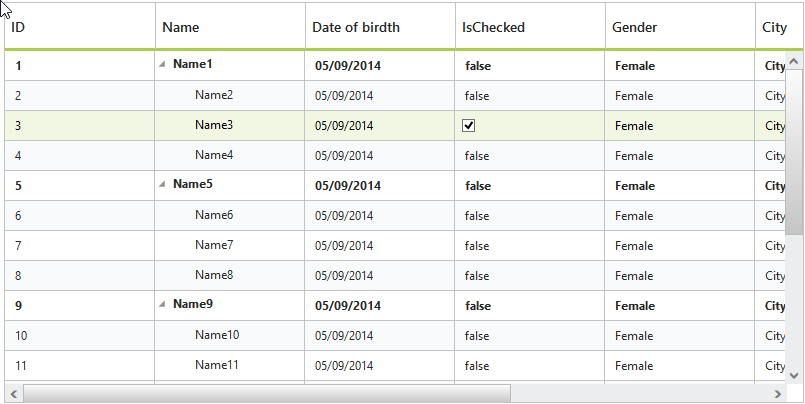
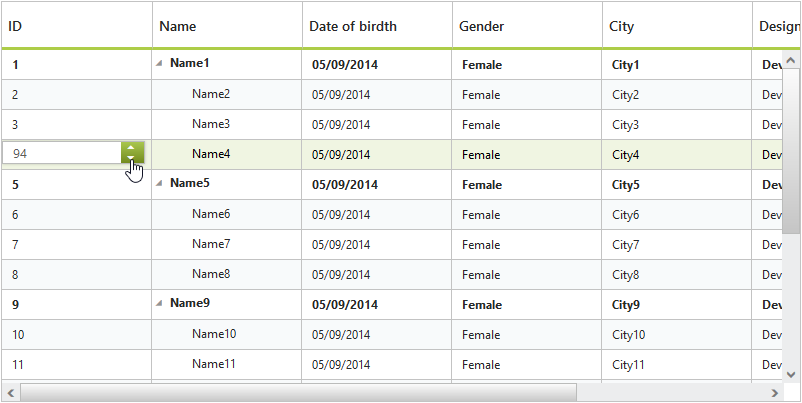
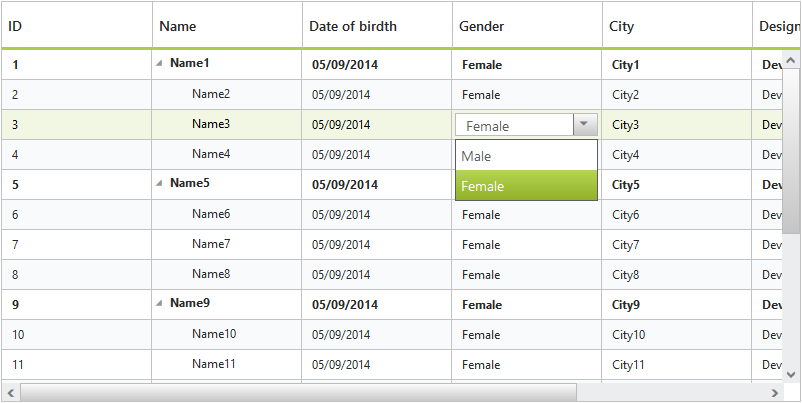
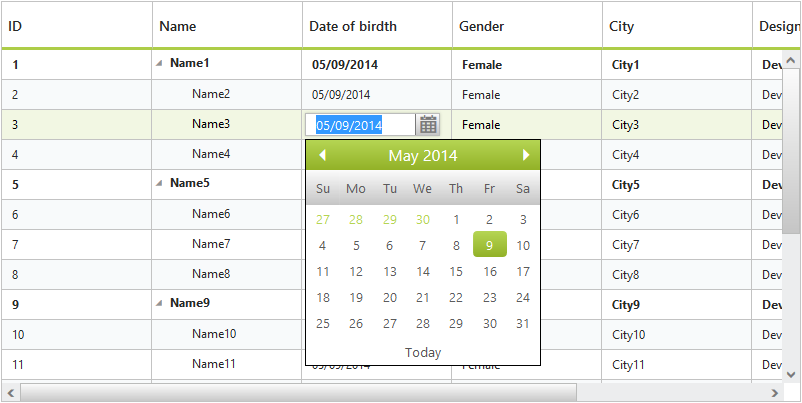
The data source in tree grid can be edited through grid cell editing. The following built-in editor types are available:
- String
- Boolean
- Numeric
- Drop-down
- Date Picker
Row Customization
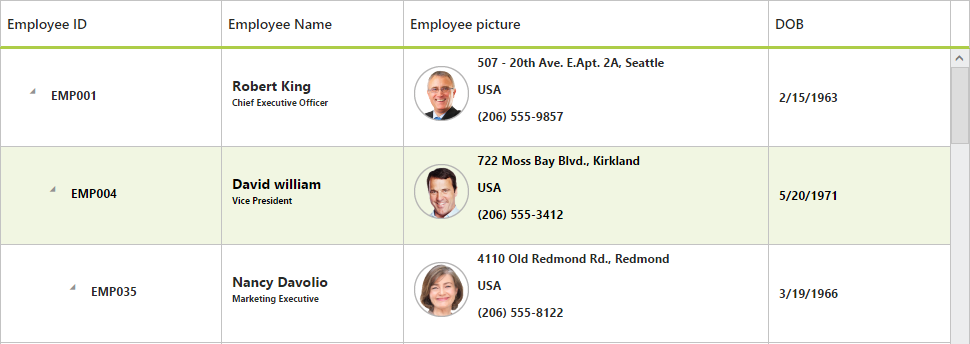
Row template is used to customize the tree grid rows based on requirements. Row template in tree grid supports JsRender template and AngularJS template.
Column Chooser
Column chooser allows users to show/hide columns at runtime.

Row Drag-and-Drop
Tree grid rows can be dynamically re-ordered via drag-and-drop.

Column Resizing
Dynamically resize columns.

Column Customization
Columns can be customized by using column templates.
Summary Row
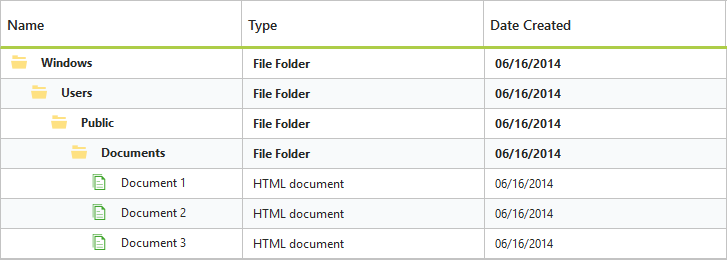
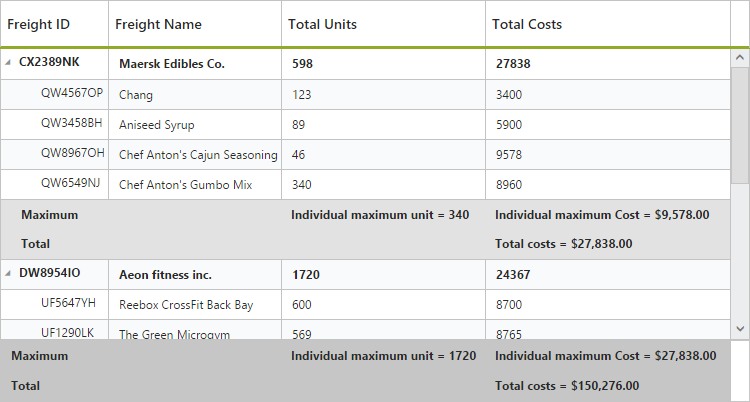
Visually summarize an entire column at the end of each hierarchy level or for the entire tree grid. Some of the supported operations include sum, average, maximum, minimum, count, true count, false count, minimum date, and maximum date.
Detail View
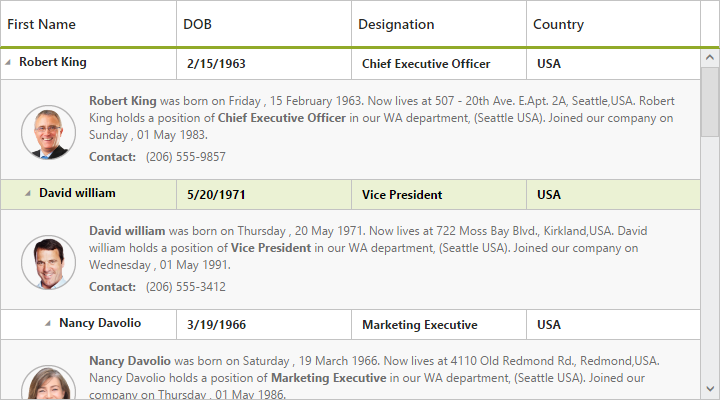
Display a detailed view of a row either inline or as a pop-up.

Virtualization
The user interface of the tree grid is virtualized to obtain the best possible scrolling performance even when dealing with large amounts of data.
Context Menu
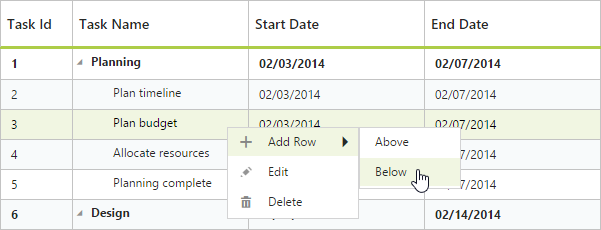
Using context menu, you can edit or delete a selected row. It is also possible to add a new row through the context menu.
Custom Context Menu
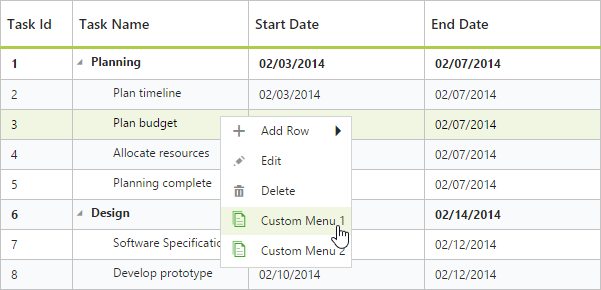
Now you can add custom context menu items in the tree grid context menu.
Column Filtering
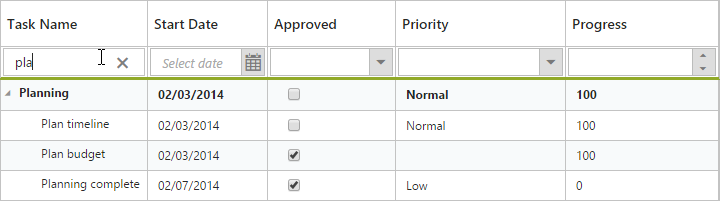
Using filter bar in tree grid, you can filter data by single or multiple columns dynamically.
Toolbar
Toolbar contains options for editing and deleting selected rows. It also contains options for adding new rows, and expanding and collapsing all parent rows.

Export
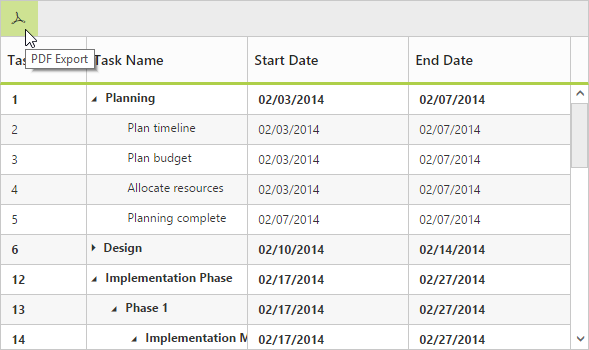
By clicking the PDF export icon available in the tree grid toolbar, the contents of the tree grid control can be exported to PDF documents.
60+ JSP CONTROLS
ALL CONTROLS
GRIDS
DATA VISUALIZATION
EDITORS
NAVIGATION
NOTIFICATION
BUSINESS INTELLIGENCE
REPORTING
Rated by users across the globe
Awards
Greatness—it’s one thing to say you have it, but it means more when others recognize it. Syncfusion® is proud to hold the following industry awards.









