Try Our Live Demo
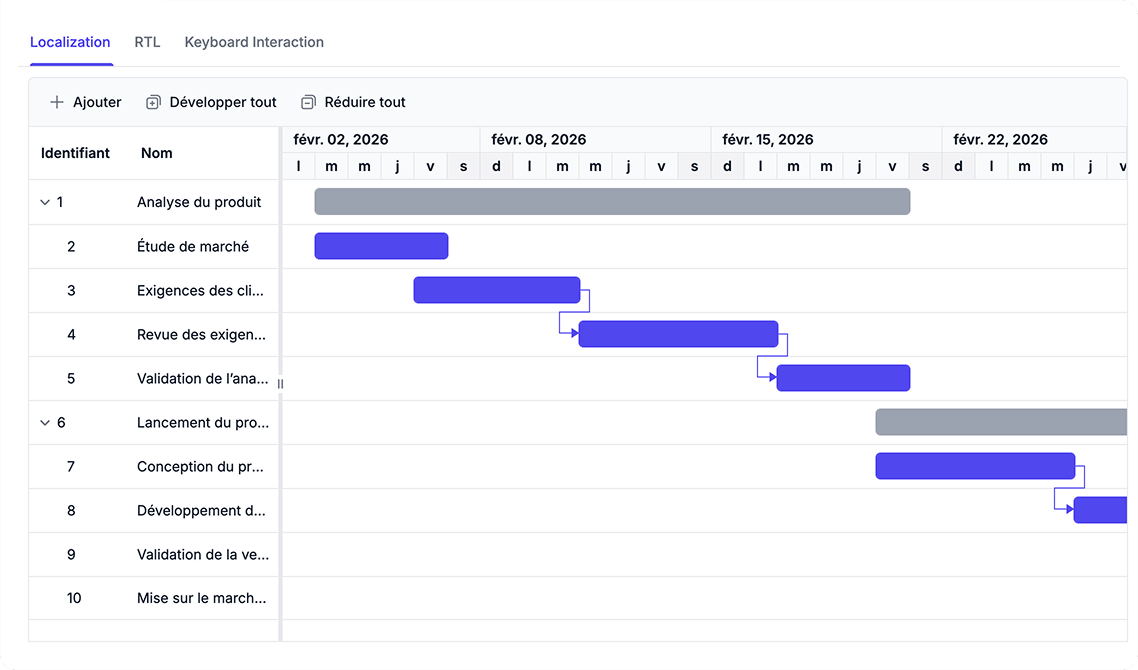
Support Global and Accessible Experiences
Configure localized project views with language translations, regional date and number formats, and right-to-left layouts. Use keyboard navigation to access TreeGrid and chart interactions across project schedules.
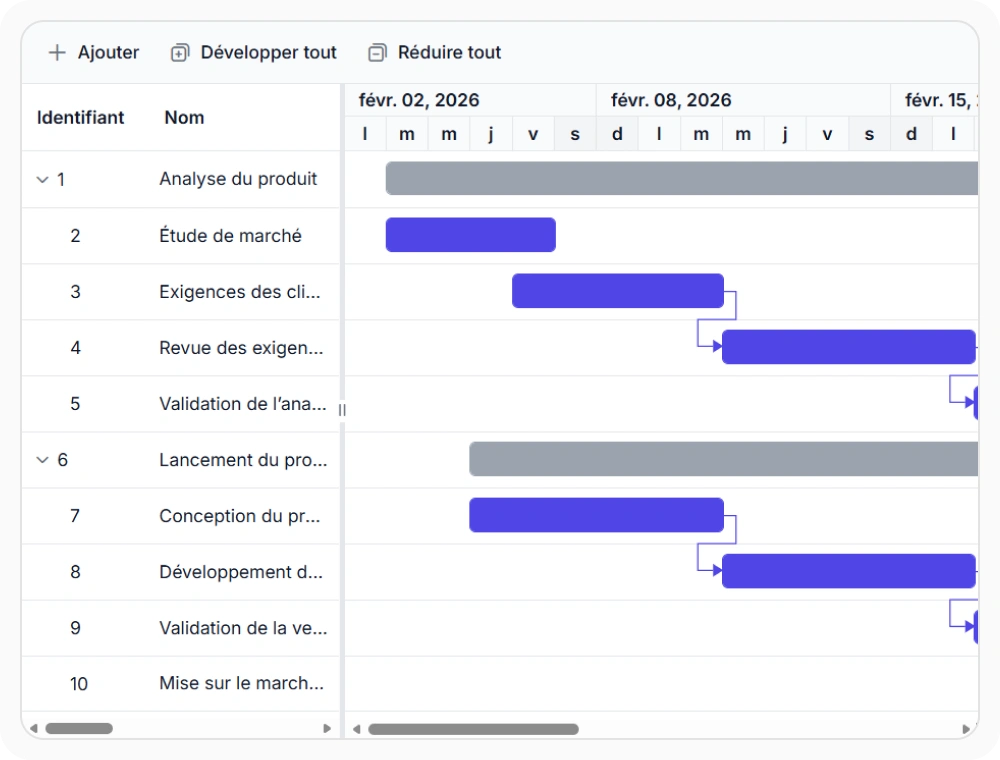
Localize project schedules for global teams
Localization adapts schedule text and formatting for regional language needs. This keeps labels, messages, and date-related content easier to understand across distributed teams. Use this option when schedules must align with local language expectations.
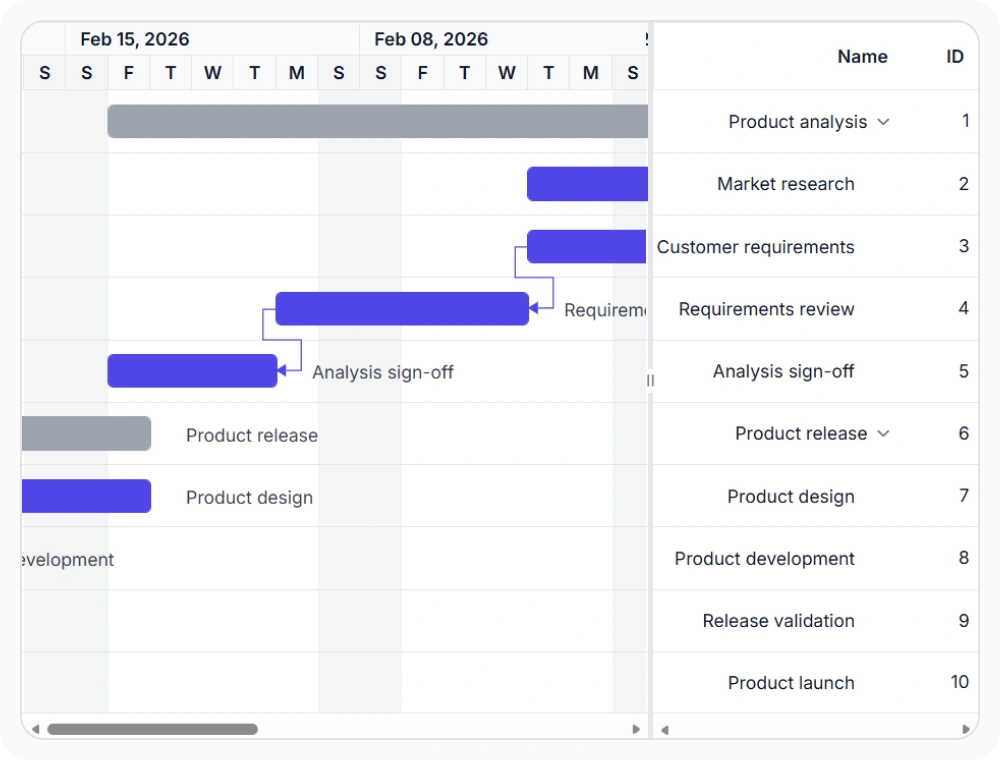
Support right-to-left schedule layouts
Right-to-left support adjusts the schedule layout for languages that read from right to left. This keeps columns, headers, and timeline content aligned with expected reading direction. Use this option when schedules are presented in RTL language environments.
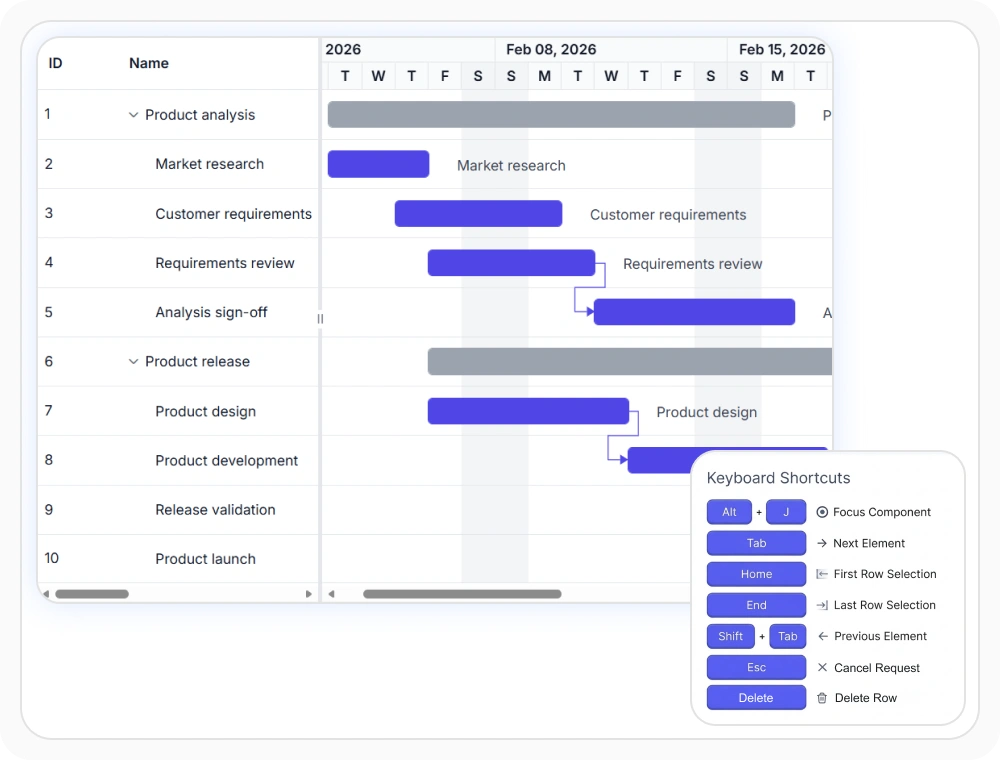
Improve accessibility with keyboard navigation
Keyboard navigation lets users move through tasks, columns, and chart content without relying on pointer-based interaction. This helps teams review and manage schedules efficiently using keyboard controls. Use this option when keyboard-only operation or improved accessibility is required.
See Why Developers Love Syncfusion
Our Customers Love Us
Having an excellent set of tools and a great support team, Syncfusion reduces customers’ development time. Here are some of their experiences.





Frequently Asked Questions
How does React Gantt Chart improve usability across diverse teams?
React Gantt Chart provides accessibility features, localized content, and RTL layout support to help teams interact with schedules in a way that matches their language and accessibility needs.
Can React Gantt Chart show localized text?
Yes. It supports localized labels, messages, and date-related content so schedules can match regional language and formatting expectations.
Does React Gantt Chart support RTL layout?
Yes. RTL layout mirrors the schedule interface for languages that read from right to left, helping teams scan timelines and columns naturally.
How does React Gantt Chart support keyboard navigation?
React Gantt Chart supports keyboard navigation, allowing users to move through tasks, rows, columns, and timeline content without relying on a mouse. This helps improve accessibility and enables more efficient interaction with project schedules.
Resources
Learn more about React Gantt Chart
Explore demos, KB articles, and documentation to get the most out of React Gantt Chart.
Explore guides, APIs, and quick-start tips
See live use cases in action
Ask, share, and connect with peers
Find solutions and best practices fast
Get expert help when needed
Feature requests and bug reports
Track issues and suggest improvements
Awards
Greatness—it’s one thing to say you have it, but it means more when others recognize it. Syncfusion® is proud to hold the following industry awards.









