Try Our Live Demo
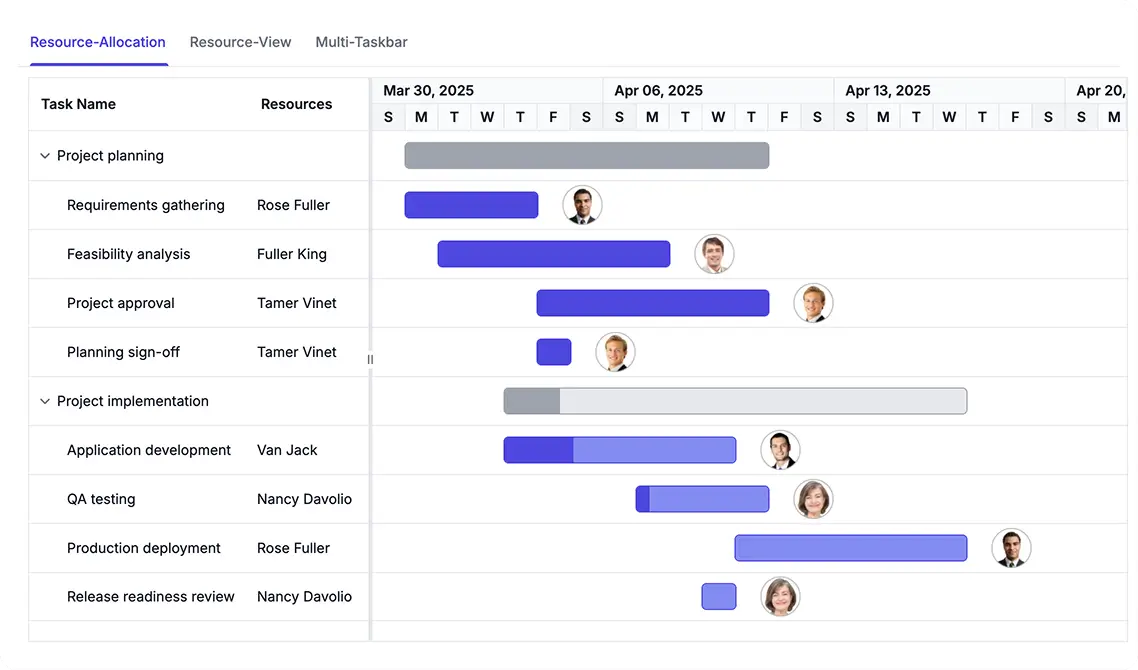
Manage Project Resources and Assignments
Assign people, teams, and equipment to project tasks to improve planning and workload visibility. Use Resource View to analyze assignments and track concurrent work across resources.
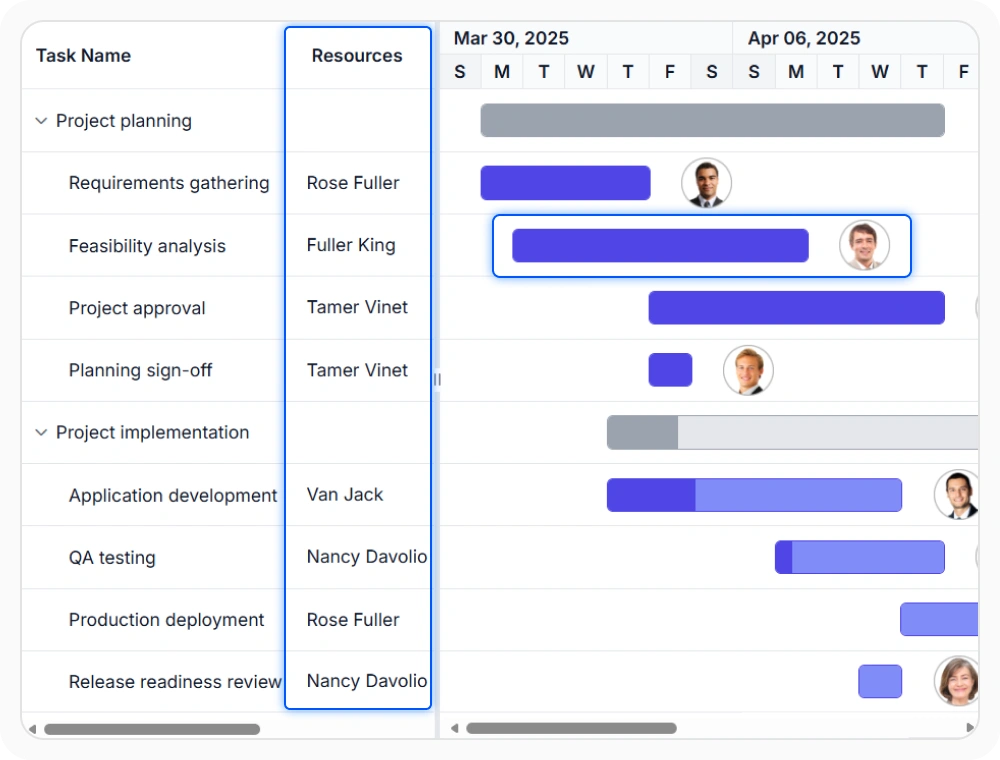
Assign resources to tasks
Resource allocation connects tasks with the people or equipment assigned to complete the work. It helps represent shared responsibility and planned contribution within the same schedule. Use it when one task must reflect individual or combined resource effort.
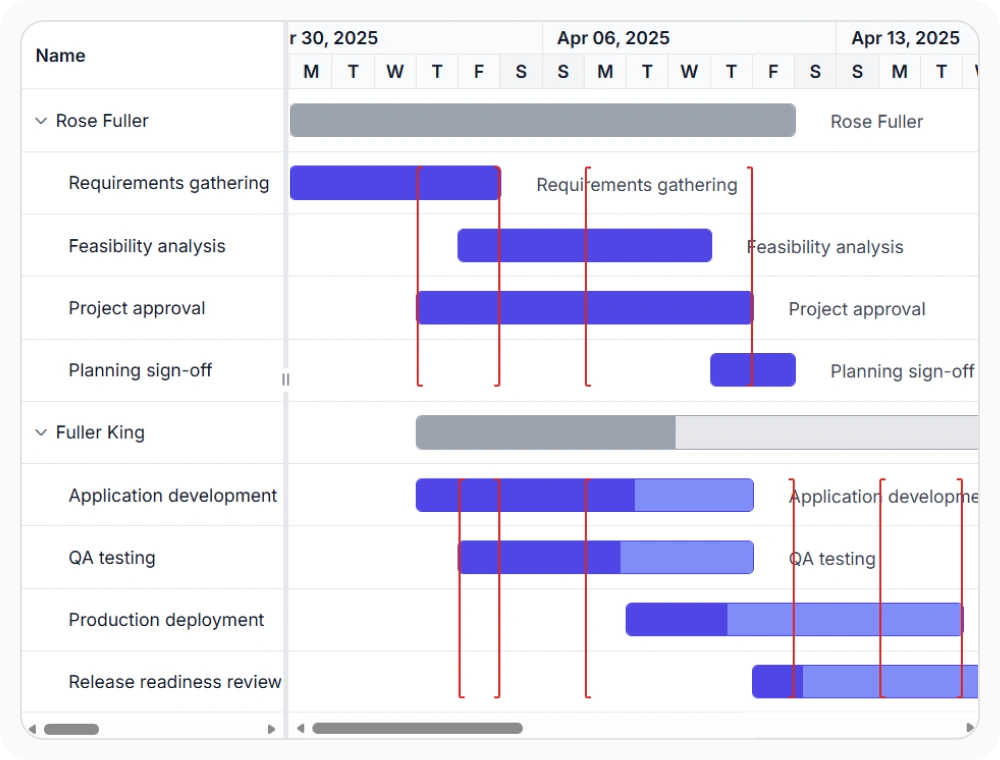
Plan by resource view
Resource view reorganizes the schedule so resources appear as the primary rows and assigned tasks appear beneath them. It helps shift planning from task hierarchy to workload visibility and availability review. Use it when scheduling decisions depend on who is available and what is already assigned.
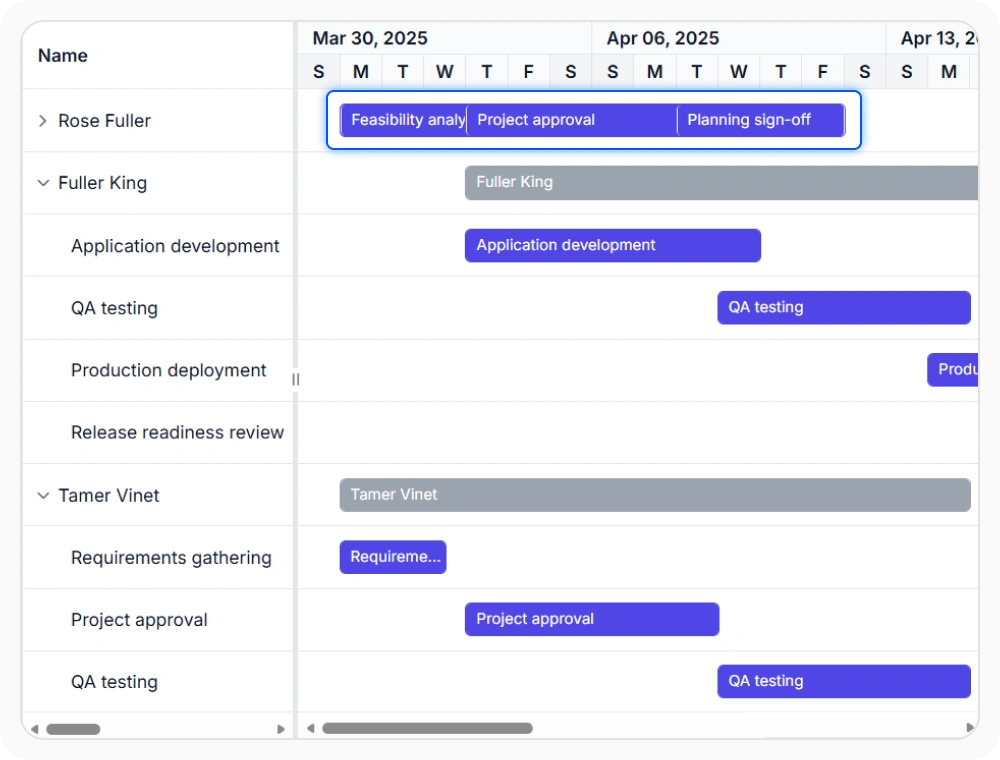
Show overlap with multi-taskbar
Multi-taskbar display shows multiple active assignments together within a collapsed resource row. It helps reveal concurrent work and crowded timelines without expanding each resource entry. Use it when dense schedules need a compact view of overlapping assignments.
See Why Developers Love Syncfusion
Our Customers Love Us
Having an excellent set of tools and a great support team, Syncfusion reduces customers’ development time. Here are some of their experiences.





Frequently Asked Questions
Can React Gantt Chart assign a task to multiple resources?
Yes. React Gantt Chart supports resource allocation, allowing a task to be associated with multiple resources. This helps represent shared responsibilities and collaborative work assignments.
What resource management features does React Gantt Chart support?
The React Gantt Chart resource management supports resource allocation, resource view, and multi-taskbar display. These features help teams visualize assignments, track workloads, and manage resource-based schedules.
How does React Gantt Chart display overlapping resource assignments?
React Gantt Chart displays overlapping assignments through multi-taskbar support in resource-focused views. This helps teams identify concurrent work and review resource utilization more effectively.
When should React Gantt Chart use resource view?
Resource view is useful when schedule review is driven by workload and availability instead of task hierarchy. It places resources at the top level so assigned work can be reviewed in a resource-centered layout.
Resources
Learn more about React Gantt Chart
Explore demos, KB articles, and documentation to get the most out of React Gantt Chart.
Explore guides, APIs, and quick-start tips
See live use cases in action
Ask, share, and connect with peers
Find solutions and best practices fast
Get expert help when needed
Feature requests and bug reports
Track issues and suggest improvements
Awards
Greatness—it’s one thing to say you have it, but it means more when others recognize it. Syncfusion® is proud to hold the following industry awards.









