Try Our Live Demo
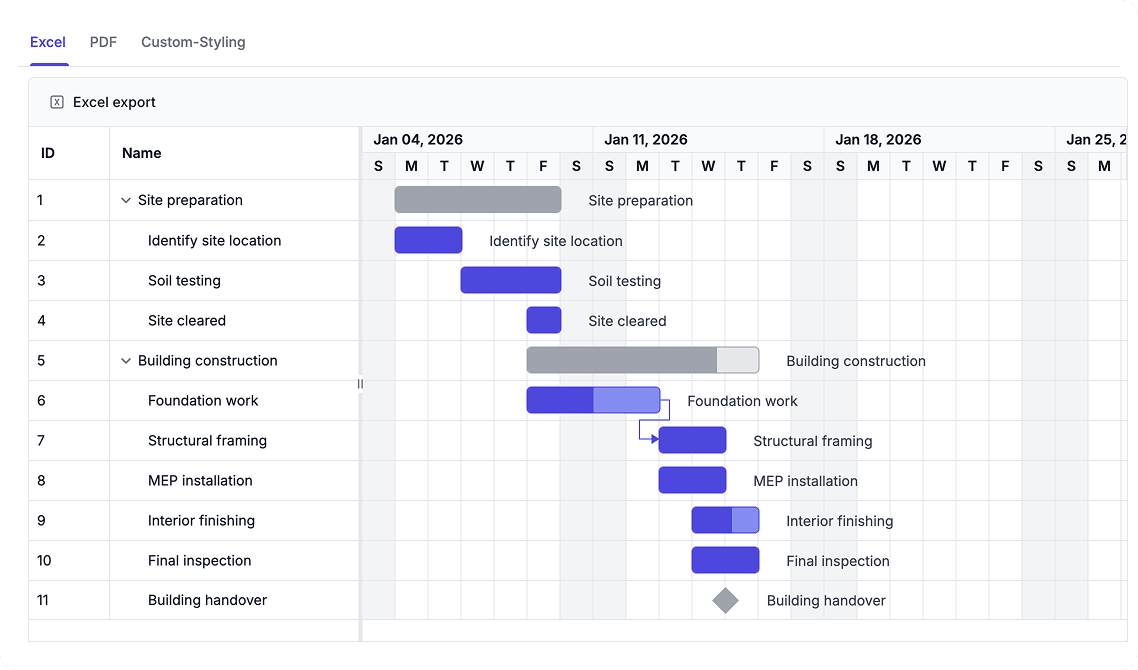
Export and Share Project Schedules
Generate Excel or PDF schedule reports for analysis, presentation, and stakeholder communication. Customize exported content and layouts to meet reporting, business, and compliance requirements.
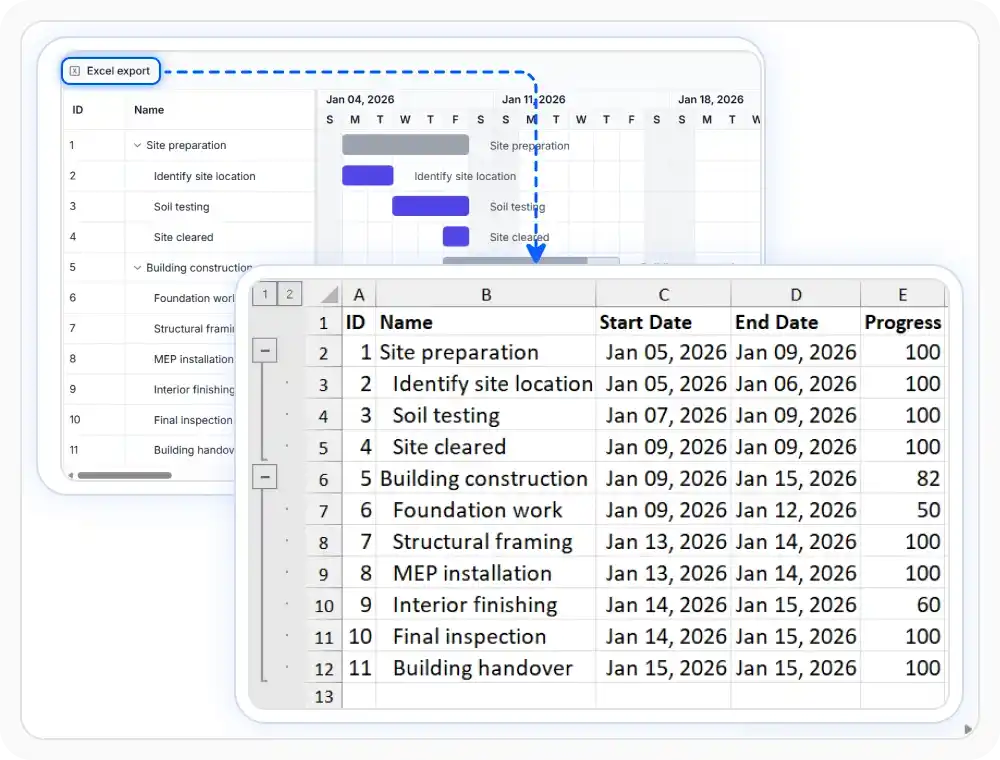
Export schedules to Excel
Export schedule data to Excel for tabular review outside the chart. This helps teams analyze and share project information in familiar file formats. Use this option when schedule data must move into reports, worksheets, or external systems.
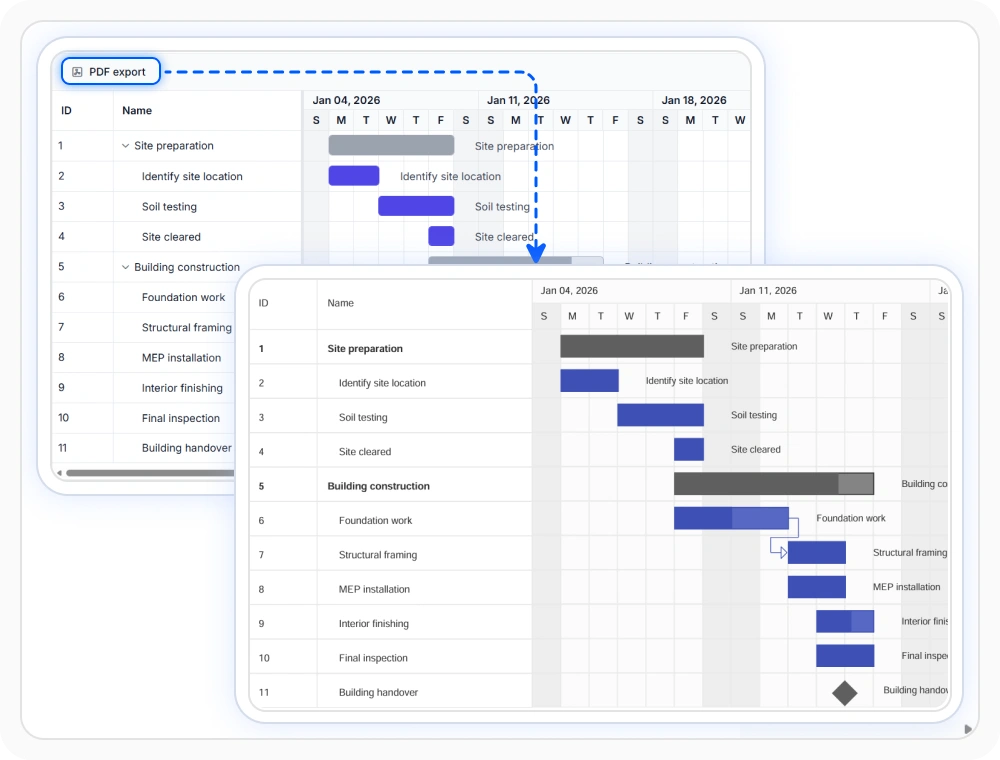
Export schedules to PDF
Export the schedule to PDF as a document-style file with a consistent layout. This helps preserve the same view for review, printing, and archived records. Use this option when schedule details must be presented in a stable document format.
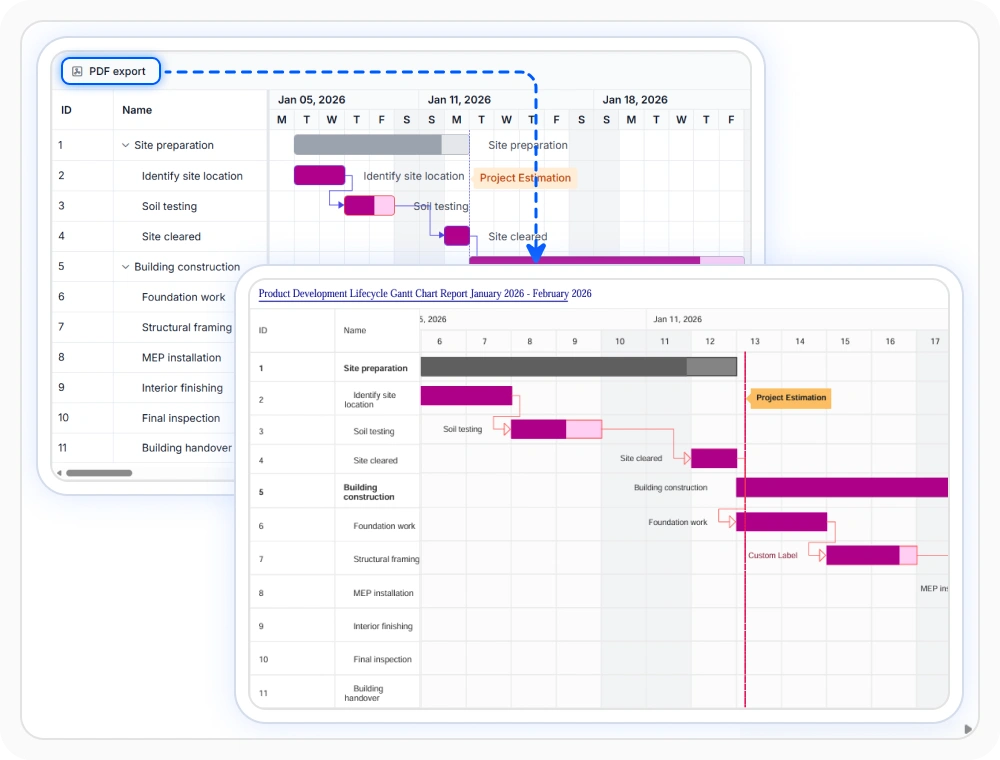
Customize exported files
Adjust exported output to match document naming and presentation expectations. This helps shared schedules stay consistent across reporting and distribution workflows. Use this option when exported files must follow established review or handoff standards.
See Why Developers Love Syncfusion
Our Customers Love Us
Having an excellent set of tools and a great support team, Syncfusion reduces customers’ development time. Here are some of their experiences.





Frequently Asked Questions
Can I add custom headers, footers, or branding to React Gantt Chart exported documents?
Yes. The React Gantt Chart allows exported files to be customized with elements such as headers, footers, and branding. This helps create professional reports that align with your organization’s document standards.
Does React Gantt Chart support Excel export?
Yes. React Gantt Chart supports Excel export, making it easier to analyze schedule data, prepare reports, and review project information in spreadsheets.
How does React Gantt Chart handle PDF export?
PDF export creates a fixed-layout schedule document for sharing, printing, and record keeping. It is useful when the same schedule view must remain consistent across different reviewers.
Can I export only the grid data in PDF from the React Gantt Chart?
Yes. The React Gantt Chart allows you to export only the grid portion to PDF, making it easy to share task data without including the timeline view. This is useful for reports that focus on tabular project information.
Resources
Learn more about React Gantt Chart
Explore demos, KB articles, and documentation to get the most out of React Gantt Chart.
Explore guides, APIs, and quick-start tips
See live use cases in action
Ask, share, and connect with peers
Find solutions and best practices fast
Get expert help when needed
Feature requests and bug reports
Track issues and suggest improvements
Awards
Greatness—it’s one thing to say you have it, but it means more when others recognize it. Syncfusion® is proud to hold the following industry awards.









