Try Our Live Demo
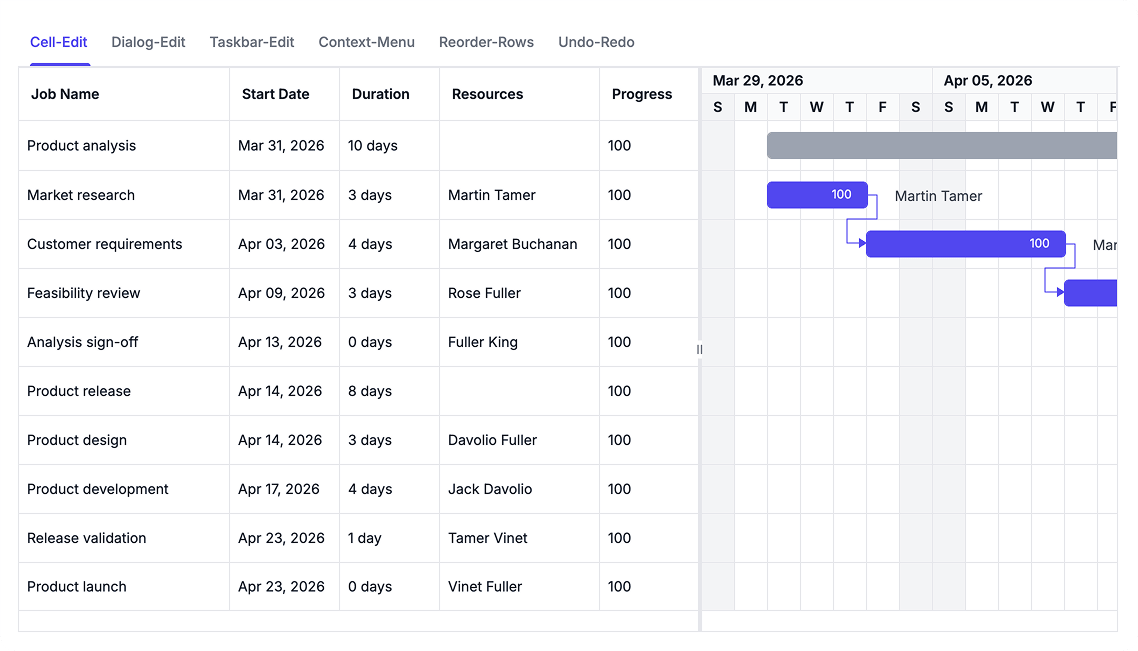
Update Tasks with Flexible Editing
Modify project schedules using inline editing, edit dialogs, context menus, or direct timeline interactions. Reorganize task hierarchies with drag-and-drop actions and refine plans using built-in undo and redo support.
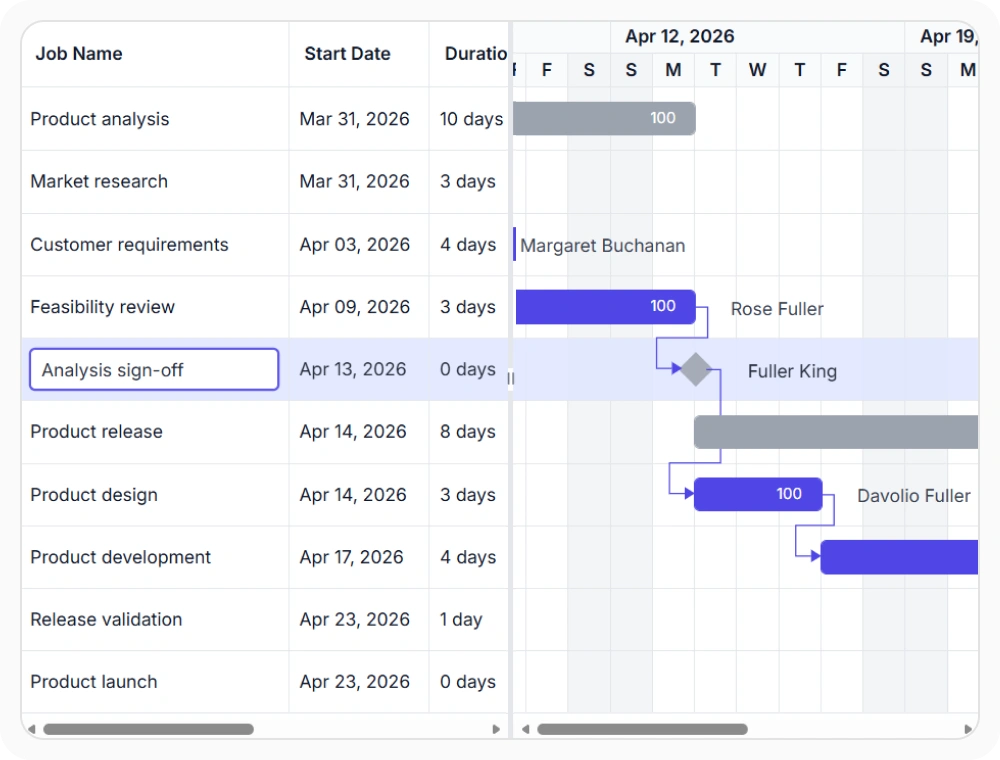
Edit task values with cell editing
Cell editing updates individual column values directly within the tree grid. This helps teams make targeted task changes without editing the entire record. Use it when schedule updates require modifications to one value at a time.
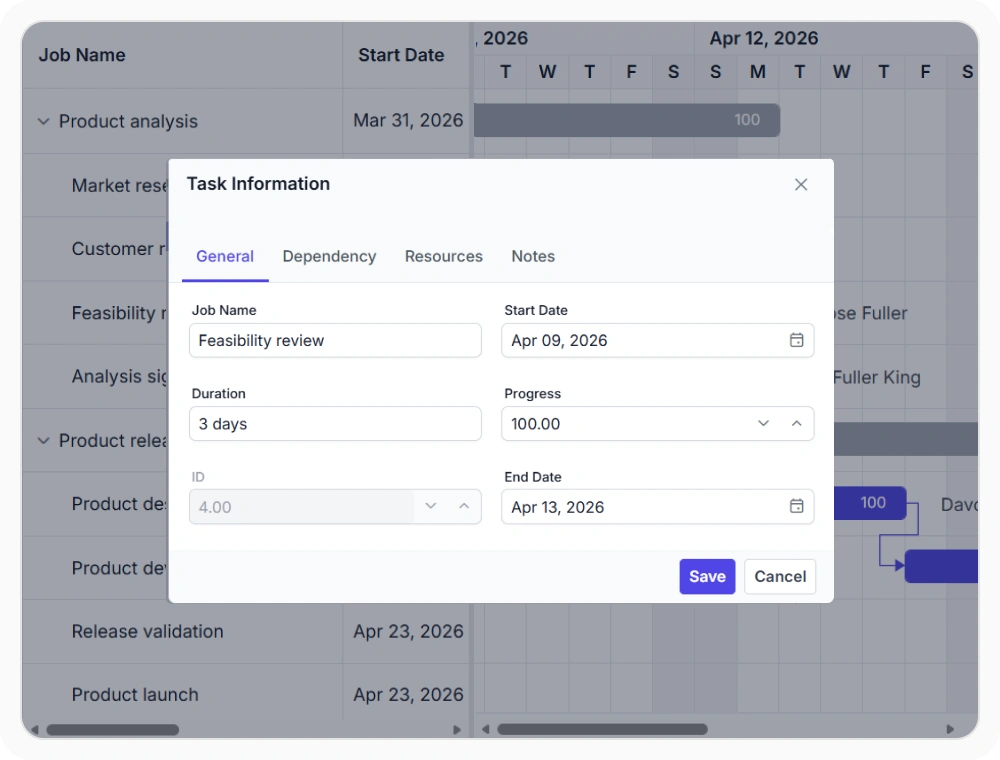
Dialog editing workflows
Dialog editing groups related task information into dedicated editing sections. This helps teams manage task details, dependencies, resources, and other project data from a centralized editing experience. Use it when schedule updates involve multiple task properties.
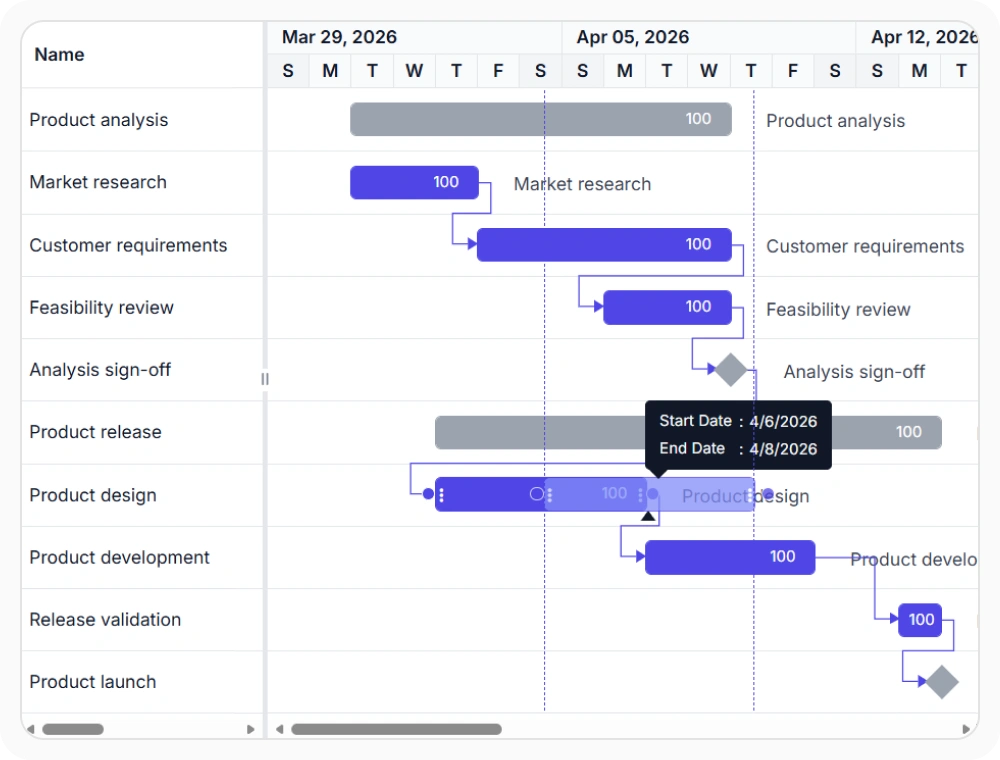
Adjust schedules with taskbar editing
Taskbar editing updates task dates, duration, and progress directly on the timeline. This helps teams adjust schedules while seeing task relationships and timeline impact in context. Use it when project plans require visual schedule adjustments.
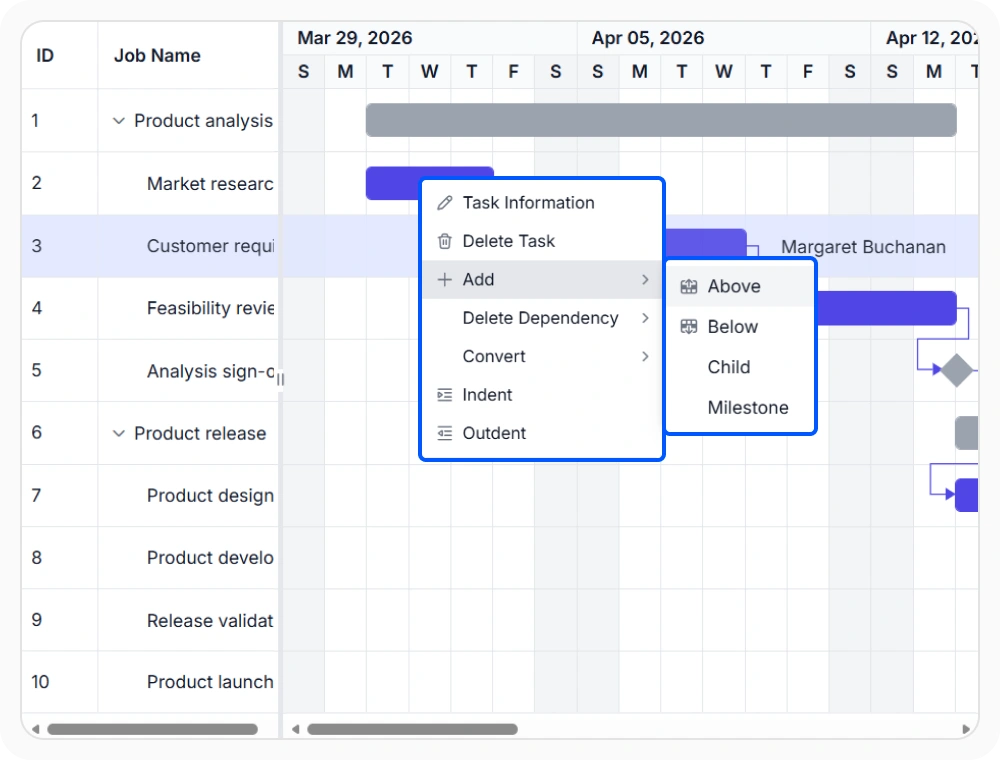
Perform updates with context menu
The context menu provides common editing actions near the selected task or row. This helps teams perform task-specific updates without navigating away from the current schedule view. Use it when quick access to task actions is important.
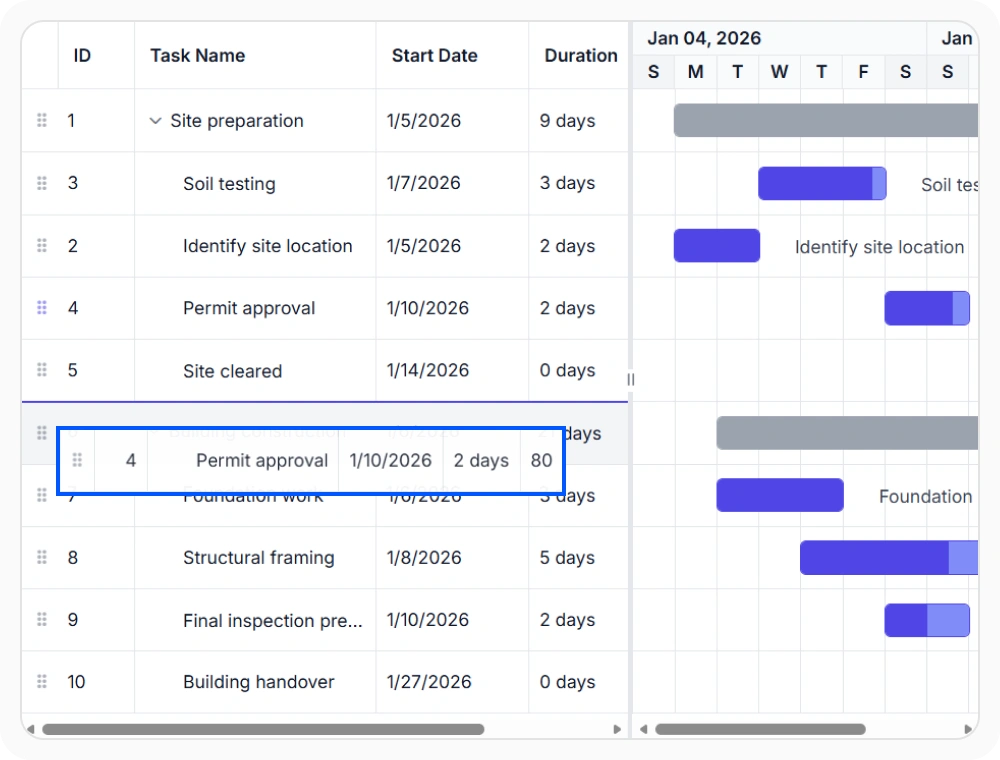
Reorder tasks with row drag and drop
Drag and drop rows to reorder tasks or move them beneath another parent. This helps teams reorganize task hierarchies directly within the schedule. Use it when project structure changes require updates to task order or parent-child relationships.
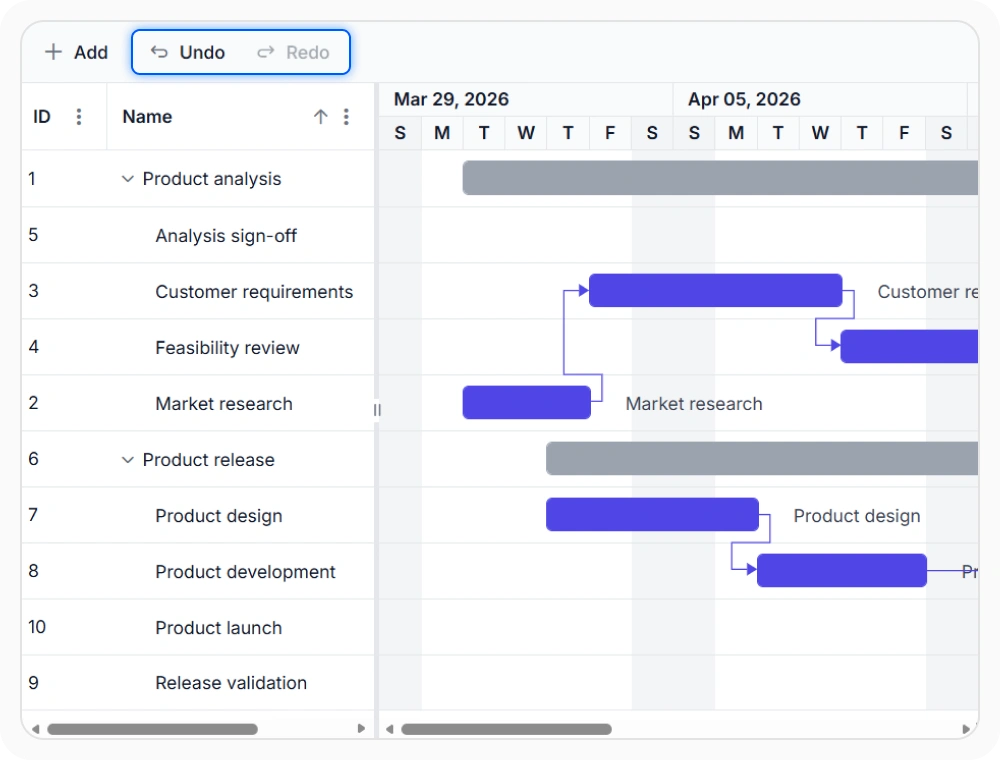
Restore changes with undo and redo
Undo and redo restore or reapply recent schedule changes. This helps teams manage planning updates and recover from unintended edits without rebuilding task data. Use them when schedule revisions require correction or validation.
See Why Developers Love Syncfusion
Our Customers Love Us
Having an excellent set of tools and a great support team, Syncfusion reduces customers’ development time. Here are some of their experiences.





Frequently Asked Questions
Can dependencies be drawn between taskbars in React Gantt Chart?
Yes. Drag a connector from one taskbar to another to create a dependency directly on the timeline and review the resulting schedule relationship.
Can editing be enabled or disabled dynamically in the React Gantt Chart?
Yes. The React Gantt Chart allows editing features to be turned on or off at runtime based on the current application state. This helps teams control when project schedules can be updated and when they should remain read-only.
Can rows be reordered by dragging in React Gantt Chart?
Yes. Row drag and drop reorders sibling tasks and moves tasks beneath a different parent without manually changing hierarchy fields.
How do undo and redo in React Gantt Chart help during editing?
Undo and redo reverse or reapply recent schedule changes. They support reviewing alternatives and correcting unintended edits during planning.
Can I edit multiple task properties in a single dialog?
The React Gantt Chart provides a built-in edit dialog that lets users update task details, dependencies, resources, and other related information from a centralized interface. This simplifies project updates by keeping all key task settings in one place.
Can the toolbar and context menu be customized in React Gantt Chart?
Yes. Both surfaces can combine built-in actions with custom commands, and the two can be coordinated so the same operation is available in the toolbar, the context menu, or both. This helps keep the editing flow consistent across the chart and grid.
Resources
Learn more about React Gantt Chart
Explore demos, KB articles, and documentation to get the most out of React Gantt Chart.
Explore guides, APIs, and quick-start tips
See live use cases in action
Ask, share, and connect with peers
Find solutions and best practices fast
Get expert help when needed
Feature requests and bug reports
Track issues and suggest improvements
Awards
Greatness—it’s one thing to say you have it, but it means more when others recognize it. Syncfusion® is proud to hold the following industry awards.









