Try Our Live Demo
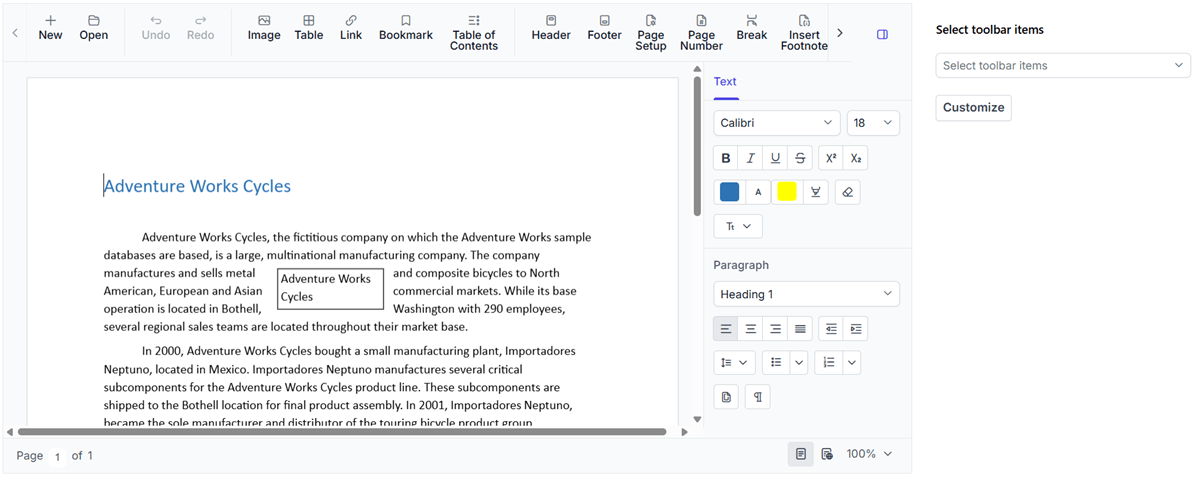
Flexible Editor customization options
Configure built-in interfaces, editor-only layouts, toolbars, ribbons, context menus, and color selection options. Tailor the editing experience to match specific application requirements.
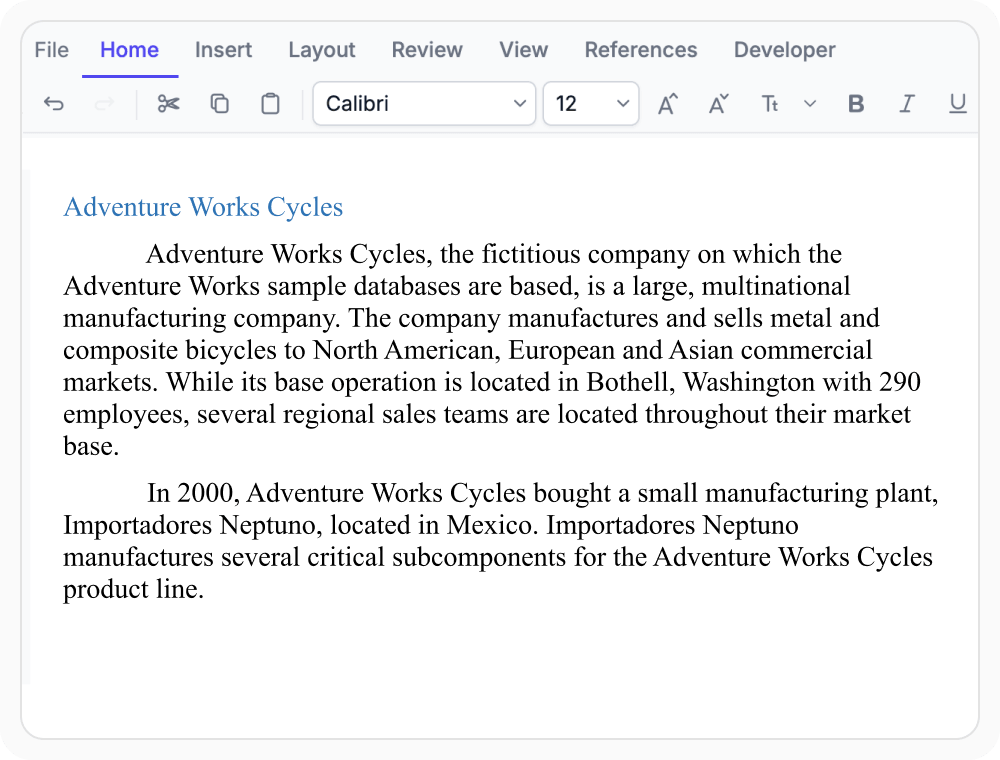
Use the built-in interface
The built-in interface provides all document editing features with a Microsoft Word–like ribbon. Use it when applications require a familiar and full-featured document editing experience.

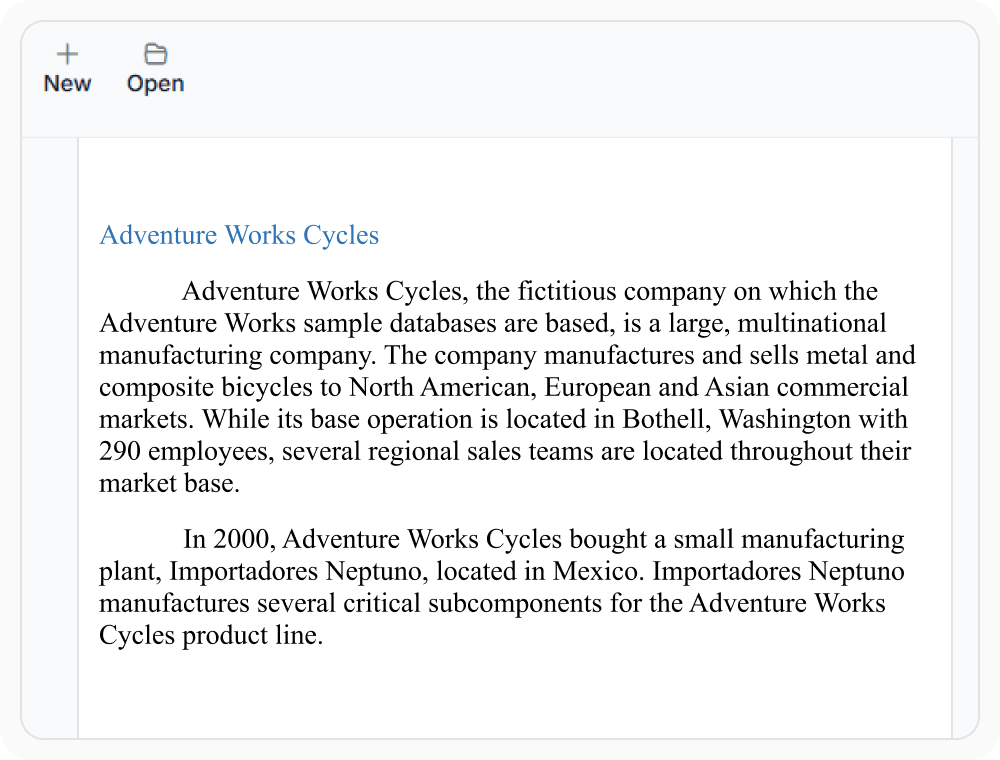
Build editor-only layouts
Editor-only mode provides a clean editing surface without built-in toolbar, ribbon, or panes. Use when applications integrate document editing alone into their own application interface.
Customize toolbar items
Built-in toolbar items can be added, shown, hidden, enabled, or disabled to support specific workflows. Use when applications require focused access to editing options.
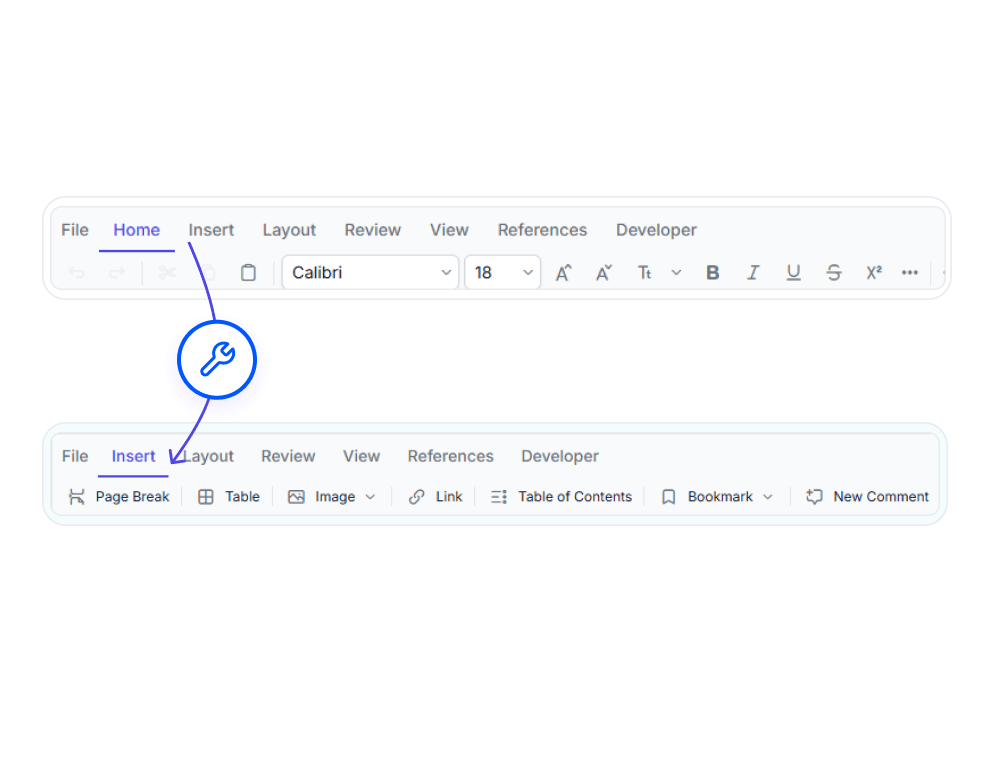
Customize the ribbon layout
Ribbon tabs and groups can be tailored to organize editing features for different document tasks. Use when applications require structured navigation across editing tools.
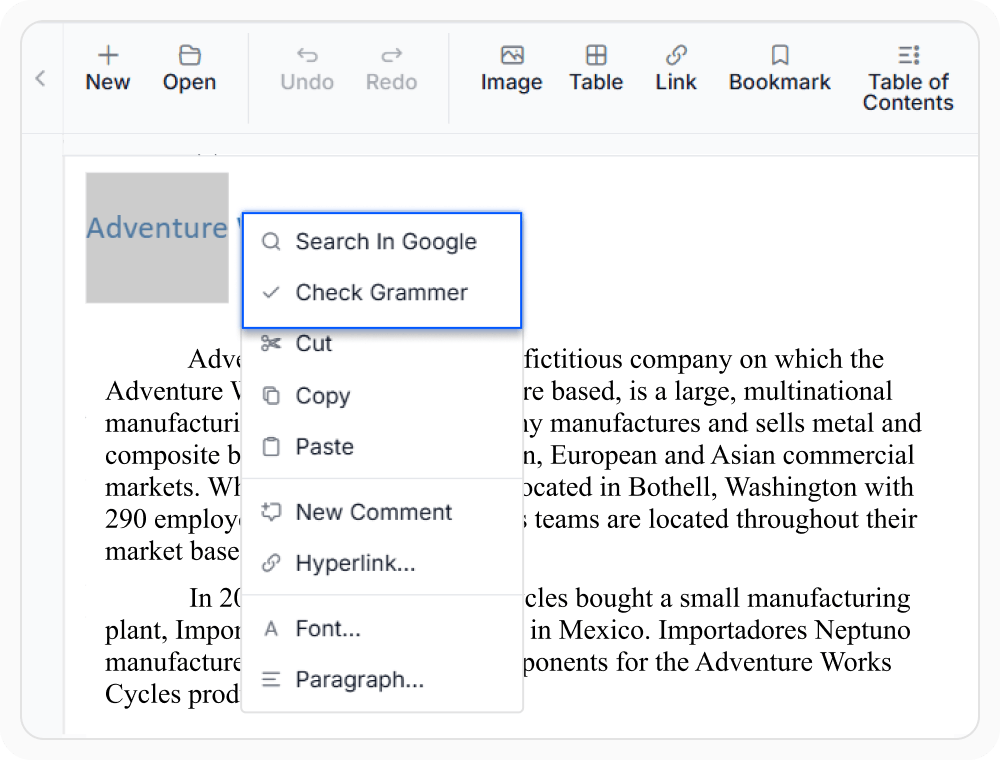
Configure context menu actions
Context menu actions provide quick access to relevant tasks within the editor. Use when applications require custom right-click actions for specific workflows and user interactions.
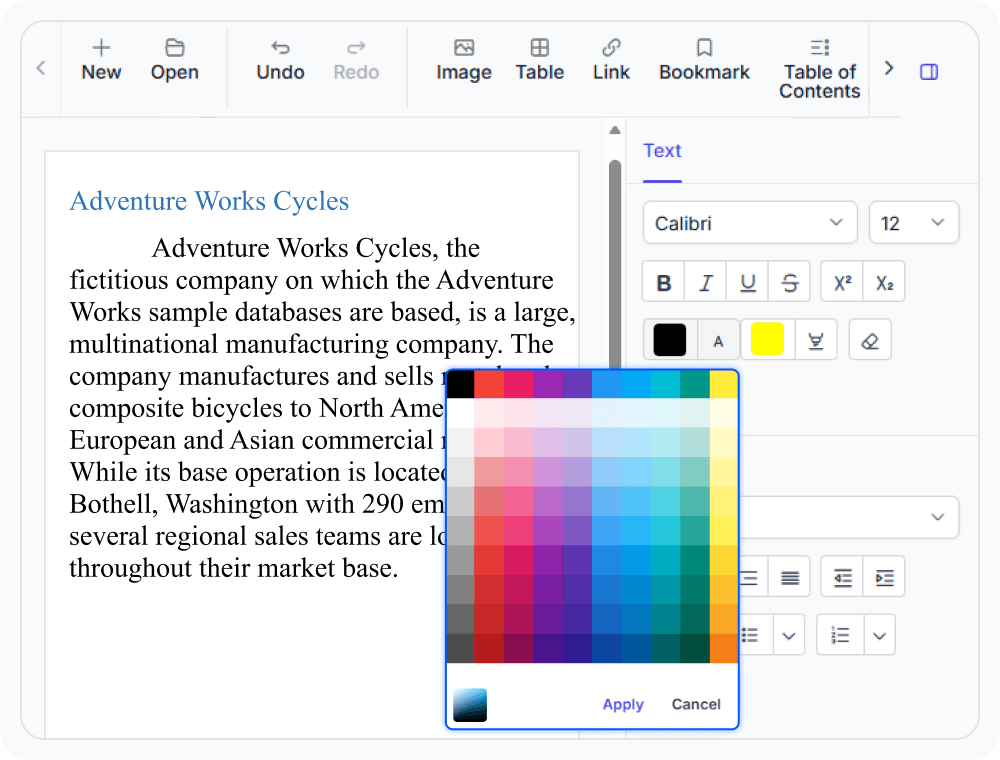
Customize color selection
Personalize how users choose font and border colors within the editor for a tailored editing experience. Use when document editing requires consistent visual styling and color selection.
See Why Developers Love Syncfusion
Our Customers Love Us
Having an excellent set of tools and a great support team, Syncfusion reduces customers’ development time. Here are some of their experiences.







Frequently Asked Questions
What are the key UI customization features available in the React DOCX Editor?
The React DOCX Editor supports customization toolbar, ribbon, context menu, and color picker behavior to create tailored document editing experiences.
How does the React DOCX Editor support toolbar customization?
Toolbar items can be added, shown, hidden, enabled, or disabled to provide focused access to editing actions based on workflow requirements using React DOCX Editor.
Can the React DOCX Editor provide document editing without built-in toolbar and ribbon?
Yes. The React DOCX Editor supports an editor-only mode that removes built-in toolbar, ribbons, and panes, making it easy to embed document editing into existing application interfaces.
Can the React DOCX Editor provide a Microsoft Word–like ribbon experience?
Yes. The React DOCX Editor includes a Microsoft Word–like ribbon interface that provides organized access to document editing, formatting, review, and layout features.
Can the React DOCX Editor customize ribbon tabs and groups?
Yes. The React DOCX Editor supports ribbon customization, allowing tabs, groups, and items to be organized for streamlined editing workflows.
How does the React DOCX Editor personalize color selection?
Color picker settings in the React DOCX Editor let users choose font and border colors using picker or palette modes, helping maintain a consistent editing and styling experience.
Resources
Learn more about our React DOCX Editor
Explore demos, KB articles, and documentation to get the most out of the React DOCX Editor.
Explore guides, APIs, and quick-start tips
See live use cases in action
Ask, share, and connect with peers
Find solutions and best practices fast
Get expert help when needed
Feature requests and bug reports
Track issues and suggest improvements
Awards
Greatness—it’s one thing to say you have it, but it means more when others recognize it. Syncfusion® is proud to hold the following industry awards.









