Try Our Live Demo
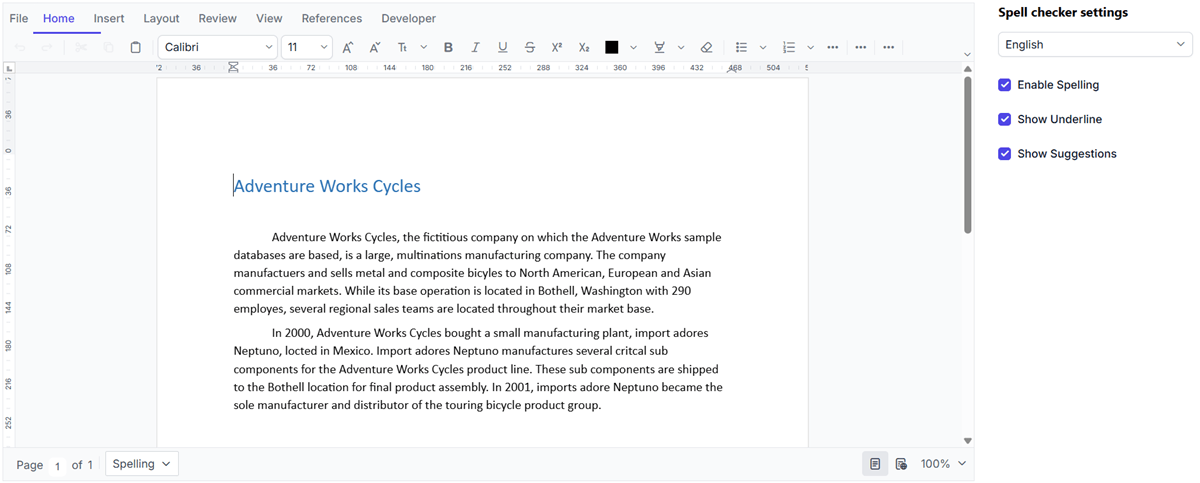
Spell check and correction options
Detect spelling errors, review suggestions through context menus and dialogs, and manage custom dictionaries. Improve content accuracy with contextual suggestions, custom word lists, and spelling correction options.
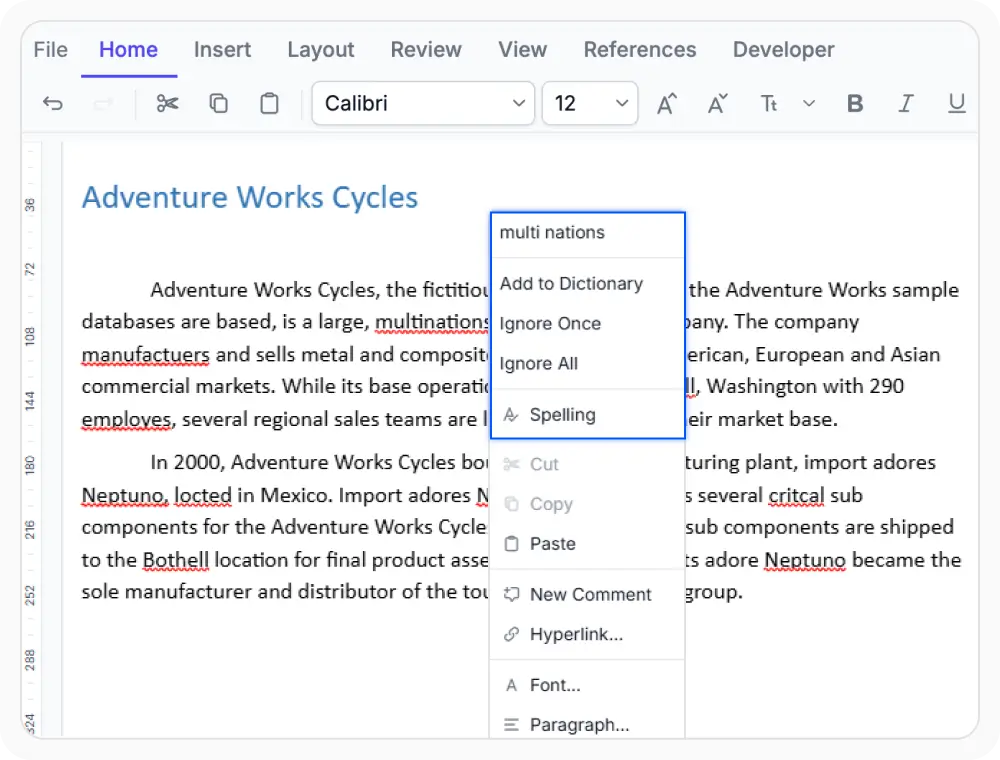
Correct spelling using context menu
Correct misspelled words using context menu options. Choose suggestions, add words to the dictionary, or ignore words as needed. Use when quick spelling corrections are needed while editing.
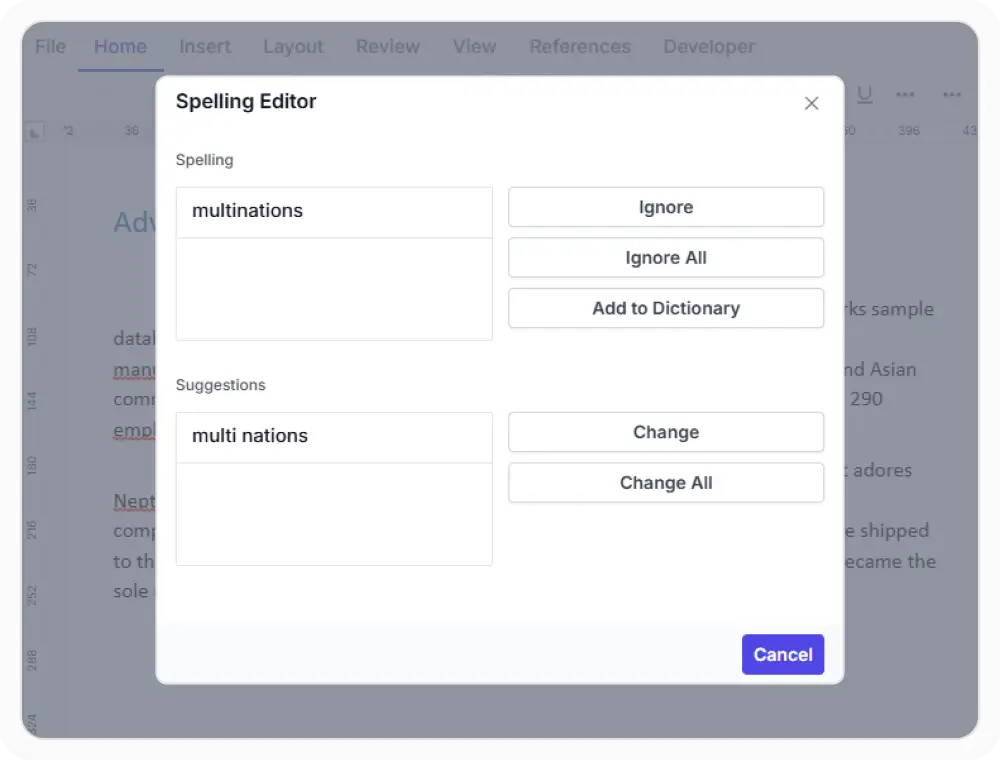
Use spell check dialog
Identify and review spelling issues sequentially through a dedicated dialog for consistent spell checking. Use when correcting multiple spelling errors in large documents before sharing or publishing.
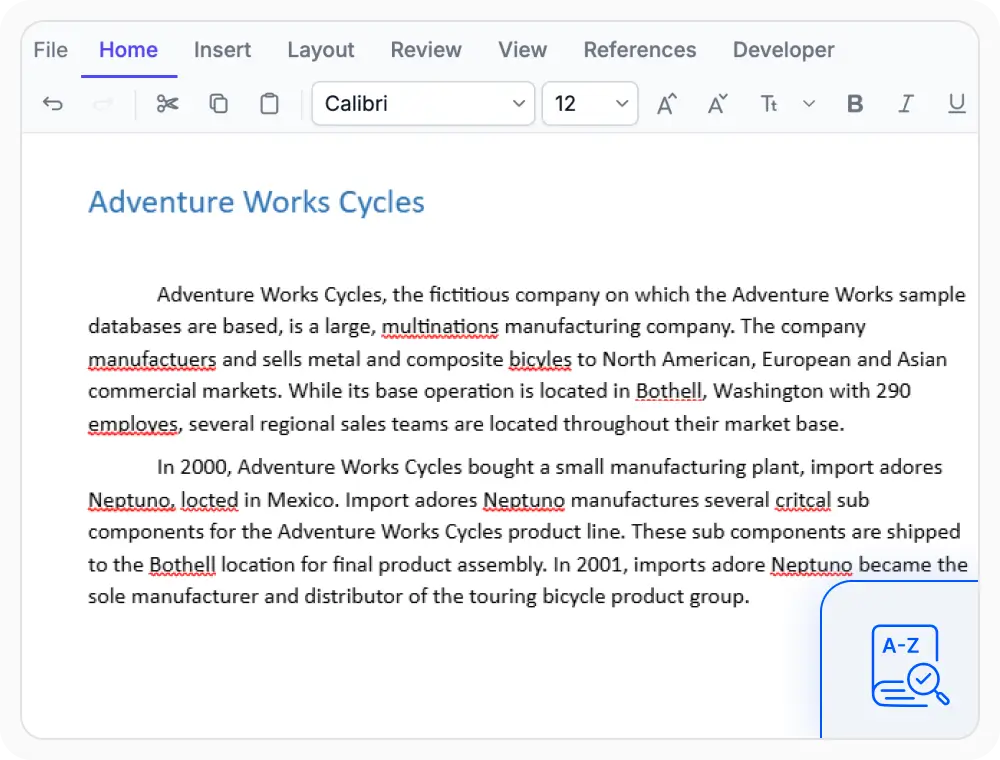
Manage custom dictionary
Custom dictionaries keep recognized terminology from being flagged, including product names, abbreviations, and specialized vocabulary. Use when you work with industry-specific terms.
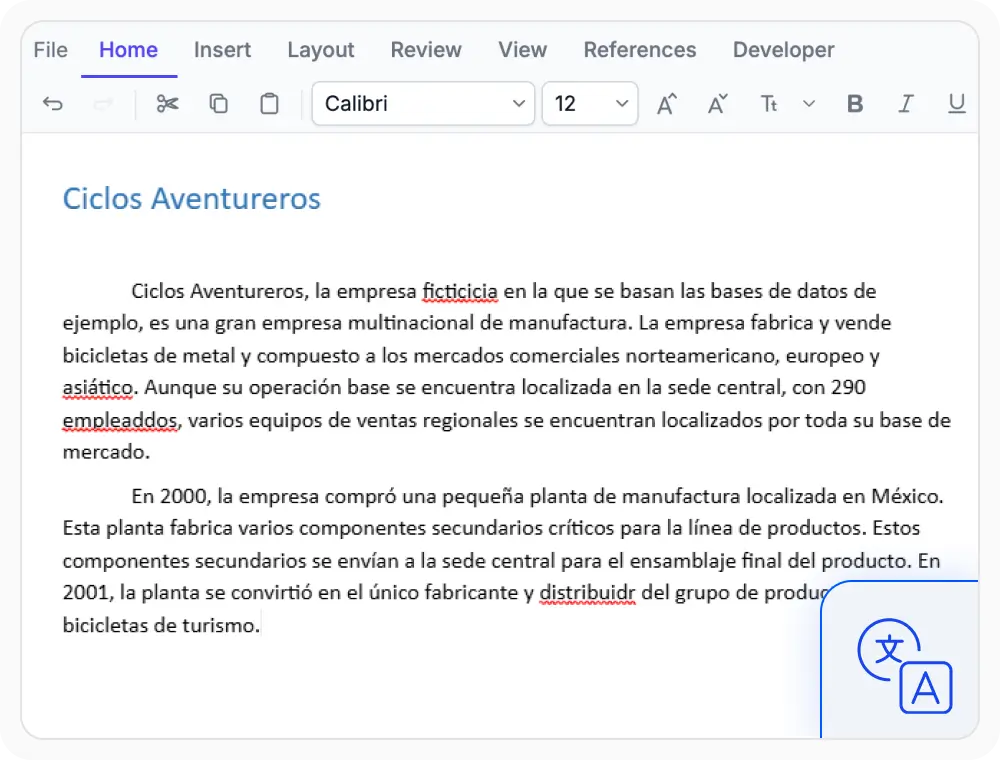
Configure languages for spell check
Set language settings to use different dictionaries for spell checking. Use when working with documents that contain content in different languages.
See Why Developers Love Syncfusion
Our Customers Love Us
Having an excellent set of tools and a great support team, Syncfusion reduces customers’ development time. Here are some of their experiences.







Frequently Asked Questions
Does React DOCX Editor spell check require server-side configuration?
Yes. Spell checking using React DOCX Editor requires server-side processing to validate words and provide correction suggestions during document editing.
Can React DOCX Editor spell check be configured for different languages?
Yes. Language settings can be configured in the React DOCX Editor to accurately validate spelling and provide suggestions for different languages.
Can the spelling-error underlines be disabled in the React DOCX Editor?
Yes. Misspelled words are underlined by default in React DOCX Editor, and the spelling-error underlines can be disabled when needed.
Does the React DOCX Editor support both context menu and dialog-based spell review?
Yes. Misspelled words can be corrected from the context menu or reviewed sequentially through the spelling dialog in React DOCX Editor.
Does spell check in the React DOCX Editor apply corrections automatically?
No. In React DOCX Editor, spell check identifies misspelled words and suggests corrections, but changes are applied only when a suggestion is selected.
Can the React DOCX Editor keep specialized terms from being flagged?
Yes. Terms added to a custom dictionary using React DOCX Editor are properly recognized by spell check, helping avoid incorrect error flags.
Resources
Learn more about our React DOCX Editor
Explore demos, KB articles, and documentation to get the most out of the React DOCX Editor.
Explore guides, APIs, and quick-start tips
See live use cases in action
Ask, share, and connect with peers
Find solutions and best practices fast
Get expert help when needed
Feature requests and bug reports
Track issues and suggest improvements
Awards
Greatness—it’s one thing to say you have it, but it means more when others recognize it. Syncfusion® is proud to hold the following industry awards.









