Try Our Live Demo
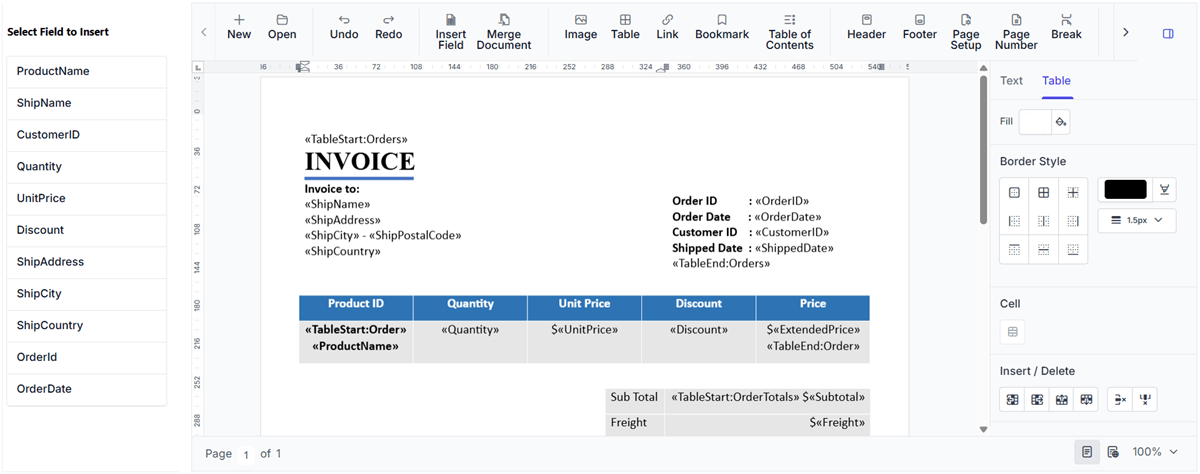
Dynamic document generation capabilities
Create reusable templates and merge data to generate personalized documents. Review generated content and export documents in formats suitable for sharing and distribution.
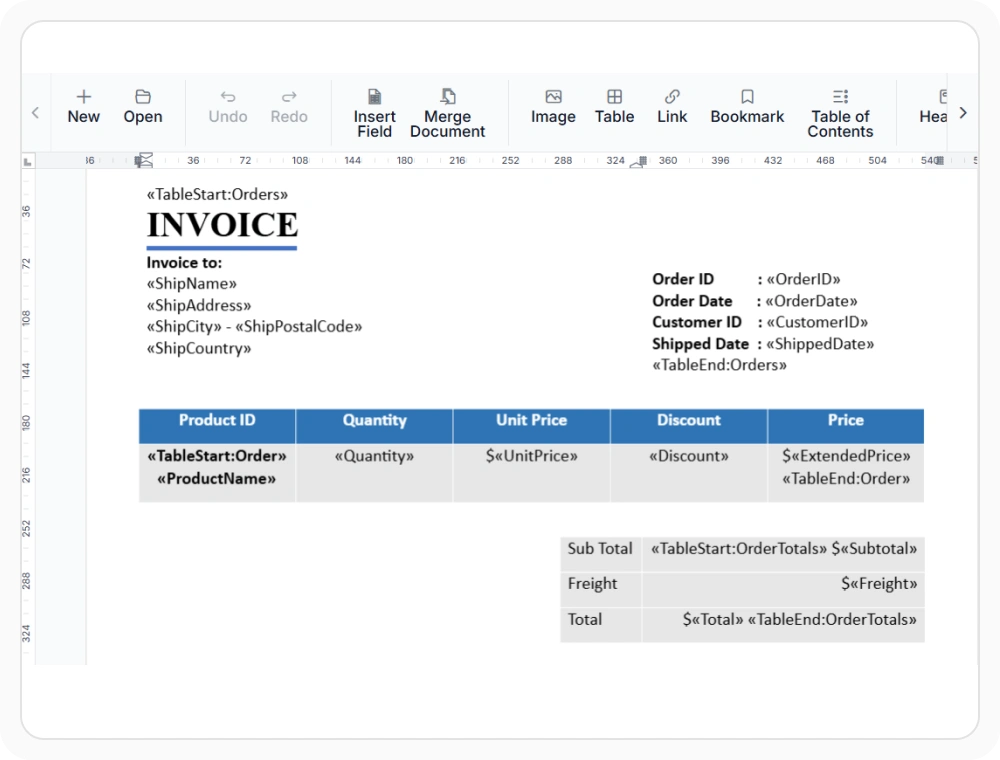
Design mail merge templates
Create reusable Word document templates that define the final layout and add merge field placeholders for data merging. Use when generating documents with the same structure but different content.
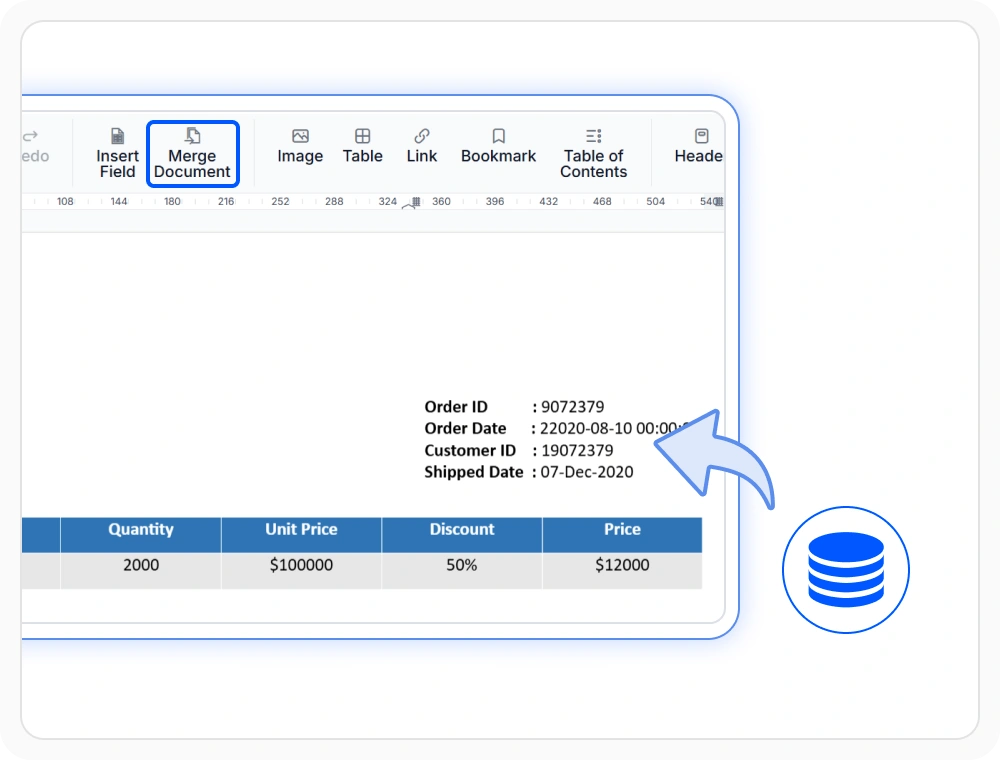
Merge data into Word documents
Generate documents by merging data into merge field placeholders within document templates. Use when content is maintained in JSON and other data sources for dynamic document generation.
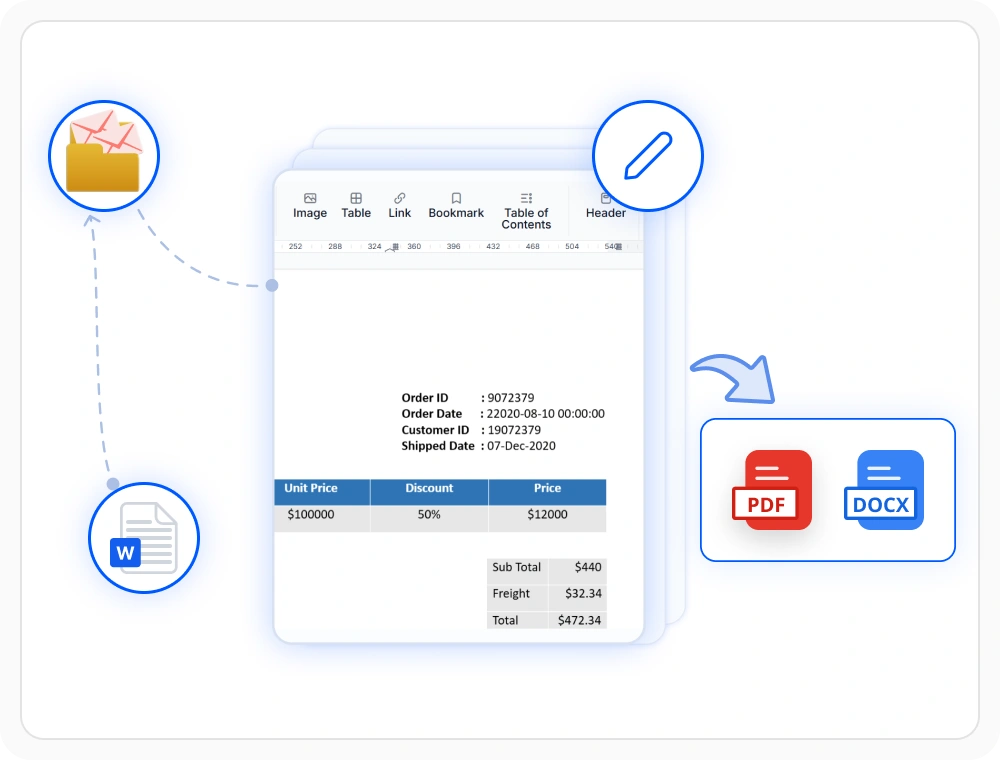
Populate and export documents
Generate documents with mail merge, adjust content and formatting, then export to DOCX or PDF. Use when mail merge output requires content verification, refinement, or conversion before sharing.
See Why Developers Love Syncfusion
Our Customers Love Us
Having an excellent set of tools and a great support team, Syncfusion reduces customers’ development time. Here are some of their experiences.







Frequently Asked Questions
Is Microsoft Word required for mail merge with the React DOCX Editor?
No. Mail Merge in React DOCX Editor does not require Microsoft Word. It can perform mail merge independently.This simplifies document generation and reduces dependencies.
What data sources can be used for mail merge in the React DOCX Editor?
The React DOCX Editor supports mail merge with data sources such as JSON, XML, databases, and .NET objects for generating documents from reusable templates.
Can merged documents be previewed and edited in the React DOCX Editor?
Yes. Generated documents can be previewed, reviewed, and edited in the React DOCX Editor before they are exported or shared with end users
Does React DOCX Editor mail merge require server-side dependencies?
No. Mail merge in React DOCX Editor does not require Microsoft Word. You can create, edit, and generate mail merge documents directly from your application.
Can mail merge preserve document layout and formatting in React DOCX Editor?
Yes. Mail merge replaces merge field placeholders with data while preserving the original document layout, formatting, styles, and template structure in the React DOCX Editor.
Can generated documents be exported to different formats in the React DOCX Editor?
Yes. Generated documents can be exported to DOCX, PDF, and other supported formats using the React DOCX Editor to meet different document processing and sharing requirements.
Resources
Learn more about our React DOCX Editor
Explore demos, KB articles, and documentation to get the most out of the React DOCX Editor.
Explore guides, APIs, and quick-start tips
See live use cases in action
Ask, share, and connect with peers
Find solutions and best practices fast
Get expert help when needed
Feature requests and bug reports
Track issues and suggest improvements
Awards
Greatness—it’s one thing to say you have it, but it means more when others recognize it. Syncfusion® is proud to hold the following industry awards.









