Try Our Live Demo
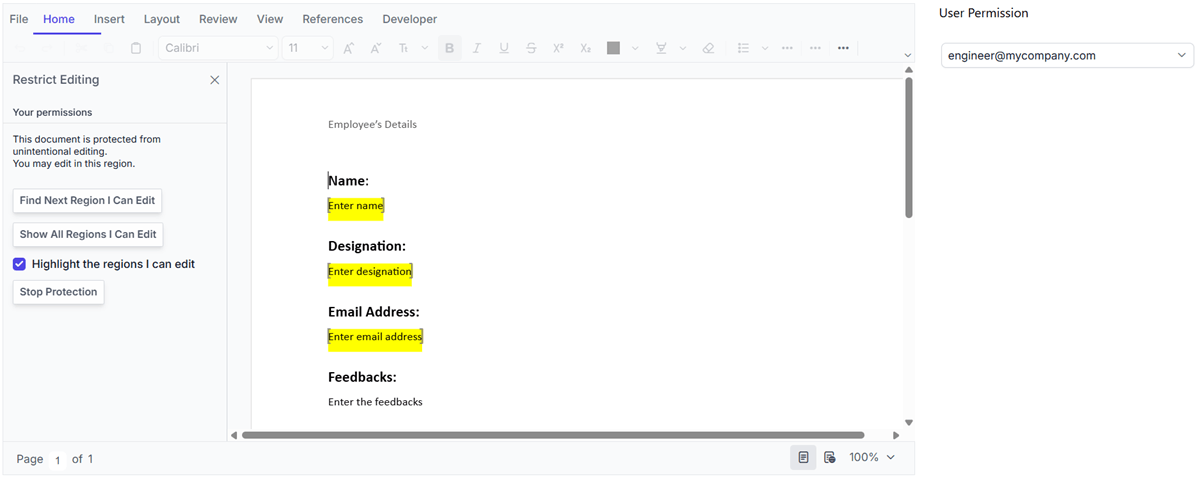
Document protection and editing control
Choose how users interact with content in the editor through read-only, comments-only, form-filling, and tracked changes modes. Control editing permissions based on document requirements.
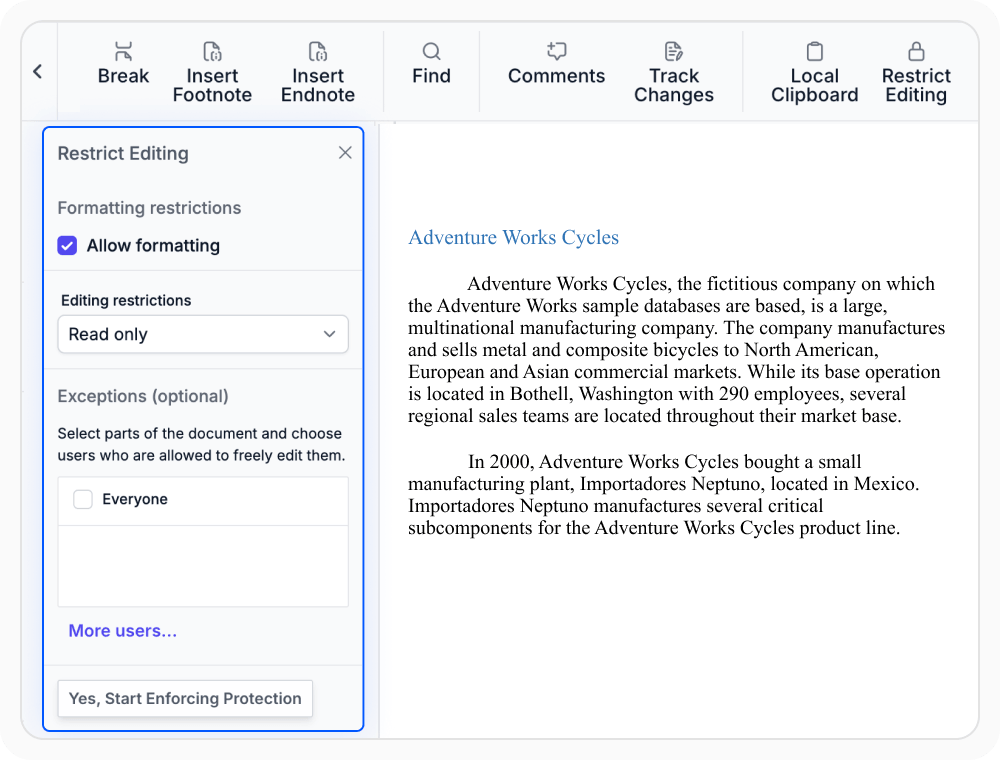
Enable read-only protection
Read-only protection restricts editing of document content, formatting, and layout. Use when document content must remain unchanged while allowing others to view it.
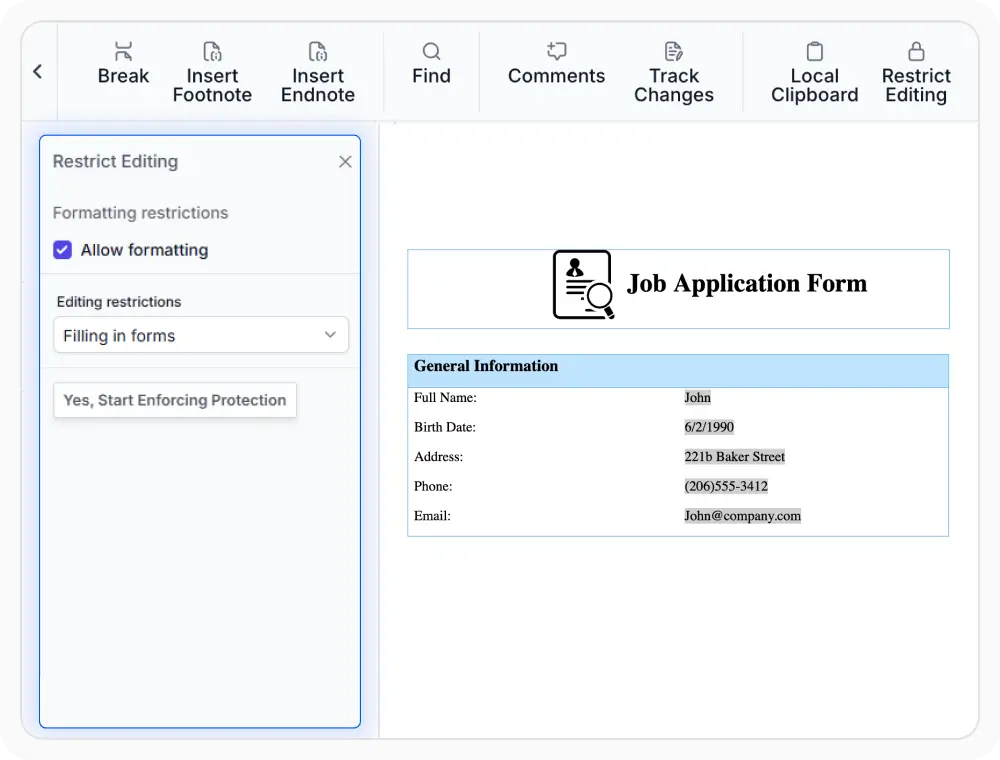
Use form-filling protection
Form-filling protection allows editing only within designated form fields. Use when users need to complete forms while keeping the remaining document content unchanged.
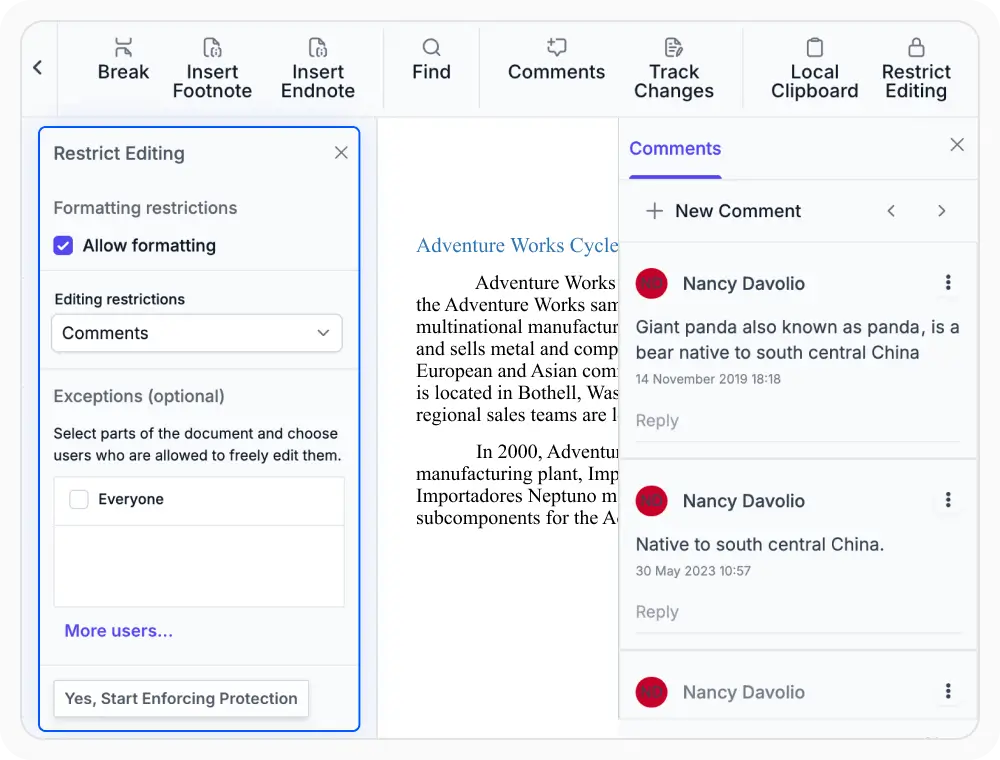
Review with comments-only mode
Comments-only protection enables review discussions without changing document content and formatting. Use when review feedback is needed without modifying the original document content.
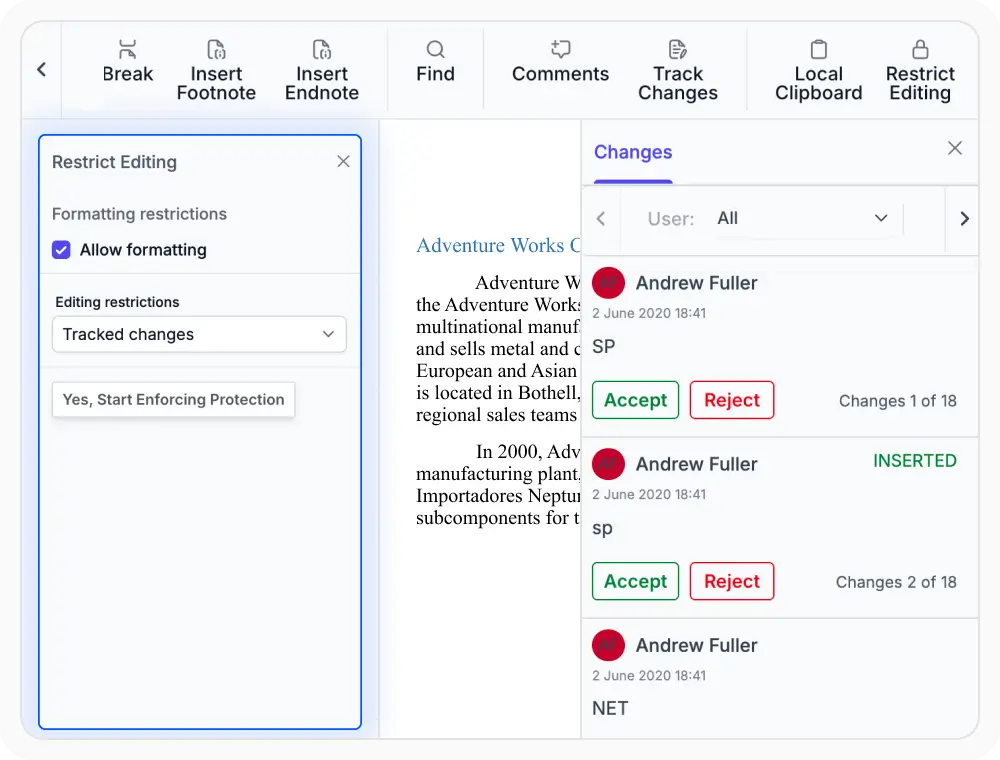
Apply track changes protection
Track changes protection records document changes and maintains a visible revision history. Use when changes need to be reviewed before they are finalized.
See Why Developers Love Syncfusion
Our Customers Love Us
Having an excellent set of tools and a great support team, Syncfusion reduces customers’ development time. Here are some of their experiences.







Frequently Asked Questions
What protection modes are available in React DOCX Editor?
React DOCX Editor supports read-only, form filling, comments-only, and tracked changes protection modes. Each mode limits editing in a different way based on document review or completion needs.
Is document protection preserved when exporting a DOCX document from React DOCX Editor?
Yes. React DOCX Editor preserves document protection settings when exporting DOCX files, ensuring that editing restrictions remain applied in compatible Word processors.
Does React DOCX Editor document protection work with existing documents?
Yes. React DOCX Editor document protection supports applying protection to existing documents and newly created content.
Is it possible to reply to comments in comments-only protection mode in React DOCX Editor?
Yes. React DOCX Editor supports replying to comments in comments-only protection mode while restricting edits to document content.
Can specific sections of a protected document remain editable in React DOCX Editor?
Yes. React DOCX Editor supports editable ranges, allowing designated sections to remain editable while the rest of the document stays protected.
Can a protected Word document be unprotected in React DOCX Editor?
Yes. React DOCX Editor supports removing protection from a protected Word document using the required password.
Resources
Learn more about our React DOCX Editor
Explore demos, KB articles, and documentation to get the most out of the React DOCX Editor.
Explore guides, APIs, and quick-start tips
See live use cases in action
Ask, share, and connect with peers
Find solutions and best practices fast
Get expert help when needed
Feature requests and bug reports
Track issues and suggest improvements
Awards
Greatness—it’s one thing to say you have it, but it means more when others recognize it. Syncfusion® is proud to hold the following industry awards.









