Try Our Live Demo
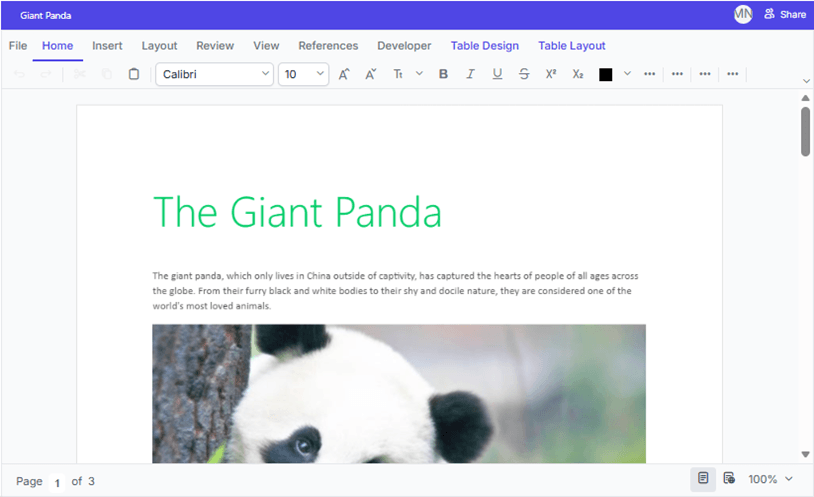
Collaborative editing and review workflows
Work with multiple contributors on the same document and manage reviews with built-in collaboration tools. Track edits, add comments, review revisions, and capture additional context throughout the review process.
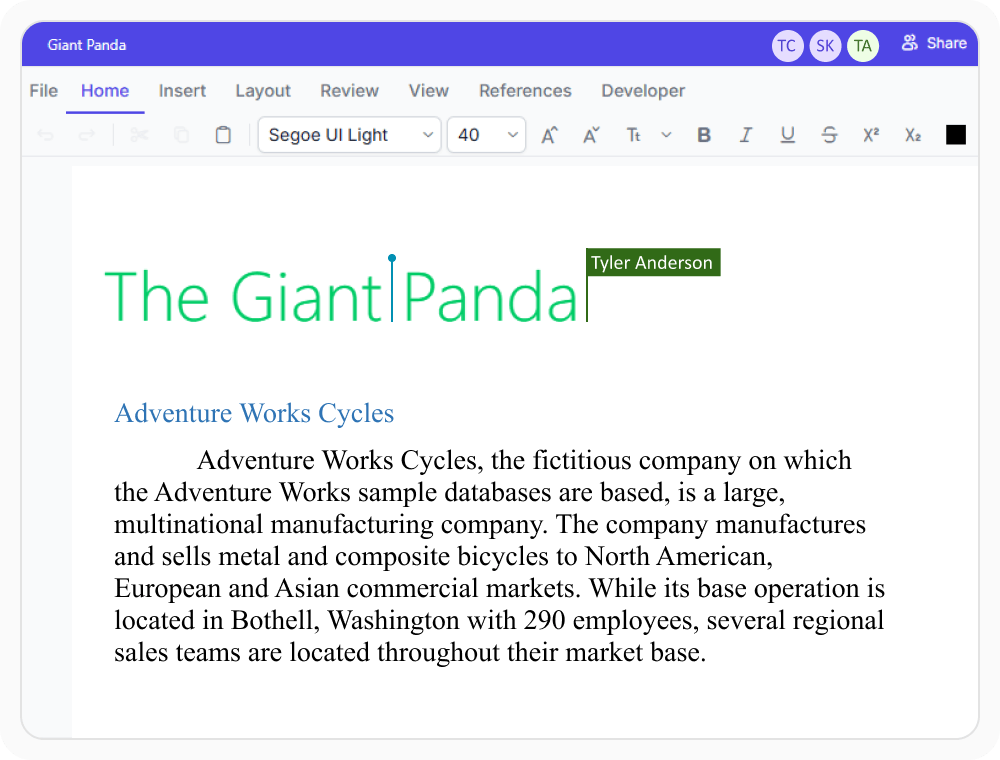
Real-time collaborative editing
Multiple users can work on the same document at the same time and see updates as they happen. Use when content requires input from several contributors who need visibility into each other’s changes.
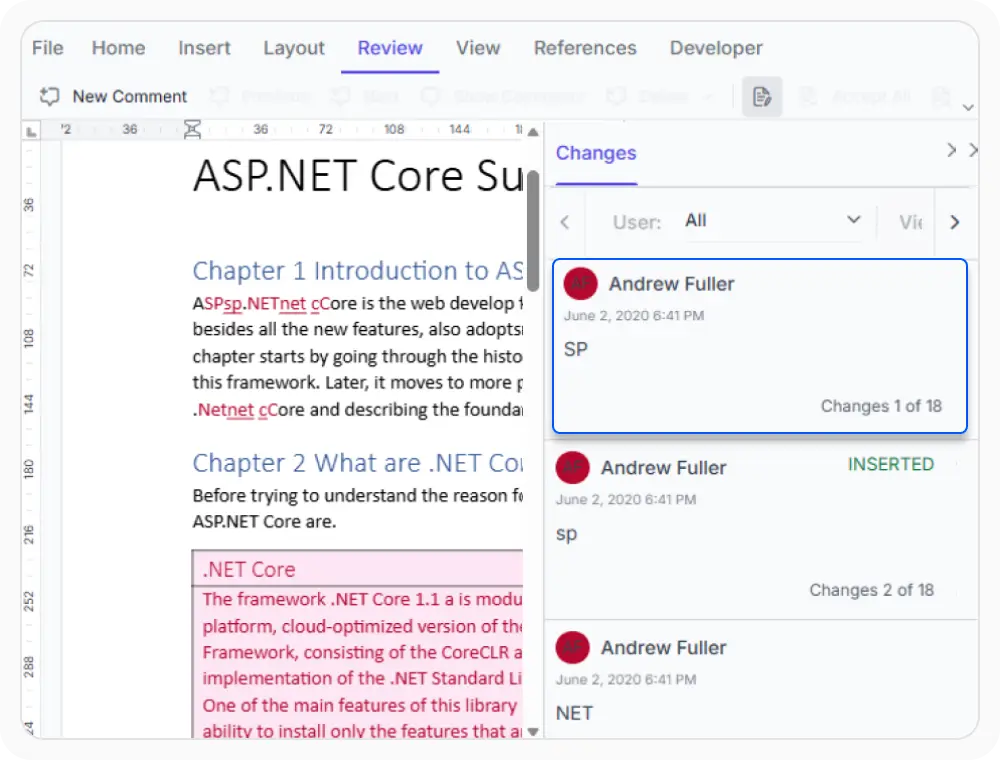
Review tracked changes
Records every insertion and deletion made within the editor while preserving a complete revision history. Use when reviewers need visibility into edits and updates before accepting changes and finalizing content.
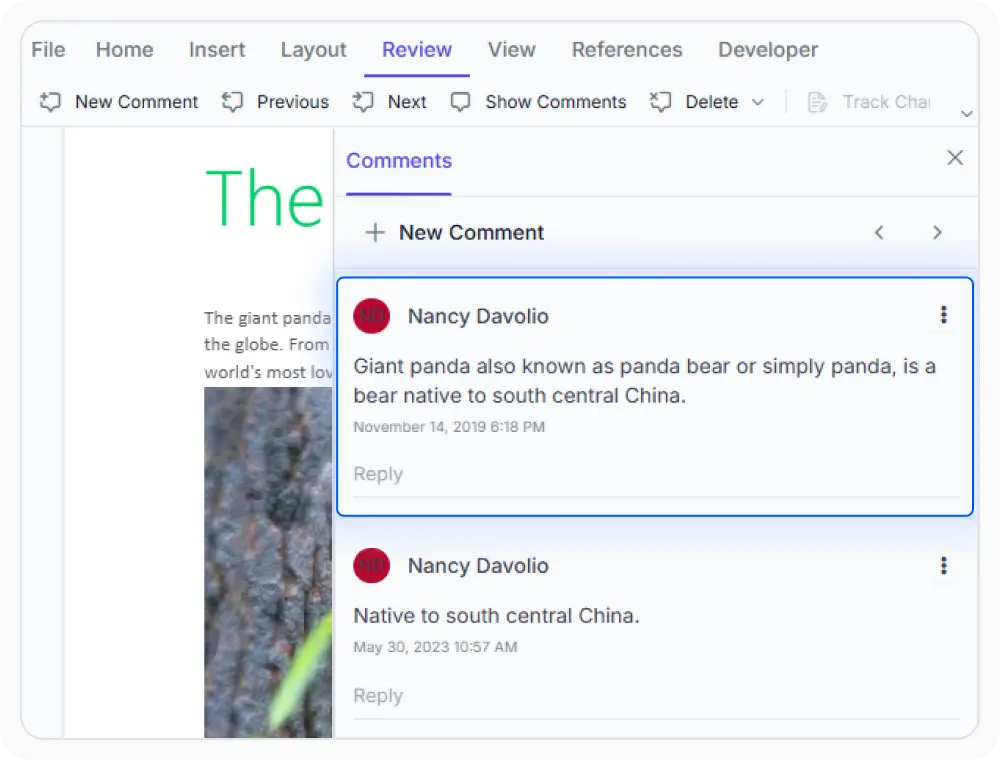
Discuss content with comments
Keeps feedback and discussions separate from document content through comments and replies, making reviews easier to manage. Use when reviewers need to share feedback, ask questions, discuss updates, or add approval notes before finalizing content.
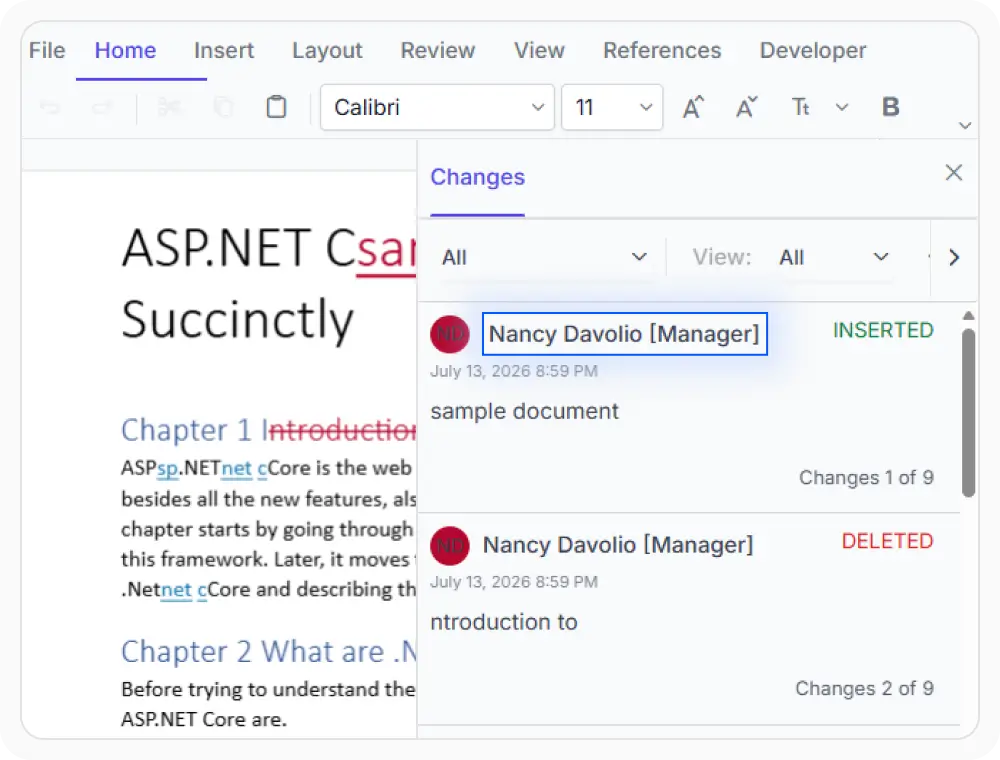
Include metadata in revisions
Add extra details to revisions beyond the author name to provide more context for tracked changes. Use when reviewers need to include roles, reference IDs, tags, or other review-related information.
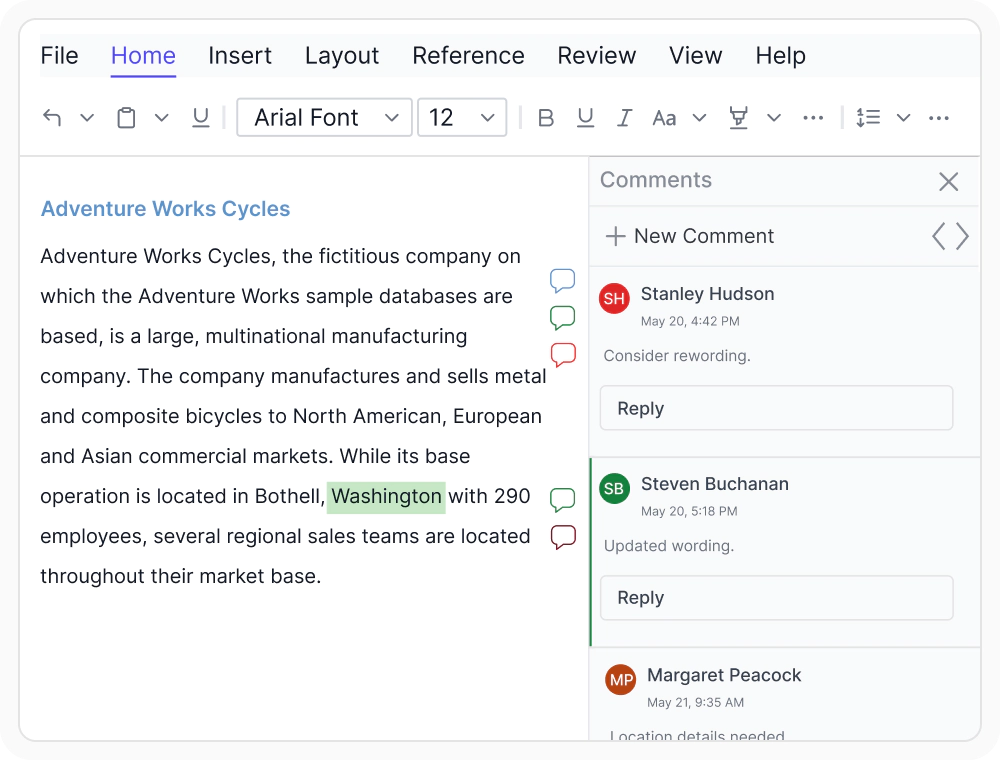
Highlight comments by author
The DOCX Editor now supports avatar-based comment colors. Comment markers and pane borders use each author’s avatar color, while selected comments highlight related text in the same color, making multi-author reviews easier to distinguish and track.
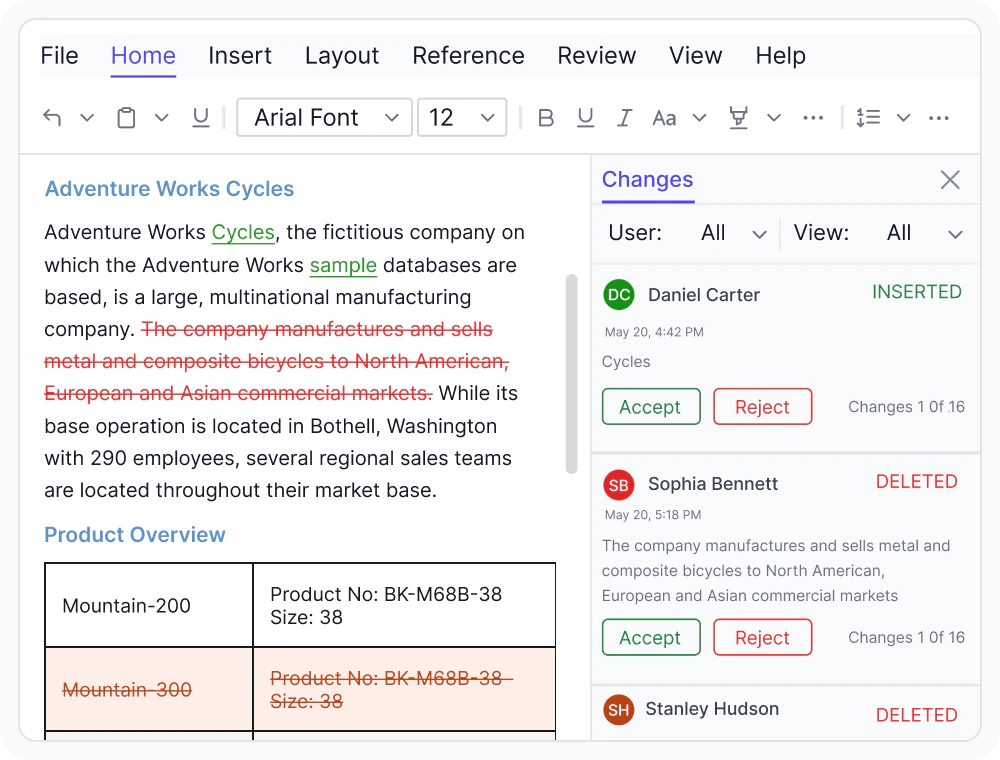
Author-based revision colors
Customize tracked change colors instead of using defaults. Assign colors for insertions, deletions, and table row revisions, or use author-based colors to clearly distinguish edits from different users during collaborative reviews.
See Why Developers Love Syncfusion
Our Customers Love Us
Having an excellent set of tools and a great support team, Syncfusion reduces customers’ development time. Here are some of their experiences.







Frequently Asked Questions
What collaboration and review features are available in the React DOCX Editor?
React DOCX Editor includes real-time collaborative editing, track changes, comments, and custom revision metadata, enabling teams to collaboratively edit, review, and manage document changes.
What is real-time collaborative editing in the React DOCX Editor?
Real-time collaborative editing in React DOCX Editor allows multiple contributors to edit the same document simultaneously. Changes are synchronized across active sessions and reflected immediately for all participants.
How are comments effectively managed in the React DOCX Editor?
In React DOCX Editor, contributors can add comments, reply to discussions, navigate comments, and remove them as needed.
Does collaborative editing in the React DOCX Editor require server-side configuration?
Yes. Collaborative document editing in React DOCX Editor require server-side configuration to synchronize document changes between multiple contributors in real time.
How are conflicts handled in React DOCX Editor when multiple contributors edit the same section?
In React DOCX Editor, changes are synchronized in real time, and simultaneous edits are automatically resolved using the Operational Transformation (OT) algorithm to maintain a consistent document for all collaborators.
Does the React DOCX Editor preserve track changes and comments in exported DOCX files?
Yes. Track changes and comments are preserved when exporting documents to DOCX using React DOCX Editor.
Resources
Learn more about our React DOCX Editor
Explore demos, KB articles, and documentation to get the most out of the React DOCX Editor.
Explore guides, APIs, and quick-start tips
See live use cases in action
Ask, share, and connect with peers
Find solutions and best practices fast
Get expert help when needed
Feature requests and bug reports
Track issues and suggest improvements
Awards
Greatness—it’s one thing to say you have it, but it means more when others recognize it. Syncfusion® is proud to hold the following industry awards.









