Try Our Live Demo
Why diagram elements matter
A diagram is only as readable as the shapes that represent its data and the connectors that show how it relates. Getting both right keeps a diagram organized at any size.
Any shape, any content
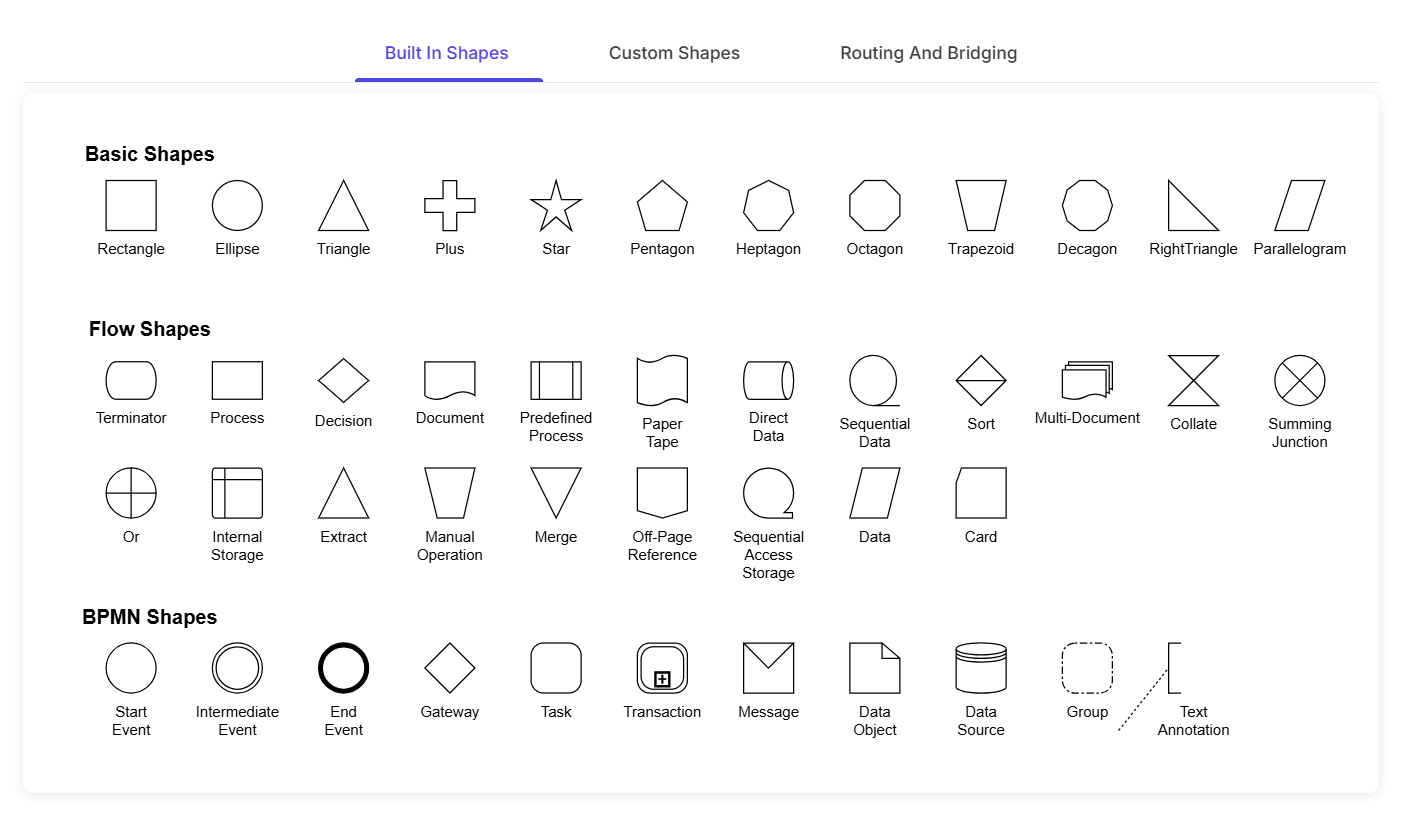
Predefined shapes, custom paths, or embedded HTML and SVG content can all represent a node.
Connections that stay readable
Routing and bridging keep connector paths readable even as a diagram fills up with nodes and crossing lines.
Built once, reused everywhere
A shape or template defined once can represent any number of nodes across a diagram.
Basic and custom shapes
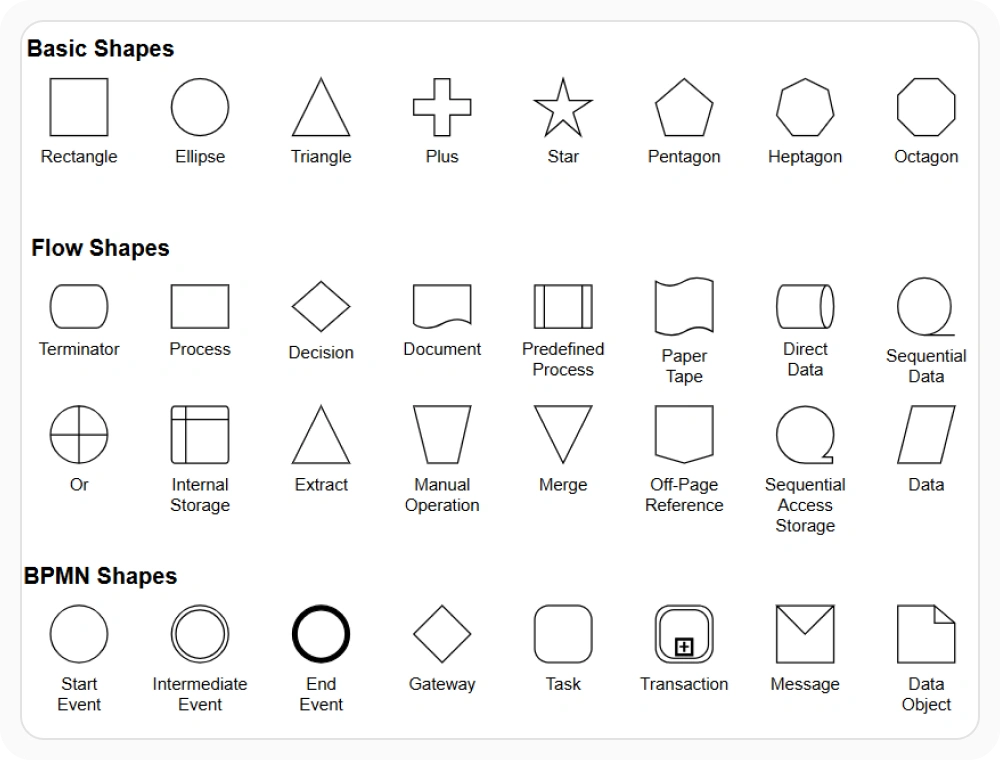
Every node starts from a shape. Basic shapes cover common geometric forms, while path shapes support fully custom geometry defined with standard SVG path data. Use basic shapes for standard geometric forms or path shapes when a node requires custom geometry that a basic shape cannot provide.
- Provide basic shapes covering common forms such as rectangles, ellipses, and text, plus rounded rectangles through shape-specific properties
- Support path shapes that render any custom geometry defined with SVG path data
- Deliver flowchart-specific shapes covered separately in Diagram Types
- Enable predefined shapes to be dragged onto the diagram from a symbol palette; see Symbol Palette
Rich content inside a node
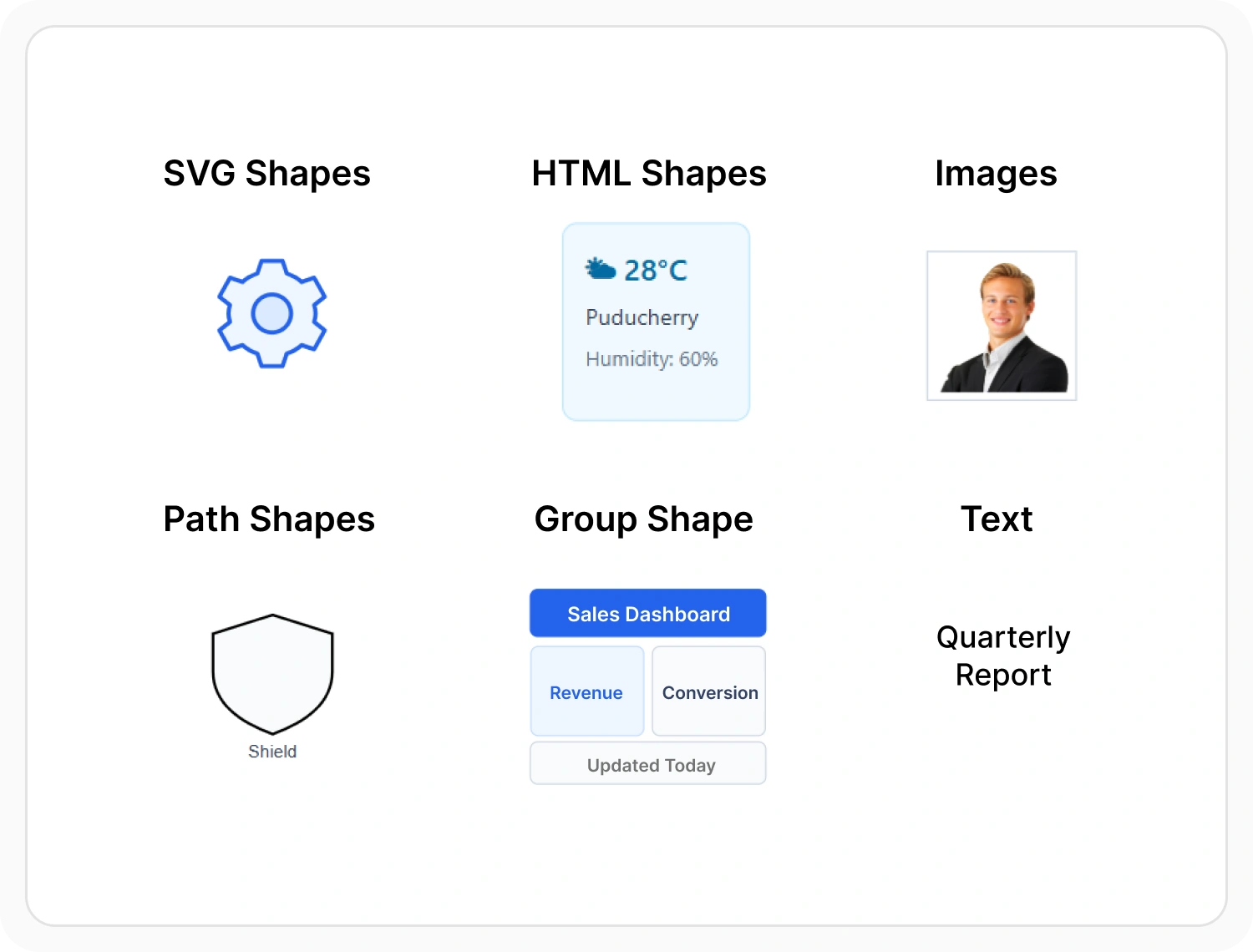
A node isn’t limited to a plain shape. HTML and native templates let a node host custom content, such as buttons, images, or embedded UI, instead of only a fill color and a label. Use HTML or native templates when a node needs to display interactive or custom content beyond a standard shape.
- Provide HTML templates that embed arbitrary HTML content inside a node
- Support native templates that embed SVG content inside a node
- Enable template content to be generated dynamically based on the node’s data
- Ensure awareness that HTML and native nodes cannot be exported to image formats such as PNG or JPEG
Connectors that avoid obstacles
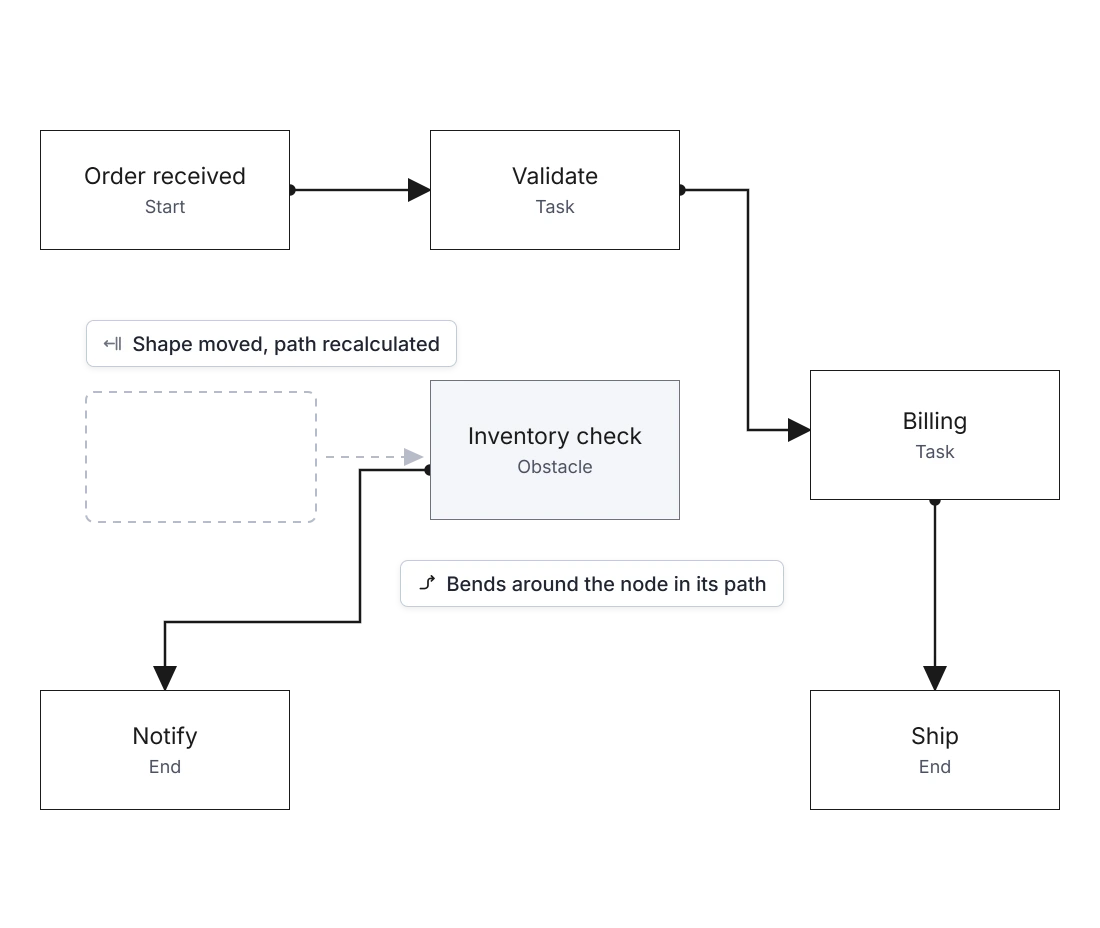
Line routing recalculates a connector’s path automatically so it doesn’t cut through nearby nodes. A connector re-routes itself again if a connected shape is moved. Use line routing when a diagram needs connectors to navigate around nodes without manual path adjustment.
- Support automatic line routing for orthogonal connectors
- Adjust a connector’s path to avoid nodes in its way
- Re-route connectors automatically when a connected shape moves
- Enable attaching a connector to a specific point on a shape as covered in Connectors & Ports
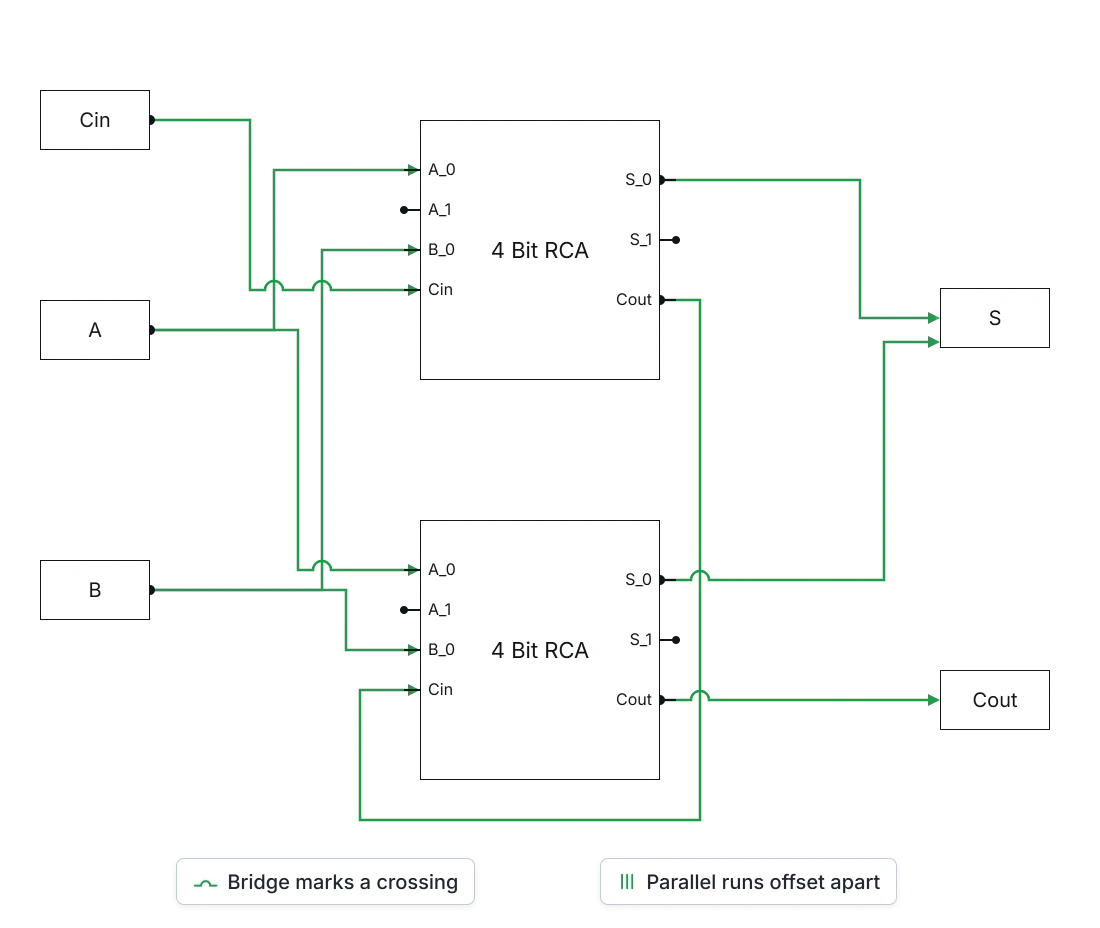
Untangling overlapping connectors
As a diagram grows, connectors can end up stacked on top of each other or crossing paths. Two related capabilities keep those situations readable. Use these capabilities when a dense diagram needs overlapping or crossing connectors to remain visually distinct.
- Support offsetting overlapping orthogonal connectors automatically instead of drawing them on top of each other
- Provide line bridging that draws a small arc where one connector crosses another, showing they don’t connect
- Enable configurable bridge direction and width
- Ensure bridging coverage for straight and orthogonal connectors, noting that Bezier segments are not supported
PLATFORM SUPPORT
Shape, template, and connector support by platform
Every platform in the Diagram SDK renders shapes and routes connectors, but the underlying object model is not identical everywhere. JavaScript, Angular, React, Vue, ASP.NET Core, ASP.NET MVC, and Blazor share a common shape and template system, while WPF, UWP, and Windows Forms expose the same capabilities through their own node and template classes.
| Capability | JavaScript frameworks | ASP.NET Core and MVC | Blazor | WPF | UWP | Windows Forms |
|---|---|---|---|---|---|---|
| Basic and path shapes | ||||||
| Custom node templates (HTML, native, or embedded content) | ||||||
| Automatic connector routing around nodes | ||||||
| Overlap avoidance and line bridging |
Frequently Asked Questions
What is the difference between a basic shape and a path shape?
A basic shape is one of the predefined geometric forms, such as a rectangle, ellipse, or text shape. A path shape is fully custom, defined with SVG path data, and can represent any geometry that a basic shape can’t.
Does a connector automatically avoid other nodes in its path?
Yes, for orthogonal connectors. Line routing adjusts a connector’s path automatically to avoid nodes it would otherwise cross, and re-routes again if a connected node moves.
Does every connector type support routing and bridging?
No. Automatic routing applies to orthogonal connectors, and bridging does not support Bezier connector segments. Straight and orthogonal connectors support bridging.
Where is dragging shapes onto the diagram from a palette covered?
Organizing shapes into groups and dragging them onto the diagram is covered in Symbol Palette, including how a palette’s appearance differs from the node it produces.
Can a node contain something other than a shape, like a button or an image?
Yes. HTML and native templates let a node host custom content, including buttons, images, or other embedded UI, instead of a plain filled shape. One limitation applies: nodes built this way cannot be exported to image formats such as PNG or JPEG.
What happens when two connectors cross without connecting?
Line bridging draws a small arc where one connector crosses another, making it obvious the lines intersect visually without being connected. The bridge direction and width can be configured.
Where is connecting to a specific point on a shape covered?
Ports, the fixed connection points on a shape, are covered in Connectors & Ports, along with how a connector attaches to and detaches from them.
Resources
Learn more about our Diagram SDK
Explore demos, documentation, and support resources to get the most out of the Syncfusion Diagram SDK.
Review shared concepts and supported platforms
Representative shape gallery demo
See basic, path, and flow shapes in action
Ask, share, and connect with peers
Find solutions and best practices fast
Get expert help when needed
Feature requests and bug reports
Track issues and suggest improvements
Awards
Greatness—it’s one thing to say you have it, but it means more when others recognize it. Syncfusion® is proud to hold the following industry awards.









