 Sindhu Ramesh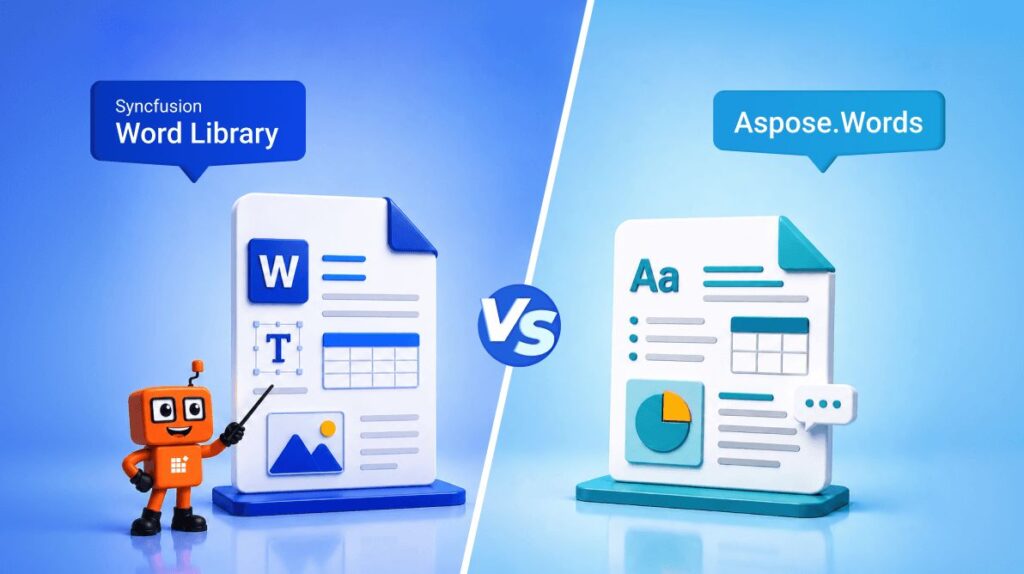
TL;DR: Not all .NET Word libraries deliver the same experience when it comes to document automation, conversion accuracy, and performance at scale. In this comparison, we evaluate Syncfusion Word Library and Aspose.Words across the areas that matter most to developers, highlighting which solution delivers the strongest combination of features, performance, and productivity.
Most .NET developers eventually run into document-processing requirements.
Maybe you’re generating invoices, building a reporting system, creating contracts from templates, or converting Word documents to PDFs at scale. On paper, many Word libraries seem to offer similar capabilities. They all support document creation, editing, mail merge, and conversion.
The challenge begins when projects evolve.
As document-processing requirements grow, factors such as mail merge complexity, document conversion fidelity, API usability, and deployment flexibility can influence library selection.
This blog compares Syncfusion Word Library and Aspose.Words for .NET across the areas that matter most in production applications.
Rather than focusing solely on feature checklists, this blog compares both libraries across document automation, conversion accuracy, baseline performance in representative document-processing operations, developer experience, and deployment options. The goal is to provide a balanced, evidence-based comparison that helps .NET teams choose the right library for their needs.

Syncfusion Word Library vs. Aspose.words at a glance
Both libraries support modern .NET applications and .NET Framework environments. Check the respective version-specific system requirements before deployment.
Quick setup
| Library | NuGet package | Installation command |
|---|---|---|
| Syncfusion Word Library | Syncfusion.DocIORenderer.Net.Core | Install-Package Syncfusion.DocIORenderer.Net.Core -Version 32.2.4 |
| Aspose.Words | Aspose.Words | Install-Package Aspose.Words -Version 26.8.0 |
Once installed, both libraries can create and save Word documents with only a few lines of code.
What developers usually care about
Most teams aren’t looking for a library with the longest feature list. They’re looking for one that helps them solve business problems quickly and reliably.
The following comparison focuses on common factors that influence library selection.
| Area | Syncfusion Word Library | Aspose.Words |
|---|---|---|
| Performance | In the benchmark described later in this article, Syncfusion showed faster execution times for Word-to-PDF conversion, Word-to-Image conversion, mail merge, document comparison, and merge operations. | Performed well across all scenarios and was faster in DOCX-to-DOCX save operations. |
| Document automation | Mail merge, document comparison, find and replace, form filling, bookmarks, content controls, track changes, ink, SmartArt, document protection, and document conversion. | Mail merge, document comparison, find and replace, form filling, bookmarks, content controls, ink, SmartArt, document protection, track changes, and document conversion. |
| API experience | Provides a broad API surface with consistent method names and extensive documentation. | Provides a broad API surface with extensive document-processing functionality. |
| Cross-platform deployment | Supports .NET Framework, .NET, Blazor, MAUI, and deployment across Windows, Linux, macOS, Docker containers, and cloud environments. | Supports .NET Framework and .NET, Blazor including deployment across Windows, Linux, macOS, Docker containers, and cloud environments. |
| Document conversion | Supports conversion to PDF, HTML, Markdown, RTF, and image formats. | Supports conversion to PDF, HTML, Markdown, RTF, and image formats. |
| Documentation & support | Extensive documentation, API reference, and dedicated customer support channels through the Syncfusion support portal. | Documentation, API reference, and customer support channels through the Aspose support portal. |
Feature comparison
When building document-centric applications, developers often rely on more than simple document creation.
Here’s how the two libraries compare across commonly used capabilities.
| Feature | Syncfusion Word Library | Aspose.Words |
|---|---|---|
| Mail merge | Supported | Supported |
| Merge documents | Supported | Supported |
| Split documents | Supported | Supported |
| Compare documents | Supported | Supported |
| Bookmarks management | Create, modify, delete, navigate, and extract bookmark content as Word document elements. | Create, modify, delete, navigate, and retrieve bookmark text content only. |
| Find and replace | Supported | Supported |
| Content controls | Supported | Supported |
| Charts | Supported | Supported |
| Document protection | Supported | Supported |
| Track changes | Supported | Supported |
| LaTeX equation support | Supports creating mathematical equations directly from LaTeX syntax within Word documents. | Supports Word equations, but does not provide direct LaTeX-to-equation generation within Word documents. |
| Digital signature (Word documents) | Not supported for OOXML/Word document digital signatures (planned on the roadmap). | Supports OOXML/Word document digital signatures, including certificate-based signing. |
Both libraries cover common Word-processing requirements, but two differences stand out.
- The first is equation authoring. Syncfusion can generate mathematical equations directly from LaTeX syntax within Word documents, which can be valuable for scientific, engineering, educational, and research content. While Aspose.Words supports mathematical equations in Word documents, the Aspose.Words .NET API does not currently expose an equivalent direct LaTeX-to-equation generation process within Word documents.
- The second is Word document digital signatures. Aspose.Words offers certificate-based signing for OOXML/Word documents, which is relevant for compliance and document-of-record processes. Currently, Syncfusion’s .NET Word Library (DocIO) does not provide Word-level digital signature signing through its public API. Support for Word document digital signatures is planned and currently on the Syncfusion product roadmap.
Performance comparison
To better understand how the libraries perform under common document-processing operations, the following benchmarks were conducted under controlled conditions.
Test environment
| Parameter | Details |
|---|---|
| Operating System | Windows 11 Enterprise 24H2 |
| Processor | AMD Ryzen 5 7520U with Radeon Graphics |
| Memory | 16 GB RAM |
| .NET Runtime | .NET 10 |
| Syncfusion package | Syncfusion.DocIORenderer.Net.Core version 32.2.4 |
| Aspose package | Aspose.Words version 26.8.0 |
Benchmark parameters and workloads
- Runs: Each operation was executed 10 times, and the average execution time is reported.
- Measurement unit: All results are reported in seconds.
- Metric reported: Mean (average) execution time across all runs.
- Input document: Details of the input documents used for each benchmark are provided alongside the corresponding results.
- Benchmark scope: The benchmark focuses on common document-processing operations using tables, images, fields, charts, and text. Performance may vary when processing larger documents, complex layouts, tables, images, charts, tracked changes, or high-volume batch workloads.
- Build configuration: Both libraries were tested in release builds with default configuration.
- Timing: Measurements capture only the execution time of the target operation. Application startup and other one-time initialization overhead were excluded wherever possible.
- Hardware/runtime: See the benchmark environment details provided above.
Results may vary depending on document complexity, hardware resources, platform configuration, and processing requirements.
| Operation | Syncfusion (sec) | Aspose.Words (sec) | Lower execution time |
|---|---|---|---|
| Word-to-PDF (4 pages) | 0.523 | 0.746 | Syncfusion |
| DOCX save (4 pages) | 0.839 | 0.309 | Aspose |
| Clone and merge (4 pages) | 0.021 | 0.034 | Syncfusion |
| Mail Merge (10 nested records) | 0.078 | 0.126 | Syncfusion |
| Compare Documents (4 pages) | 0.121 | 0.153 | Syncfusion |
| Word-to-Image (4 pages) | 0.927 | 3.289 | Syncfusion |
What these results mean
For workloads similar to those tested, faster processing can reduce per-document execution time and potentially improve throughput.
Across the benchmark scenarios tested, Syncfusion delivered faster times for Word-to-PDF, Word-to-image, mail merge, document comparison, and clone-and-merge operations, while Aspose.Words remained faster for DOCX save operations.
Note: For more benchmark details, refer to the following resources:
• Word Library performance benchmark results
• Word to PDF performance benchmark results
• Convert Word to Image in .NET Word Library
Run across modern .NET environments
Modern applications run across cloud platforms, containers, and multiple operating systems. Both Syncfusion .NET Word Library and Aspose.Words support flexible deployment scenarios, helping teams build and scale document-processing solutions across web, server, and cloud environments.
| Environment | Syncfusion .NET Word Library | Aspose.Words |
|---|---|---|
| .NET Core | Supported | Supported |
| .NET Framework | Supported | Supported |
| Linux | Supported | Supported |
| Docker | Supported | Supported |
| macOS | Supported | Supported |
| Cloud/server deployments | Supported | Supported |
Where each library may be a better fit
Syncfusion Word Library may be a better fit when:
- The application processes a high volume of Word-to-PDF or Word-to-image conversions and conversion speed matters.
- The process needs direct LaTeX-to-equation generation inside Word documents for scientific, engineering, academic, or research content.
- Bookmark-based automation scenarios require retrieving bookmark content as document elements while preserving formatting and document structure.
- Teams prefer a broad API surface with consistent patterns, strong documentation, and support resources that can help with implementation and maintenance.
Aspose.Words may be a better fit when:
- OOXML or Word document digital signatures are required as part of the document processing.
- DOCX save performance is a primary concern, and that operation is part of the critical path.
- The project requires support for a wide range of Word-processing operations within a single library rather than combining multiple tools.
- Teams want a library that can fit into existing document automation pipelines without changing established processing patterns.
Conclusion
Both Syncfusion .NET Word Library and Aspose.Words provide comprehensive document-processing capabilities for modern .NET applications. Aspose.Words offers a mature ecosystem, while Syncfusion stands out with advanced mail merge, broad document conversion support, LaTeX equation generation, and strong performance across common document-processing operations.
The right choice ultimately depends on your application’s requirements, deployment environment, performance expectations, and licensing preferences. Evaluating both libraries against your real-world document-processing needs will help determine the best fit for your projects.
Try Syncfusion .NET Word Library and explore its capabilities through our interactive demos.
If you have any queries, contact us through our support forums, support portal, or feedback portal. We are happy to assist you!



Be the first to get updates