
 Vinoth Kumar Sundara Moorthy
TL;DR: Choosing the right .NET Excel processing library is crucial for performance, cost-efficiency, and developer productivity. This blog compares Syncfusion® Excel Library and Aspose.Cells, highlighting key differences in speed, features, and support, helping developers pick the best tool for real-world Excel automation.
Introduction
Working with Excel files in .NET should be simple but too often, it’s not. Developers run into slow performance, and confusing APIs that make even basic tasks frustrating. Sound familiar?
Excel automation is a core requirement in modern .NET applications, from generating reports to handling massive datasets. But with multiple libraries available, how do you choose the right one? In this post, we compare two leading contenders: Syncfusion® Excel Library (XlsIO) and Aspose.Cells. We’ll break down performance, features, and developer experience to help you make an informed decision.

Feature-by-feature comparison: Syncfusion® vs. Aspose.Cells
1. Developer pain points solved
| Pain Point | Syncfusion® Excel Library | Aspose.Cells |
| Performance | Optimized for large files | Slower with complex documents |
| Formula & chart Support | 450+ formulas, 80+ chart types | Similar support |
| API complexity | Clean, well-documented API | Steeper learning curve |
| Platform compatibility | .NET 8/9, MAUI, Blazor, Linux/macOS | Similar support |
| Support quality | Fast, multi-channel support | Slower, limited ticketing |
Syncfusion® eliminates common developer pain points, making it ideal for scalable, high-performance Excel automation. It offers Excel-inspired APIs to create, edit, and format Excel documents. Its powerful conversion APIs make it easy to convert Excel files to PDF, images, and more.

2. Feature comparison table
| Feature | Syncfusion® Excel Library | Aspose.Cells |
| Excel creation & editing | Supported | Supported |
| File format support | XLSX, XLS, CSV, PDF, JSON, HTML, etc. | Similar |
| Data import/export | DataTable, collections, templates | Similar |
| Charts & pivot charts | 80+ chart types, Pivot Charts | Standard chart support |
| Security | Encryption, worksheet protection | Similar |
| Conditional formatting | Supported | Supported |
| Digital signatures | Not Supported | Supported |
| PDF conversion | High-fidelity, PDF/A, PDF/UA | Lower fidelity |
| UI components | Excel editor (Spreadsheet), PDF viewer, DataGrid | Not Supported |
Easily get started with the Syncfusion® .NET Excel Library using a few simple lines of C# code example as demonstrated below.
// Create an instance of ExcelEngine
using (ExcelEngine excelEngine = new ExcelEngine())
{
    // Instantiate the Excel application object
    IApplication application = excelEngine.Excel;

    // Set the default application version
    application.DefaultVersion = ExcelVersion.Xlsx;

    // Create a new Excel workbook
    IWorkbook workbook = application.Workbooks.Create();

    // Get the first worksheet in the workbook into IWorksheet
    IWorksheet worksheet = workbook.Worksheets[0];

    // Assign some text in a cell
    worksheet.Range["A3"].Text = "Hello World";

    // Save the document
    workbook.SaveAs("Output.xlsx");
}
Also, explore our .NET Excel Library example that shows you how to render and configure the .NET Excel.
3. Performance benchmark (1000 rows × 10 columns)
| Operation | Syncfusion® | Aspose.Cells |
| Open & save | 1.8s | 1.9s |
| Excel to PDF | 3.5s | 6.1s |
| DataTable to Excel | 0.6s | 1.1s |
Syncfusion® outperforms Aspose.Cells in key operations, especially Excel-to-PDF conversion and data handling. It is optimized for usage in a server environment where speed and low memory usage are critical.

4. Real developer feedback
- Syncfusion® (G2): “XlsIO is fast, well-documented, and support is top-notch.”
- Aspose.Cells (G2): “Support is responsive but slow to implement new features.”
- Reddit: “Syncfusion’s Excel library is robust and reliable.”
With over 600 verified reviews and a 4.5/5 rating on G2, has earned the trust of developers worldwide. Now with full support for .NET 10, it’s built for modern, high-performance applications.

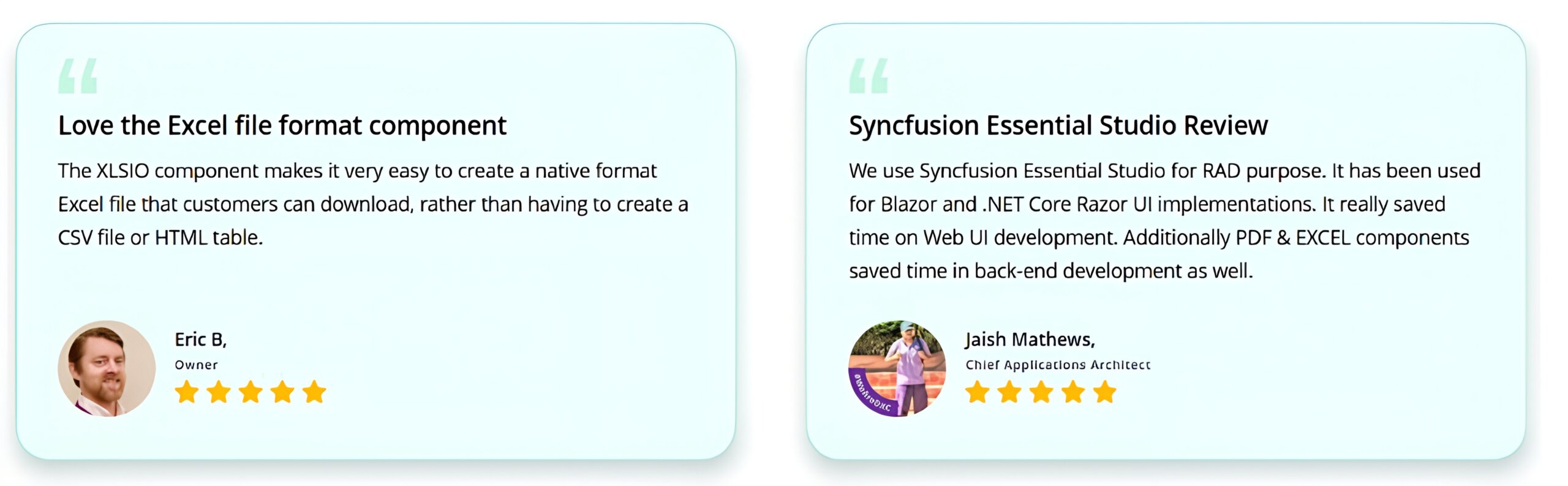
Having an excellent set of tools and a great support team, Syncfusion® reduces customers’ development time. Here are some of their experiences.

Conclusion
If you’re building .NET apps that rely on Excel automation, Syncfusion® Excel Library is the clear winner. It offers:
- Faster performance for large files
- 450+ formulas and 80+ chart types
- Seamless integration across .NET platforms
- Outstanding developer support
Try Syncfusion® Excel Library for free and C# Excel examples in our playground app.
If you have any queries, contact us through our support forums, support portal, or feedback portal. We are happy to assist you!




 No spam, just valuable updates.