
 Selva Ganapathy Kathiresan
Syncfusion is happy to roll out our sixth set of new .NET MAUI controls and features in the Essential Studio® 2022 Volume 4 release. We’ll explore them in this blog.
New .NET MAUI controls
In the 2022 Volume 4 release, we introduce the following .NET MAUI controls in preview mode:
- Backdrop Page
- Calendar View
- Data Form
- Funnel Chart
- PDF Viewer
- Pyramid Chart
- Rating
- Text Input Layout
.NET MAUI Backdrop Page
The .NET MAUI Backdrop Page comprises back and front layers. The back layer holds the actionable content (like navigation or filtration) relevant to the front layer.
Key features
- You can easily add the control to the navigation page. It supports seamless navigation and toolbar customizations.
- The height of the back layer auto-adjusts based on its content and you can expand the content to fit the screen.
- Curved and flat-edge shapes can be used for the front layer with custom corner radius options.
- Smooth animations can reveal and conceal the back layer content.

.NET MAUI Calendar View
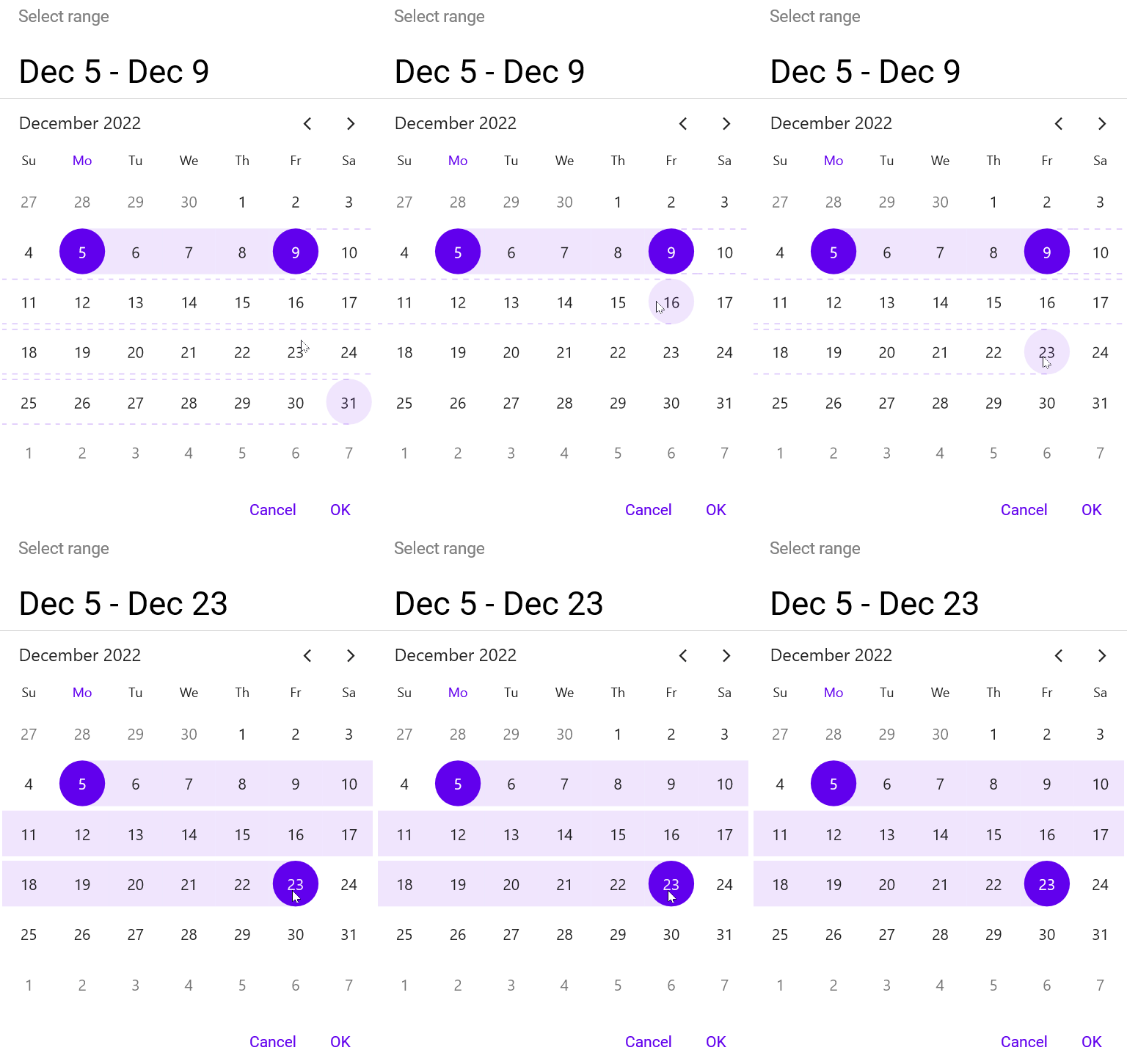
The .NET MAUI Calendar View control provides a multi-view display to select one or more dates within specified ranges.
Key features
- Display dates in a month, year, decade, or century view mode.
- Select one or multiple dates.
- Limit visible dates by specifying the minimum and maximum dates.
.NET MAUI Data Form
The .NET MAUI Data Form allows users to create and edit forms for any data easily, such as login, reservation, contact, and employee forms.
Key features
- Supports built-in editors based on the property type: text, password, multi-line, combo box, autocomplete, date, time, checkbox, switch, and radio group.
- Supports adding custom editors.
- Supports linear, grid, and grouping layouts.
- Supports data handling and validation.
- Supports customizing the appearance of labels, editors, groups, and headers.

.NET MAUI Funnel Chart
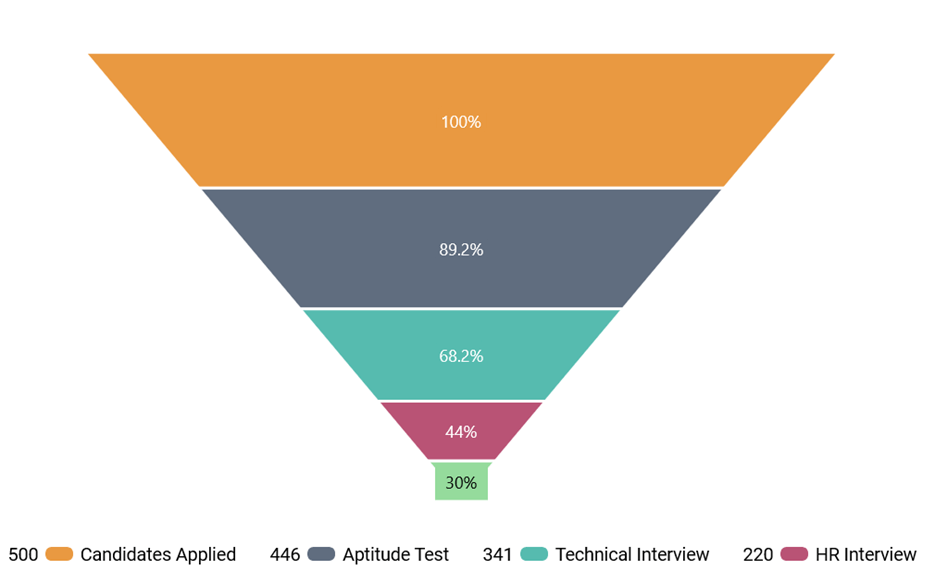
The .NET MAUI Funnel Chart can be used to represent stages in a sales process and show the potential revenue for each stage.
Key features
- User-friendly and has excellent UI visualization.
- The end-user experience is greatly enhanced by including user interaction features such as callbacks, selection, and a tooltip.
- Legends display additional information about the chart series. A legend can be used to collapse series. Also, you can scroll a legend if items exceed the available bounds.
- Chart features such as titles, data labels, legends, and gap ratios can be customized.
.NET MAUI PDF Viewer
The .NET MAUI PDF Viewer control lets you view PDF documents seamlessly and efficiently. It has highly interactive and customizable features such as magnification and page navigation.
Key features
- Easily scroll through the pages in a document with fluent experience. The pages will be rendered on demand when the scroll bar reaches the end of a page.
- The content of a PDF document can be efficiently zoomed in and out by pinching on touch devices or changing the zoom factor programmatically. You can also control zooming using keyboard shortcuts and mouse wheel actions.
- Navigate to a desired page instantly using the page navigation programmatically or by dragging the scroll bar in the UI.

.NET MAUI Pyramid Chart
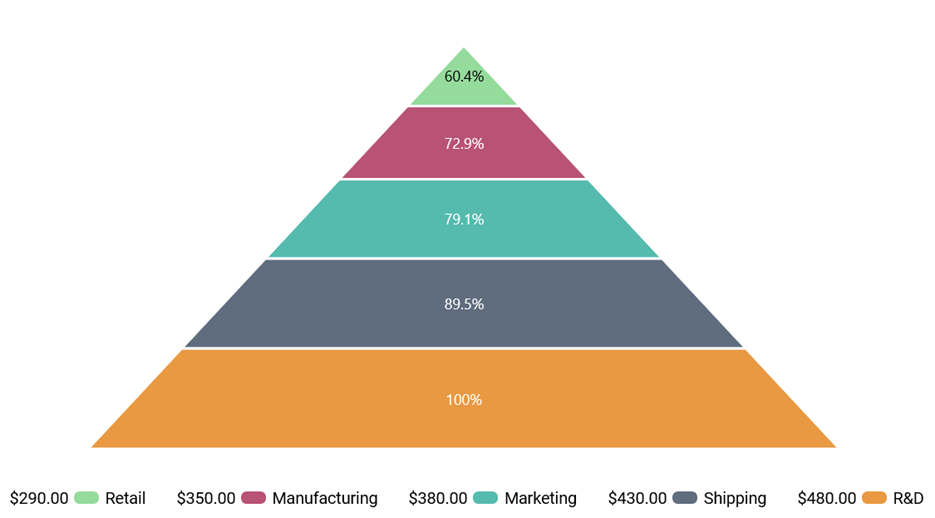
The .NET MAUI Pyramid Chart visually presents hierarchical data in a pyramid-like structure with each segment a proportion of a total. An item’s width indicates its level in the hierarchy, and each item’s height corresponds to its value.
Key features
- User-friendly data representation and excellent UI visualization.
- User interaction features such as a tooltip and selection are included to enhance the end-user experience.
- Legends provide more information about the segments. A legend can be used to collapse the segments. You can also scroll a legend if items exceed the available bounds.
- Chart features like the titles, data labels, legends, and gap ratio can be customized.
.NET MAUI Rating
The .NET MAUI Rating control allows us to display ratings with stars. You can customize the item size, spacing, and more.
Key features
- Decide the precision level of ratings.
- Determine the number of rating items to be displayed.
- Choose star, heart, circle, diamond, or custom shapes.

.NET MAUI Text Input Layout
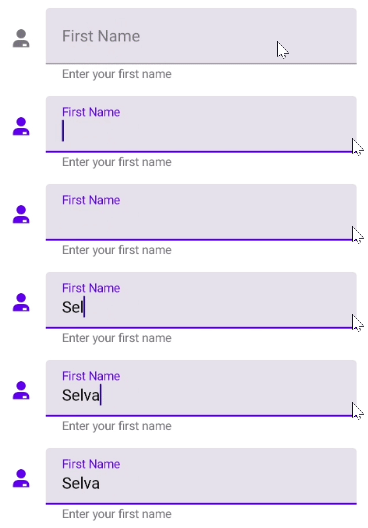
The .NET MAUI Text Input Layout control allows us to add decorative elements such as floating labels, icons, and assistive labels on top of input controls such as Autocomplete, ComboBox, entry, and editor controls.
Key features
- Displays floating labels when the input view is in focus.
- Displays error labels.
- Supports filled, outlined, and none container types.
- Provides options to reserve space for assistive labels.
- Displays leading and trailing icons.
- Displays help labels.
- Displays maximum character count.
- Toggles password visibility.
What’s new in our existing .NET MAUI controls?
We have seen the new controls introduced for our .NET MAUI suite in the 2022 Volume 4 release. Now, let’s look at the new features rolled out in our existing controls.
Cartesian Charts
The .NET MAUI Cartesian Chart control is gaining the following user-friendly features.
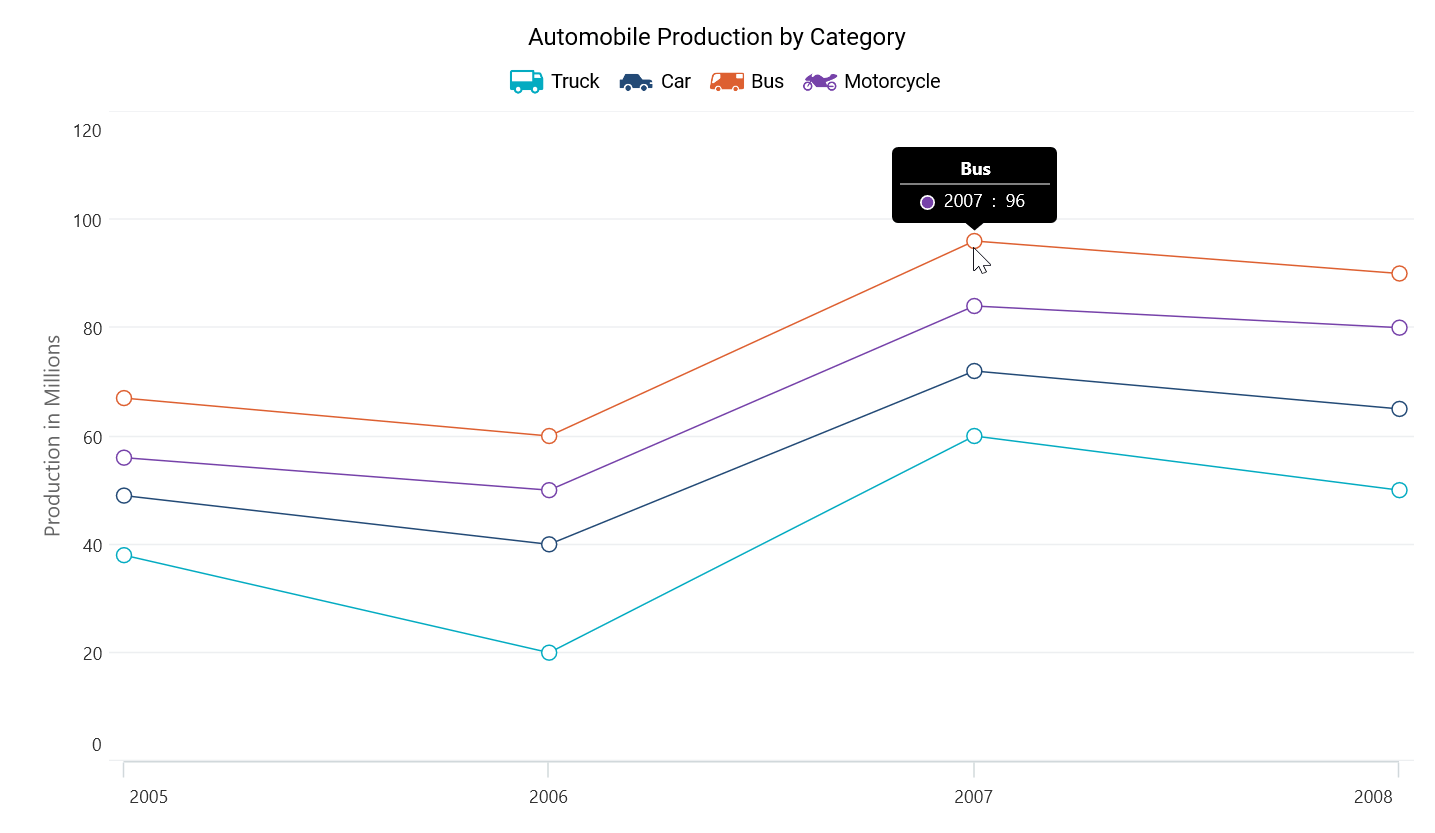
Legend template
You can customize each legend item using the ItemTemplate property in the ChartLegend class.
Trackball
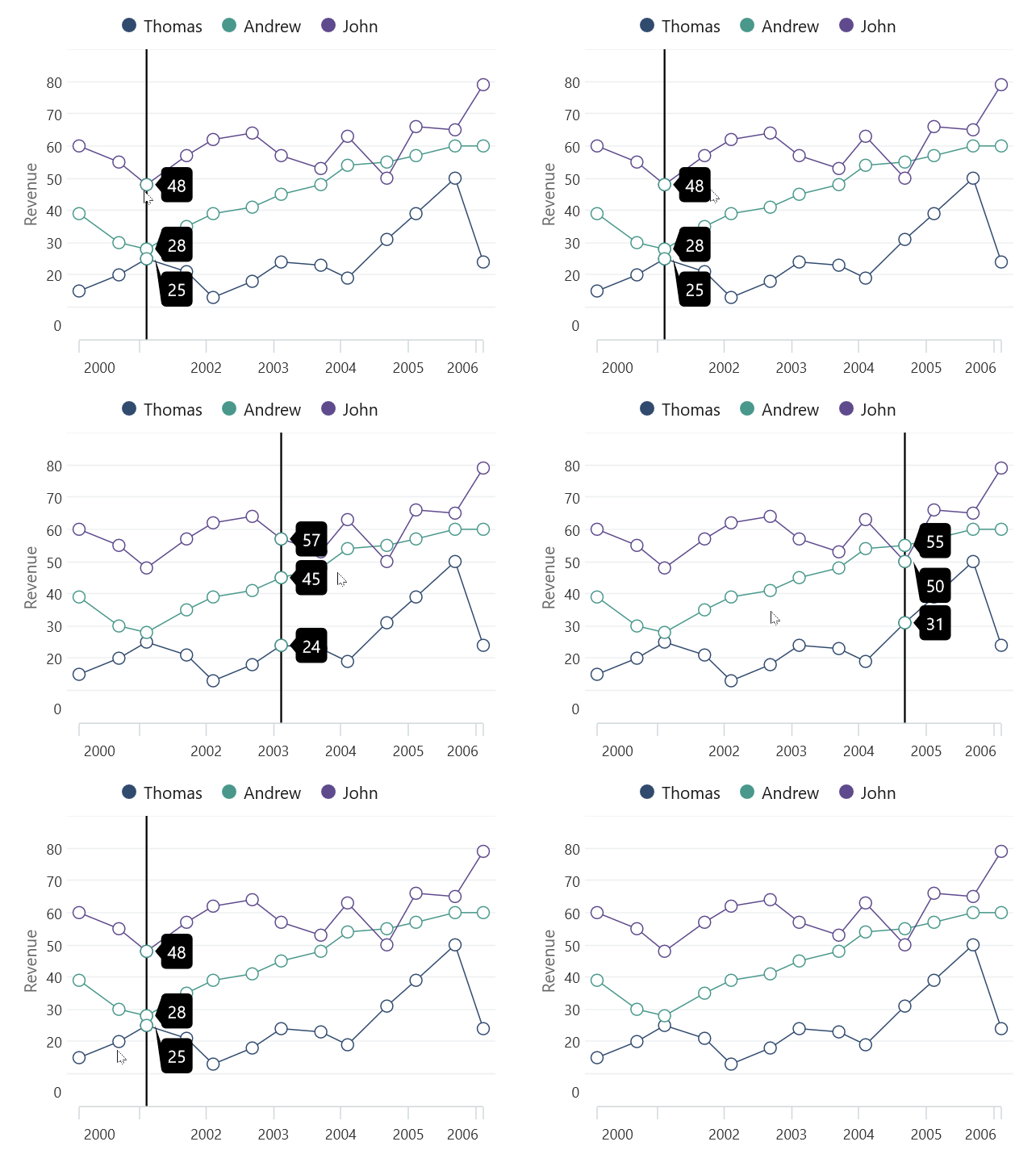
A trackball allows you to track a data point closer to the cursor. The x-values are determined by the position of the vertical line in the axis, and the y-values are determined by the points touching the vertical line in the series.
Data markers
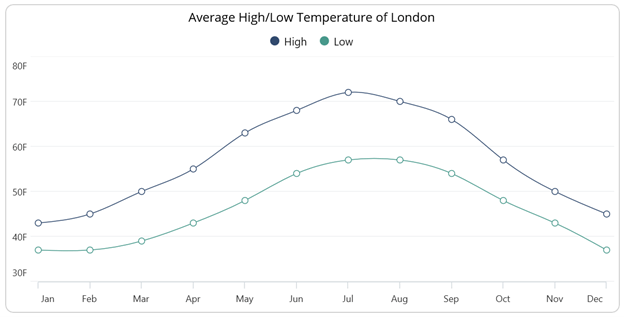
Data markers are used to provide information about the data points. You can add a shape and label to adorn each data point in area, line, and spline charts.
ListView
The .NET MAUI ListView gains these new features in this 2022 Volume 4 release.
EmptyView
This feature allows users to display text or a view in the ListView when there is no data to display.
Keyboard navigation
You can easily navigate among items using an external keyboard connected to an iOS device or a built-in keyboard in macOS.
Maps
The new features in the .NET MAUI Maps controls are as follows.
OpenStreetMap
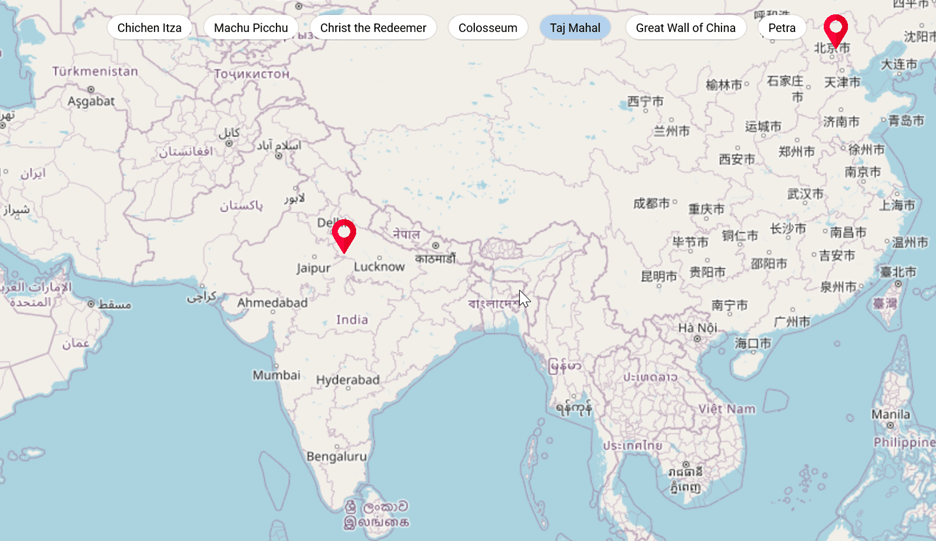
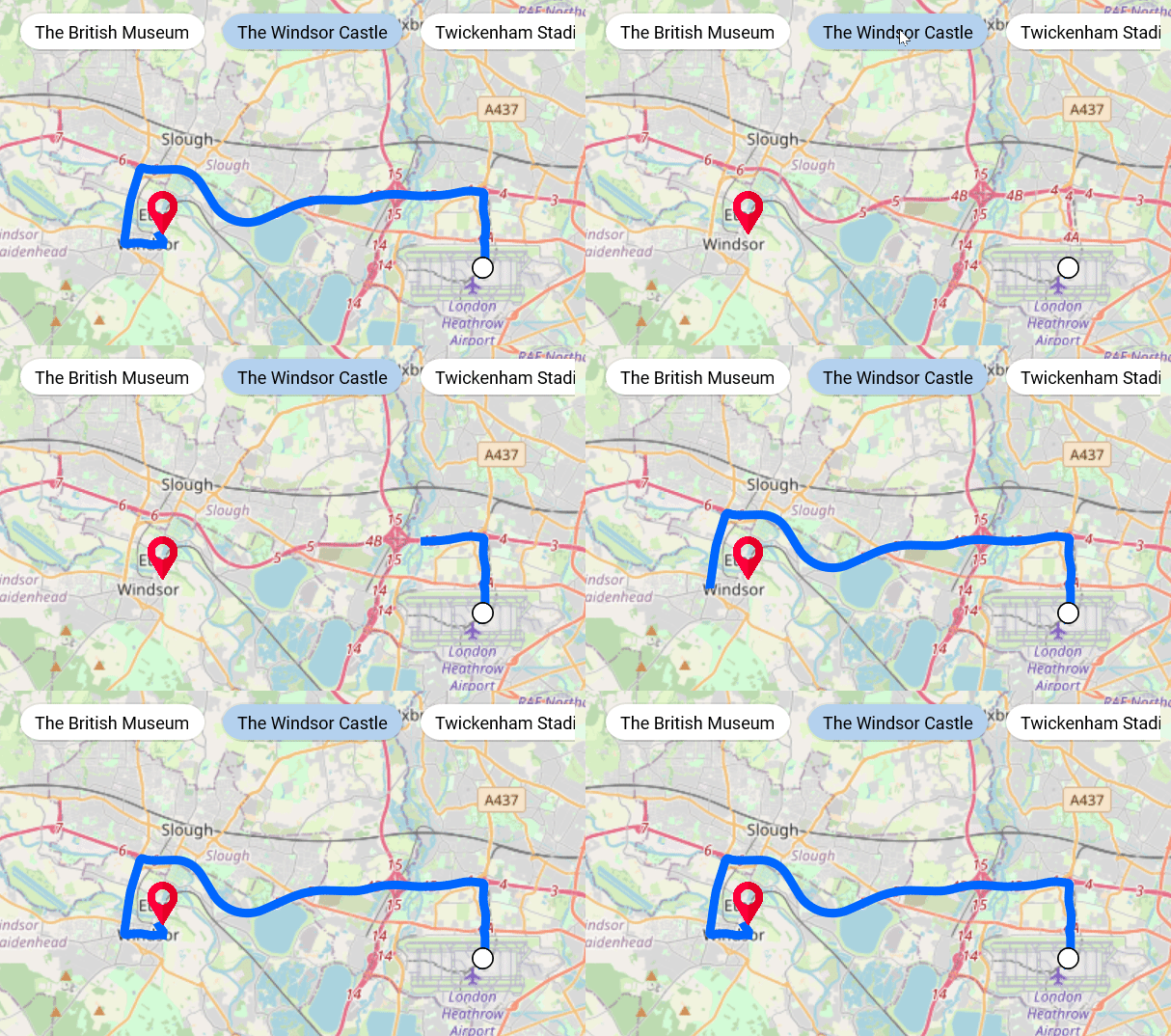
OpenStreetMap (OSM) is a map of the world built by a community of mapmakers. It is free to use under an open license and allows users to view geographical data collaboratively from anywhere on earth.
From 2022 Volume 4 onward, our .NET MAUI Maps control provides support to render OpenStreetMap data in it.
Shapes
Now, you can use various shape types, such as polygons, polylines, arcs, and lines, in the ShapeFileLayer.
Range Selector / Range Slider / Slider
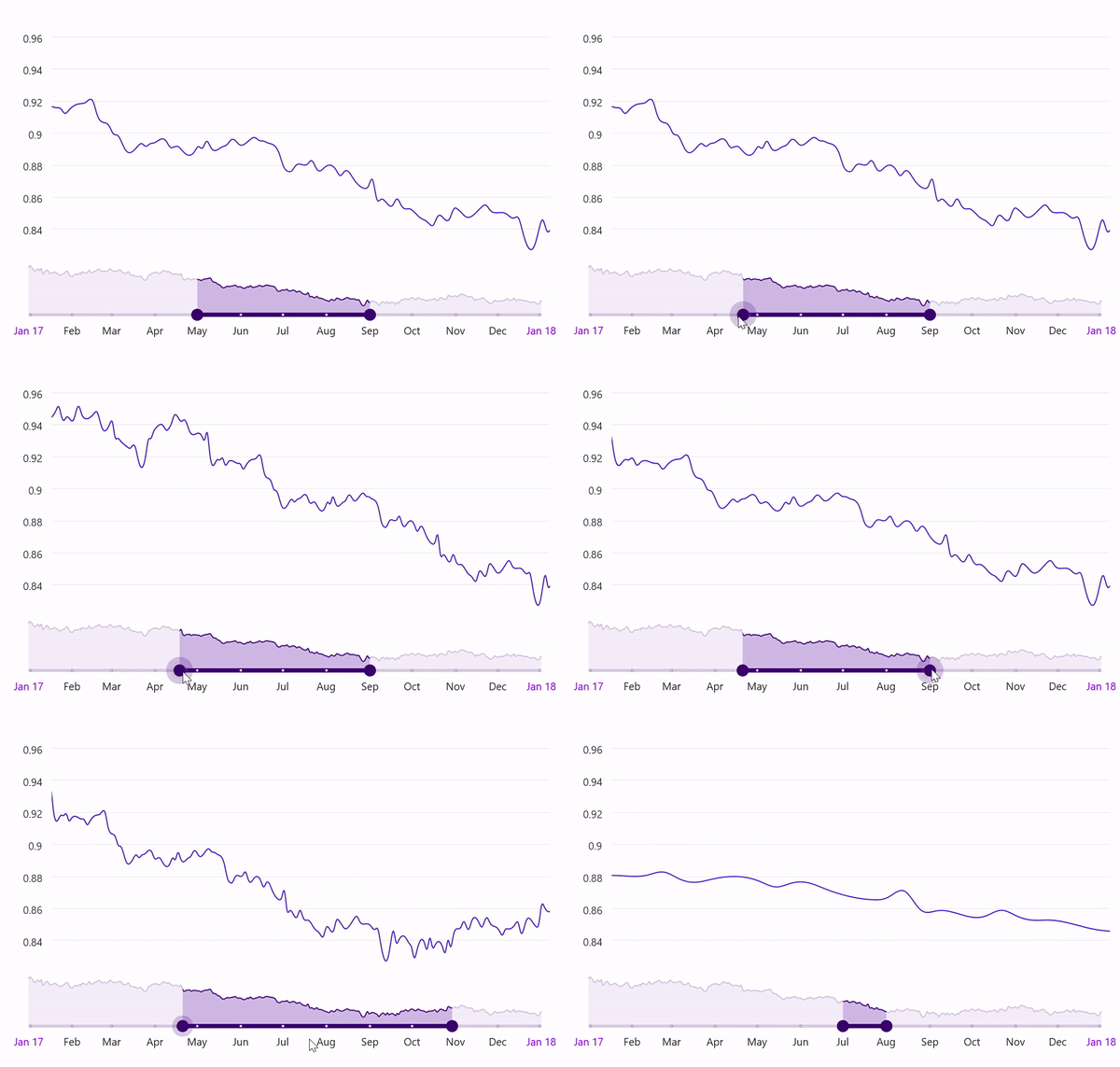
Deferred update
This feature will defer updating the data (data zoomed at the top) while thumbs are dragged continuously in the range axis. The data will be updated only after finishing the range selection.
Auto interval
This feature automatically sets the interval between the values when the Interval, IntervalType, or DateFormat properties are not set.
Production-ready controls
The following .NET MAUI controls have been developed to meet industry standards and are now marked as production-ready for this 2022 Volume 4 release:
- Avatar View
- Badge View
- Effects View
- Tab View
- Signature Pad
- Slider
- Range Slider
- Range Selector
- DateTime Slider
- Date Time Range Slider
- Date Time Range Selector
- Scheduler
- Cartesian Chart
- Circular Chart
- DataGrid
- ListView
- Busy Indicator
- Progress Bar (Linear and Circular)
Conclusion
Thanks for reading! Syncfusion’s support for .NET MAUI is still a work in progress. This is the sixth set of .NET MAUI controls rolled out in our quarterly releases. More details on these controls and the Essential Studio® 2022 Volume 4 release are available on our Release Notes and What’s New pages. Try out these latest updates and leave your feedback in the comments section below!
You can also contact us through our support forum, support portal, or feedback portal. We are always happy to assist you!





 No spam, just valuable updates.