Common
New component
- The Form Builder component has been added to ASP.NET MVC.
- The Form Renderer component has been added to ASP.NET MVC.
Production-ready control
The following control has been developed to meet industry standards and is now marked as production-ready for ASP.NET MVC:
- Inline AI Assist: The Inline AI Assist is a versatile, integrated AI-powered assistant control for modern web applications that lets users prompt AI services and receive intelligent responses directly in their interface, with flexible display modes and extensive customization options.
Form Builder (preview)
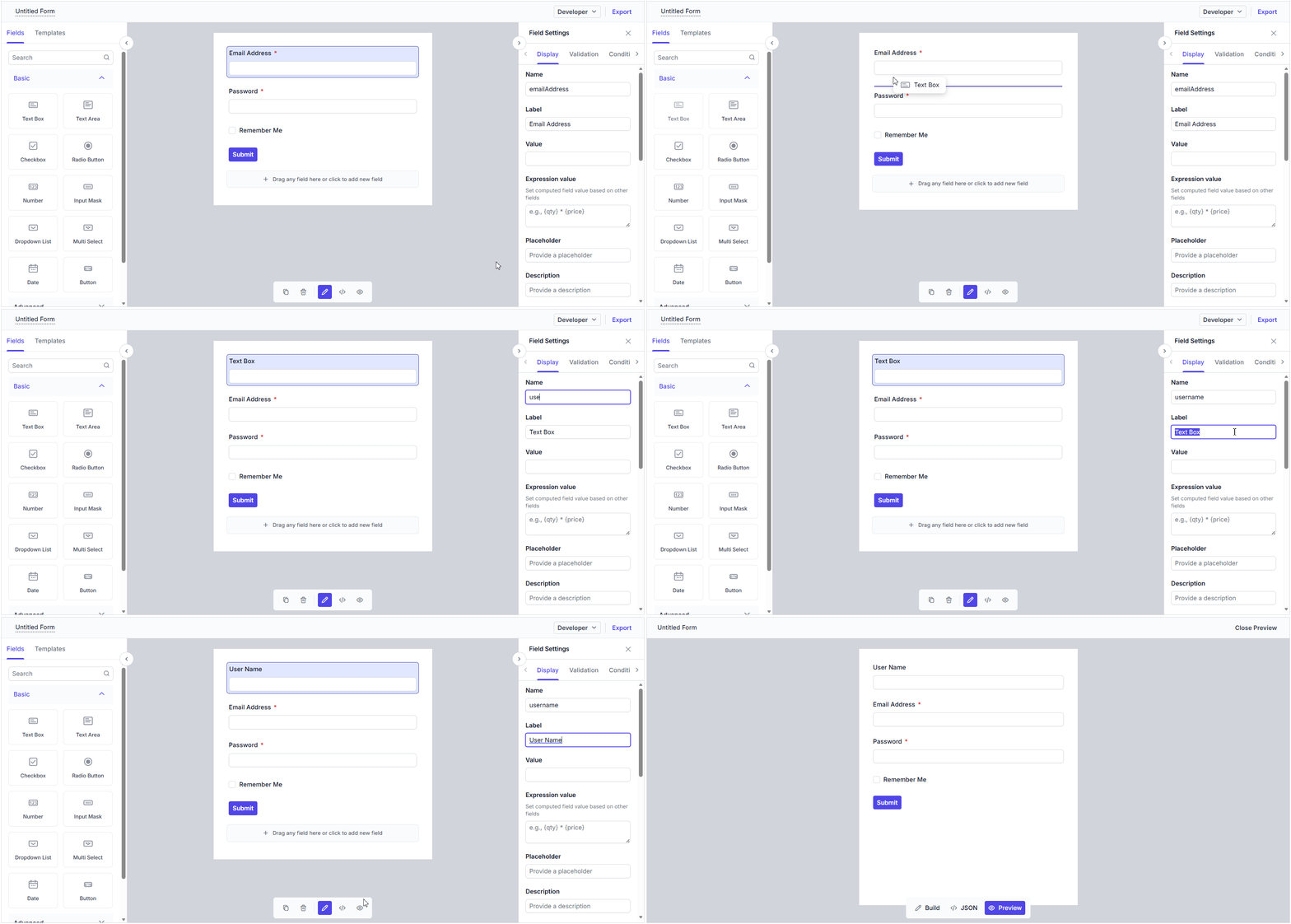
The ASP.NET MVC Form Builder is a lightweight component that allows you to design and generate dynamic forms with a simple drag-and-drop interface, without writing any code.
Key features
-
Drag-and-drop form design: Build forms quickly by dragging form fields from a rich field panel and dropping them onto the design area. Easily rearrange fields to suit your layout needs.
-
Wide range of built-in form components: Choose from 20+ built-in form components to cover all common data-entry scenarios: text box, dropdown list, combo box, multi-select, date picker, time picker, checkbox, radio button, slider, rating, signature, and file upload.
-
Custom components: Extend the Form Builder by registering your own custom components. Add specialized fields and business-specific inputs to your forms.
-
Form field configuration: Effortlessly define field names, labels, placeholders, validation rules, and other properties for each form component through a simple properties panel.
-
Conditional logic: Configure conditions to show or hide form fields dynamically based on the values of other fields.
-
Dependent dropdowns: Set up cascading dropdown lists, where the options in one dropdown depend on the selected value of another, enabling hierarchical data selection.
-
Expressions: Bind calculated values to form fields using expressions, allowing fields to update automatically based on changes in other fields.
-
Form preview: Preview the designed form at any time to see exactly how it will appear and behave at runtime before saving or publishing it.
-
JSON schema viewing: View the JSON schema generated for the drag-and-drop form. This makes it easy to understand, validate, and reuse the underlying form definition.
-
Save and load form data: Download the designed form as a JSON schema using the Export button and load the saved JSON back into the Form Builder to restore the exact form layout at runtime.
-
Responsive rendering: Create forms that adapt seamlessly to any screen size, delivering an optimal user experience on desktops, tablets, and mobile devices.
Form Renderer (preview)
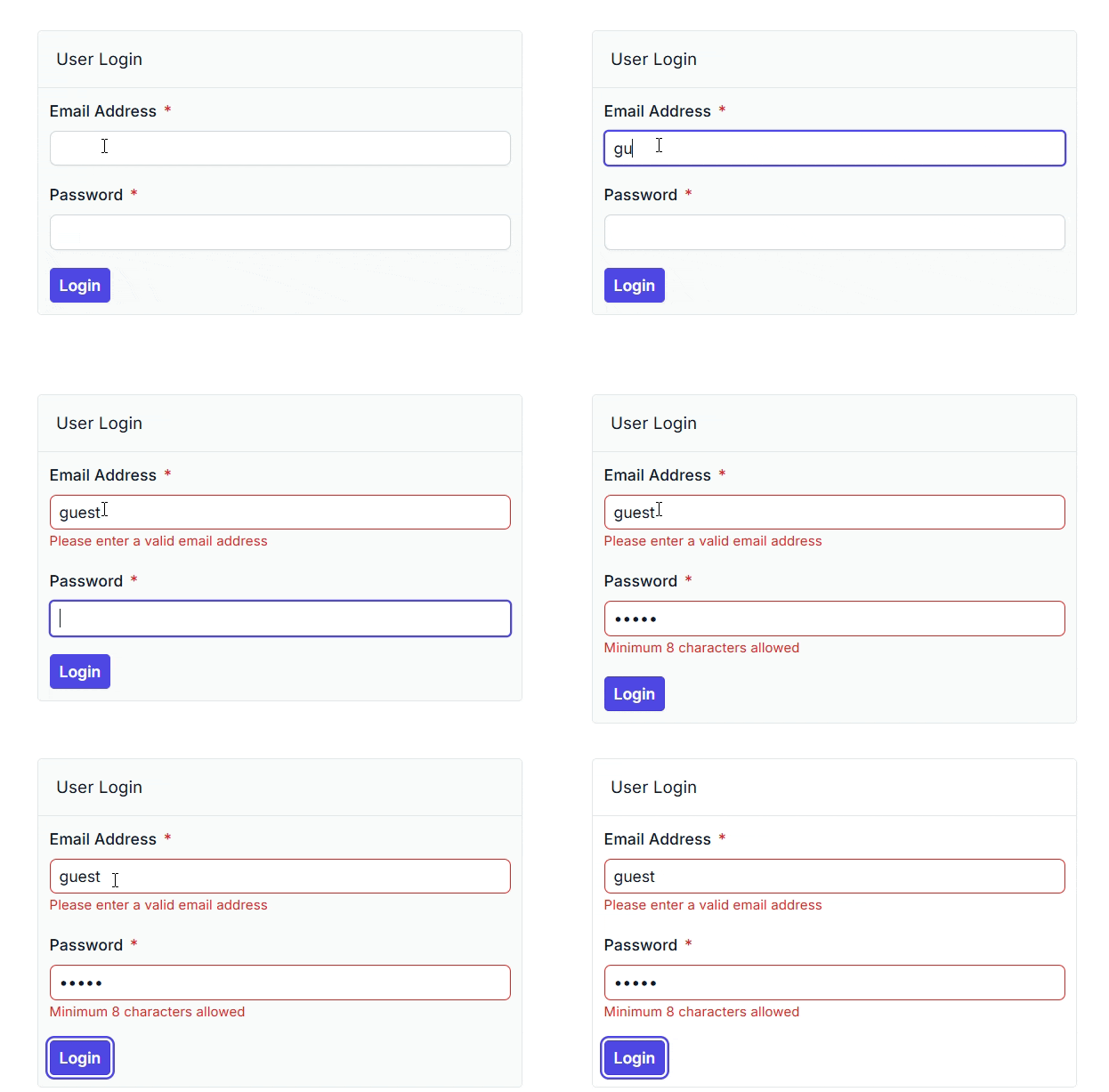
The ASP.NET MVC Form Renderer is a lightweight component that renders forms from a provided JSON form schema, enabling users to build dynamic forms without writing any code.
Key features
-
Schema-based form rendering: Render forms directly from a JSON form schema to deliver a consistent and structured form experience.
-
Built-in validations: Support standard validation rules to ensure accurate and complete data entry.
-
Custom validation: Apply custom validation rules to meet application-specific requirements.
-
Expressions: Bind calculated values to form fields using expressions, allowing fields to update automatically based on changes in other fields.
-
Conditional logic: Configure conditions to dynamically show or hide form fields based on the values of other fields.
-
Dependent dropdowns: Set up cascading dropdown lists, where the options in one dropdown depend on the selected value of another, enabling hierarchical data selection.
-
Template support for custom components: Render custom components using templates for more flexible, tailored form experiences.
-
Responsive rendering: Create forms that adapt seamlessly to any screen size, delivering an optimal user experience across desktops, tablets, and mobile devices.
3D Charts
Stacked column with smart data label
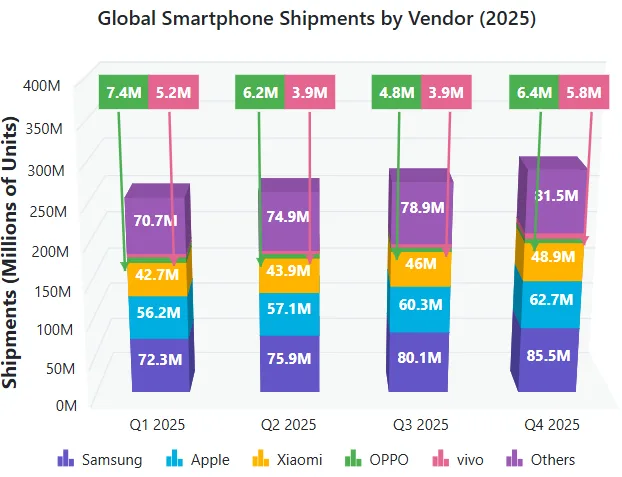
Automatic collision handling is now provided for data labels in stacked series, ensuring each label remains clearly readable. Overlapping data labels are detected and relocated to a readable area, while a visual connection from each relocated label to its original data point is maintained through a connector line.
AI AssistView
Animated response rendering
This feature enables animated rendering of AI responses in the conversation interface. By progressively displaying generated content with configurable animations, it creates a more engaging and natural conversational experience and helps users focus on newly generated information.

Mention
This feature lets users reference specific actions, entities, or application-defined directives directly in the prompt input area. Intelligent mention suggestions and contextual references simplify prompt composition, improve interaction accuracy, and enable more personalized and targeted AI conversations.

Telemetry
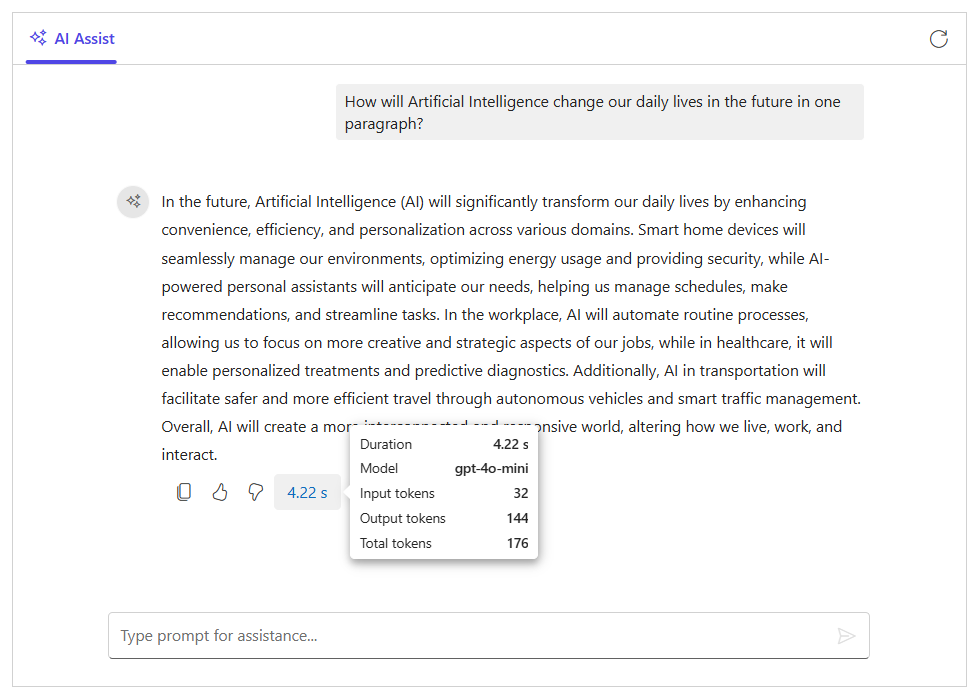
This feature provides built-in telemetry for tracking AI AssistView interactions and response activity. It captures key metrics such as request status, tool calls, response duration, streaming events, model details, and token usage.
Left-aligned footer toolbar actions
The AI AssistView now displays a footer toolbar on the left side of the conversation, making it easy for users to access action items such as attachments, shortcuts, settings, and custom commands.

Charts
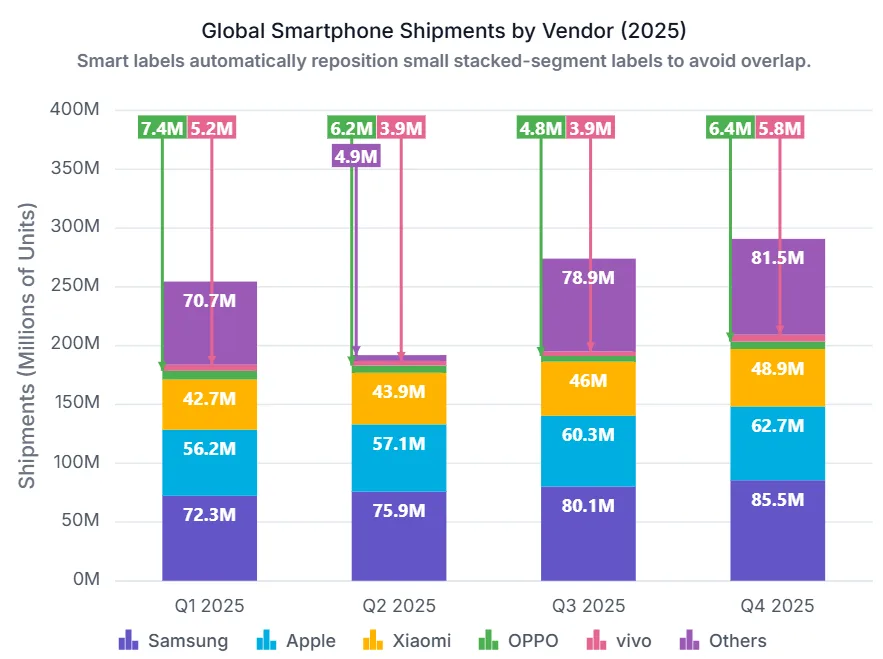
Stacked column with smart data label
Automatic collision handling is now provided for data labels in stacked series, ensuring each label remains clearly readable. Overlapping data labels are detected and relocated to a readable area, while a visual connection from each relocated label to its original data point is maintained through a connector line.
Dashboard Layout
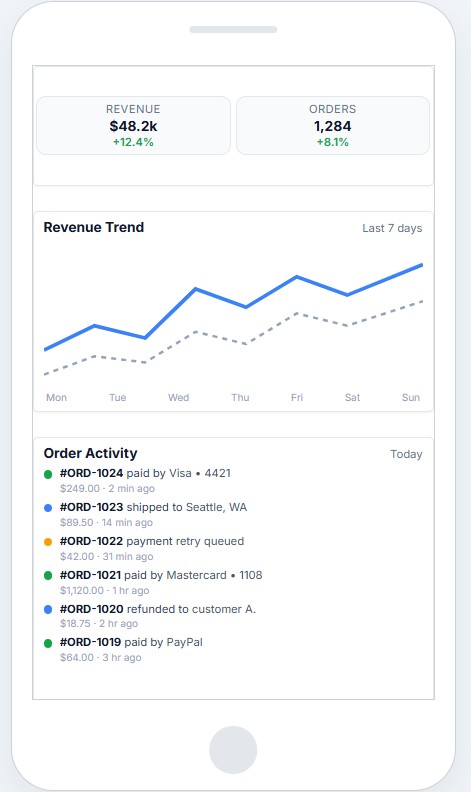
Mobile panel height
Panels can now be rendered with a custom height in mobile view, allowing them to be displayed more compactly and use the available screen space efficiently on smaller devices. Panels without a custom height continue to use the desktop size, ensuring backward compatibility.
File Manager
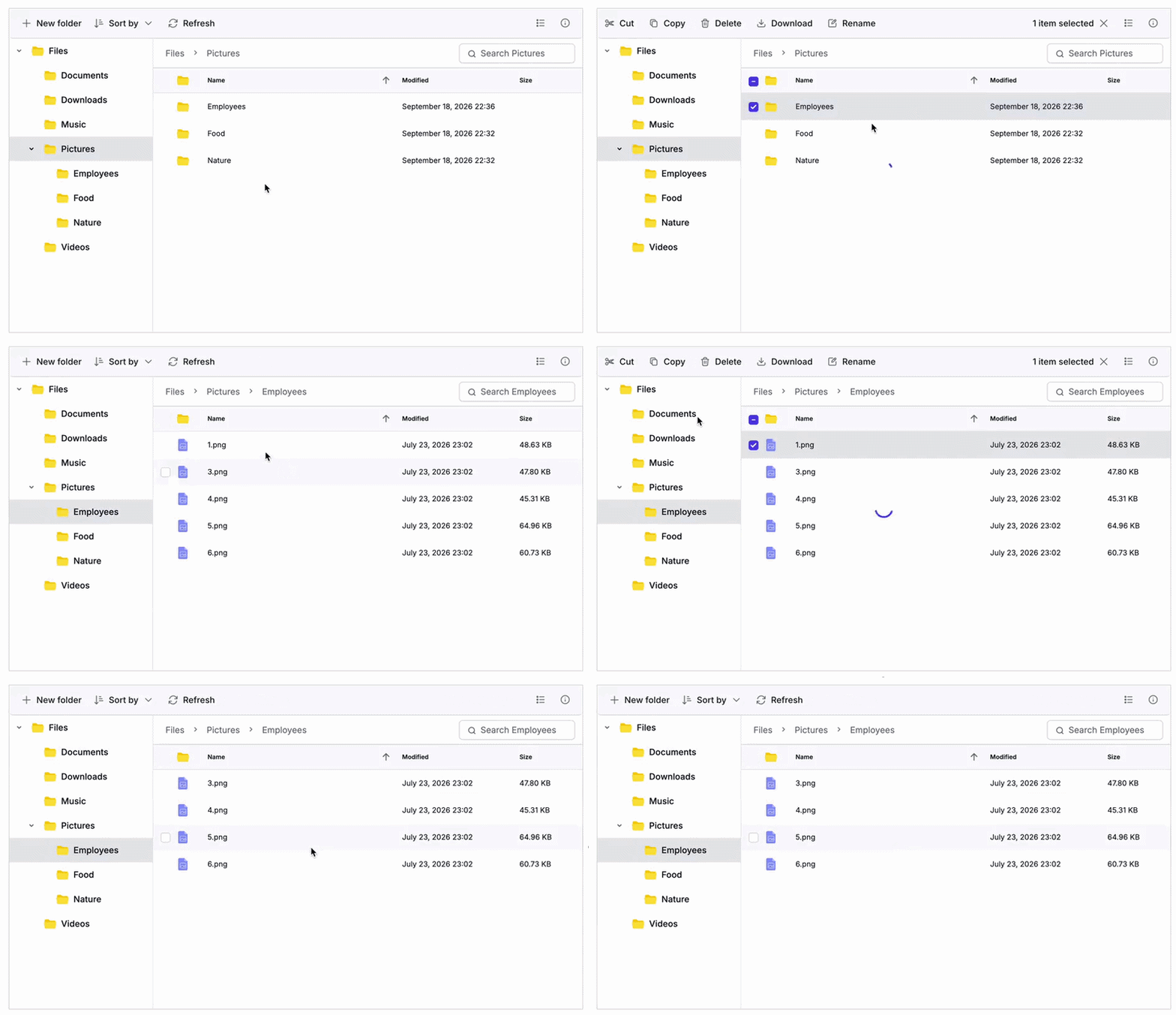
Prevent folders from opening during drag and drop
Users can control which interactions open folders. They can prevent folders from opening during drag-and-drop operations while still allowing them to open for other interactions, such as double-clicking, keyboard navigation, or context menu actions.
Gantt Chart
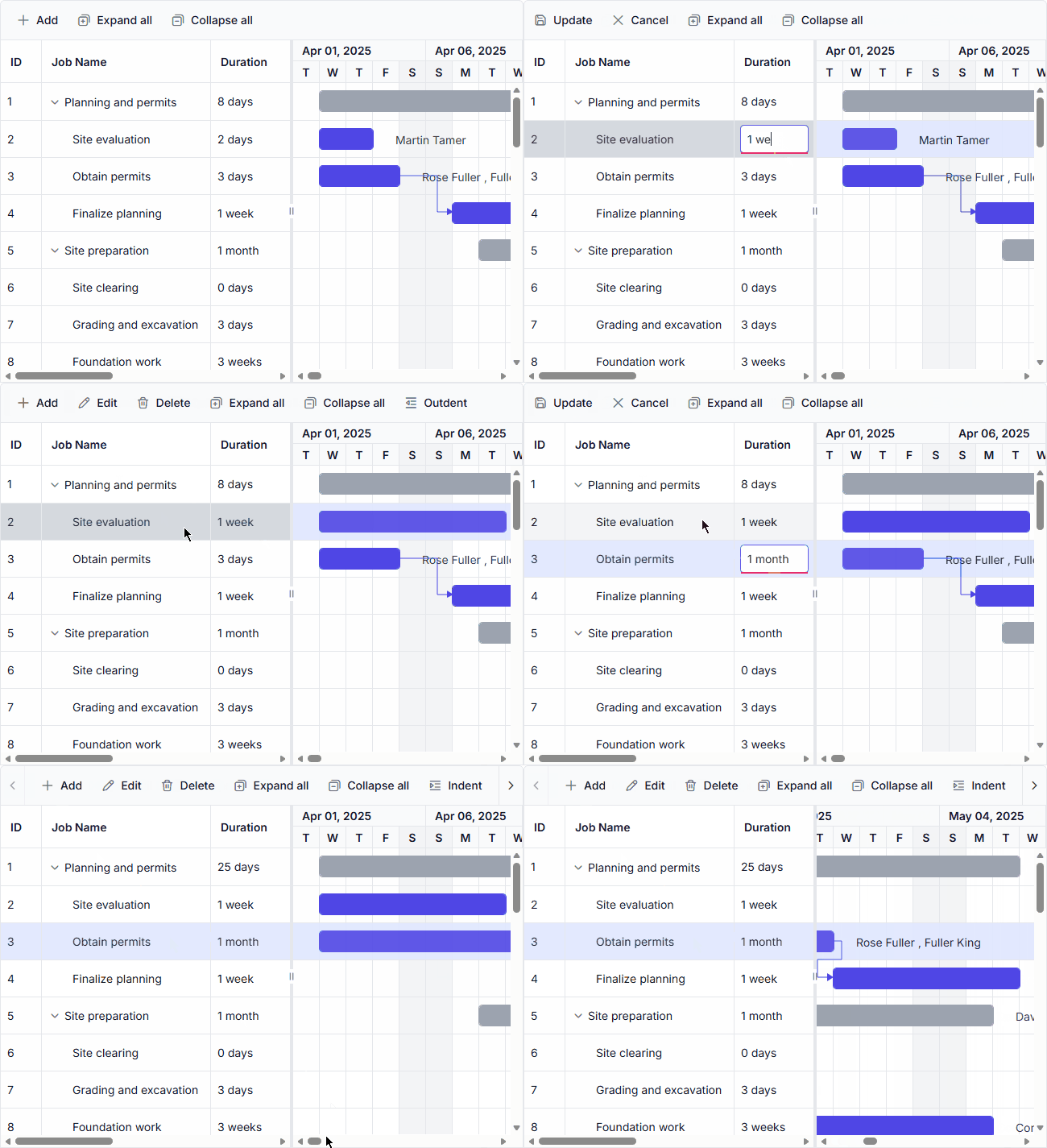
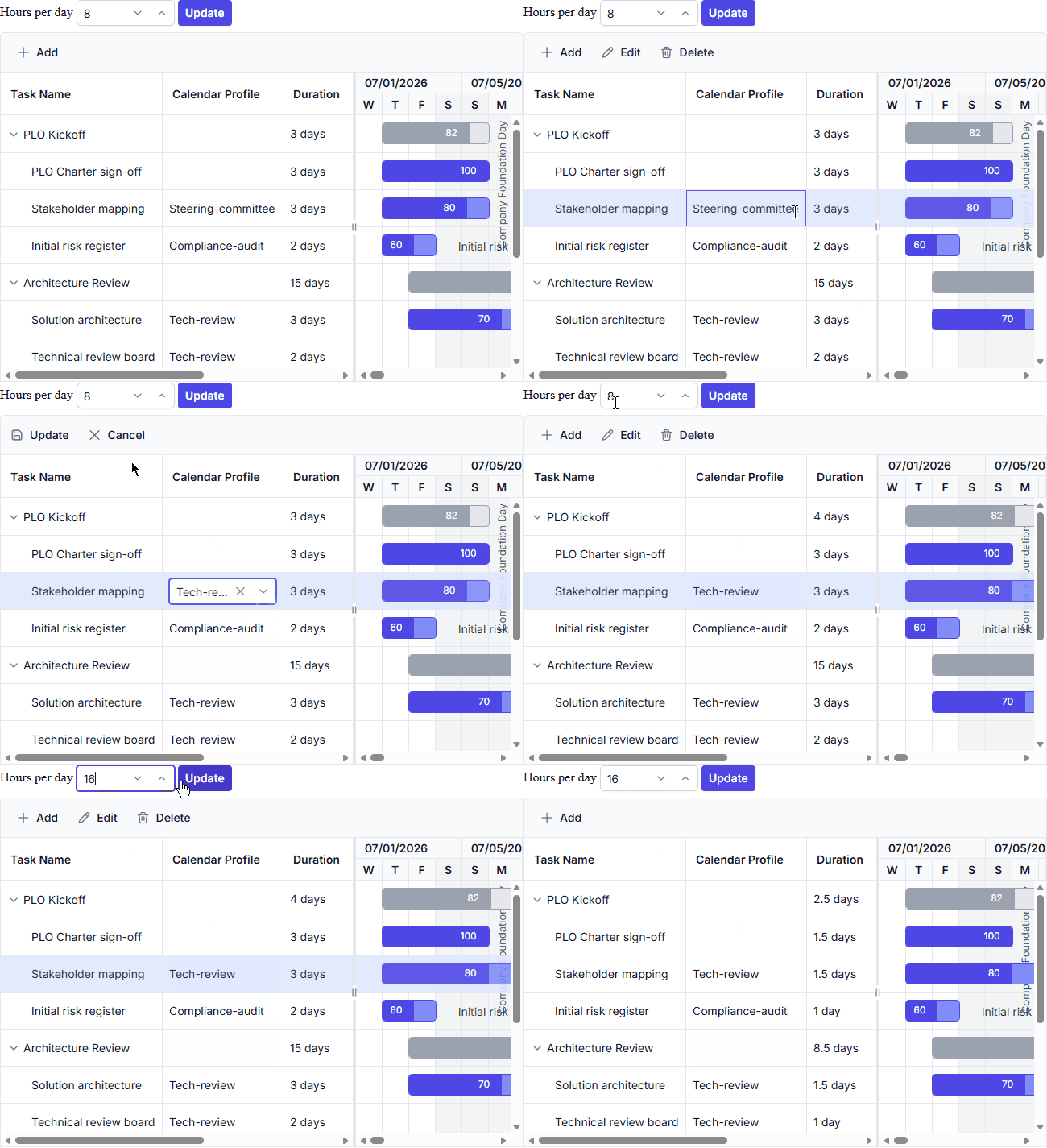
Week and month units
Schedule long-running tasks more naturally using week and month duration units. This makes it easier to plan and manage projects that span extended periods.

Task Calendar
Configure task-specific working days, holidays, and exceptions to meet unique scheduling requirements. This helps ensure more accurate task planning across different project scenarios.
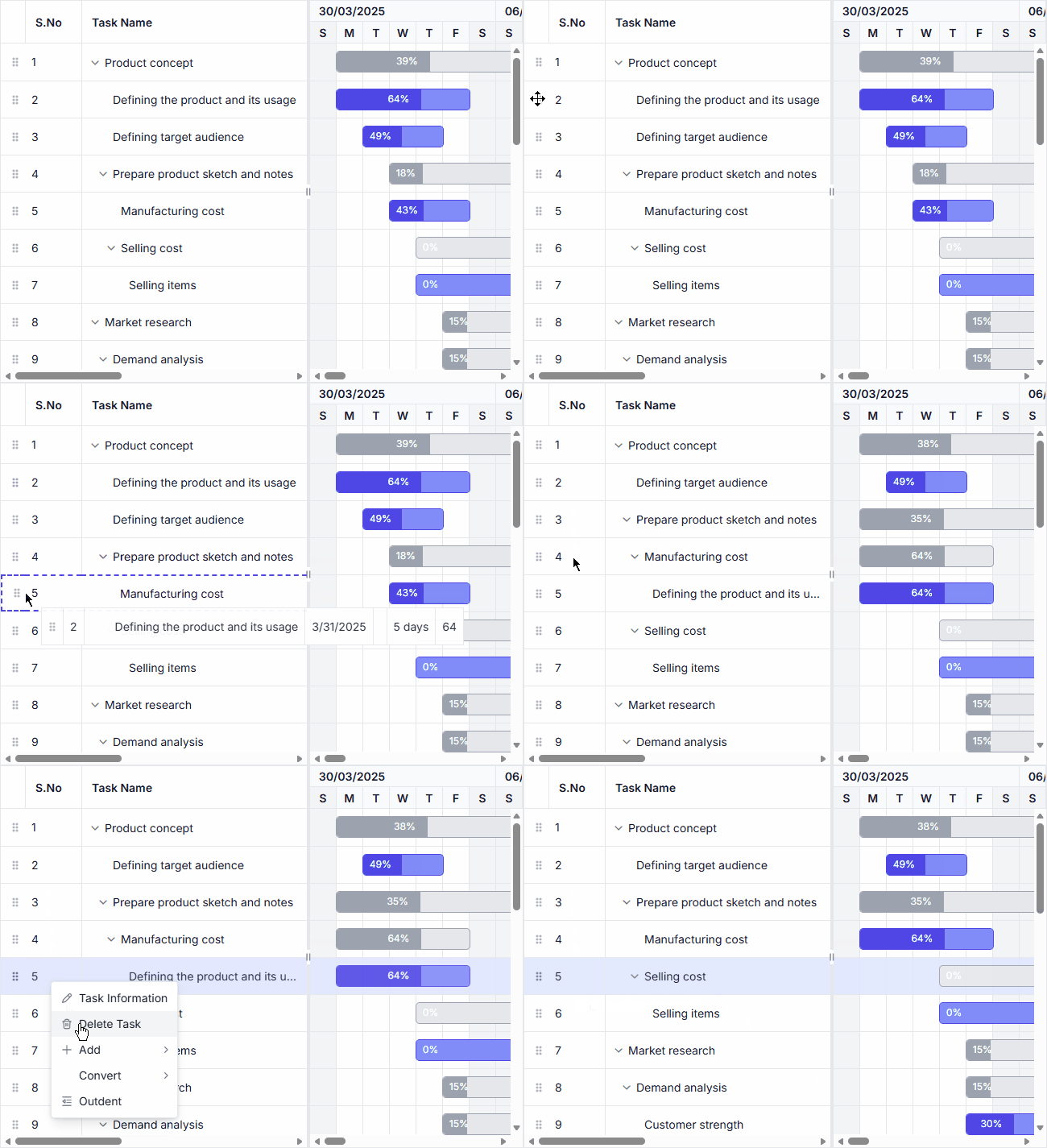
Serial number column
Automatically display sequential row numbers based on the current task order. The numbering updates dynamically during filtering, searching, editing, and row reordering operations.
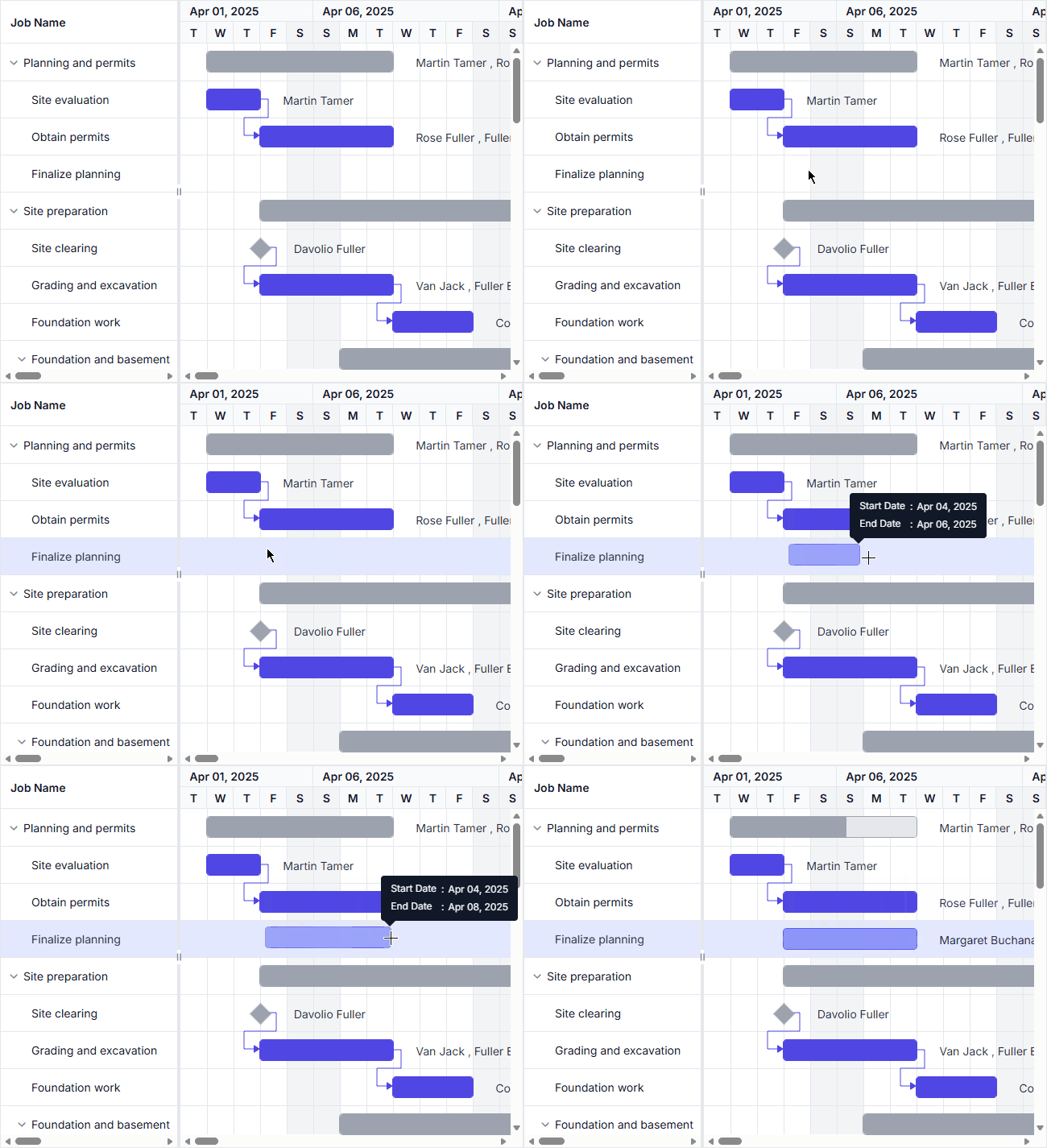
Drag-to-draw taskbar
Create and schedule unscheduled tasks directly in the timeline using intuitive drag interactions. This simplifies task creation and accelerates project planning workflows.
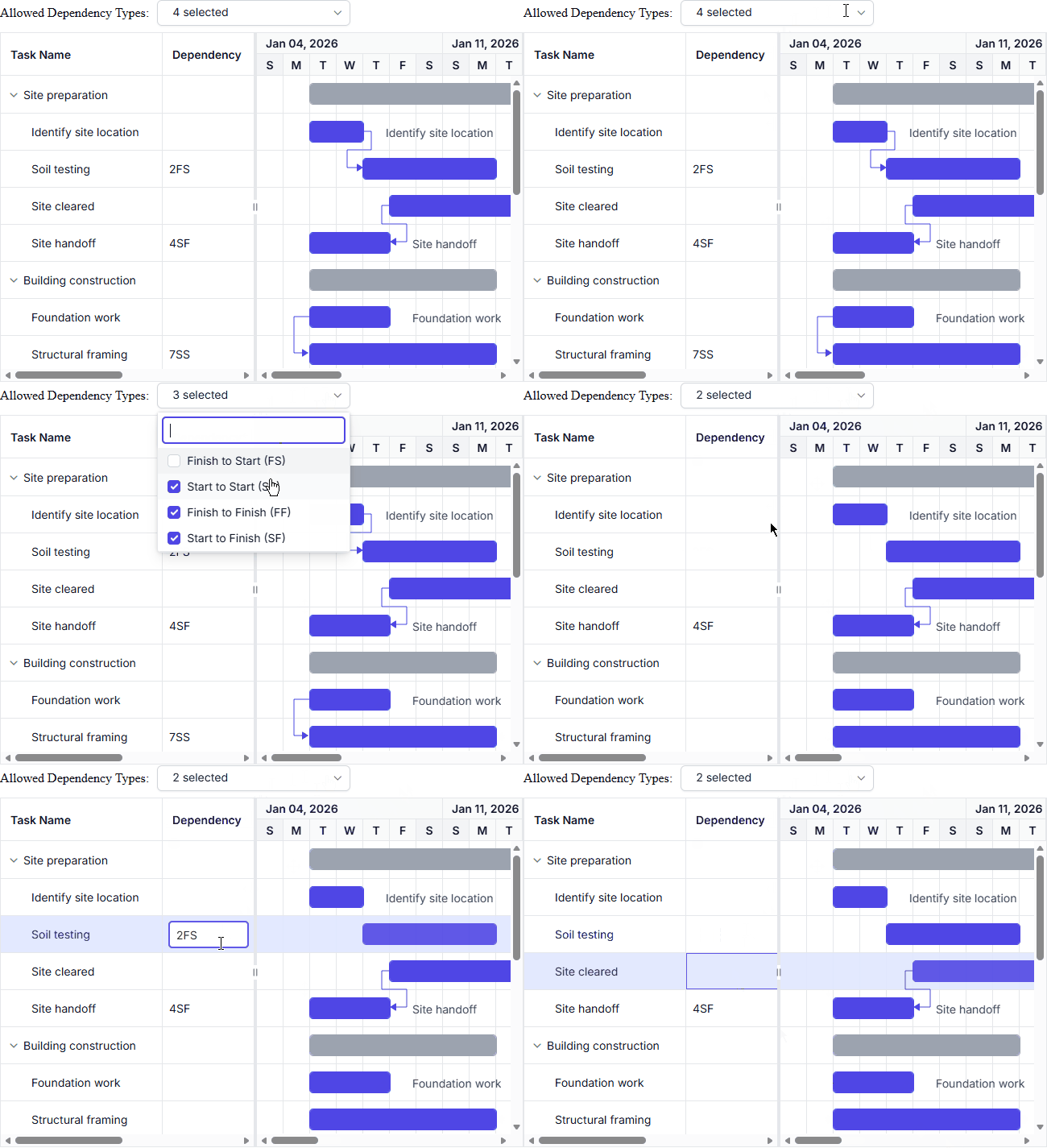
Allow specific dependency types
Restrict task relationships to selected dependency types to ensure consistent and controlled project scheduling.
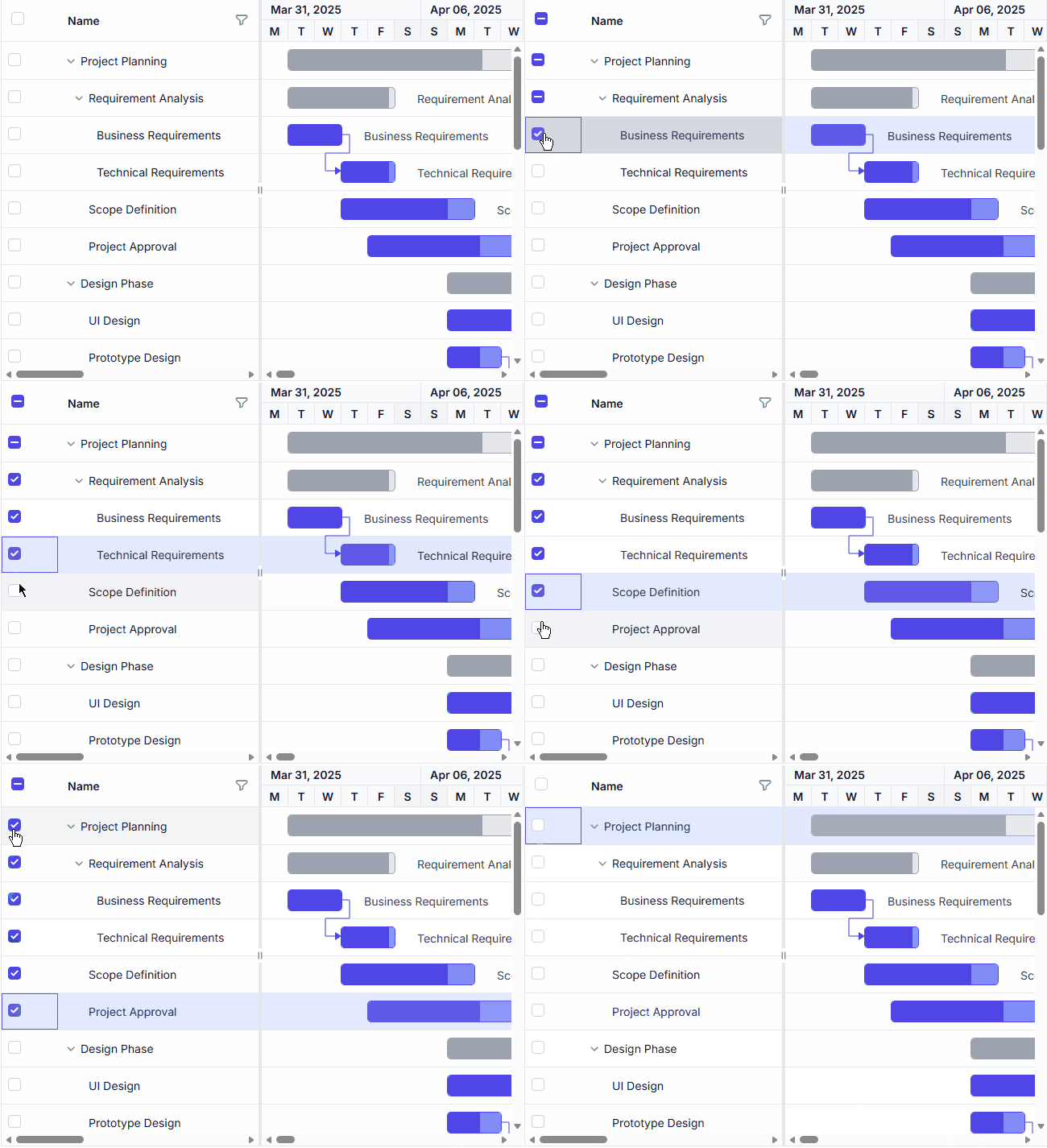
Hierarchy checkbox selection
Automatically synchronize checkbox selection between parent and child tasks for easier hierarchical task management.
DataGrid
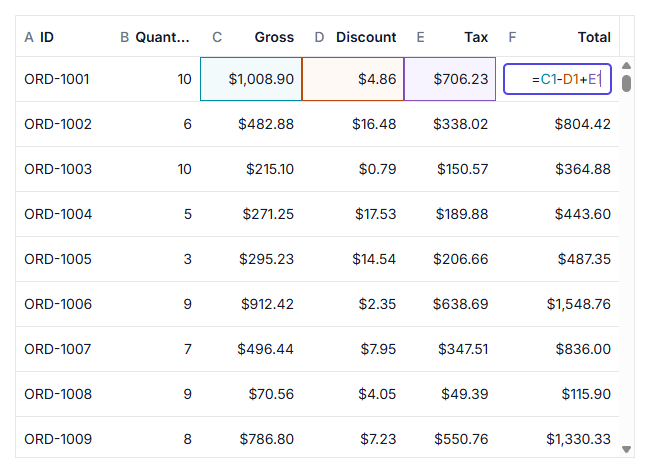
Formula cell
Perform spreadsheet-like calculations directly in grid cells using formulas. Formula cells automatically evaluate expressions and update results when their dependencies change, enabling dynamic data computation and analysis within the DataGrid.
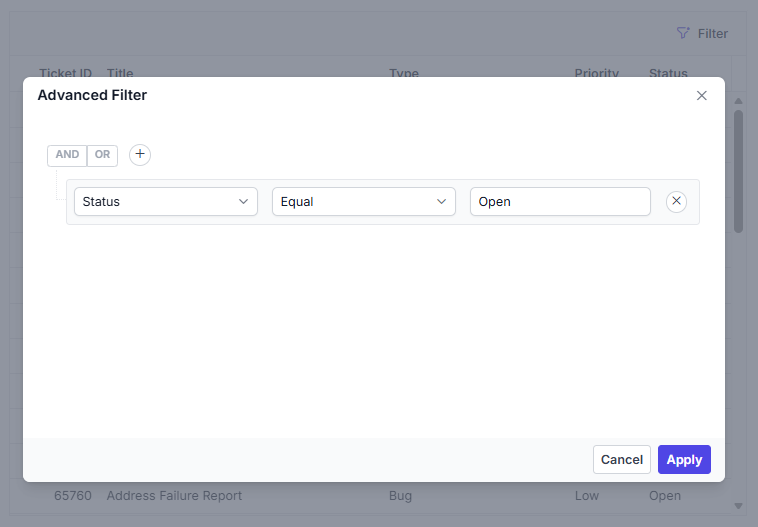
Advanced filter
Build complex filtering conditions with an intuitive filtering interface. Advanced filtering supports multiple criteria, logical operators, and custom rules, making it easier to analyze and narrow down large datasets.
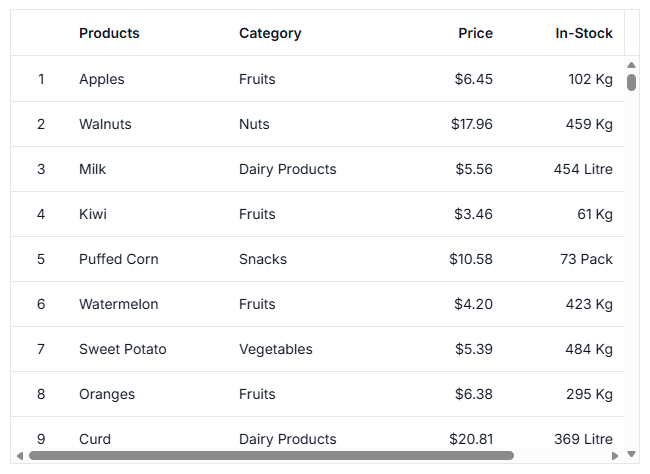
Row number
Display automatically generated row numbers to simplify record identification and navigation. Row numbers remain synchronized with sorting, filtering, and other grid operations.
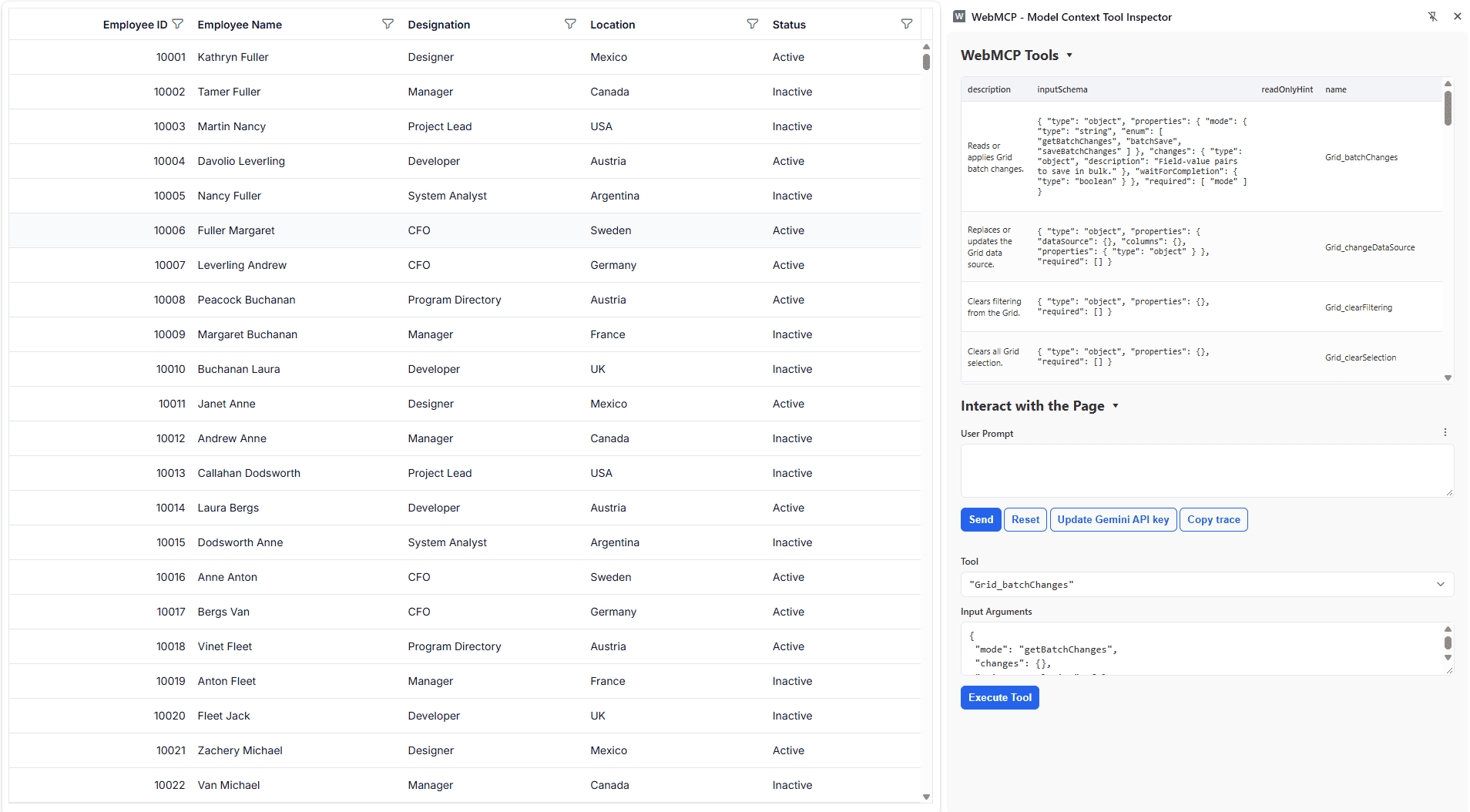
WebMCP integration
The Grid supports the Web Model Context Protocol (WebMCP), enabling AI models and agents to interact with Grid data through built-in tools. User interactions can be validated before execution, allowing requests to be reviewed, modified, or canceled while maintaining control over Grid operations.
Inline AI Assist
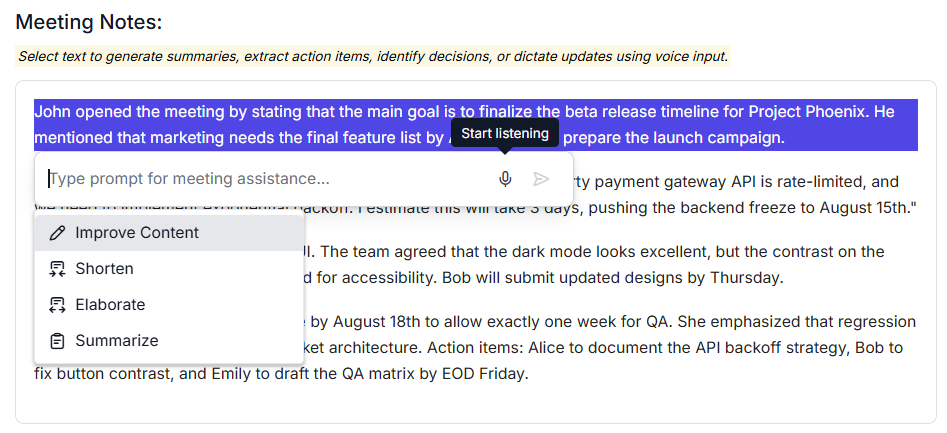
Speech-to-text conversion in the input text area
The ASP.NET MVC Inline AI Assist control integrates speech-to-text conversion, enabling users to compose messages by voice. This accessibility feature expands input options and streamlines workflows for users who prefer voice interaction or require hands-free input.
MultiSelect Dropdown
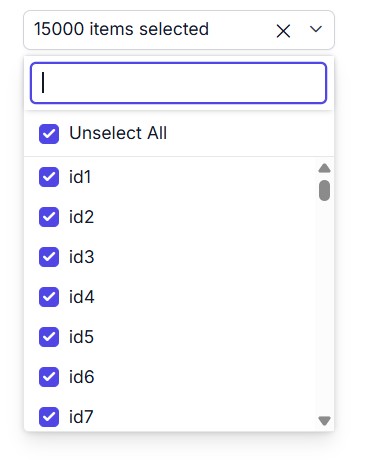
Summary tag template
In checkbox mode, selected items can be displayed as formatted summary text in the input field when working with large datasets, instead of listing all selections individually.
Performance improvement with checkbox mode and virtualization
Checkbox mode with virtualization delivers substantial performance gains, especially for large data sources and preselected values.
| Scenario (25,000 preselected records in checkbox mode) | Compared to previous version |
|---|---|
| Initial rendering | 23x faster |
| Pop-up opening | 4x faster |
| Select/unselect all | 23x faster |
| Scroll to last item | 4x faster |
Scheduler
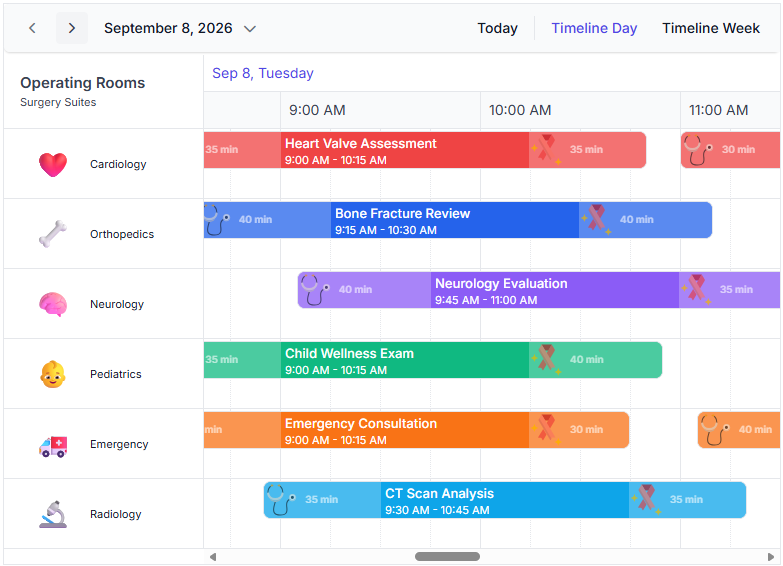
Event buffer
Users can display additional time before and after an event on the calendar timeline to improve visibility into activities surrounding an event, such as travel, preparation, or wrap-up, allowing users to plan their schedules more thoroughly.
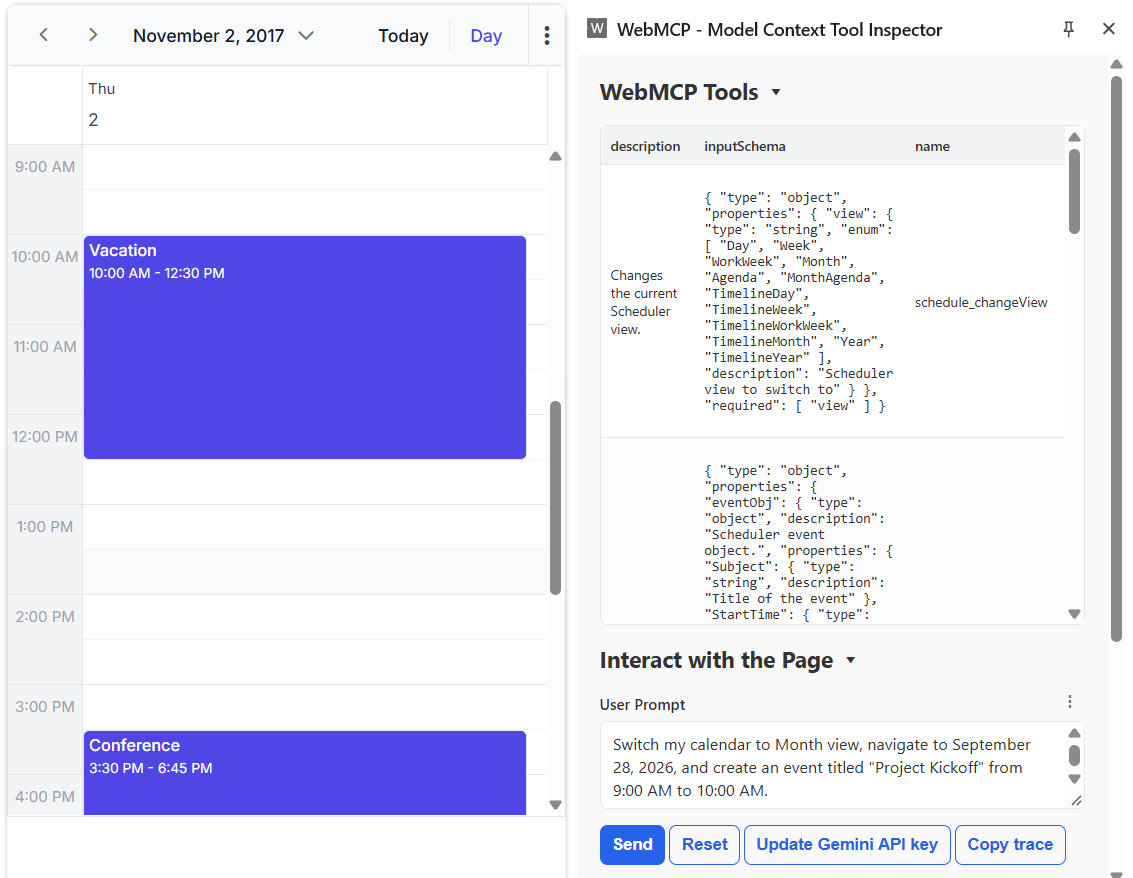
WebMCP integration
The Scheduler supports the Web Model Context Protocol (WebMCP), enabling AI models and agents to interact with schedules through built-in tools. Write operations require user confirmation, and the beforeWebMcpToolExecute event lets users inspect, modify, or cancel tool execution.
Stock Chart
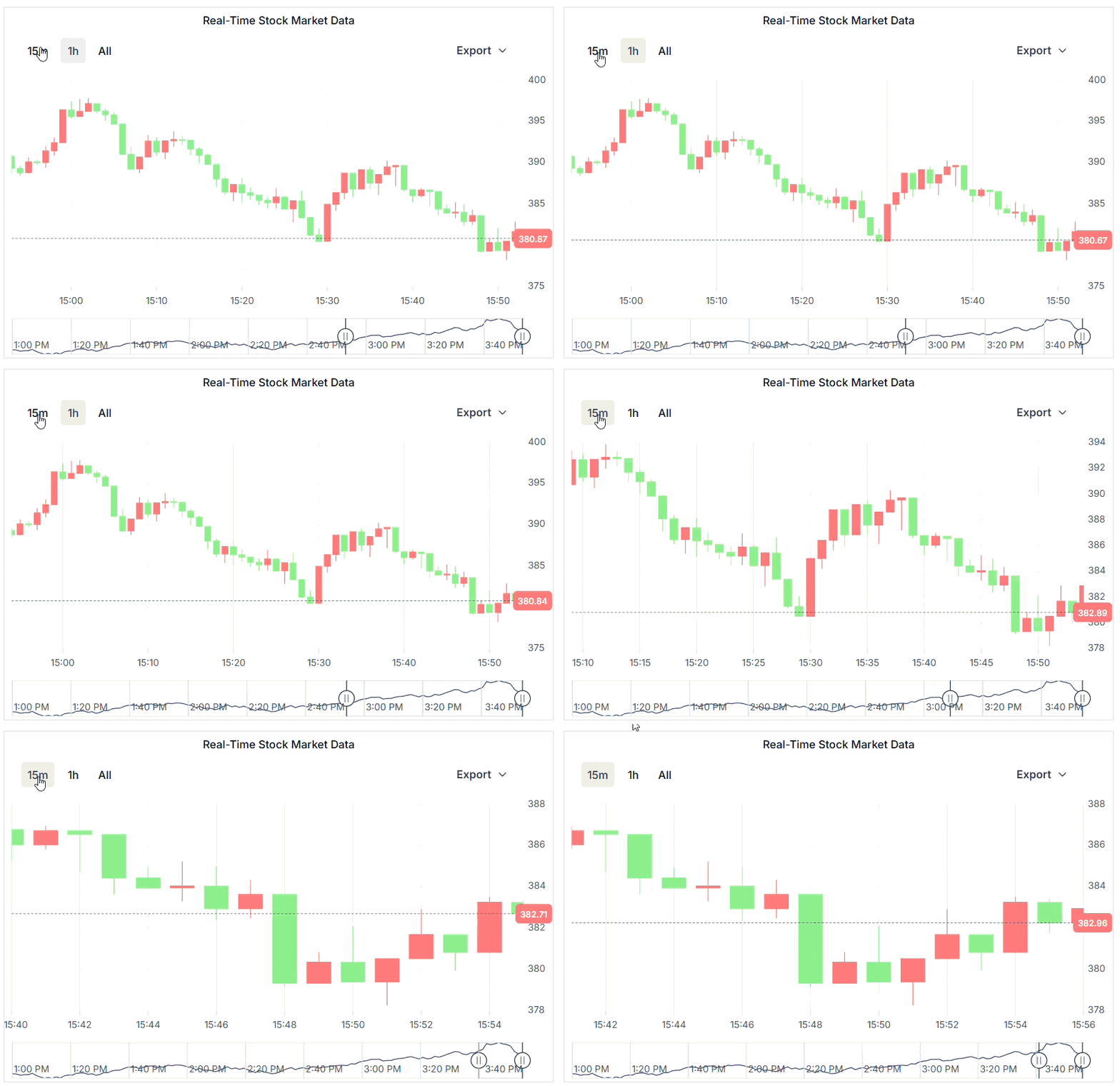
Real-time data visualization
Smooth real-time data visualization is now supported through dynamic data operations, historical data navigation, automatic navigator synchronization, axis animations, and navigator series animations. Continuous live data updates can be rendered without visual disruptions while preserving user interactions such as range selection, navigator movement, and zooming.
Improved Stock Chart rendering performance
Improved the initial rendering performance of the Stock Chart for large datasets over 500,000 data points. The initial load time has been reduced from approximately 20 seconds to 2.5–3 seconds, providing a faster and more responsive experience while rendering the complete dataset.
TreeGrid
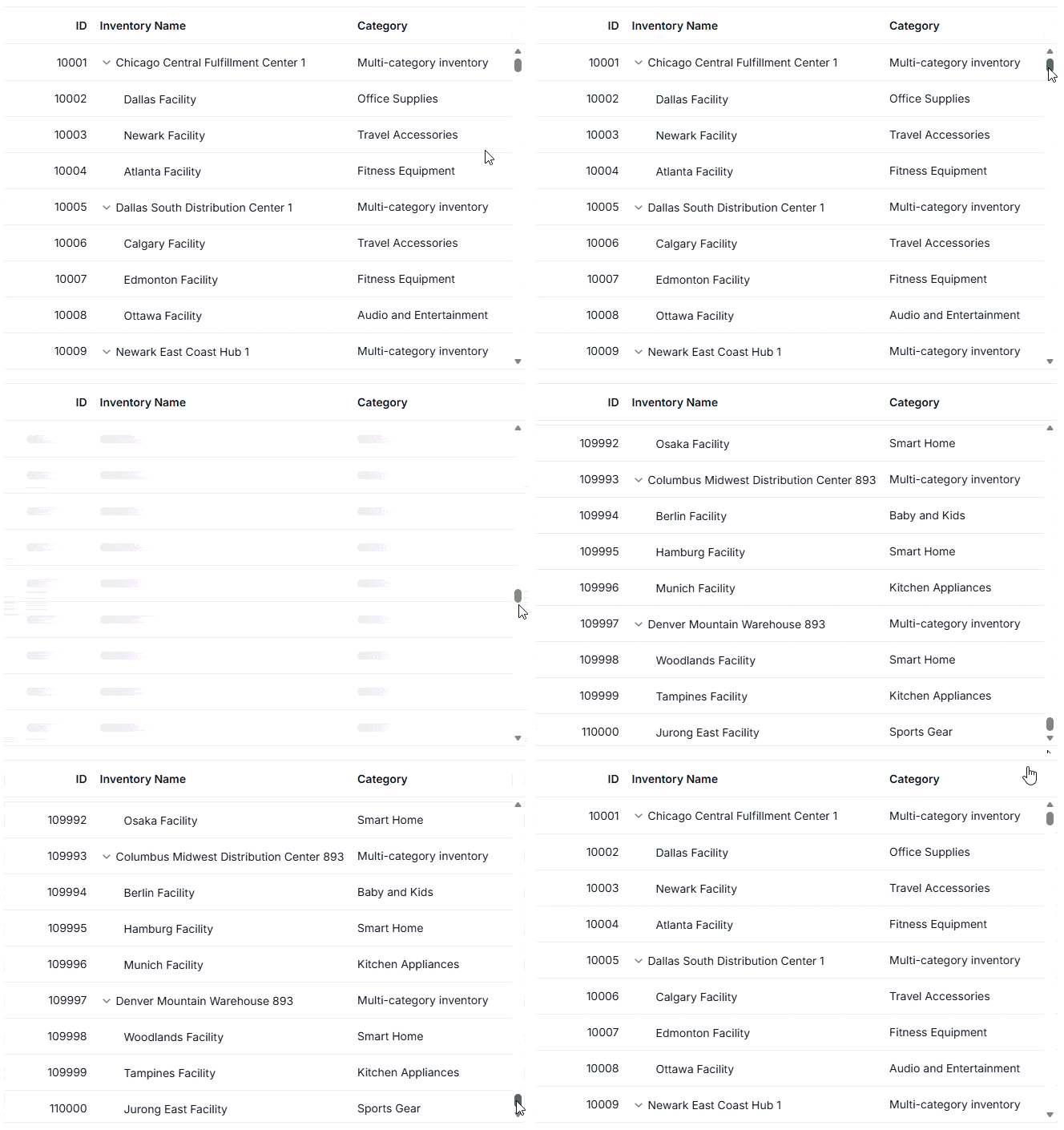
DOM virtualization
The Tree Grid efficiently handles large datasets by rendering only the visible rows using a buffer. This reduces memory usage and enables smooth scrolling.
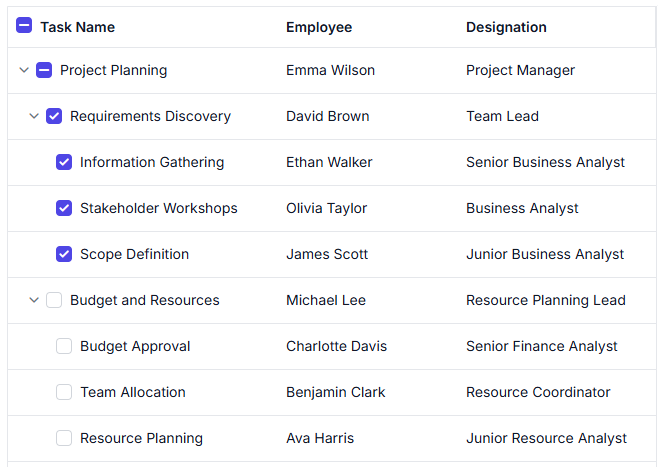
Hierarchy checkbox
Enhanced hierarchy checkbox selection with self, hierarchy, and filtered hierarchy modes, providing greater control over parent-child record selection behaviors in Tree Grid.
TreeView
Virtualization
Load large hierarchical datasets smoothly with UI virtualization. Only the visible nodes are rendered, while the remaining items are loaded dynamically as the user scrolls within the TreeView container. This reduces memory consumption and ensures a fluid scrolling experience even with thousands of nodes.


Do you have a feature request? Post the details in the feedback portal.







