
Overview
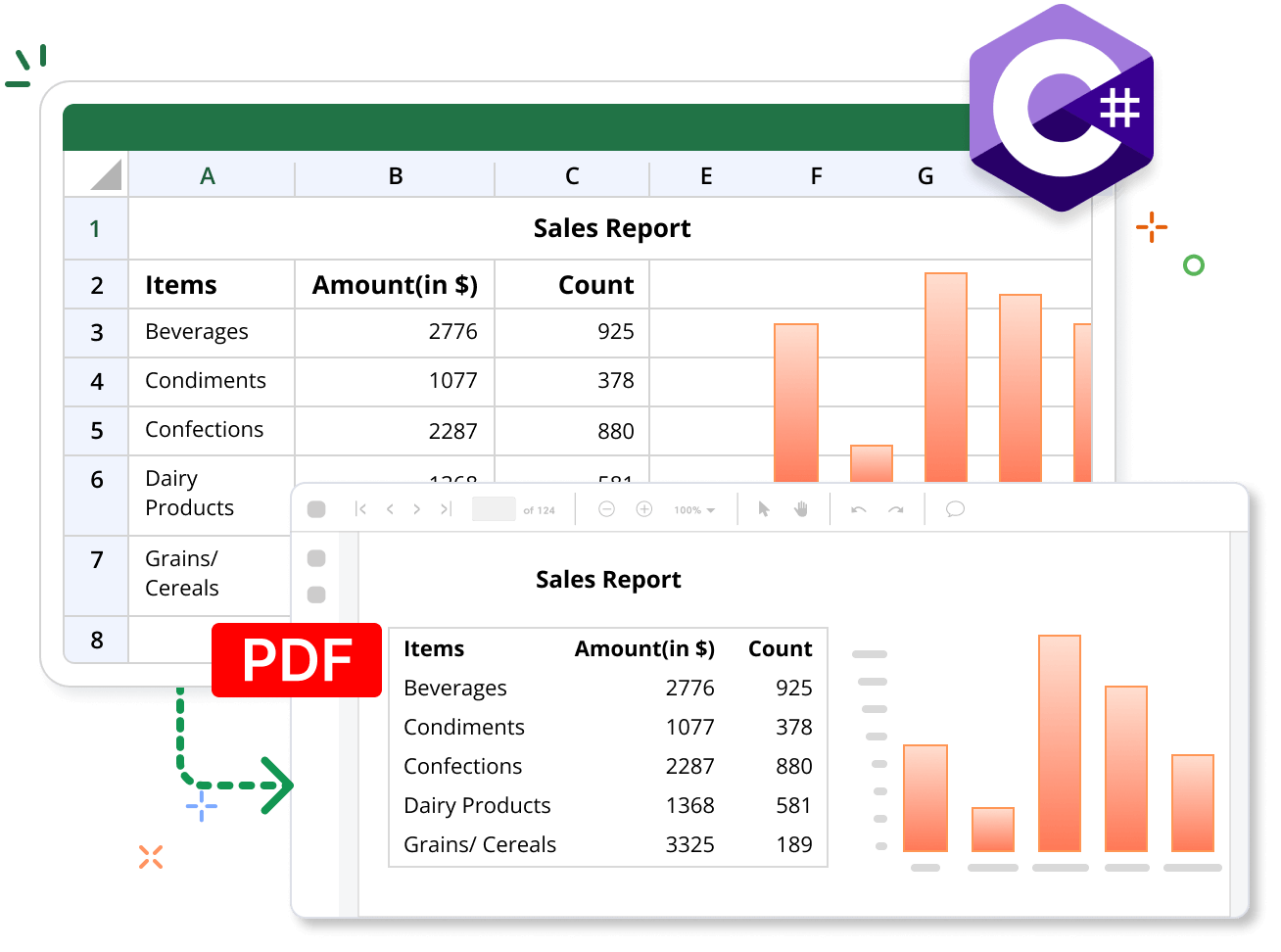
The Syncfusion .NET Excel Library provides an easy way to convert Excel files to PDF documents in C# or VB.NET using just a few lines of code. Preserve workbook layouts, charts, images, formatting, formulas, and page settings throughout the conversion process. Fast, reliable conversion with PDF/A-1B conformance is fully supported in hosting environments such as AWS, Google Cloud, and Microsoft Azure.
Execute Excel to PDF code example
This example code shows how to convert an Excel document to a PDF file using the Syncfusion .NET Excel library with just a few lines of C# code.
Key features of Excel-to-PDF conversion
Discover how the conversion features in the Syncfusion .NET Excel Library help you convert Excel files to high-quality PDF documents in C#. Preserve your workbook’s appearance, formatting, and print layout without requiring Microsoft Excel or Office interop. Convert Excel files to PDF programmatically using a simple C# API.
Layout options
Layout options for Excel-to-PDF conversion provide flexible control over how the content is scaled in the output. Available layout options include automatic, CustomScaling, FitAllColumnsOnOnePage, FitAllRowsOnOnePage, FitSheetOnOnePage, and NoScaling.
Custom paper size
Custom paper size lets users specify the desired paper dimensions in inches for the output document. The default setting is empty, represented as {Width = 0.0, Height = 0.0}.
PDF conformance level
The PDF conformance level enables users to specify the PDF document’s compliance with standards, allowing options such as PDF/A-1b, PDF/A-2b, PDF/A-3b, or PDF/X-1a conformance.
Set image quality
Set image quality determines whether high-quality images are exported to the PDF document. When enabled, images retain their quality during conversion.
Embed fonts
Embedding the required fonts ensures that the content is rendered accurately, regardless of font availability on the user’s system.
Font substitution
Font substitution allows users to select alternative fonts from their devices or upload custom fonts to replace specified fonts in the Excel document during the conversion to PDF.
Tagged PDF
Tagged PDF enables the conversion of Excel to PDF in compliance with the PDF/UA standard. This ensures that the resulting PDF is accessible, allowing users who depend on assistive technology to read and navigate the document’s content effectively.
Explore Excel to PDF References
Discover valuable resources from our blog and knowledge base articles to enhance your efficiency in converting Excel documents to PDF.

Knowledge base
How to change the orientation of PDF pages in Excel to PDF conversion using C#, VB.NET

Syncfusion .NET Excel Library Resources
Explore these resources for comprehensive guides, knowledge base articles, insightful blogs, and ebooks.


Product Updates


Technical Support


Frequently Asked Questions
Are charts included in the Excel to PDF converted document?
Yes. The Syncfusion Excel library preserves charts, shapes, images, and other visual elements during Excel to PDF conversion.
Does the Syncfusion Excel library provide font fallback support for Excel to PDF conversion?
Yes. The Syncfusion Excel library provides default font fallback support for missing fonts during Excel to PDF conversion. It also allows users to customize the fallback fonts.
What Excel formats can be converted to PDF by the Syncfusion Excel library?
The Syncfusion Excel library supports the conversion of Xls (Excel97to2003), Xlsx, Xltm, Xlsm, CSV, and TSV format documents to PDF.
How to avoid blank pages in Excel to PDF conversion using the Syncfusion Excel library?
You can set the IsConvertBlankPage property to false to avoid converting blank pages in Excel to PDF conversion.
Can I convert Excel files to PDF in C# without Microsoft Excel?
Yes. Syncfusion’s .NET Excel Library lets you convert Excel files to PDF programmatically in C# without installing Microsoft Excel or relying on Office interop.
What are the PDF orientation options available for Excel to PDF conversion?
The Syncfusion Excel library supports both portrait and landscape orientation options when converting Excel documents to PDF.
Is it possible to print Excel documents using the Syncfusion Excel library?
The Syncfusion .NET Excel library only supports printing Excel documents on Windows platforms. For the web, it can be accomplished by converting the Excel document to PDF format and then printing the resulting PDF document.
Is it possible to convert only a single worksheet instead of all in an Excel document?
Yes. Syncfusion Excel library provides support for converting only a specified worksheet to a PDF.
Does the Syncfusion Excel library support accessible and standards-compliant PDF generation?
Yes. The Syncfusion Excel library supports accessible and standards-compliant PDF generation by converting Excel documents to PDF/UA and PDF/A formats.
Trusted by the world’s leading companies
Our Customers Love Us
Here are some of their experiences.




Want to create, View, and edit Excel files in C# or VB.NET?
No credit card required.