Try Our Live Demo
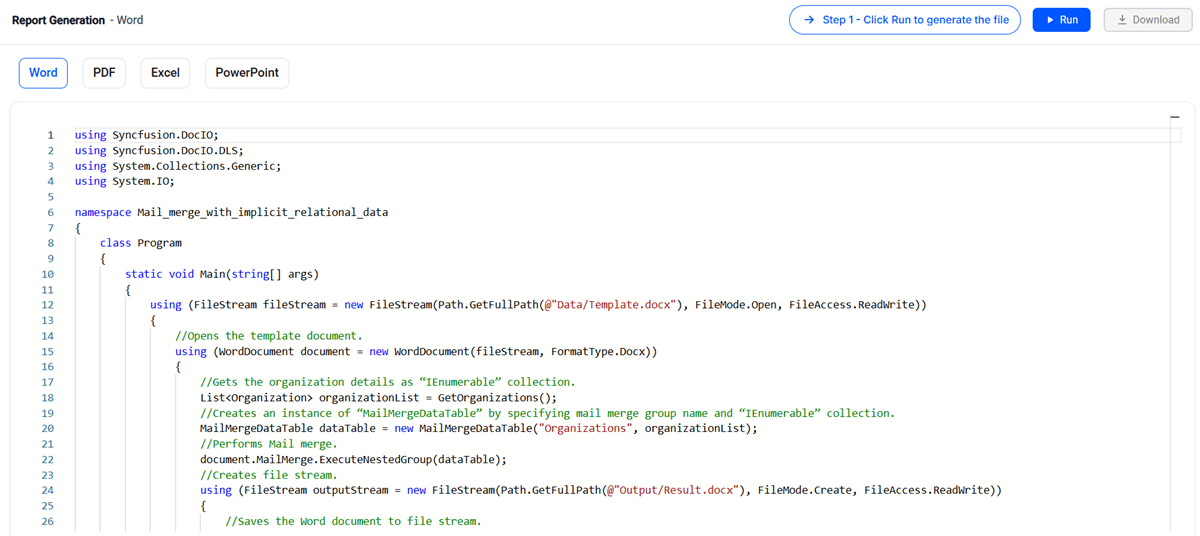
Automate end-to-end report workflows
Create personalized reports with mail merge, populate templates using live API data, and convert completed reports to PDF within a single automated workflow using Syncfusion Document SDK.
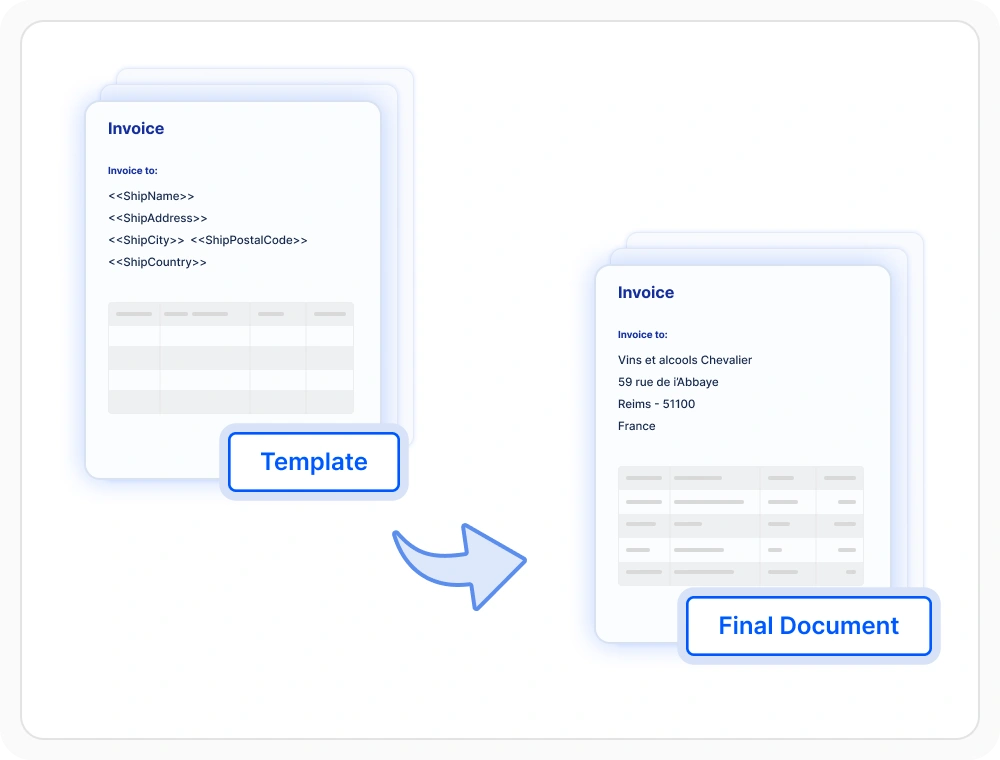
Mail merge report generation
Generate personalized reports by combining predefined templates with structured business data. Template-based reporting is suitable for producing invoices, statements, letters, and other documents with record-specific content.
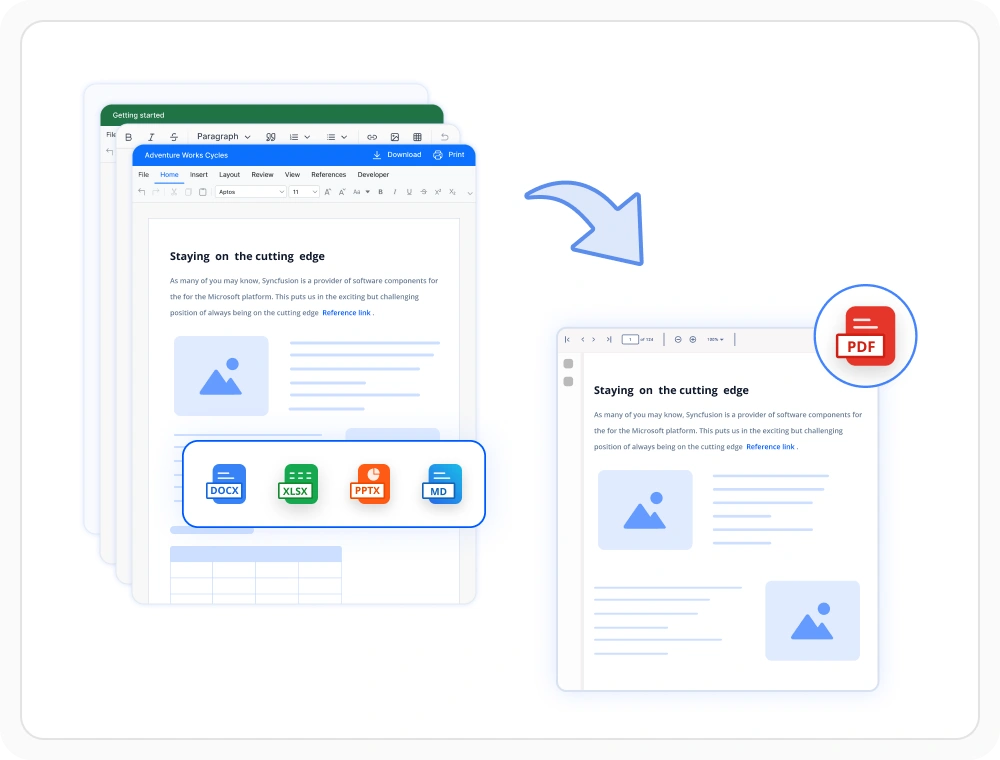
Automate bulk PDF conversion
Convert Word, Excel, and PowerPoint reports to PDF through an automated batch process. Batch conversion is suitable for reporting workflows that require multiple documents to be generated in a common output format.
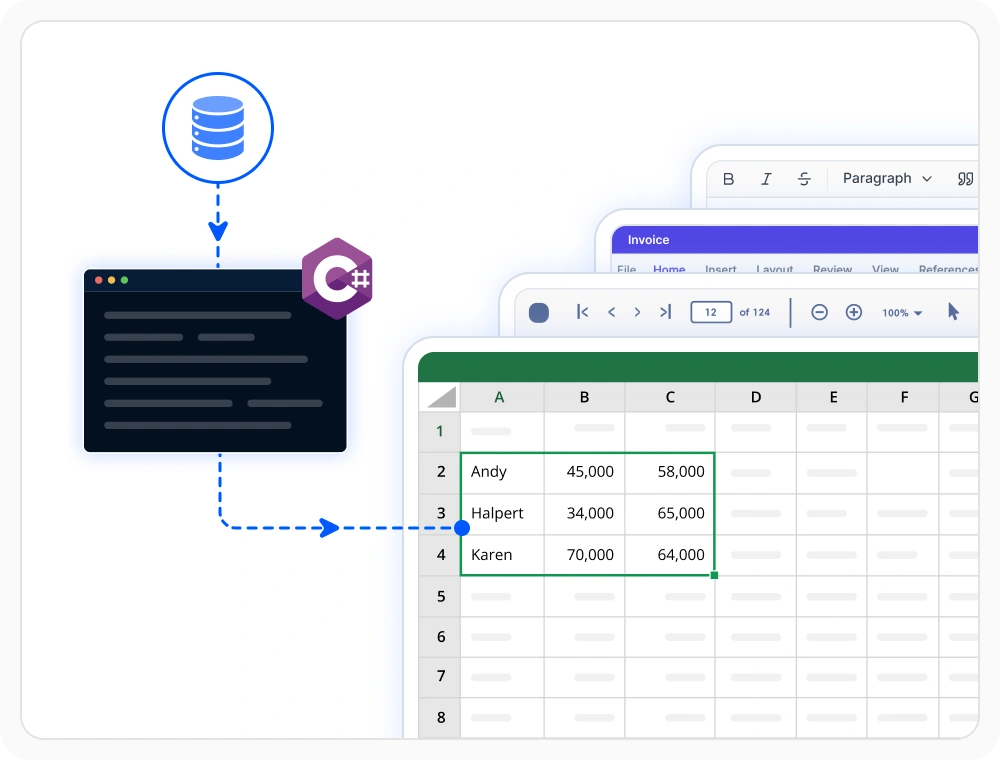
Reports from API data
Populate report templates using supported structured data sources such as JSON, XML, or application data retrieved from services. Data-driven reporting is suitable for documents that require frequently updated application information.
Report generation libraries
Choose the right document library
Select PDF, Word, Excel, or PowerPoint libraries based on the report format and required processing operations. Multiple libraries can be combined when an application generates reports across several document types.
PDF library
Create PDF reports with programmatic control over layout, formatting, and document structure. PDF reporting is suitable for fixed-layout reports intended for distribution, archival, or printing.
Framework: .NET · Flutter · JavaScript
Word library
Create data-driven Word reports using mail merge and reusable document templates. Word reporting is suitable for editable or personalized documents generated from structured business data.
Excel library
Create spreadsheet reports using template markers, formulas, and other supported workbook features. Excel reporting is suitable for data analysis, planning, tracking, and spreadsheet-based reporting.
PowerPoint library
Create presentation-based reports using reusable slide templates and programmatic content replacement. PowerPoint reporting is suitable for presenting report data through slides, charts, and other supported visual elements.
Framework: .NET
Frequently Asked Questions
Can Syncfusion .NET Document SDK convert reports to PDF?
Yes. The Document SDK can convert Word, Excel, and PowerPoint reports to PDF while preserving layouts, formatting, and visual appearance.
Can Syncfusion .NET Document SDK report generation run without Microsoft Office?
Yes. The Document SDK generates reports on servers, containers, and cloud environments without requiring Microsoft Office or Adobe installations.
Is Syncfusion .NET Document SDK suitable for enterprise report automation?
Yes. Document SDK supports automated report generation using structured business data. Generate and convert reports in Word, Excel, PowerPoint, and PDF formats through a single document-processing platform.
What types of reports can Syncfusion .NET Document SDK create?
The Document SDK supports invoices, dashboards, financial reports, customer statements, contracts and other business documents in Word, Excel, PDF, and PowerPoint formats.
How does Syncfusion .NET Document SDK report generation use business data?
The Document SDK merges predefined report templates with data from databases, JSON, XML, APIs, and .NET collections to automatically generate data-driven reports.
What .NET platforms are supported for report generation in Syncfusion Document SDK?
The Document SDK libraries support platforms for the web (Blazor, ASP.NET Core, ASP.NET MVC), mobile (.NET MAUI, UWP), and desktop (Windows Forms, WPF, WinUI, .NET MAUI, UWP).
Resources
Learn more about our Document SDK
Explore demos, KB articles, and documentation to get the most out of our Document SDK.
Explore guides, APIs, and quick-start tips
See live use cases in action
Ask, share, and connect with peers
Find solutions and best practices fast
Get expert help when you need it
Feature requests and bug reports
Track issues and suggest improvements
Awards
Greatness—it’s one thing to say you have it, but it means more when others recognize it. Syncfusion® is proud to hold the following industry awards.